> ## Documentation Index
> Fetch the complete documentation index at: https://apidoc.cometapi.com/llms.txt
> Use this file to discover all available pages before exploring further.
# Use FastGPT with CometAPI
> Use this guide to configure FastGPT with CometAPI by setting the base URL, API key, and model or provider options.
[FastGPT](https://cloud.tryfastgpt.ai/) is a knowledge-base-powered AI workflow platform. Configure a CometAPI key as an OpenAI-compatible third-party account to use it across all workflows.
## Prerequisites
* A [FastGPT](https://cloud.tryfastgpt.ai/login) account
* A [CometAPI](https://www.cometapi.com) account with an active API key
## Setup
Log in to the [CometAPI dashboard](https://www.cometapi.com/console). Click **Add API Key** and copy your key and base URL (`https://api.cometapi.com`).

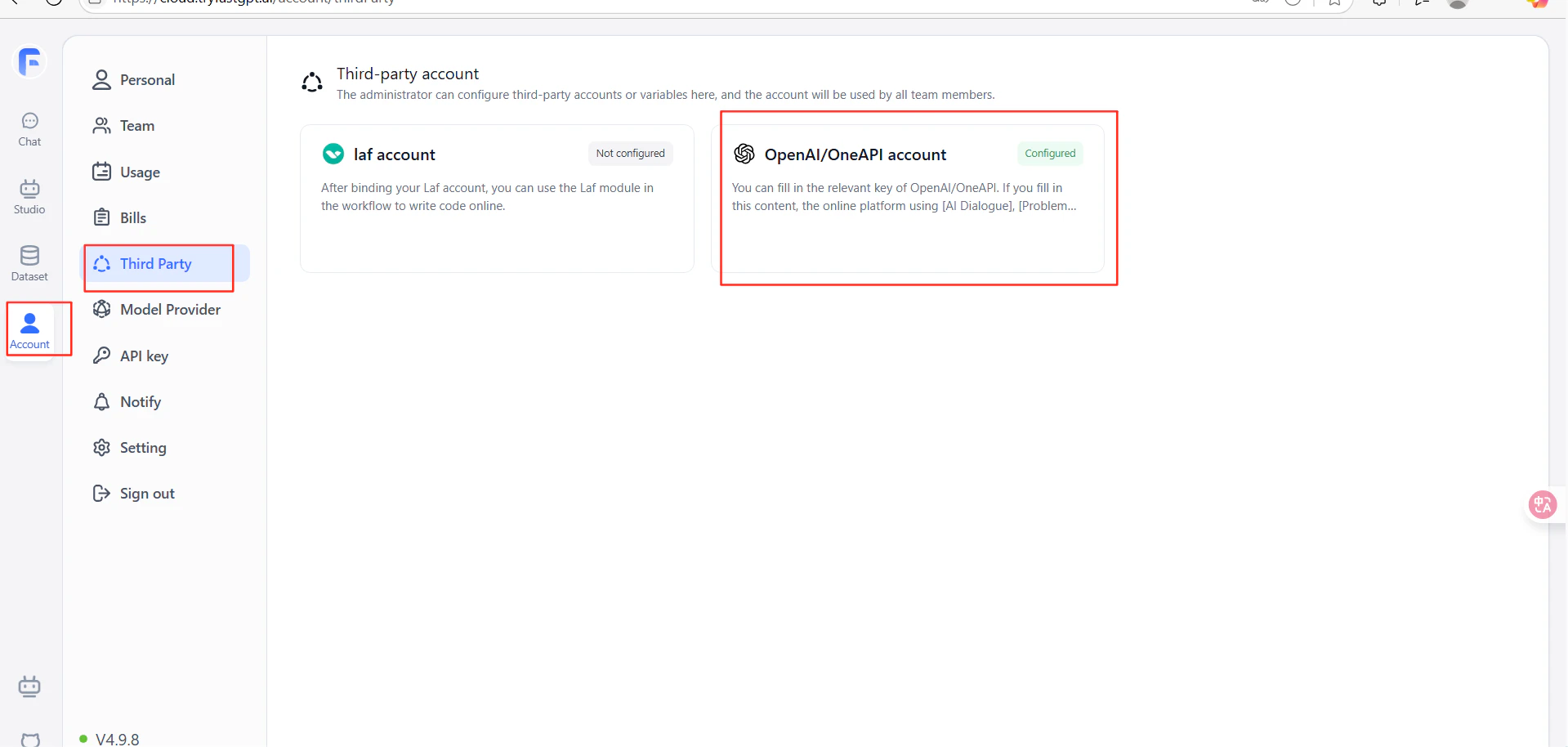
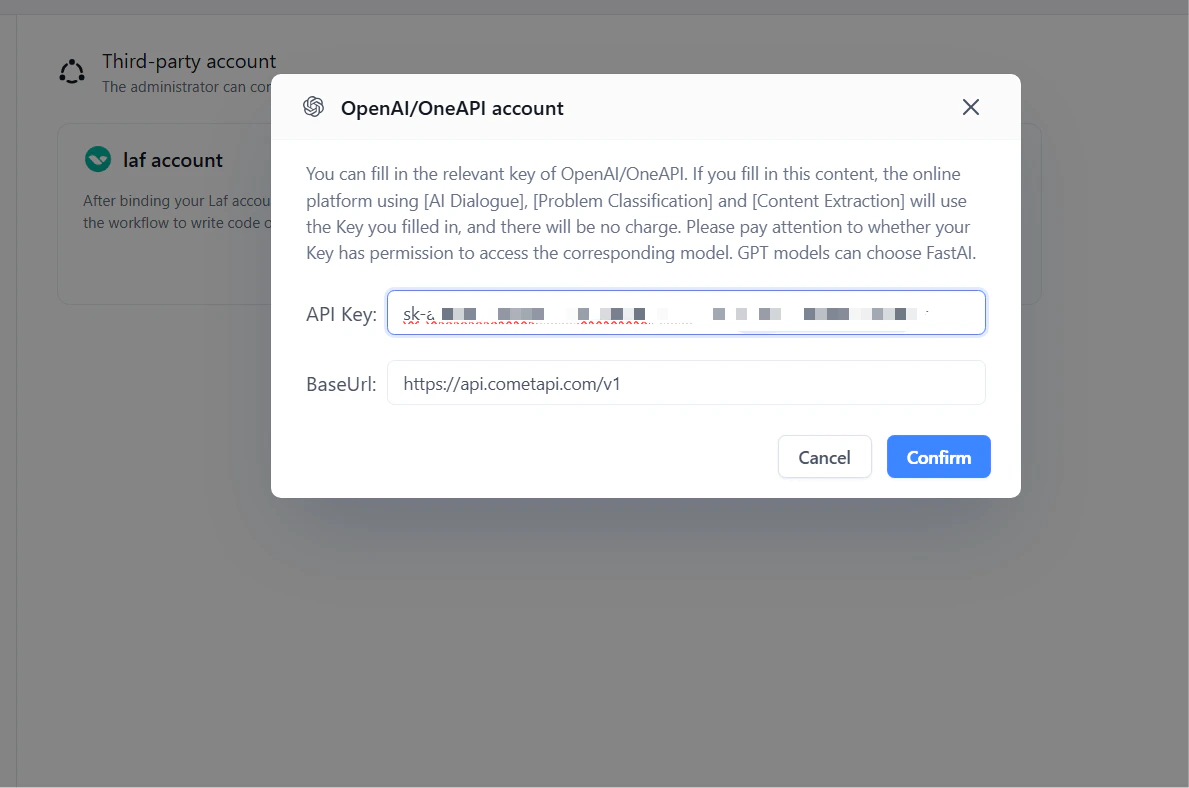
 In FastGPT, go to **Account Settings** → **Third-party Accounts** → **OpenAI Account**. Enter `https://api.cometapi.com/v1` in the **URL** field (include the `/v1` suffix). Paste your CometAPI key into **API Key** and click **Confirm**.
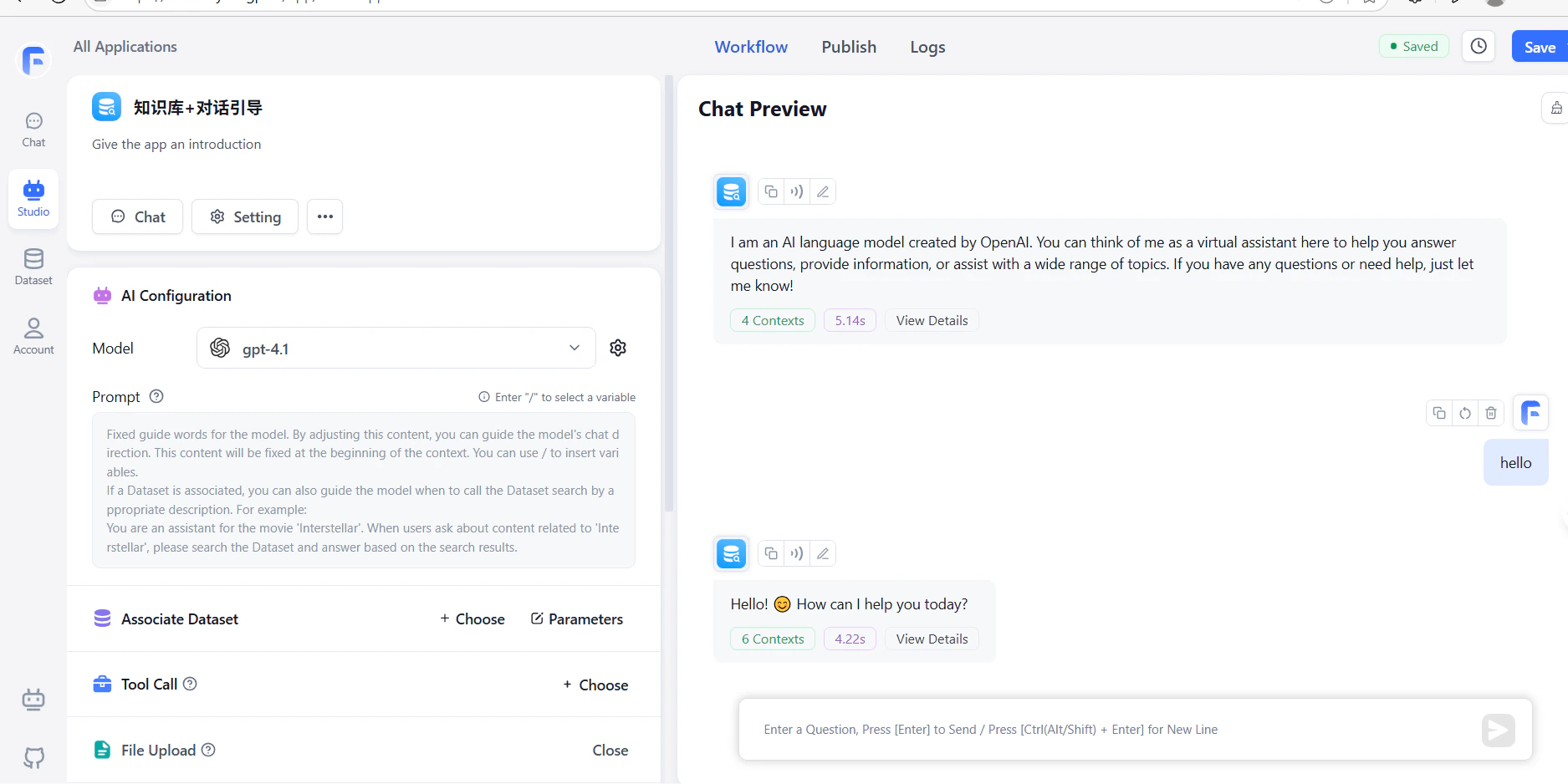
 Create a workflow with an LLM node and run it. A successful response confirms the setup is working.
 The URL must include the `/v1` suffix: `https://api.cometapi.com/v1`. Omitting it will cause connection failures.