> ## Documentation Index
> Fetch the complete documentation index at: https://apidoc.cometapi.com/llms.txt
> Use this file to discover all available pages before exploring further.
# Run n8n locally with CometAPI
> Use this guide to run n8n locally with CometAPI by configuring local deployment settings, credentials, and model access.
Deploy n8n on your own machine and connect it to CometAPI via the community node to run automated AI workflows locally.
## Prerequisites
* Linux (Ubuntu/Debian/CentOS, etc.) or macOS
* 2 GB+ RAM, 10 GB+ free disk space
* Shell access with reach to the public npm registry
* Node.js 18.x or 20.x LTS (see Step 1)
* A CometAPI account with an active API key — [get yours here](https://www.cometapi.com/console/token)
Log in to the [CometAPI console](https://www.cometapi.com/console/token). Click **Add API Key** and copy your CometAPI API key.

 n8n 1.x requires Node.js 18.x or 20.x. The recommended approach is [nvm](https://github.com/nvm-sh/nvm):
```bash theme={null}
# Install nvm
curl -o- https://raw.githubusercontent.com/nvm-sh/nvm/v0.39.7/install.sh | bash
# Reload your shell profile
source ~/.bashrc # or ~/.zshrc on macOS
# Install and activate the LTS version
nvm install --lts
nvm use --lts
# Verify
node -v
npm -v
```
If you see `n8n: command not found` later, restart the terminal or ensure the nvm-managed npm global bin directory is on your `PATH`.
```bash theme={null}
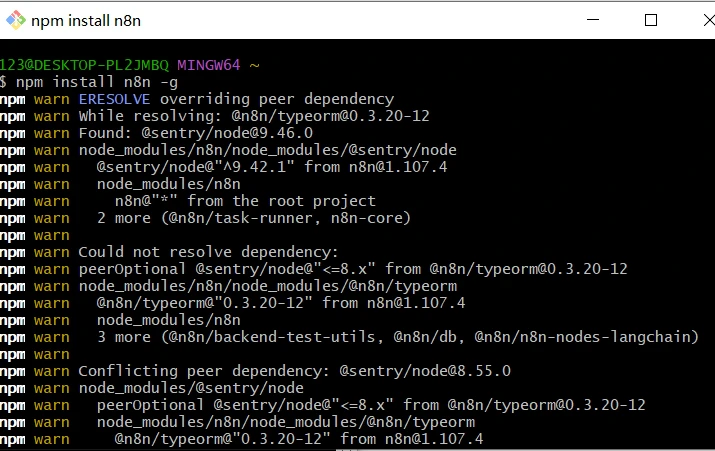
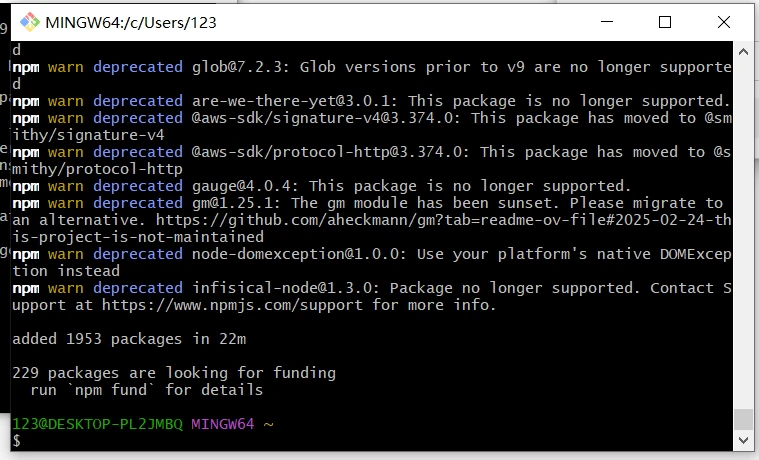
npm install -g n8n
n8n -v # verify the installed version
n8n start # runs on http://localhost:5678/
```
If port 5678 is already in use:
```bash theme={null}
export N8N_PORT=5679
n8n start
```
To keep n8n running after closing the terminal:
```bash theme={null}
npm install -g pm2
pm2 start "n8n" --name n8n
pm2 save
pm2 status
```
n8n 1.x requires Node.js 18.x or 20.x. The recommended approach is [nvm](https://github.com/nvm-sh/nvm):
```bash theme={null}
# Install nvm
curl -o- https://raw.githubusercontent.com/nvm-sh/nvm/v0.39.7/install.sh | bash
# Reload your shell profile
source ~/.bashrc # or ~/.zshrc on macOS
# Install and activate the LTS version
nvm install --lts
nvm use --lts
# Verify
node -v
npm -v
```
If you see `n8n: command not found` later, restart the terminal or ensure the nvm-managed npm global bin directory is on your `PATH`.
```bash theme={null}
npm install -g n8n
n8n -v # verify the installed version
n8n start # runs on http://localhost:5678/
```
If port 5678 is already in use:
```bash theme={null}
export N8N_PORT=5679
n8n start
```
To keep n8n running after closing the terminal:
```bash theme={null}
npm install -g pm2
pm2 start "n8n" --name n8n
pm2 save
pm2 status
```
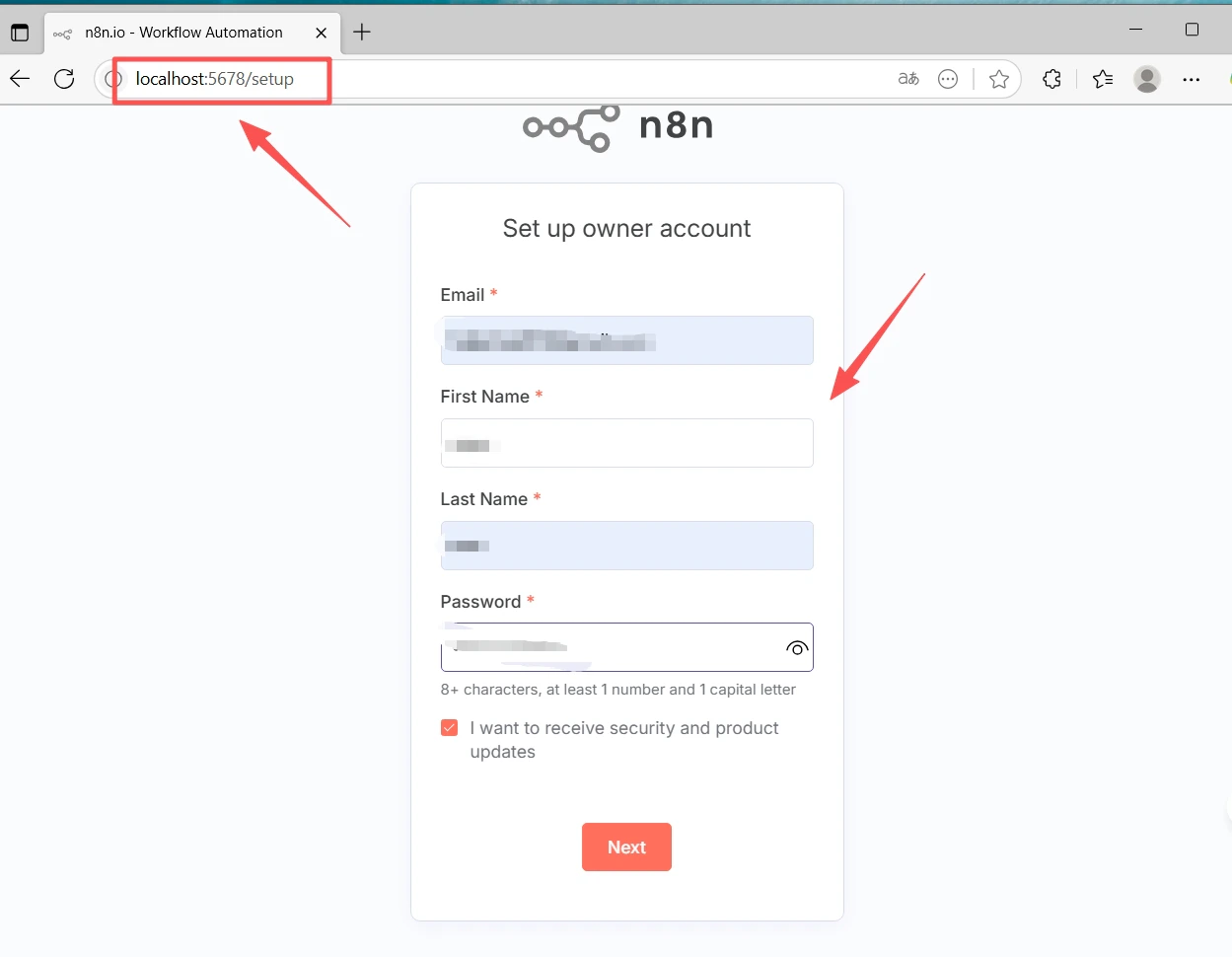
 Open [http://localhost:5678/](http://localhost:5678/) in your browser. On first run, the setup wizard asks you to create an **Owner** account (email + password). Complete this and sign in.
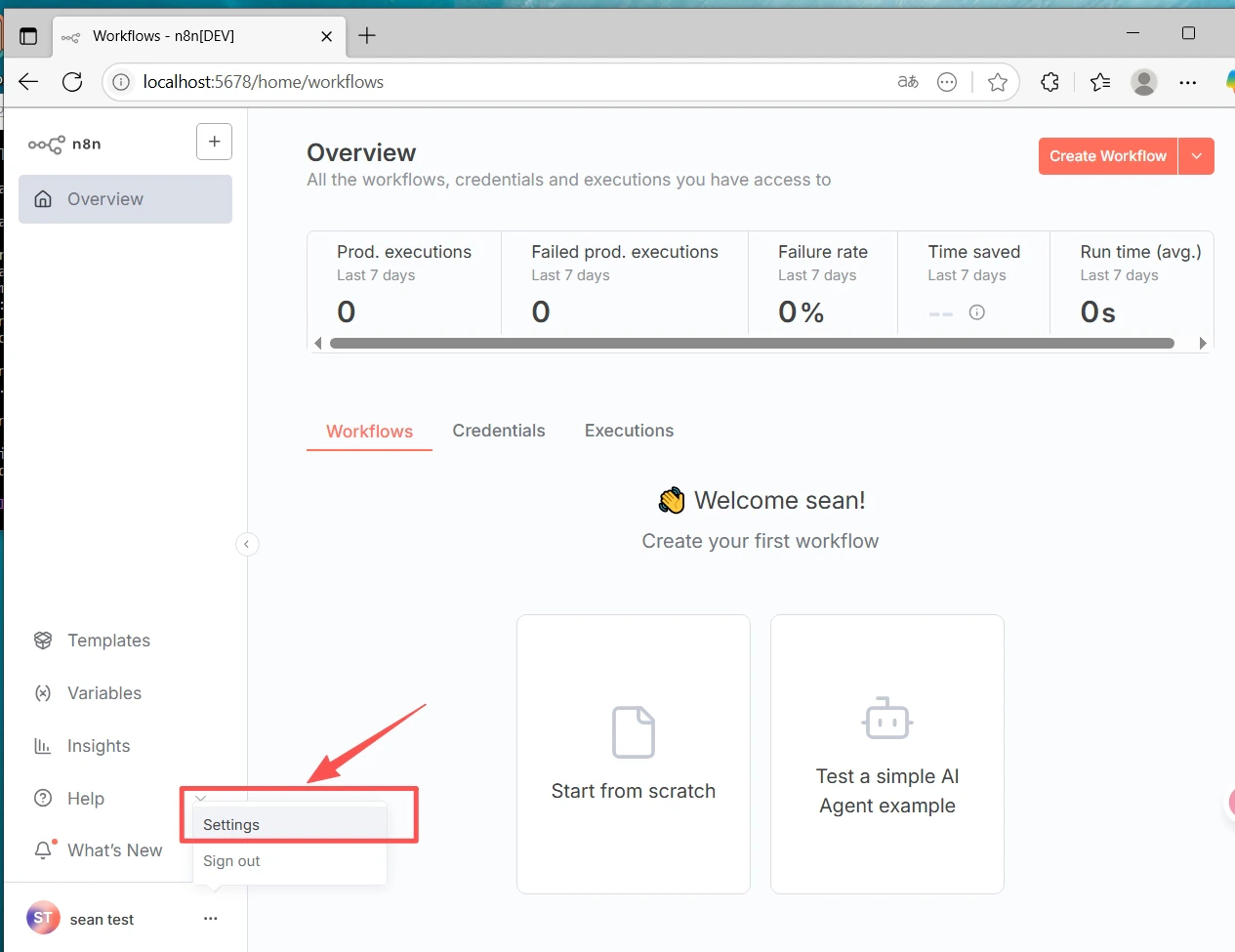
 1. Go to **Settings** (bottom-left) → **Community nodes**
2. Click **Install a community node**
3. Enter the package name: `@cometapi-dev/n8n-nodes-cometapi`
4. Check the risk acknowledgment box and click **Install**
After installation you can search for **CometAPI** in the node panel.
1. Go to **Settings** (bottom-left) → **Community nodes**
2. Click **Install a community node**
3. Enter the package name: `@cometapi-dev/n8n-nodes-cometapi`
4. Check the risk acknowledgment box and click **Install**
After installation you can search for **CometAPI** in the node panel.
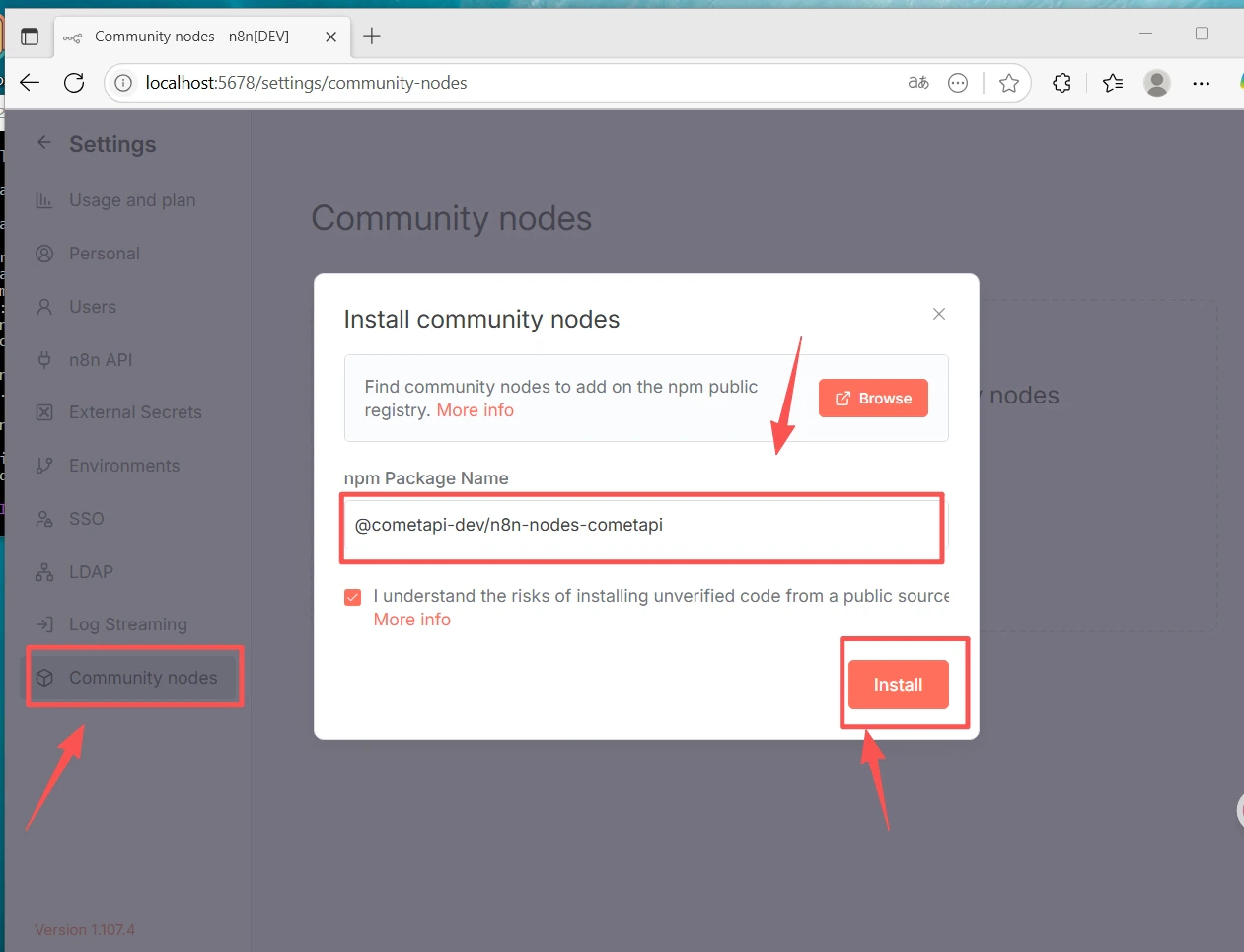 If the Community Nodes section is missing: make sure you are signed in as the **Owner** account, and check **Settings → Security** to confirm community node installation is enabled.
1. Click **+ New** at the top to create a workflow.
2. Click **+** on the canvas and search for **CometAPI** to add the node.
If the Community Nodes section is missing: make sure you are signed in as the **Owner** account, and check **Settings → Security** to confirm community node installation is enabled.
1. Click **+ New** at the top to create a workflow.
2. Click **+** on the canvas and search for **CometAPI** to add the node.
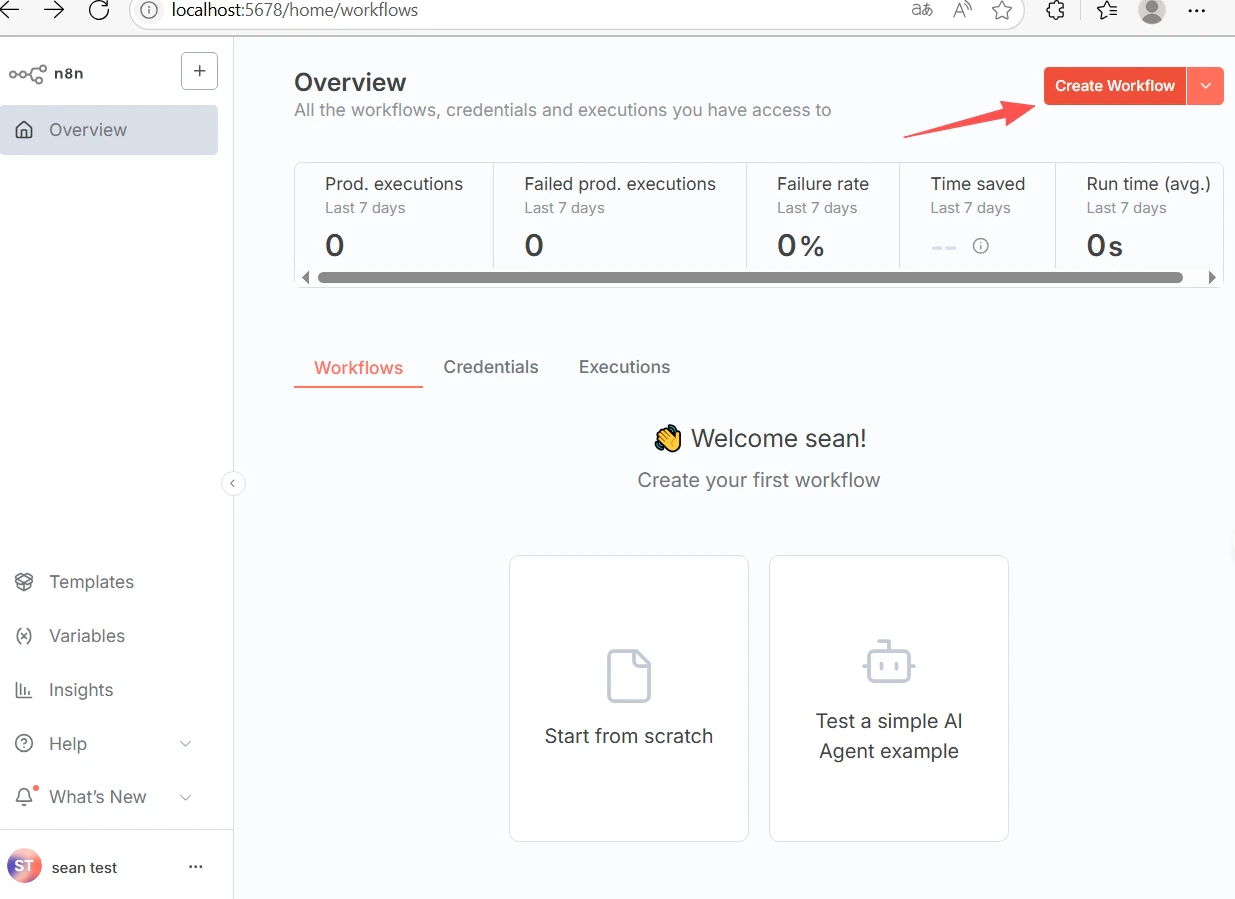
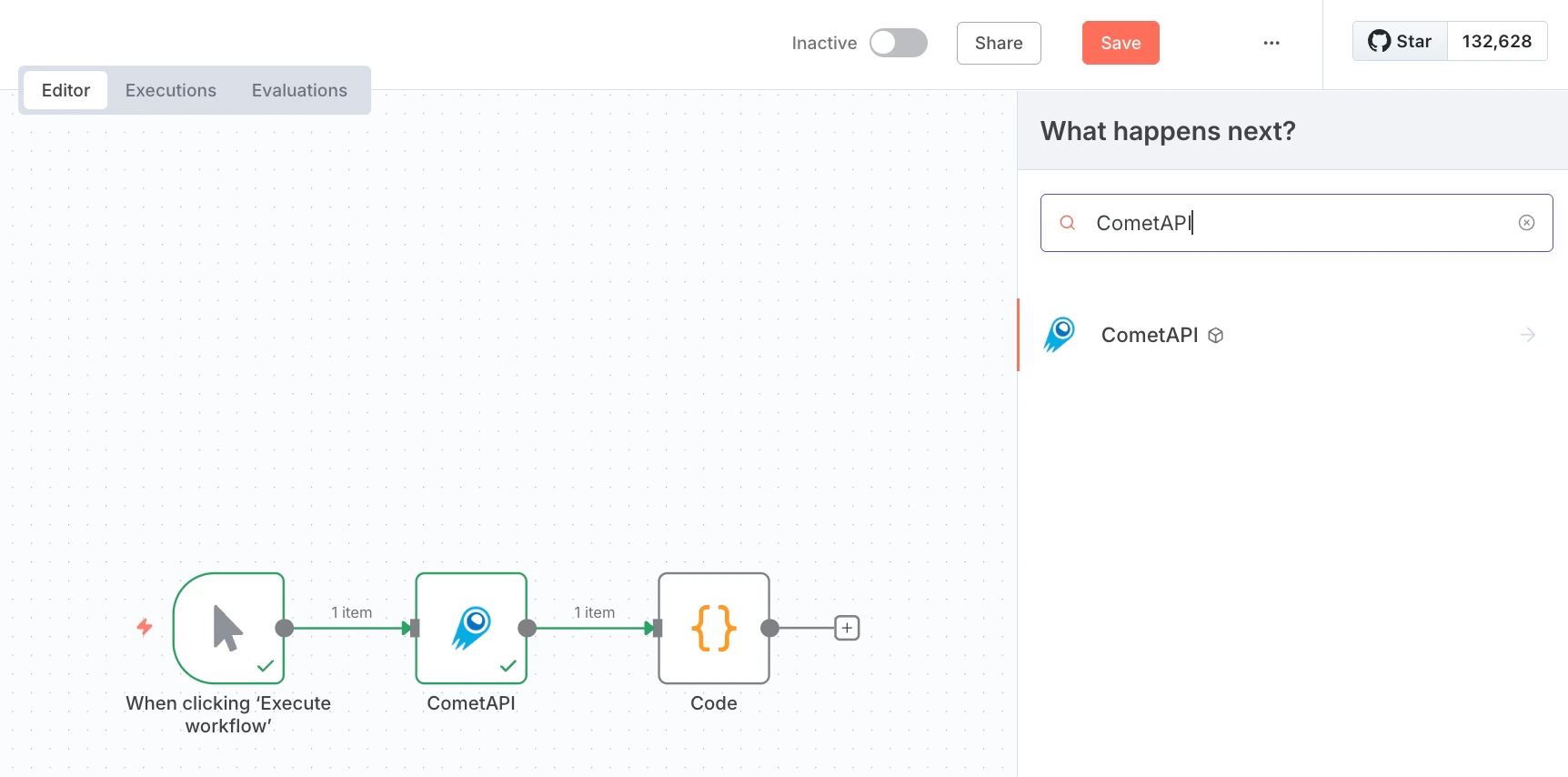 3. Add a **Manual Trigger** node and connect it to the CometAPI node.
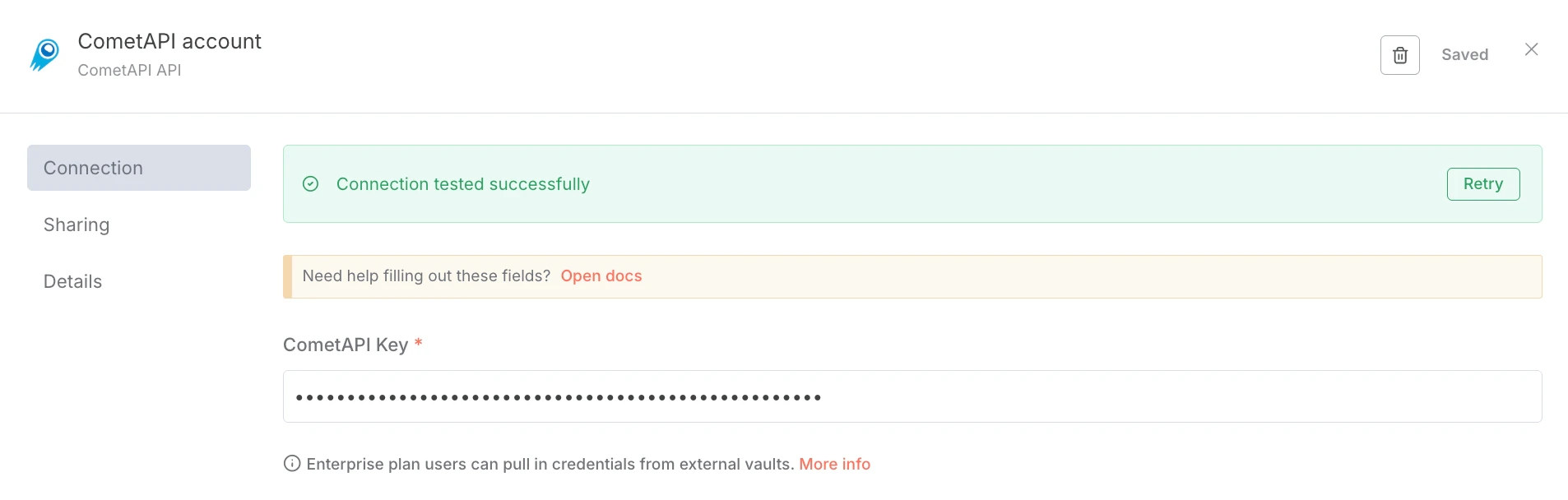
4. In the CometAPI node, under **Credential to connect with**, choose **Create new**. Paste your CometAPI API key into **CometAPI Key** and click **Save**. The Base URL defaults to `https://api.cometapi.com` and typically needs no change.
3. Add a **Manual Trigger** node and connect it to the CometAPI node.
4. In the CometAPI node, under **Credential to connect with**, choose **Create new**. Paste your CometAPI API key into **CometAPI Key** and click **Save**. The Base URL defaults to `https://api.cometapi.com` and typically needs no change.
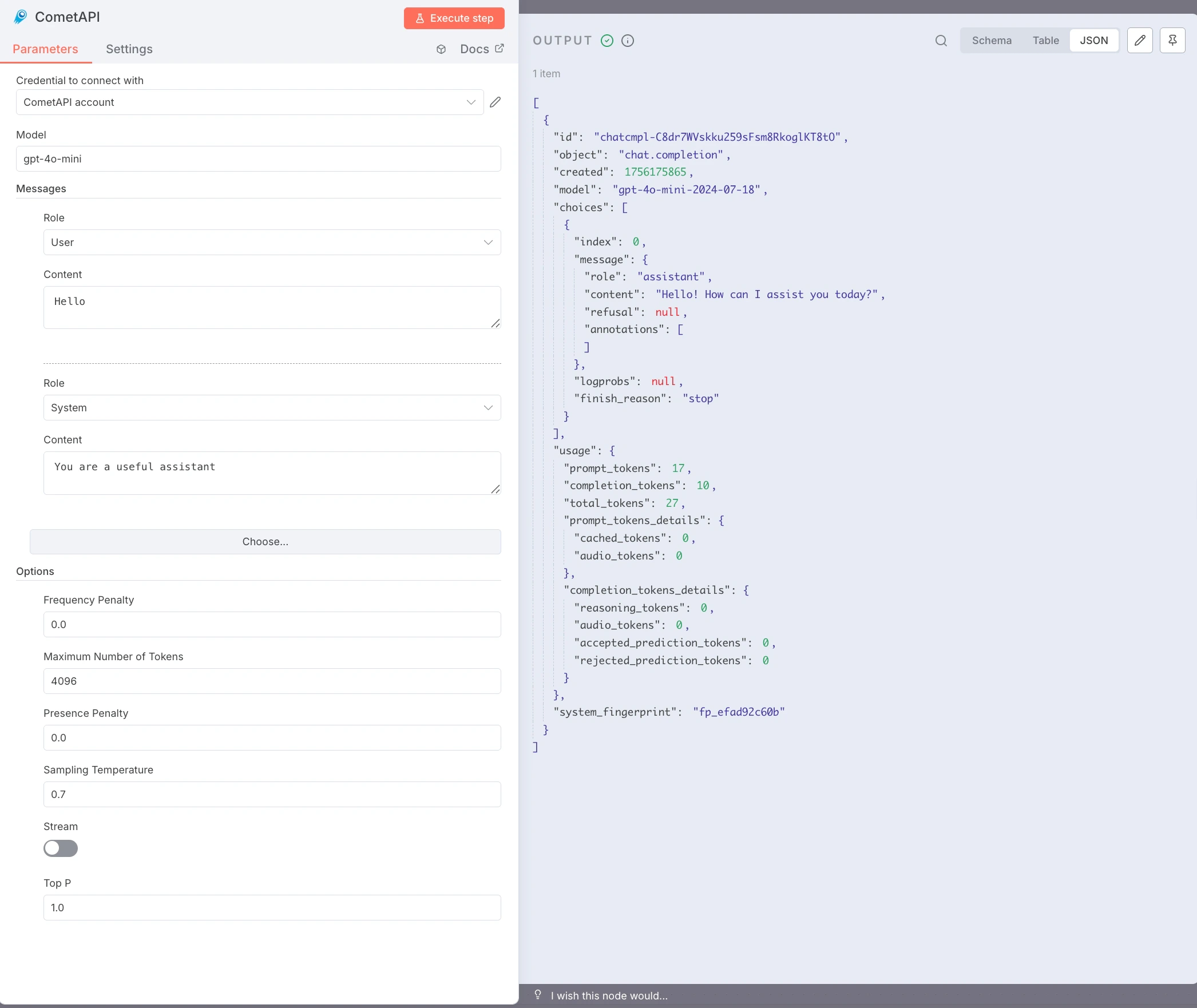
 5. Configure the node:
* **Model**: enter the current model ID you want to use
* **Messages**: set Role to `user`, Content to your test prompt (e.g. `Hello`)
* Optional: add a `system` message, set **Max Tokens**, **Temperature**, etc.
6. Click **Execute step** to run the node. The **Output** panel shows the JSON response.
5. Configure the node:
* **Model**: enter the current model ID you want to use
* **Messages**: set Role to `user`, Content to your test prompt (e.g. `Hello`)
* Optional: add a `system` message, set **Max Tokens**, **Temperature**, etc.
6. Click **Execute step** to run the node. The **Output** panel shows the JSON response.
 * **`node-gyp` or native build errors** — install build tools: `sudo apt install build-essential python3` (Debian/Ubuntu) or Xcode Command Line Tools (macOS).
* **npm permission errors (EACCES)** — use nvm for a user-level Node.js install; no `sudo` needed.
* **Port conflict (`localhost:5678` unavailable)** — set `N8N_PORT=5679` (or another free port) before running `n8n start`.
* **Community Nodes section missing** — sign in as the **Owner** account and check **Settings → Security**.
* **npm install fails on corporate networks** — configure a proxy: `npm config set proxy http://user:pass@host:port`
* **CometAPI node returns 401/403** — verify your API key and that the model is accessible on your CometAPI plan.
* **Empty responses or token limit errors** — increase **Max Tokens**; adjust **Temperature** and **Top P** as needed.
* **n8n stops when terminal closes** — use pm2: `pm2 start "n8n" --name n8n && pm2 save`.
* **`node-gyp` or native build errors** — install build tools: `sudo apt install build-essential python3` (Debian/Ubuntu) or Xcode Command Line Tools (macOS).
* **npm permission errors (EACCES)** — use nvm for a user-level Node.js install; no `sudo` needed.
* **Port conflict (`localhost:5678` unavailable)** — set `N8N_PORT=5679` (or another free port) before running `n8n start`.
* **Community Nodes section missing** — sign in as the **Owner** account and check **Settings → Security**.
* **npm install fails on corporate networks** — configure a proxy: `npm config set proxy http://user:pass@host:port`
* **CometAPI node returns 401/403** — verify your API key and that the model is accessible on your CometAPI plan.
* **Empty responses or token limit errors** — increase **Max Tokens**; adjust **Temperature** and **Top P** as needed.
* **n8n stops when terminal closes** — use pm2: `pm2 start "n8n" --name n8n && pm2 save`.