> ## Documentation Index
> Fetch the complete documentation index at: https://apidoc.cometapi.com/llms.txt
> Use this file to discover all available pages before exploring further.

# Connect n8n to CometAPI

> Use this guide to connect n8n to CometAPI by setting the base URL, API key, and model or provider options.

[n8n](https://n8n.io/) is a workflow automation tool. Connect it to CometAPI by configuring OpenAI-compatible credentials — all CometAPI models work out of the box.

## Prerequisites

* An [n8n](https://n8n.io/) account (cloud or self-hosted)
* A [CometAPI](https://www.cometapi.com) account with an active API key

<Note>
  For local/self-hosted n8n with the CometAPI community node, see the [n8n Local Deployment](/integrations/n8n-local-deployment) guide.
</Note>

## Setup

<Steps>
  <Step title="Get your CometAPI API key">
    Log in to the [CometAPI dashboard](https://www.cometapi.com/console). Click **Add API Key** and copy your key and base URL (`https://api.cometapi.com`).


    <Frame>
      <img src="https://mintcdn.com/cometapi/SZhlxZhCnMLn__BW/images/overview/810968_364191.png?fit=max&auto=format&n=SZhlxZhCnMLn__BW&q=85&s=aef81a83f29f8eb16655ed4060425f50" alt="CometAPI dashboard — Add API Key" width="3824" height="1892" data-path="images/overview/810968_364191.png" />
    </Frame>

    <Frame>
      <img src="https://mintcdn.com/cometapi/HhtmQffktazbxUvS/images/overview/810968_364193.png?fit=max&auto=format&n=HhtmQffktazbxUvS&q=85&s=d893f659267150d0faf45f99eb5dffc1" alt="CometAPI API key and base URL" width="2434" height="1232" data-path="images/overview/810968_364193.png" />
    </Frame>
  </Step>

  <Step title="Create an OpenAI credential">
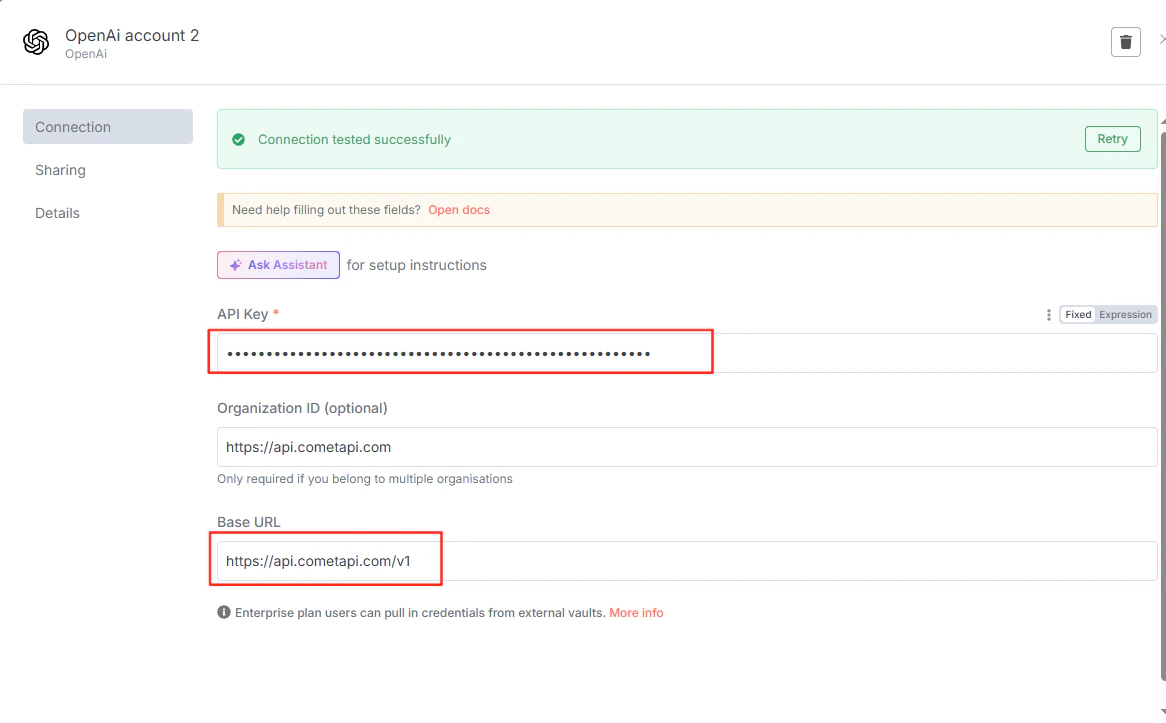
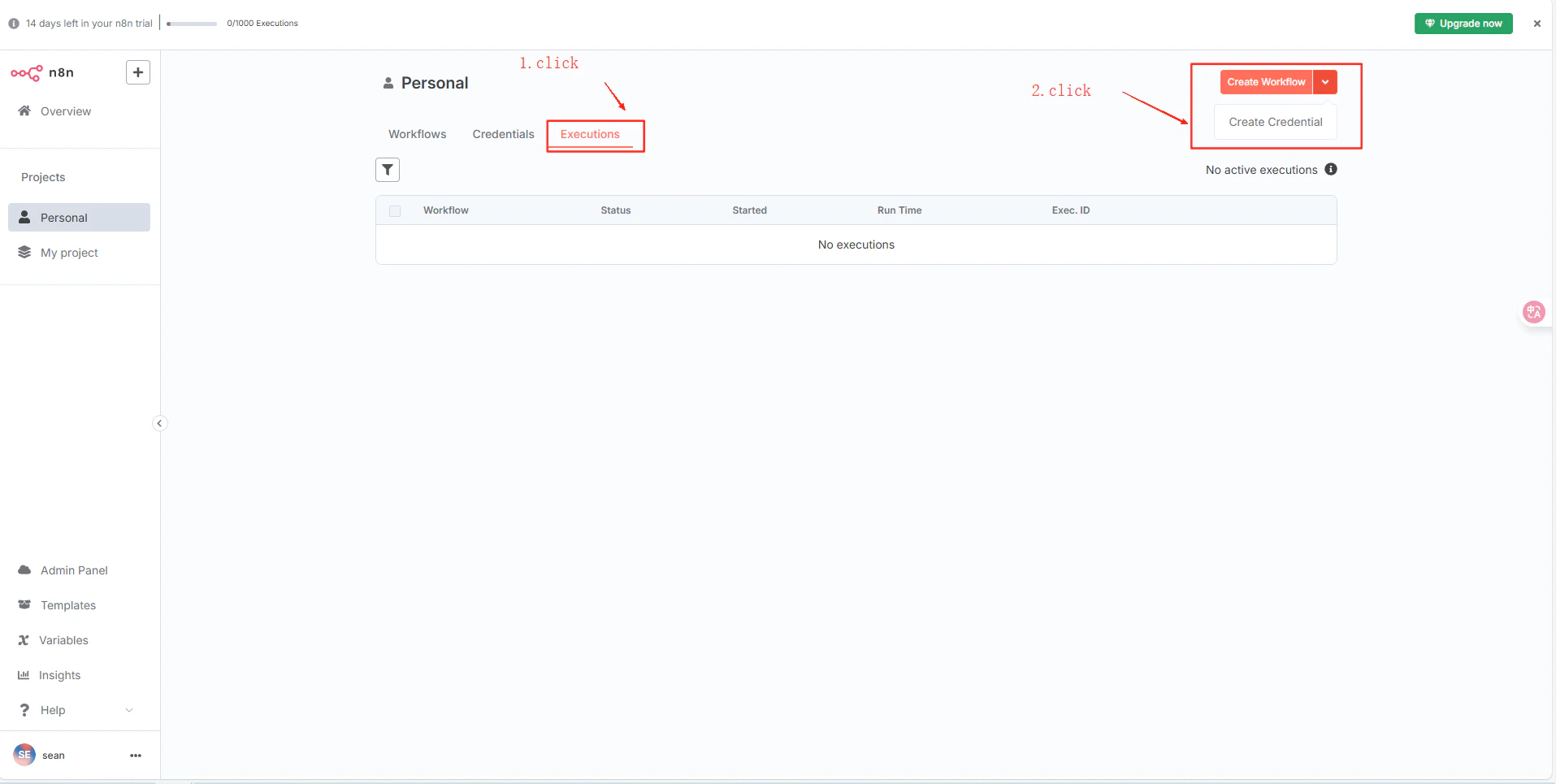
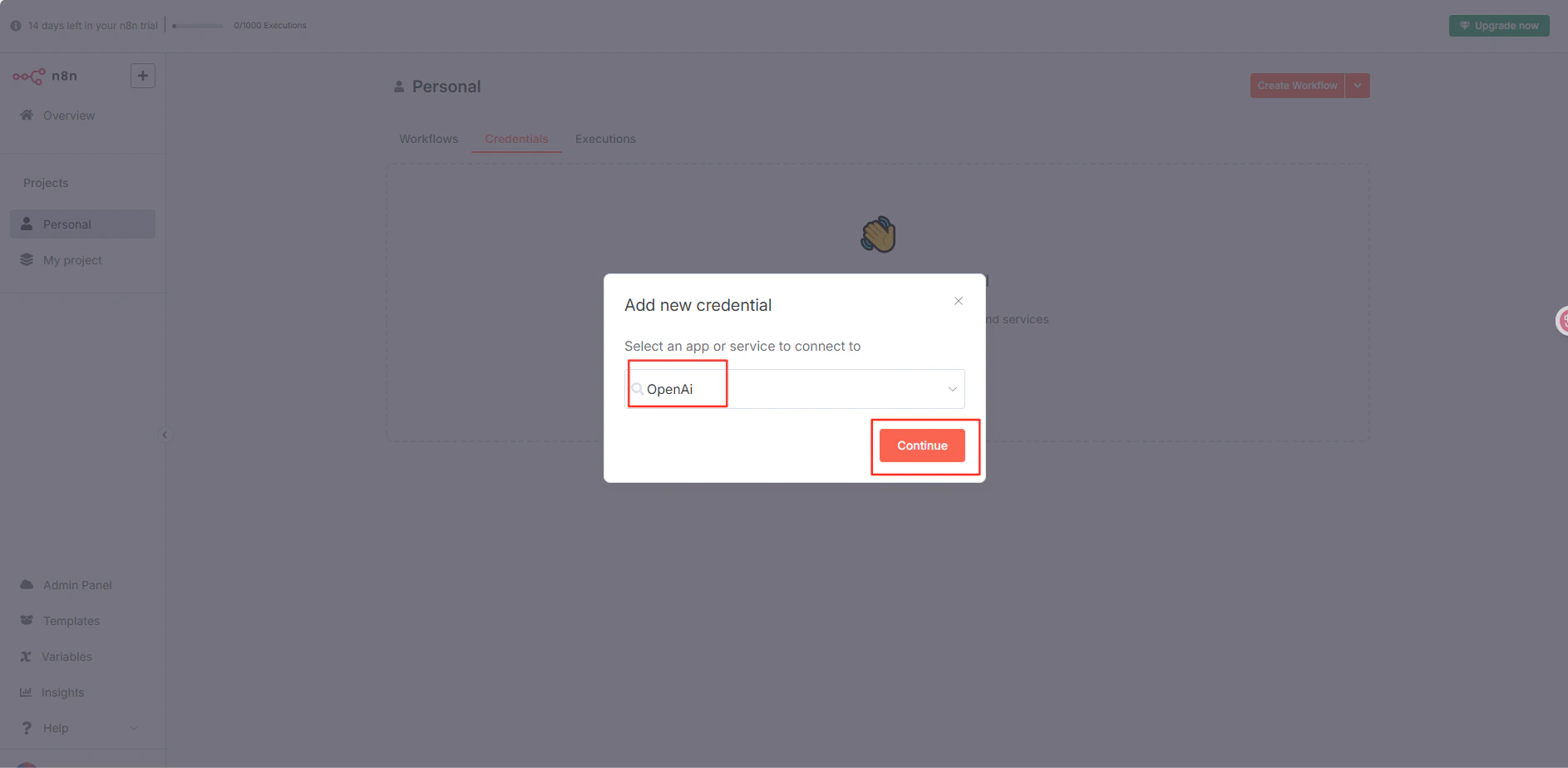
    In n8n, navigate to your project → **Credentials** → **Create Credential** → **OpenAI API**. Paste your CometAPI key into **API Key**, enter `https://api.cometapi.com/v1` in the **Base URL** field, and click **Save**.
    <Frame>
      <img src="https://mintcdn.com/cometapi/mA1ovj6s0e3RM42l/images/integrations/810968_354031.png?fit=max&auto=format&n=mA1ovj6s0e3RM42l&q=85&s=915bfac17a897d2df0a6868a71fd1618" alt="n8n Create Credential dialog with OpenAI API selected" width="1915" height="965" data-path="images/integrations/810968_354031.png" />
    </Frame>

    <Frame>
      <img src="https://mintcdn.com/cometapi/mA1ovj6s0e3RM42l/images/integrations/810968_354032.png?fit=max&auto=format&n=mA1ovj6s0e3RM42l&q=85&s=c94c58a1f8826554f7b703d376c3ce53" alt="n8n OpenAI credential form with CometAPI key and base URL filled in" width="1886" height="924" data-path="images/integrations/810968_354032.png" />
    </Frame>

    <Frame>
      <img src="https://mintcdn.com/cometapi/mA1ovj6s0e3RM42l/images/integrations/810968_354037.png?fit=max&auto=format&n=mA1ovj6s0e3RM42l&q=85&s=e46a7e333b897ec09a791a26bb8db13f" alt="n8n credential saved successfully" width="1166" height="723" data-path="images/integrations/810968_354037.png" />
    </Frame>
  </Step>

  <Step title="Test the connection">
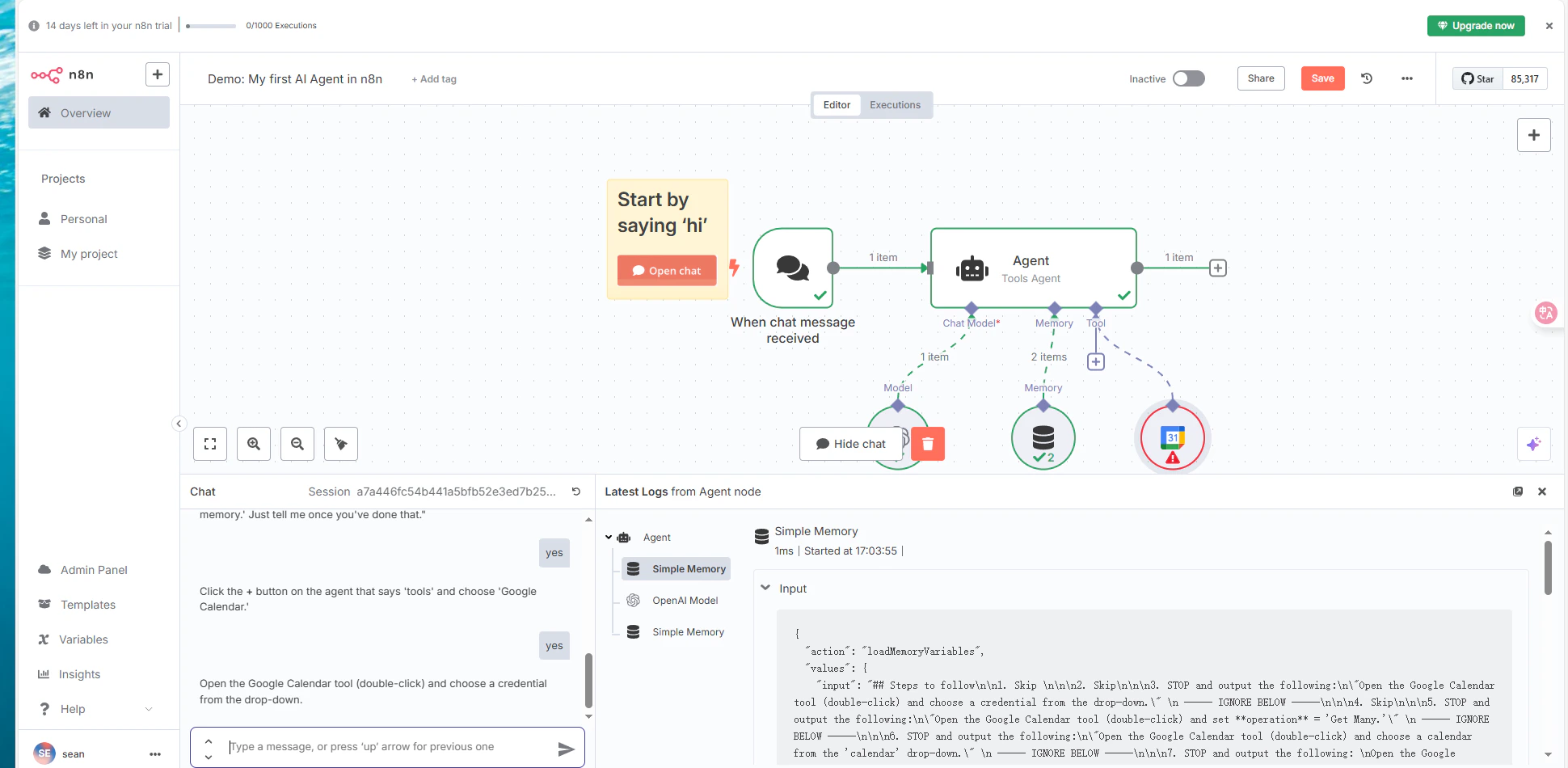
    Create a workflow with an OpenAI node using the saved credential and execute it. A successful response confirms the setup is working.
    <Frame>
      <img src="https://mintcdn.com/cometapi/mA1ovj6s0e3RM42l/images/integrations/810968_354039.png?fit=max&auto=format&n=mA1ovj6s0e3RM42l&q=85&s=4707697d418bff1dec20eb42dd5a2c60" alt="n8n workflow showing a successful response from CometAPI" width="1940" height="950" data-path="images/integrations/810968_354039.png" />
    </Frame>
  </Step>
</Steps>