> ## Documentation Index
> Fetch the complete documentation index at: https://apidoc.cometapi.com/llms.txt
> Use this file to discover all available pages before exploring further.

# Make を CometAPI に接続する

> このガイドでは、base URL、API key、model または provider オプションを設定して Make を CometAPI に接続する方法を説明します。

Make（旧 Integromat）は、ビジュアル自動化プラットフォームです。CometAPI を接続することで、数百ものアプリにまたがる AI 搭載ワークフローをコード不要で構築できます。

## 前提条件

* 有効な API キーを持つ CometAPI アカウント — [こちらで取得](https://www.cometapi.com/console/token)
* Make アカウント — [こちらで登録](https://www.make.com/en/register)

<Steps>
  <Step title="CometAPI API キーを取得する">
    [CometAPI コンソール](https://www.cometapi.com/console/token)にログインします。**Add API Key** をクリックし、CometAPI API キーをコピーします。


    <Frame>
      <img src="https://mintcdn.com/cometapi/SZhlxZhCnMLn__BW/images/overview/810968_364191.png?fit=max&auto=format&n=SZhlxZhCnMLn__BW&q=85&s=aef81a83f29f8eb16655ed4060425f50" alt="Add API Key ボタンが表示された CometAPI ダッシュボード" width="3824" height="1892" data-path="images/overview/810968_364191.png" />
    </Frame>

    <Frame>
      <img src="https://mintcdn.com/cometapi/HhtmQffktazbxUvS/images/overview/810968_364193.png?fit=max&auto=format&n=HhtmQffktazbxUvS&q=85&s=d893f659267150d0faf45f99eb5dffc1" alt="base URL が表示された CometAPI API キーの詳細" width="2434" height="1232" data-path="images/overview/810968_364193.png" />
    </Frame>
  </Step>

  <Step title="シナリオに CometAPI を追加する">
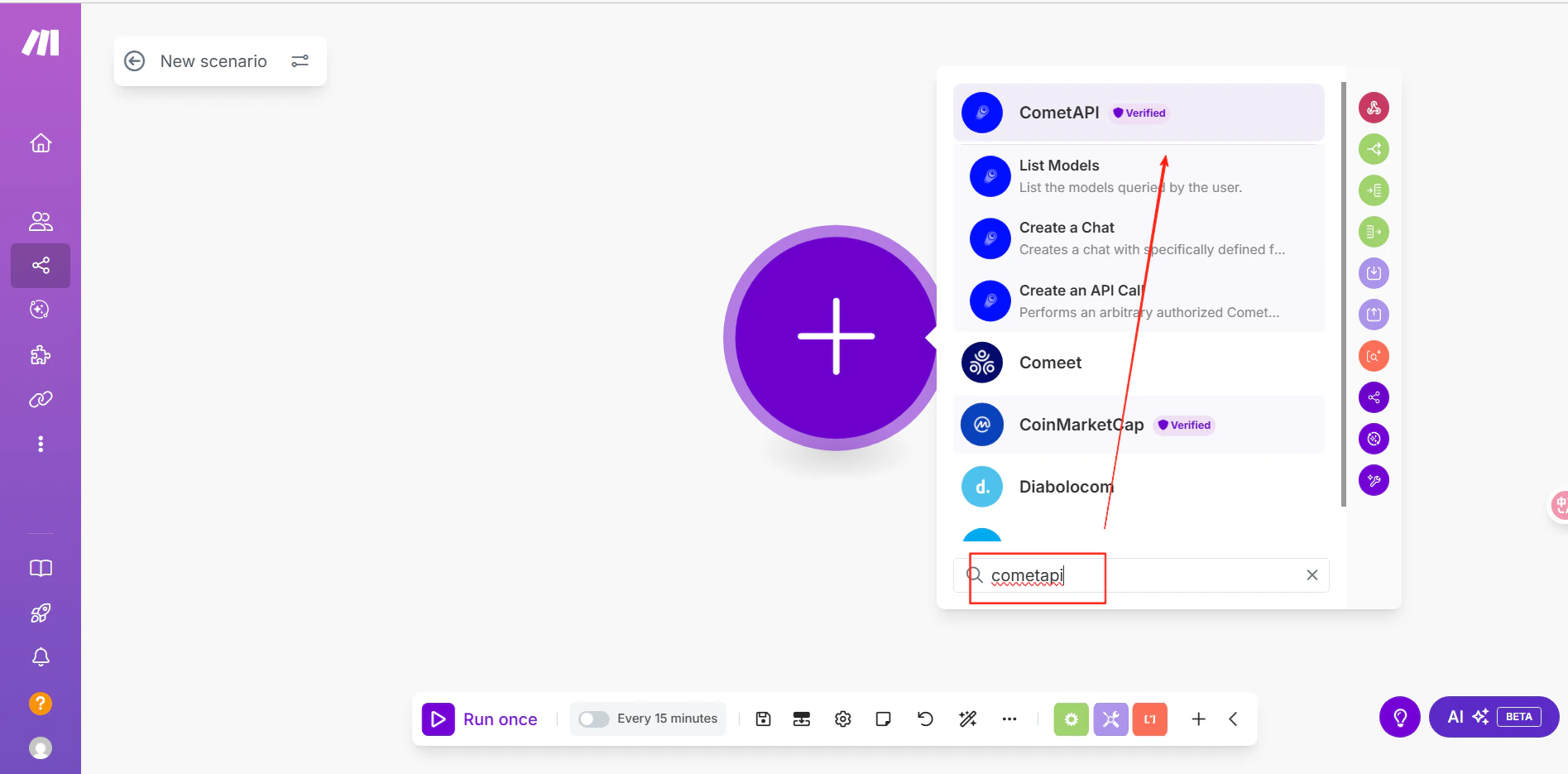
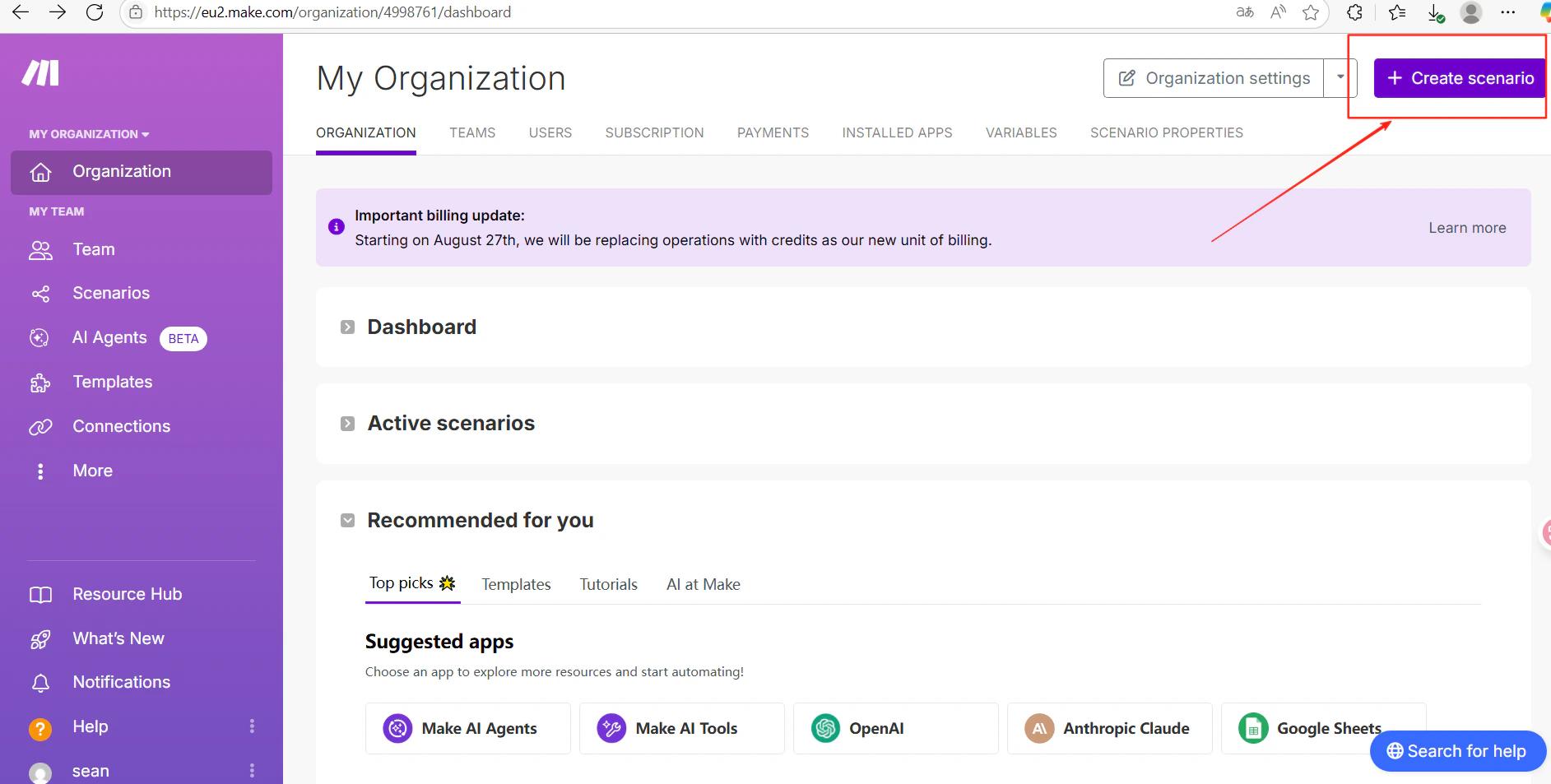
    Make で **Create scenario** をクリックします。シナリオエディタで **+** アイコンをクリックし、**CometAPI** を検索します。
    <Frame>
      <img src="https://mintcdn.com/cometapi/E4FFvyMYmaOZoldp/images/integrations/810968_360356.png?fit=max&auto=format&n=E4FFvyMYmaOZoldp&q=85&s=9a7600888fe9833ac94ab3dc1df47434" alt="モジュール検索が開いた Make のシナリオエディタ" width="1885" height="953" data-path="images/integrations/810968_360356.png" />
    </Frame>

    <Frame>
      <img src="https://mintcdn.com/cometapi/E4FFvyMYmaOZoldp/images/integrations/810968_360357.png?fit=max&auto=format&n=E4FFvyMYmaOZoldp&q=85&s=45186c2db38fa62e2a1592ec722b044a" alt="CometAPI モジュールが表示された Make の検索結果" width="1895" height="935" data-path="images/integrations/810968_360357.png" />
    </Frame>
  </Step>

  <Step title="CometAPI アカウントを接続する">
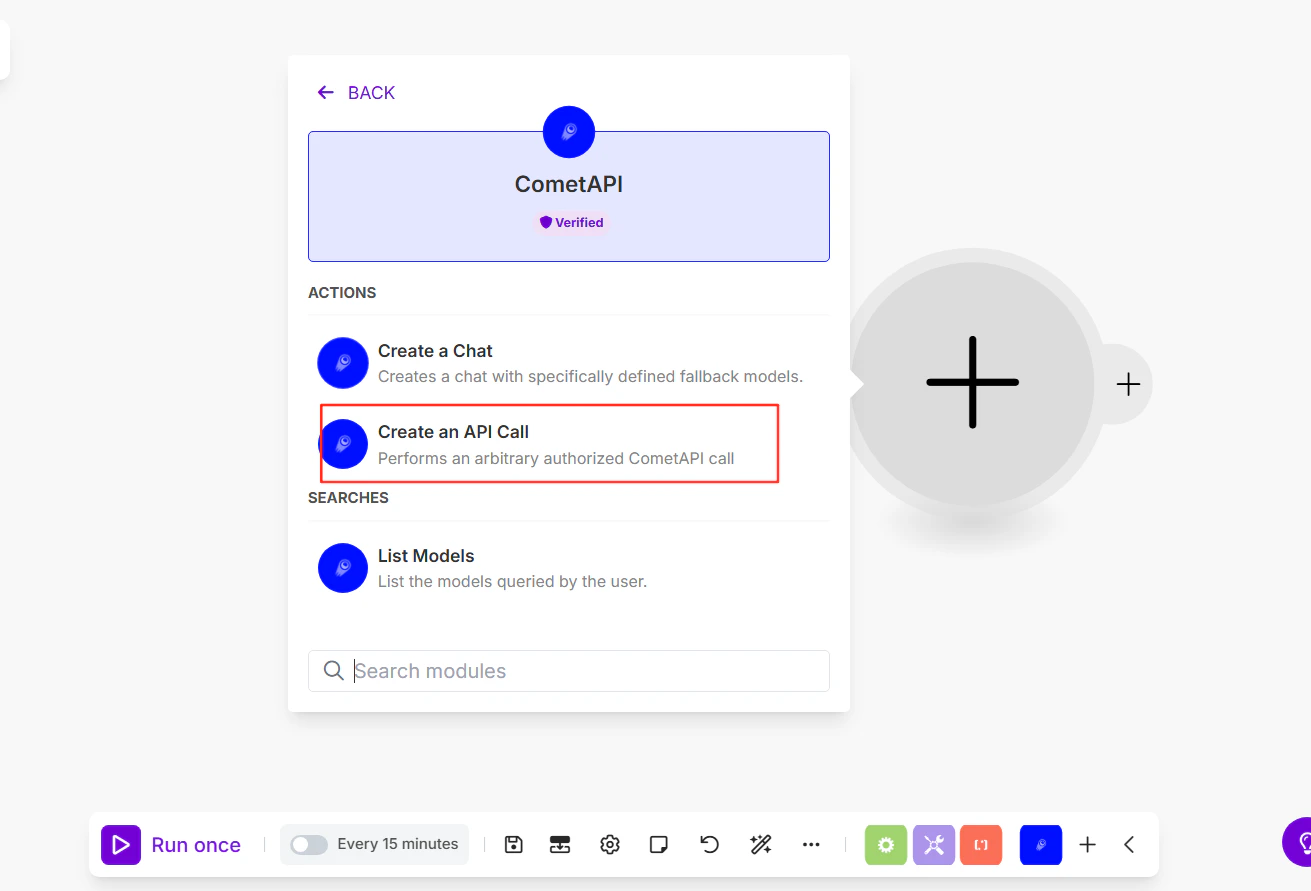
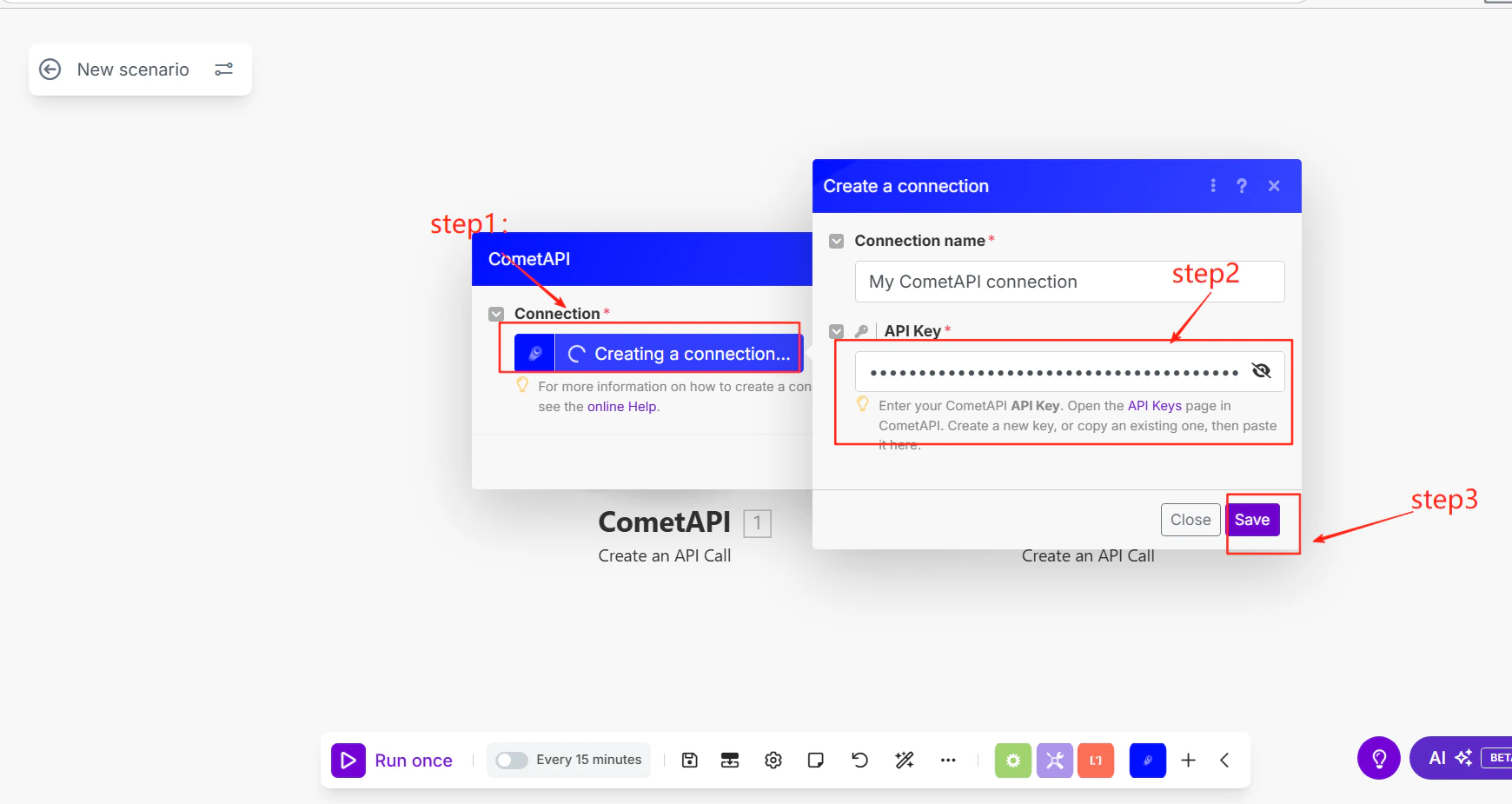
    アクションとして **Make an API Call** を選択します。接続の追加を求められたら、CometAPI API キーを貼り付けて **Save** をクリックします。
    <Frame>
      <img src="https://mintcdn.com/cometapi/SZhlxZhCnMLn__BW/images/integrations/810968_360358.png?fit=max&auto=format&n=SZhlxZhCnMLn__BW&q=85&s=260de8318fa33dc6100ac98b8a2c9c34" alt="API キー入力欄がある Make の接続ダイアログ" width="1311" height="891" data-path="images/integrations/810968_360358.png" />
    </Frame>
  </Step>

  <Step title="API コールを設定する">
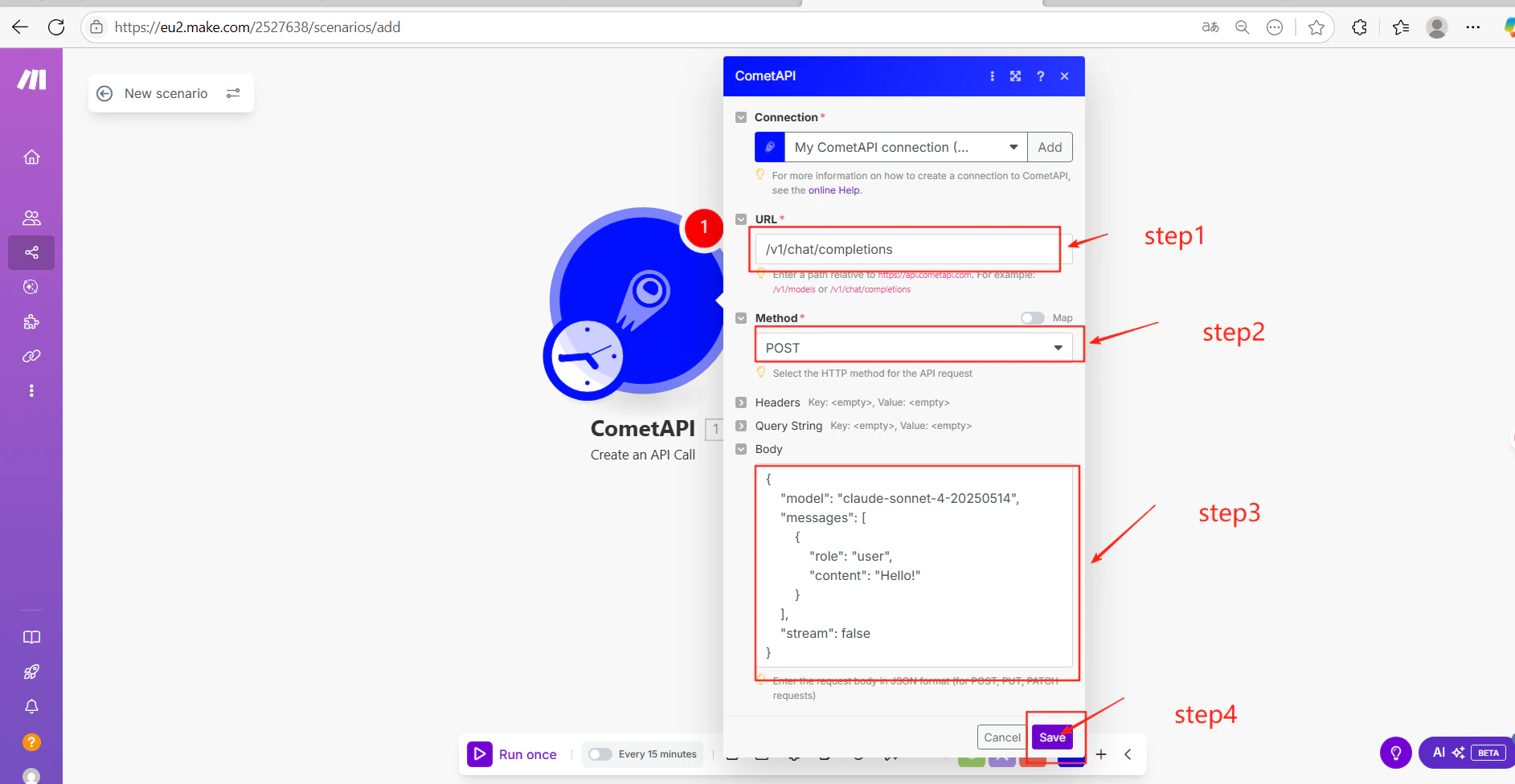
    モジュール設定を入力します:

    * **URL**: `/v1/chat/completions`
    * **Method**: `POST`
    * **Body** (JSON):

    ```json theme={null}
    {
      "model": "your-model-id",
      "messages": [
        {
          "role": "user",
          "content": "Hello!"
        }
      ],
      "stream": false
    }
    ```

    **Save** をクリックします。`your-model-id` は、[CometAPI Models ページ](/ja/overview/models)にある現在の model ID に置き換えてください。
    <Frame>
      <img src="https://mintcdn.com/cometapi/SZhlxZhCnMLn__BW/images/integrations/810968_360359.png?fit=max&auto=format&n=SZhlxZhCnMLn__BW&q=85&s=951565cb41ecc00937654a7c418a9ec3" alt="エンドポイントと JSON body が設定された Make モジュール" width="1740" height="925" data-path="images/integrations/810968_360359.png" />
    </Frame>
  </Step>

  <Step title="テストして公開する">
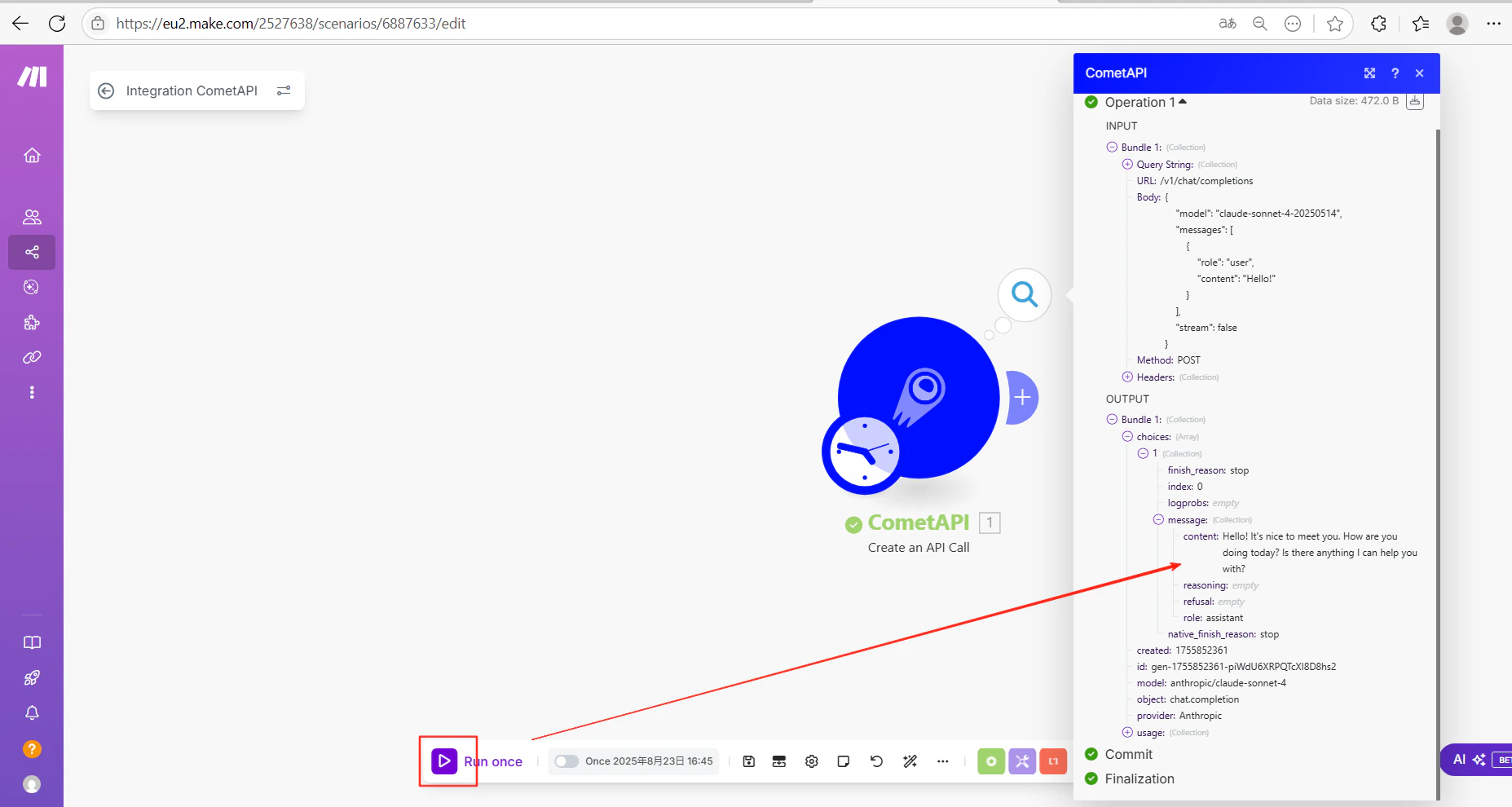
    **Run once** をクリックしてシナリオを実行します。出力に AI のレスポンスが正常に表示されれば、連携は正しく動作しています。
    <Frame>
      <img src="https://mintcdn.com/cometapi/SZhlxZhCnMLn__BW/images/integrations/810968_360369.png?fit=max&auto=format&n=SZhlxZhCnMLn__BW&q=85&s=4bc0c56e0e80a8d9b60af213a5f7ecf3" alt="CometAPI の正常なレスポンスが表示された Make のシナリオ出力" width="1885" height="976" data-path="images/integrations/810968_360369.png" />
    </Frame>

    <Frame>
      <img src="https://mintcdn.com/cometapi/SZhlxZhCnMLn__BW/images/integrations/810968_360370.png?fit=max&auto=format&n=SZhlxZhCnMLn__BW&q=85&s=c2193af570a299525216ec10bd0ee008" alt="成功が表示された Make のシナリオ実行履歴" width="1855" height="990" data-path="images/integrations/810968_360370.png" />
    </Frame>

    コールが失敗する場合は、API キーとエンドポイント URL を確認するか、[CometAPI サポート](https://www.cometapi.com)にお問い合わせください。
  </Step>
</Steps>

<Tip>
  `/v1/chat/completions` エンドポイントは任意の CometAPI エンドポイントに置き換えられます。たとえば画像生成には `/v1/images/generations` を使用できます。JSON body は対象エンドポイントのパラメータに合わせて調整してください。
</Tip>

<script type="application/ld+json">
  {`
    {
    "@context": "https://schema.org",
    "@graph": [
      {
        "@type": "HowTo",
        "@id": "https://apidoc.cometapi.com/integrations/make#howto",
        "name": "Make を CometAPI に接続する",
        "description": "このガイドでは、base URL、API キー、および model または provider オプションを設定して Make を CometAPI に接続する方法を説明します。",
        "step": [
          {
            "@type": "HowToStep",
            "@id": "https://apidoc.cometapi.com/integrations/make#step-1",
            "position": 1,
            "name": "CometAPI API キーを取得する",
            "text": "CometAPI アカウントを作成または開き、ダッシュボードから有効な API キーをコピーします。"
          },
          {
            "@type": "HowToStep",
            "@id": "https://apidoc.cometapi.com/integrations/make#step-2",
            "position": 2,
            "name": "シナリオに CometAPI を追加する",
            "text": "「Make を CometAPI に接続する」ガイドの「シナリオに CometAPI を追加する」手順を完了します。"
          },
          {
            "@type": "HowToStep",
            "@id": "https://apidoc.cometapi.com/integrations/make#step-3",
            "position": 3,
            "name": "CometAPI アカウントを接続する",
            "text": "「Make を CometAPI に接続する」ガイドの「CometAPI アカウントを接続する」手順を完了します。"
          },
          {
            "@type": "HowToStep",
            "@id": "https://apidoc.cometapi.com/integrations/make#step-4",
            "position": 4,
            "name": "API コールを設定する",
            "text": "「Make を CometAPI に接続する」ガイドの「API コールを設定する」手順を完了します。"
          },
          {
            "@type": "HowToStep",
            "@id": "https://apidoc.cometapi.com/integrations/make#step-5",
            "position": 5,
            "name": "テストして公開する",
            "text": "「Make を CometAPI に接続する」ガイドの「テストして公開する」手順を完了します。"
          }
        ]
      },
      {
        "@type": "BreadcrumbList",
        "itemListElement": [
          {
            "@type": "ListItem",
            "position": 1,
            "name": "CometAPI ドキュメント",
            "item": "https://apidoc.cometapi.com/"
          },
          {
            "@type": "ListItem",
            "position": 2,
            "name": "連携",
            "item": "https://apidoc.cometapi.com/integrations"
          },
          {
            "@type": "ListItem",
            "position": 3,
            "name": "Make を CometAPI に接続する",
            "item": "https://apidoc.cometapi.com/integrations/make"
          }
        ]
      }
    ]
    }
    `}
</script>