> ## Documentation Index
> Fetch the complete documentation index at: https://apidoc.cometapi.com/llms.txt
> Use this file to discover all available pages before exploring further.

# Gebruik Coze met CometAPI

> Gebruik deze handleiding om Coze met CometAPI te configureren door de base URL, API-sleutel en model- of provideropties in te stellen.

Coze is een AI-agent- en workflowbouwer. Je kunt CometAPI op twee manieren met Coze verbinden: via de native **CometAPI-plugin** (het eenvoudigst) of via een generieke **HTTP Request-node** voor maximale flexibiliteit.

## Vereisten

* Een CometAPI-account met een actieve API-sleutel — [haal die hier op](https://www.cometapi.com/console/token)
* Een Coze-account — [meld je hier aan](https://www.coze.com)

<Steps>
  <Step title="Haal je CometAPI API-sleutel op">
    Log in op de [CometAPI-console](https://www.cometapi.com/console/token). Klik op **Add API Key** en kopieer je CometAPI API-sleutel.


    <Frame>
      <img src="https://mintcdn.com/cometapi/SZhlxZhCnMLn__BW/images/overview/810968_364191.png?fit=max&auto=format&n=SZhlxZhCnMLn__BW&q=85&s=aef81a83f29f8eb16655ed4060425f50" alt="CometAPI-dashboard waarop de knop Add API Key wordt getoond" width="3824" height="1892" data-path="images/overview/810968_364191.png" />
    </Frame>

    <Frame>
      <img src="https://mintcdn.com/cometapi/HhtmQffktazbxUvS/images/overview/810968_364193.png?fit=max&auto=format&n=HhtmQffktazbxUvS&q=85&s=d893f659267150d0faf45f99eb5dffc1" alt="Details van de CometAPI API-sleutel met base URL" width="2434" height="1232" data-path="images/overview/810968_364193.png" />
    </Frame>
  </Step>

  <Step title="Voeg CometAPI toe aan een Coze-workflow">
    <Tabs>
      <Tab title="Methode 1: CometAPI-plugin (aanbevolen)">
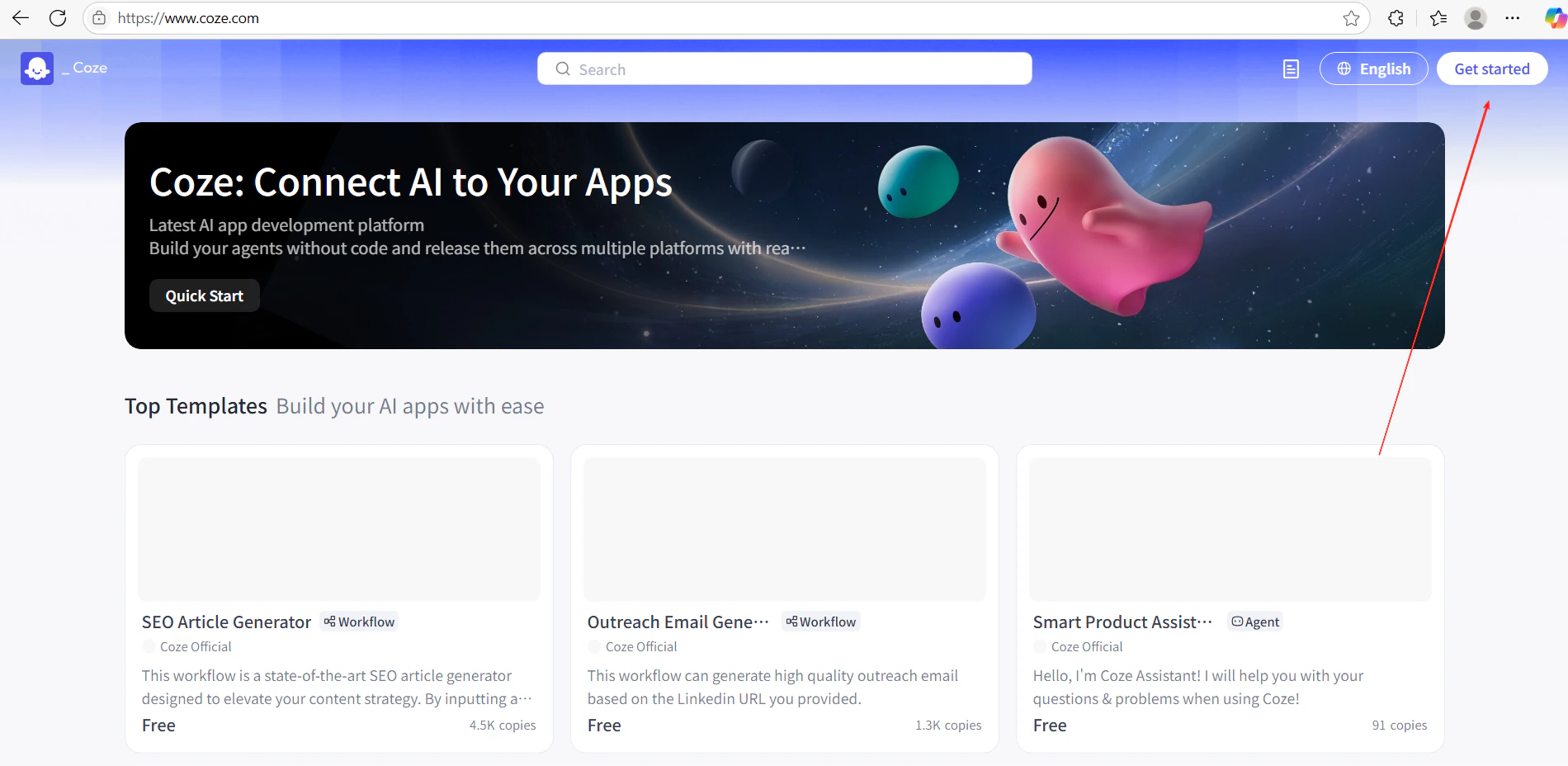
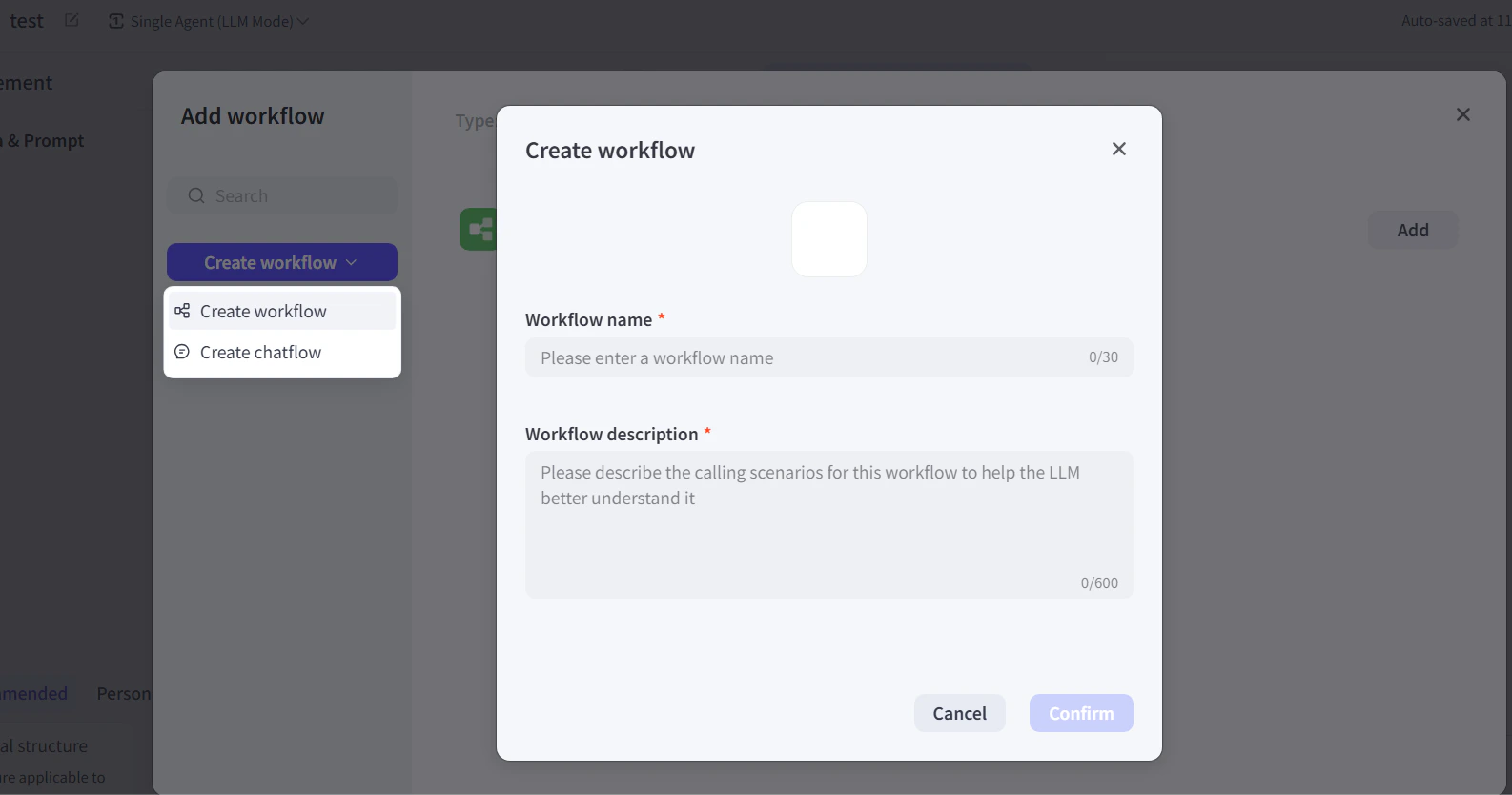
        1. Klik in Coze op **Get Started** en maak een nieuwe workflow aan.
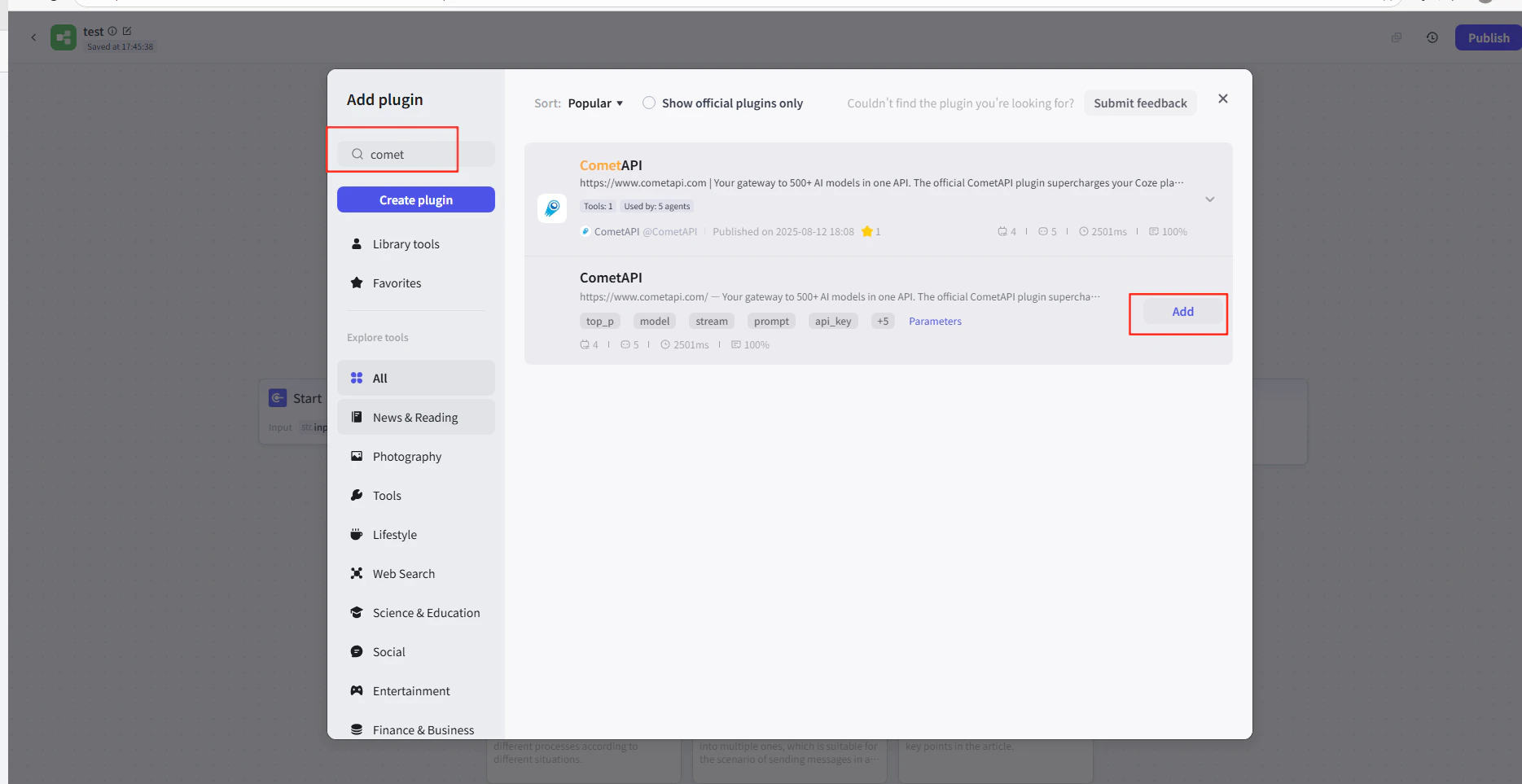
        2. Klik in de workflow-editor op **Add Node → Plugins** en zoek naar **CometAPI**.
        3. Voeg het CometAPI-pluginknooppunt toe aan je workflow.
        <Frame>
          <img src="https://mintcdn.com/cometapi/E4FFvyMYmaOZoldp/images/integrations/810968_355124.png?fit=max&auto=format&n=E4FFvyMYmaOZoldp&q=85&s=31a8c613d735f88246baa86ae399fa11" alt="Coze-workflow-editor waarop het zoeken naar plugins wordt getoond" width="1900" height="928" data-path="images/integrations/810968_355124.png" />
        </Frame>

        <Frame>
          <img src="https://mintcdn.com/cometapi/E4FFvyMYmaOZoldp/images/integrations/810968_355125.png?fit=max&auto=format&n=E4FFvyMYmaOZoldp&q=85&s=75f2336cc40c9f21d757ced6ee227fd7" alt="CometAPI-plugin in de zoekresultaten" width="1904" height="940" data-path="images/integrations/810968_355125.png" />
        </Frame>

        <Frame>
          <img src="https://mintcdn.com/cometapi/E4FFvyMYmaOZoldp/images/integrations/810968_355126.png?fit=max&auto=format&n=E4FFvyMYmaOZoldp&q=85&s=1058980811bfc31c51715a76e048cc02" alt="CometAPI-pluginknooppunt toegevoegd aan het canvas" width="1938" height="908" data-path="images/integrations/810968_355126.png" />
        </Frame>

        <Frame>
          <img src="https://mintcdn.com/cometapi/E4FFvyMYmaOZoldp/images/integrations/810968_360283.png?fit=max&auto=format&n=E4FFvyMYmaOZoldp&q=85&s=f89b117699a4d46802c62436ae92bd84" alt="Configuratiepaneel van het pluginknooppunt" width="1869" height="963" data-path="images/integrations/810968_360283.png" />
        </Frame>

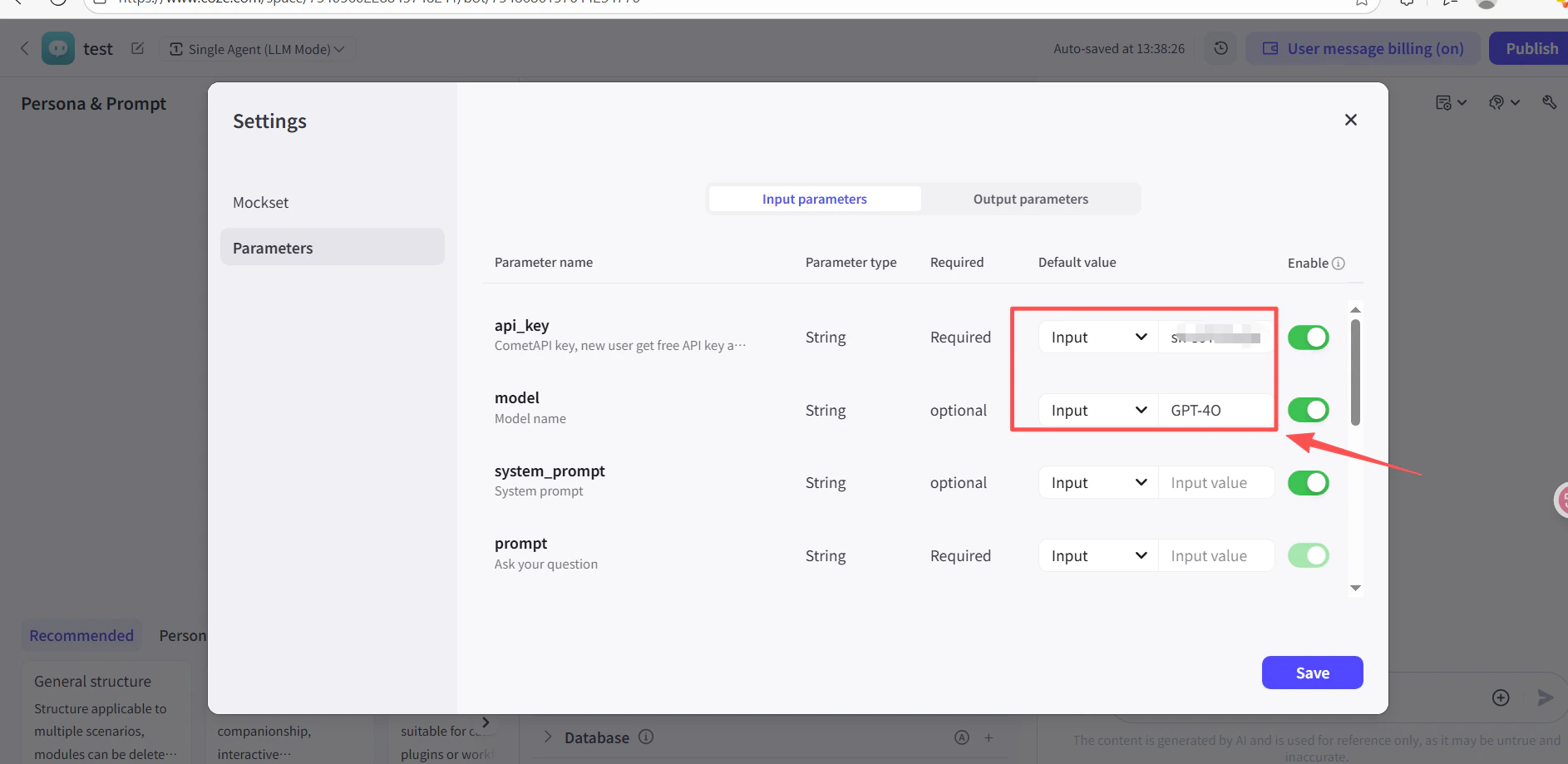
        4. Plak in het veld **API Key** van het pluginknooppunt je CometAPI API-sleutel.
        5. Klik op **Test** om de verbinding te verifiëren, en daarna op **Publish**.
        <Frame>
          <img src="https://mintcdn.com/cometapi/SZhlxZhCnMLn__BW/images/integrations/810968_361332.png?fit=max&auto=format&n=SZhlxZhCnMLn__BW&q=85&s=0f41c0cfaf3cdcebd45d740ce96fd178" alt="Pluginknooppunt met ingevulde API-sleutel" width="1886" height="919" data-path="images/integrations/810968_361332.png" />
        </Frame>

        <Frame>
          <img src="https://mintcdn.com/cometapi/SZhlxZhCnMLn__BW/images/integrations/810968_361333.png?fit=max&auto=format&n=SZhlxZhCnMLn__BW&q=85&s=17b349b2c651c6e5193bfde6b63e0c17" alt="Succesvol testresultaat voor de CometAPI-plugin" width="1884" height="903" data-path="images/integrations/810968_361333.png" />
        </Frame>
      </Tab>

      <Tab title="Methode 2: HTTP Request-knooppunt">
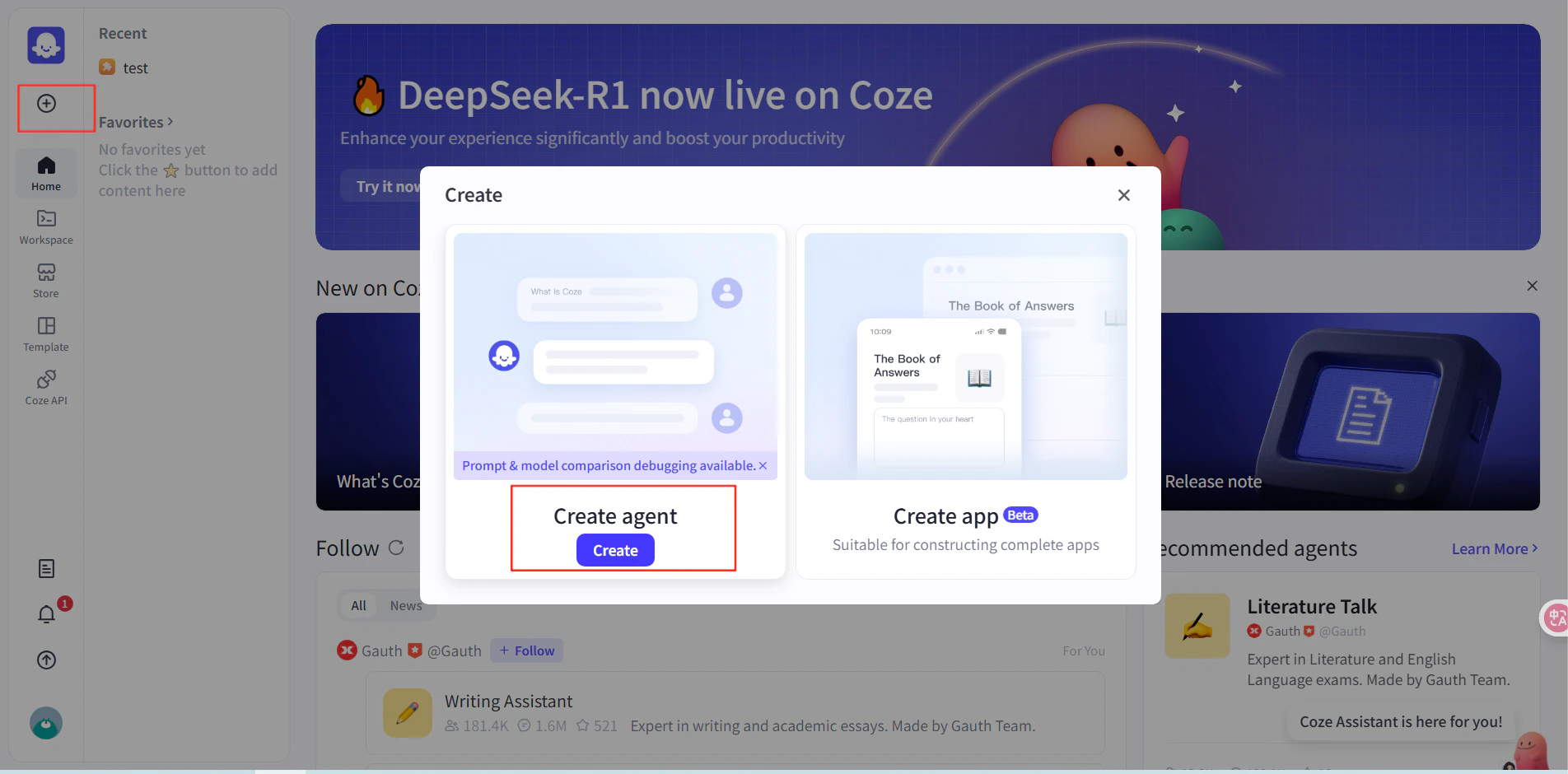
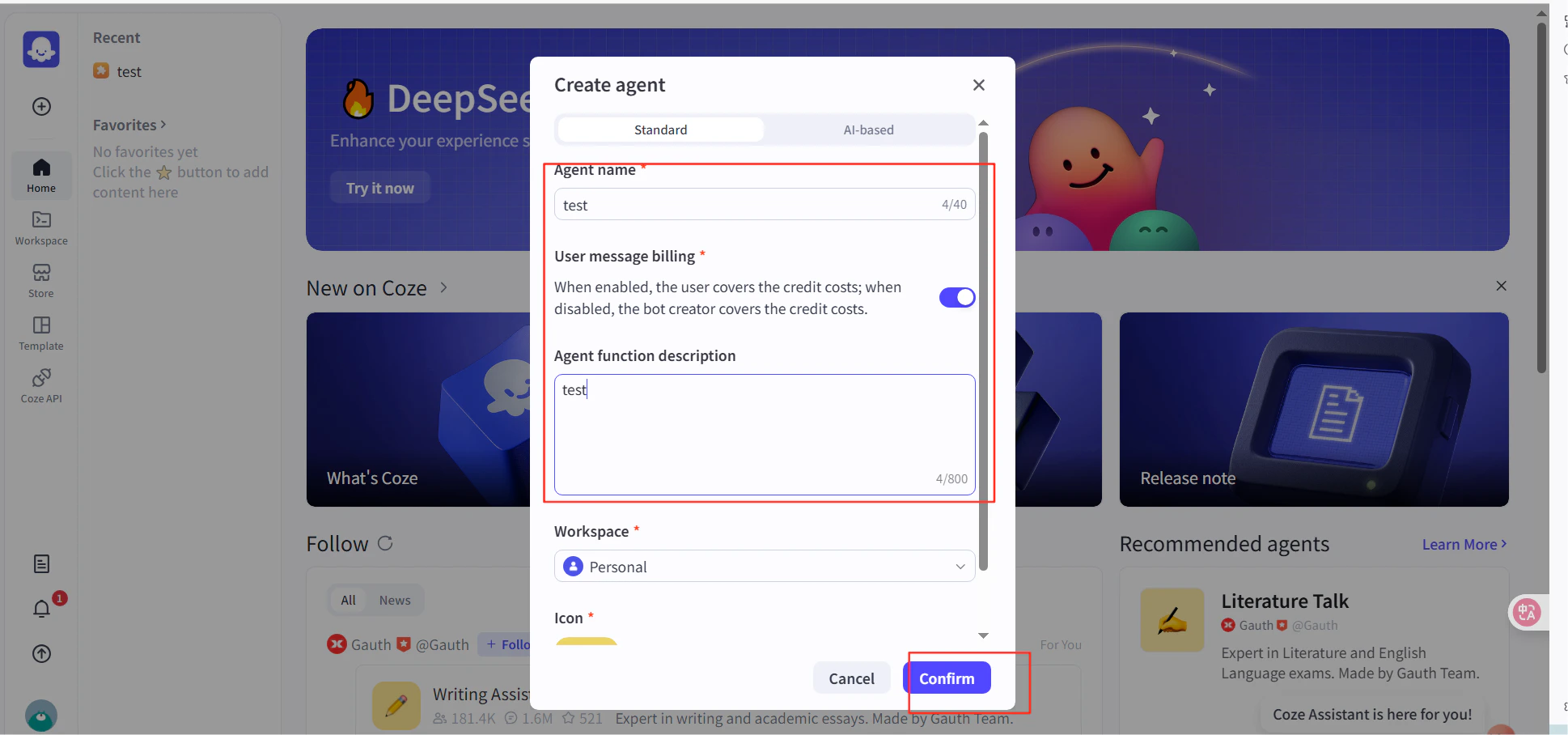
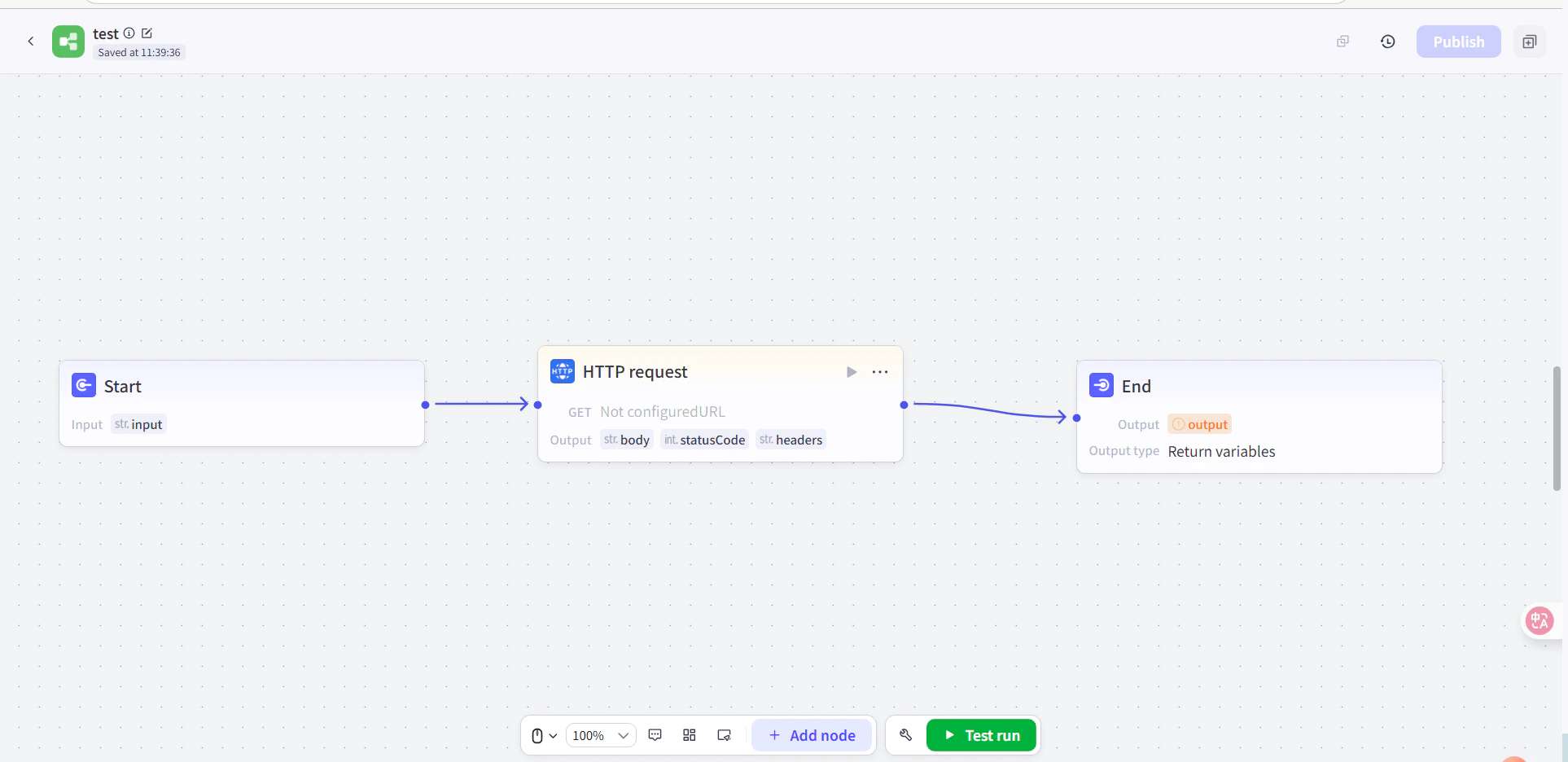
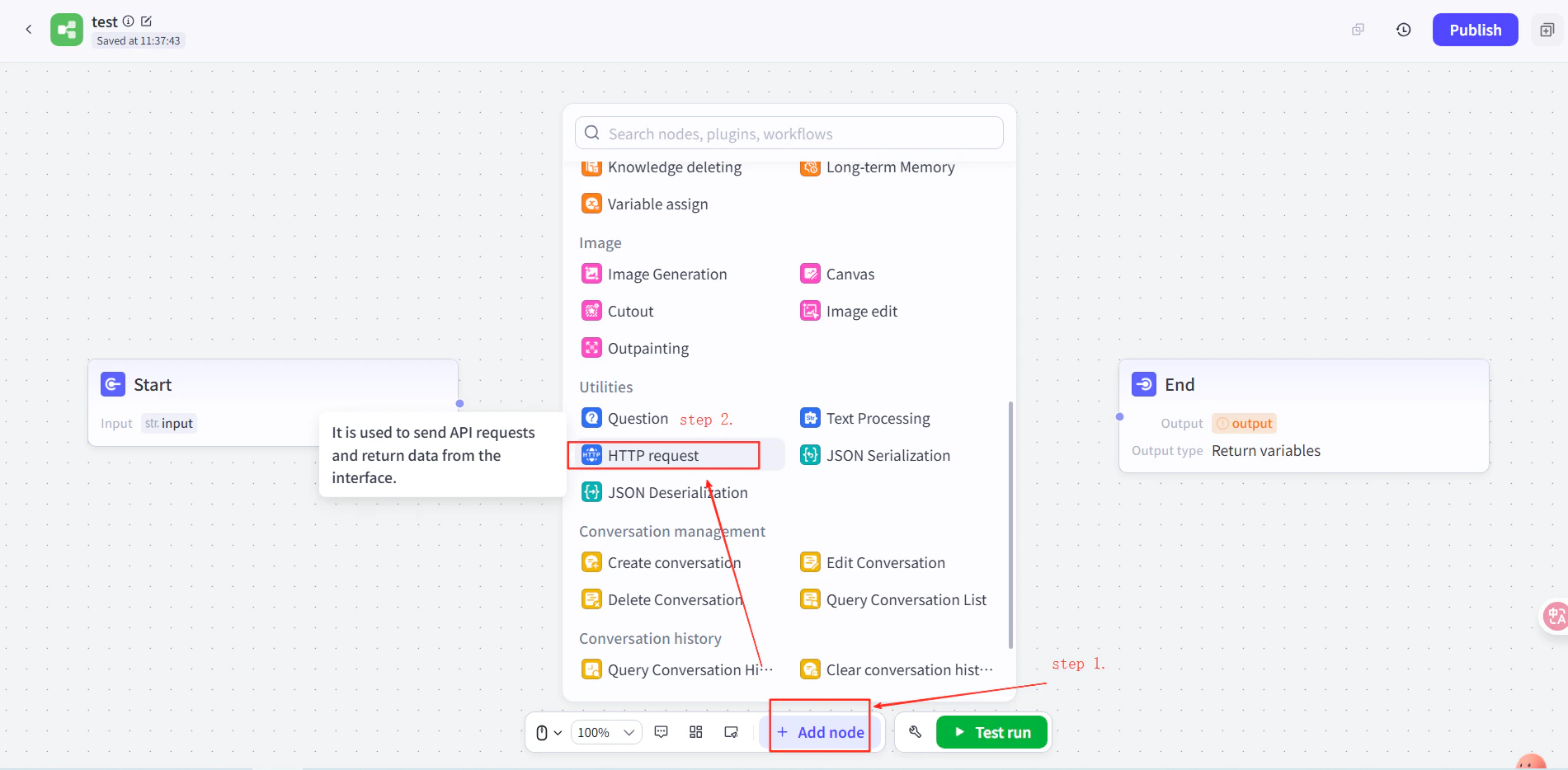
        1. Maak een agent aan in Coze en voeg daarna in de workflow van de agent een **HTTP Request**-knooppunt toe tussen de Start- en End-knooppunten.
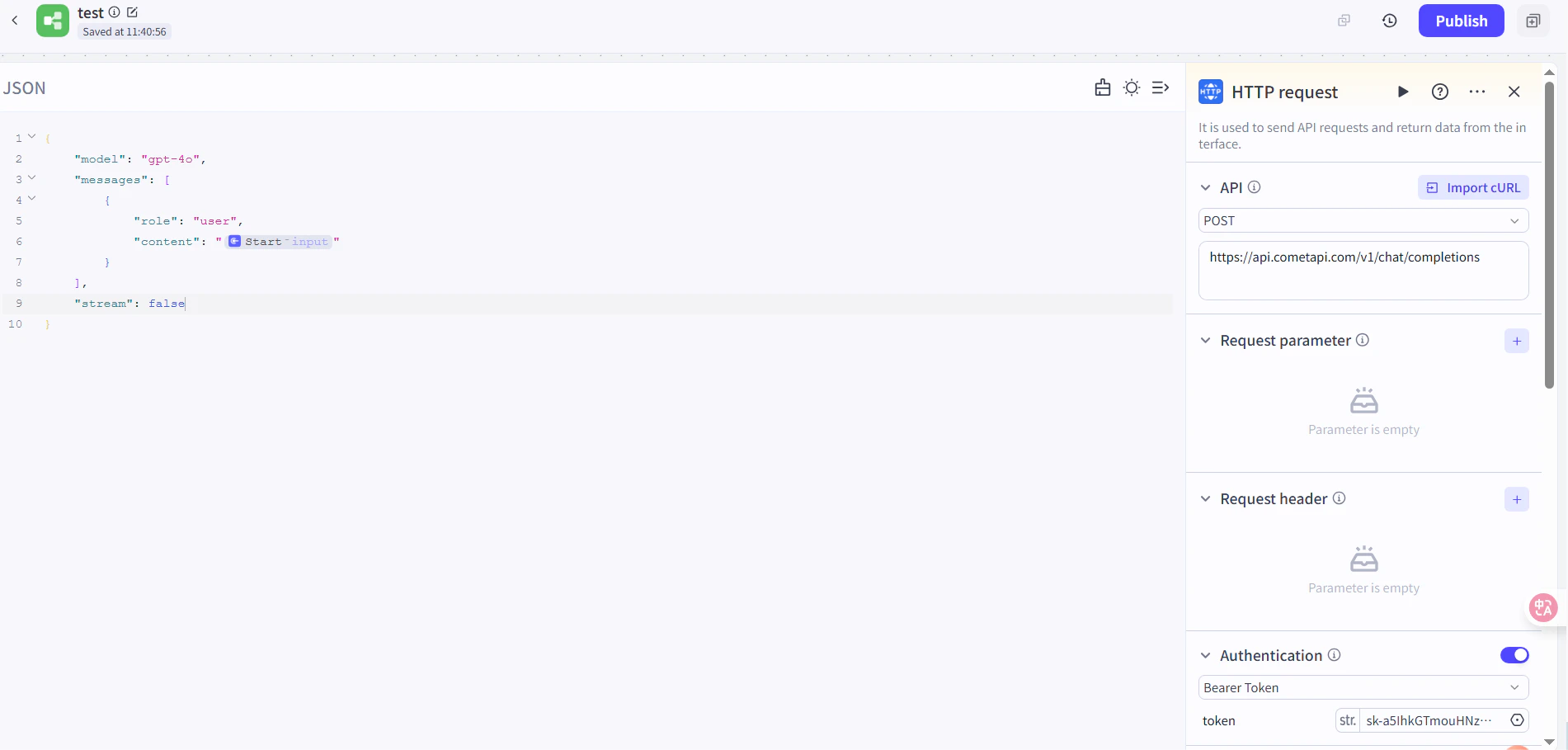
        2. Stel het volgende in:
           * **Method**: `POST`
           * **URL**: `https://api.cometapi.com/v1/chat/completions`
           * **Authentication Token**: plak je CometAPI API-sleutel en klik daarna op **Confirm**
        3. Stel de request body in:

        ```json theme={null}
        {
          "model": "your-model-id",
          "messages": [
            {
              "role": "user",
              "content": "{{block_output_100001.input}}"
            }
          ],
          "stream": false
        }
        ```

        4. Stel in het End-knooppunt de output in op de response body van het HTTP-verzoek. Vervang `your-model-id` door een actueel model ID van de pagina [CometAPI Models](/nl/overview/models).
        <Frame>
          <img src="https://mintcdn.com/cometapi/E4FFvyMYmaOZoldp/images/integrations/810968_355128.png?fit=max&auto=format&n=E4FFvyMYmaOZoldp&q=85&s=862c588b2f301bd66b89366c5344fbdc" alt="HTTP Request-knooppunt met geconfigureerde URL en auth-token" width="1586" height="834" data-path="images/integrations/810968_355128.png" />
        </Frame>

        <Frame>
          <img src="https://mintcdn.com/cometapi/E4FFvyMYmaOZoldp/images/integrations/810968_355129.png?fit=max&auto=format&n=E4FFvyMYmaOZoldp&q=85&s=a438417210684dddf988307c448edb57" alt="Request body-JSON geconfigureerd in het HTTP-knooppunt" width="1901" height="934" data-path="images/integrations/810968_355129.png" />
        </Frame>

        <Frame>
          <img src="https://mintcdn.com/cometapi/E4FFvyMYmaOZoldp/images/integrations/810968_355130.png?fit=max&auto=format&n=E4FFvyMYmaOZoldp&q=85&s=18254fe80669e295bd7b8ac2e48c3d45" alt="End-knooppunt met de response body van HTTP geselecteerd als output" width="1926" height="936" data-path="images/integrations/810968_355130.png" />
        </Frame>

        <Frame>
          <img src="https://mintcdn.com/cometapi/E4FFvyMYmaOZoldp/images/integrations/810968_355131.png?fit=max&auto=format&n=E4FFvyMYmaOZoldp&q=85&s=5fde76e14e42d41311076f7eb1d0fd77" alt="Coze-workflow met alle knooppunten verbonden" width="1901" height="909" data-path="images/integrations/810968_355131.png" />
        </Frame>
      </Tab>
    </Tabs>
  </Step>

  <Step title="Testen en publiceren">
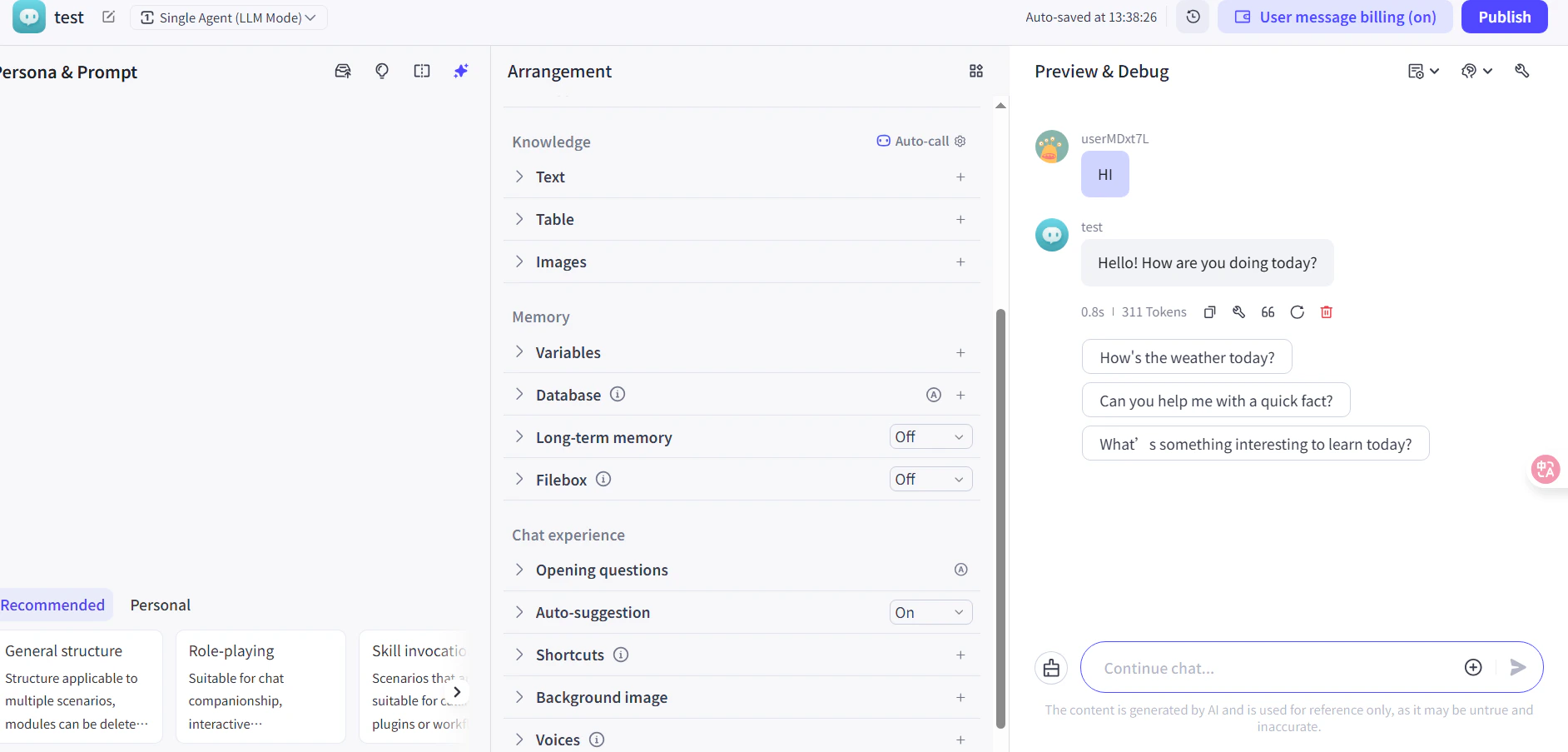
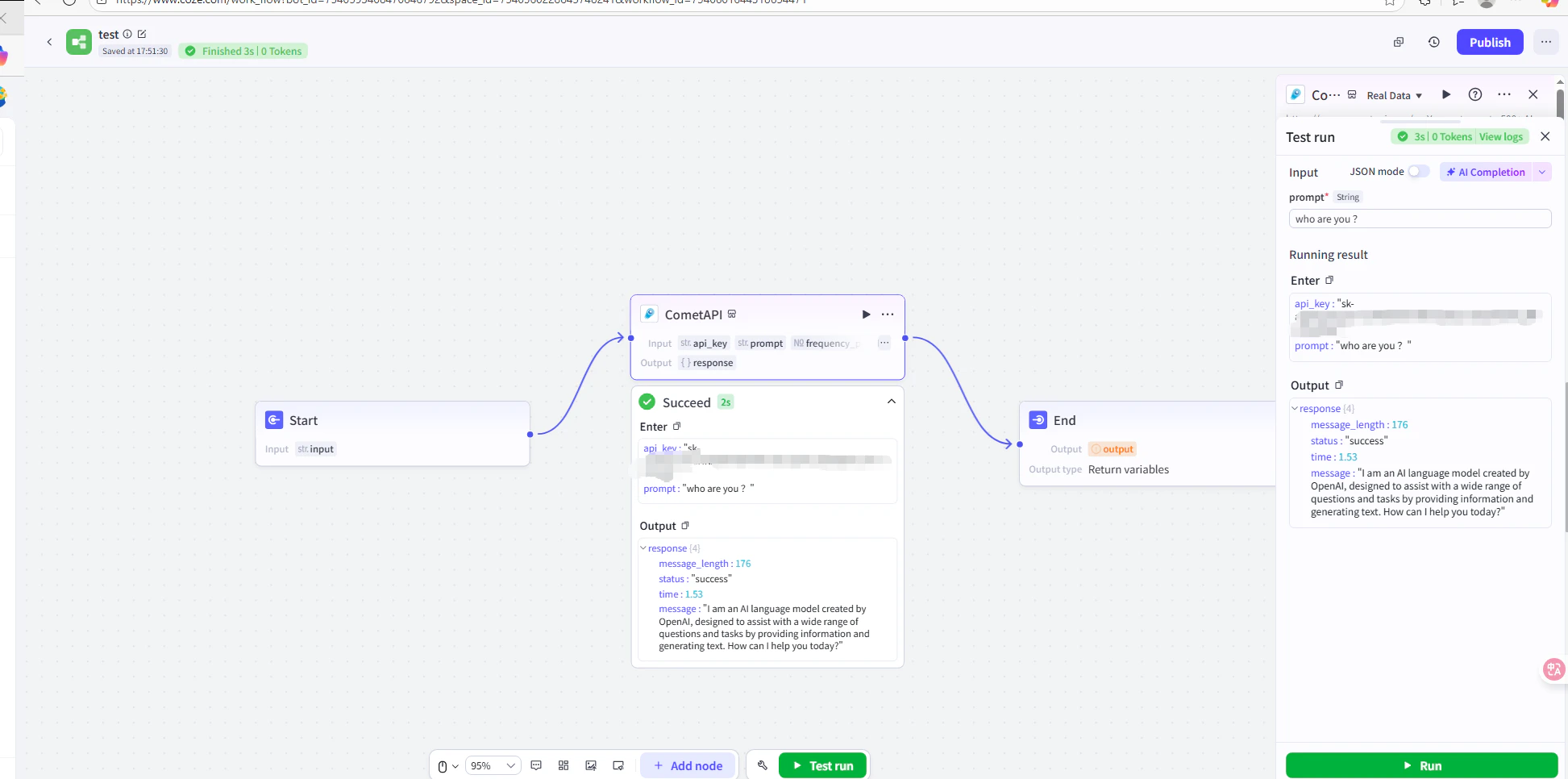
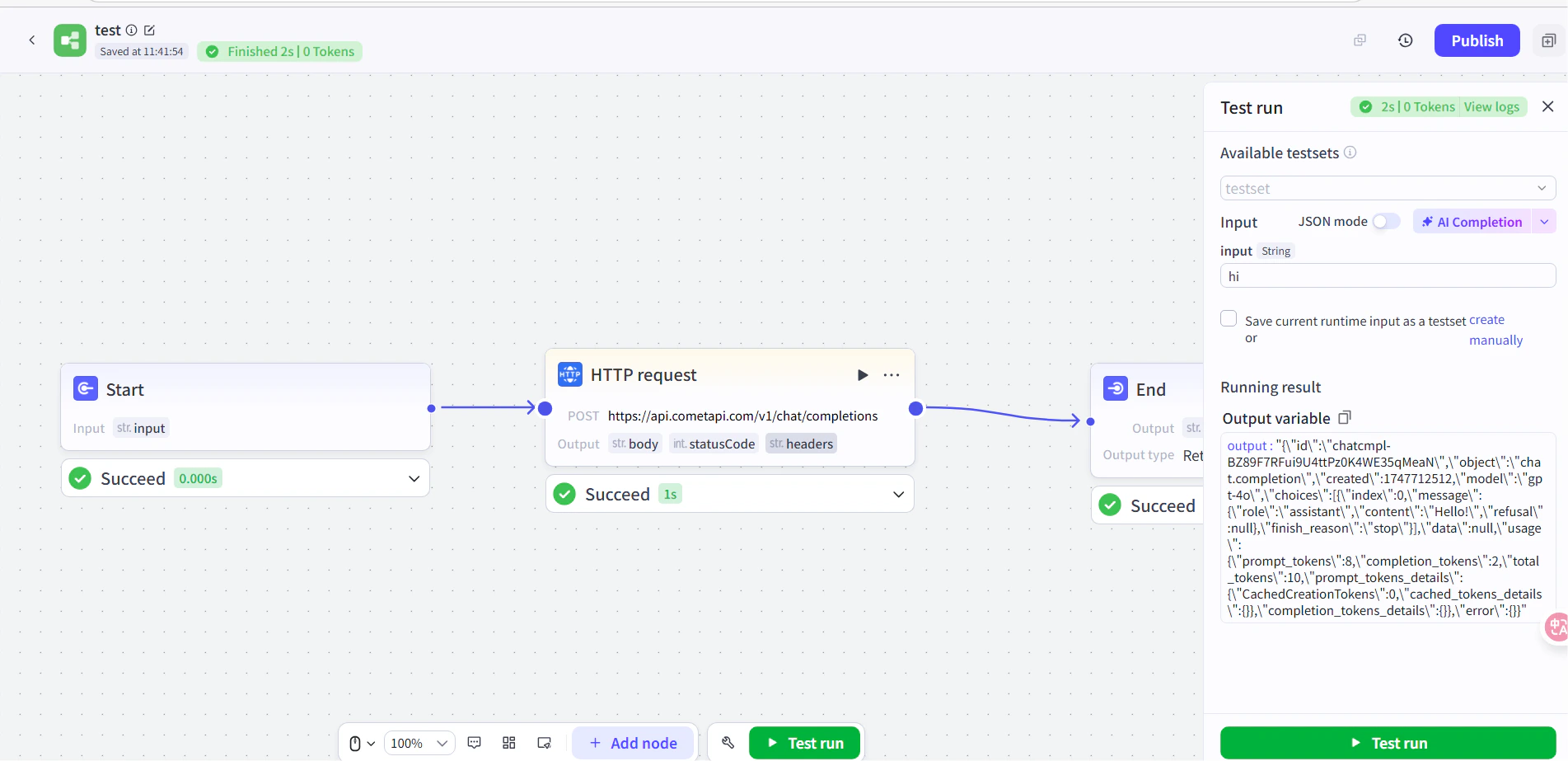
    Voer een testbericht uit in de workflow (bijvoorbeeld door naar de huidige tijd te vragen). Een succesvol AI-antwoord bevestigt dat de integratie werkt. Publiceer de workflow om deze live te zetten.
    <Frame>
      <img src="https://mintcdn.com/cometapi/E4FFvyMYmaOZoldp/images/integrations/810968_360285.png?fit=max&auto=format&n=E4FFvyMYmaOZoldp&q=85&s=5f362ef3274c53c47a8f3793d4fa6966" alt="Coze-workflow met een succesvolle testrespons" width="1945" height="966" data-path="images/integrations/810968_360285.png" />
    </Frame>

    <Frame>
      <img src="https://mintcdn.com/cometapi/E4FFvyMYmaOZoldp/images/integrations/810968_355132.png?fit=max&auto=format&n=E4FFvyMYmaOZoldp&q=85&s=8b7fe683331ec5cb31222062c6f3aa80" alt="Gepubliceerde Coze-agent die correct reageert" width="1903" height="923" data-path="images/integrations/810968_355132.png" />
    </Frame>

    Als de aanroep mislukt, controleer dan je API-sleutel en endpoint-URL, of neem contact op met [CometAPI support](https://www.cometapi.com).
  </Step>
</Steps>

<Tip>
  De pluginmethode wordt aanbevolen voor de meeste gebruikers — deze verwerkt authenticatie en response parsing automatisch. Gebruik het HTTP Request-knooppunt wanneer je volledige controle over request headers nodig hebt of een niet-chat-endpoint wilt aanroepen.
</Tip>

<script type="application/ld+json">
  {`
    {
    "@context": "https://schema.org",
    "@graph": [
      {
        "@type": "HowTo",
        "@id": "https://apidoc.cometapi.com/integrations/coze#howto",
        "name": "Coze gebruiken met CometAPI",
        "description": "Gebruik deze handleiding om Coze met CometAPI te configureren door de base URL, API-sleutel en model- of provideropties in te stellen.",
        "step": [
          {
            "@type": "HowToStep",
            "@id": "https://apidoc.cometapi.com/integrations/coze#step-1",
            "position": 1,
            "name": "Haal je CometAPI API-sleutel op",
            "text": "Maak je CometAPI-account aan of open het en kopieer daarna een actieve API-sleutel uit het dashboard."
          },
          {
            "@type": "HowToStep",
            "@id": "https://apidoc.cometapi.com/integrations/coze#step-2",
            "position": 2,
            "name": "Voeg CometAPI toe aan een Coze-workflow",
            "text": "Voltooi de stap CometAPI toevoegen aan een Coze-workflow in de handleiding Coze gebruiken met CometAPI."
          },
          {
            "@type": "HowToStep",
            "@id": "https://apidoc.cometapi.com/integrations/coze#step-3",
            "position": 3,
            "name": "Testen en publiceren",
            "text": "Voltooi de stap Testen en publiceren in de handleiding Coze gebruiken met CometAPI."
          }
        ]
      },
      {
        "@type": "BreadcrumbList",
        "itemListElement": [
          {
            "@type": "ListItem",
            "position": 1,
            "name": "CometAPI-documentatie",
            "item": "https://apidoc.cometapi.com/"
          },
          {
            "@type": "ListItem",
            "position": 2,
            "name": "Integraties",
            "item": "https://apidoc.cometapi.com/integrations"
          },
          {
            "@type": "ListItem",
            "position": 3,
            "name": "Coze gebruiken met CometAPI",
            "item": "https://apidoc.cometapi.com/integrations/coze"
          }
        ]
      }
    ]
    }
    `}
</script>