> ## Documentation Index
> Fetch the complete documentation index at: https://apidoc.cometapi.com/llms.txt
> Use this file to discover all available pages before exploring further.

# Bruk IntelliJ Translation Plugin med CometAPI

> Bruk denne veiledningen til å konfigurere IntelliJ Translation Plugin med CometAPI ved å angi base-URL, API-nøkkel og alternativer for modell eller leverandør.

[IntelliJ Translation Plugin](https://plugins.jetbrains.com/plugin/8579-translation) legger til AI-oversettelsesfunksjoner direkte i JetBrains-IDE-er. Koble den til CometAPI for å oversette kode og tekst uten å forlate editoren.

## Forutsetninger

* [IntelliJ IDEA](https://www.jetbrains.com/idea/) eller en annen JetBrains-IDE

* Translation Plugin installert — søk etter **Translation** i JetBrains Marketplace
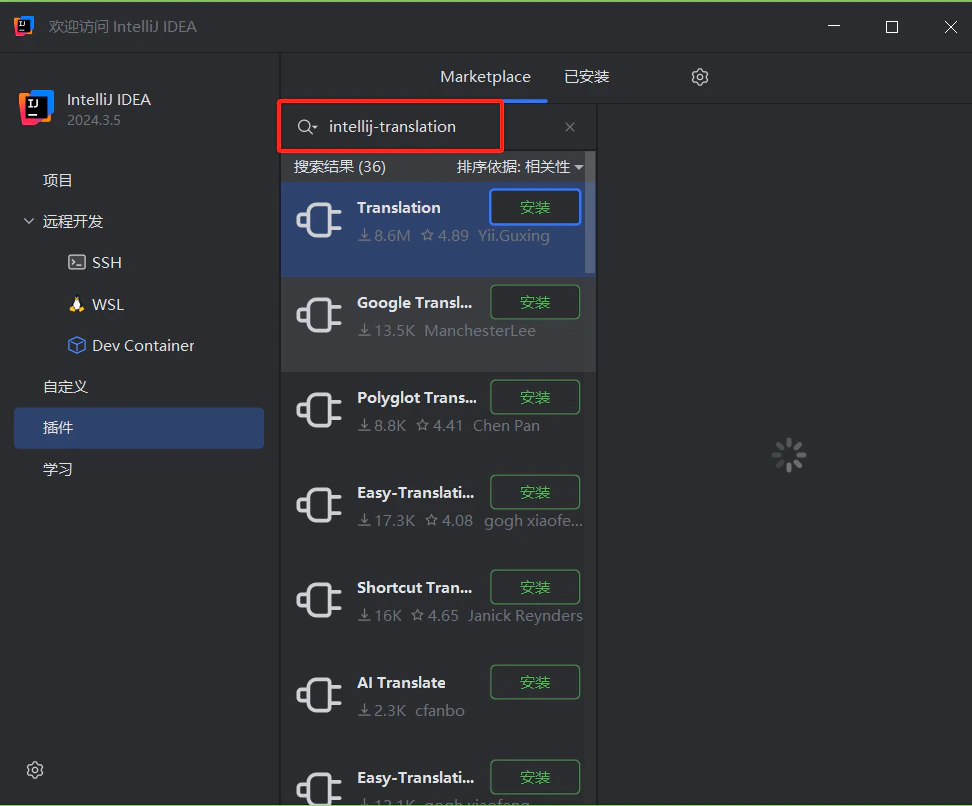
  <Frame>
    <img src="https://mintcdn.com/cometapi/mA1ovj6s0e3RM42l/images/integrations/810968_352994.png?fit=max&auto=format&n=mA1ovj6s0e3RM42l&q=85&s=3ea7331394d52a903c9b550830689eef" alt="JetBrains Marketplace som viser Translation-pluginen" width="972" height="806" data-path="images/integrations/810968_352994.png" />
  </Frame>

* En [CometAPI](https://www.cometapi.com)-konto med en aktiv API-nøkkel

## Oppsett

<Steps>
  <Step title="Hent CometAPI API-nøkkelen din">
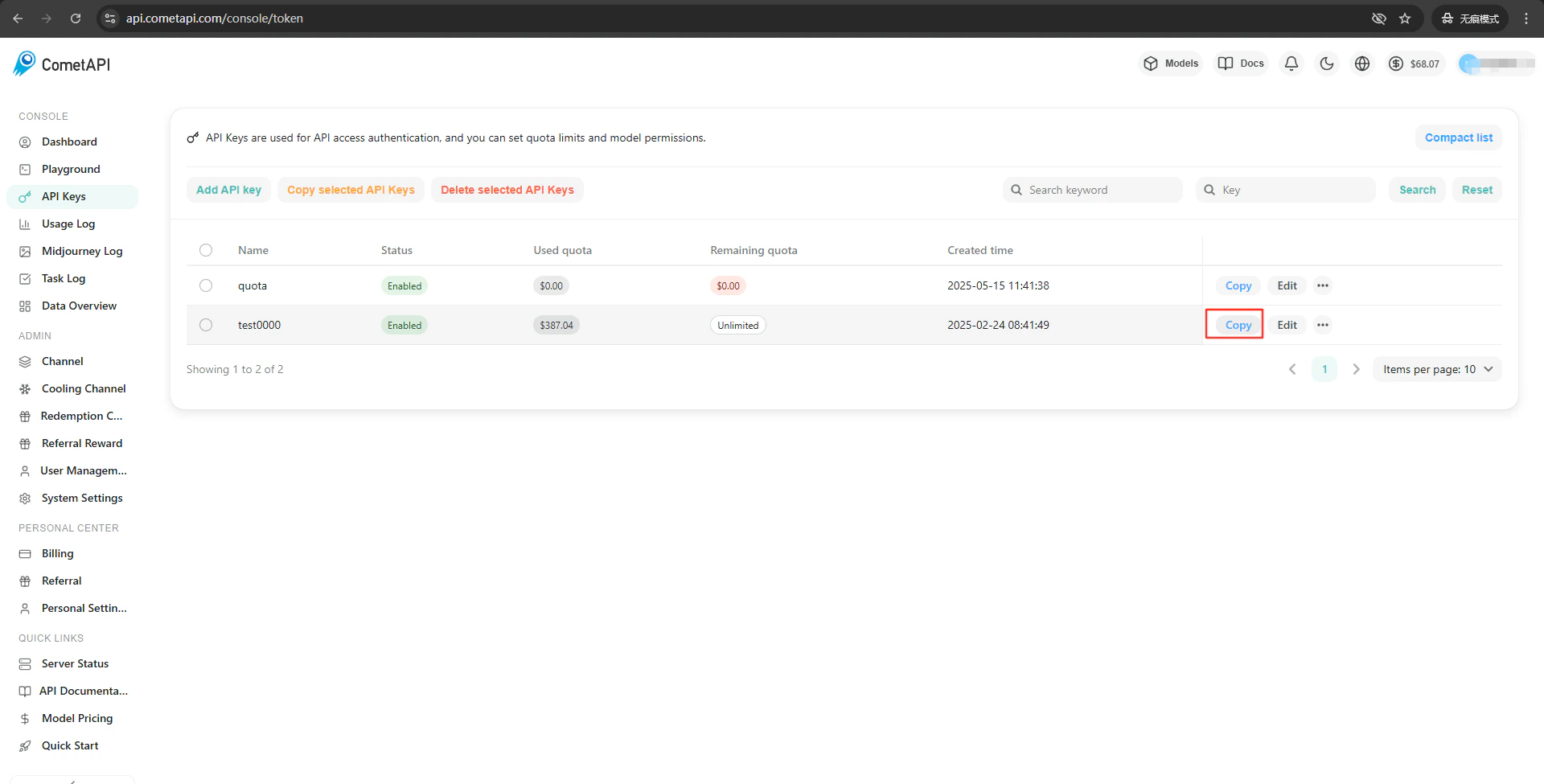
    Logg inn på [CometAPI-kontrollpanelet](https://www.cometapi.com/console). Klikk **Add API Key** og kopier nøkkelen din.
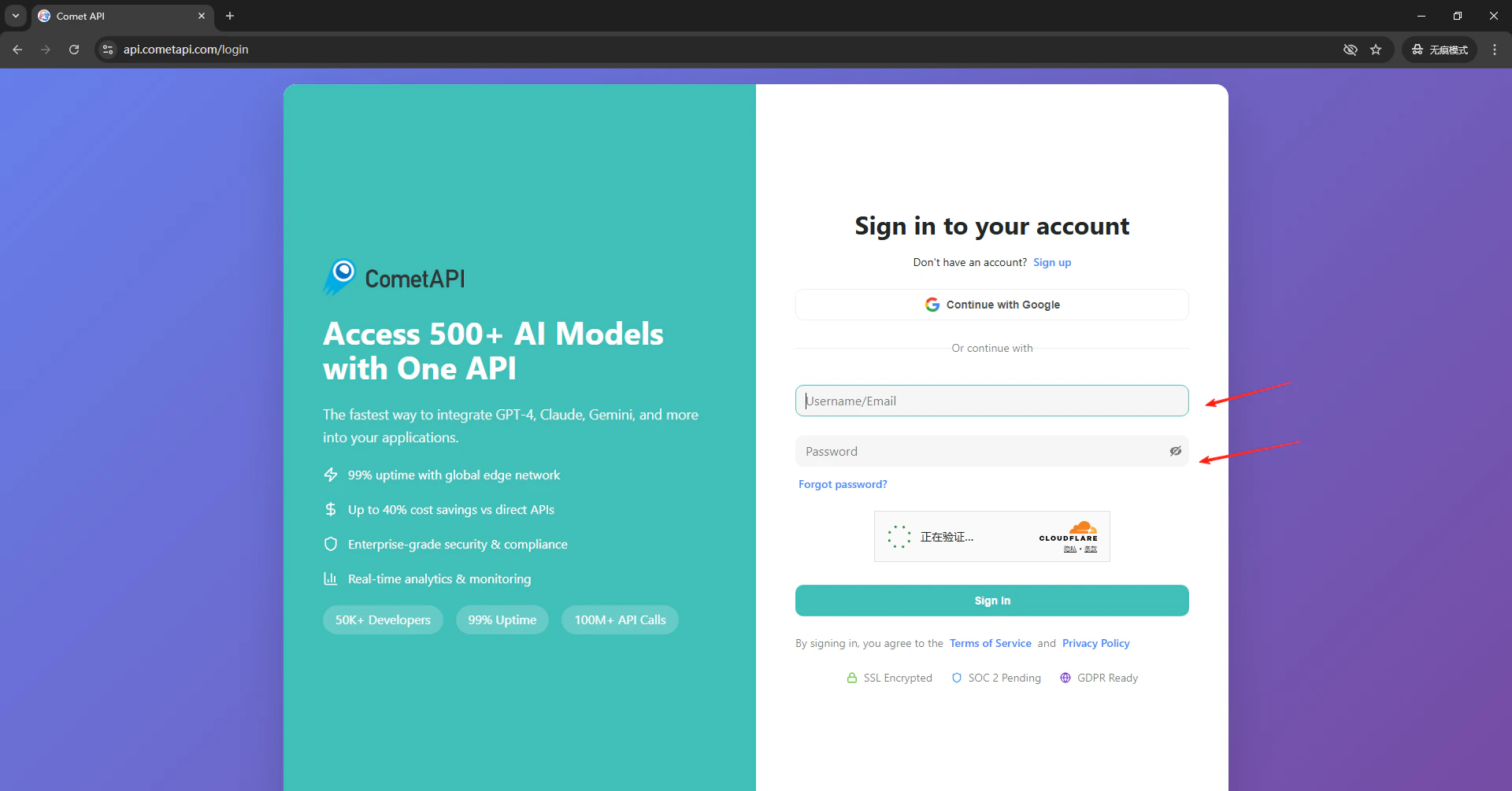
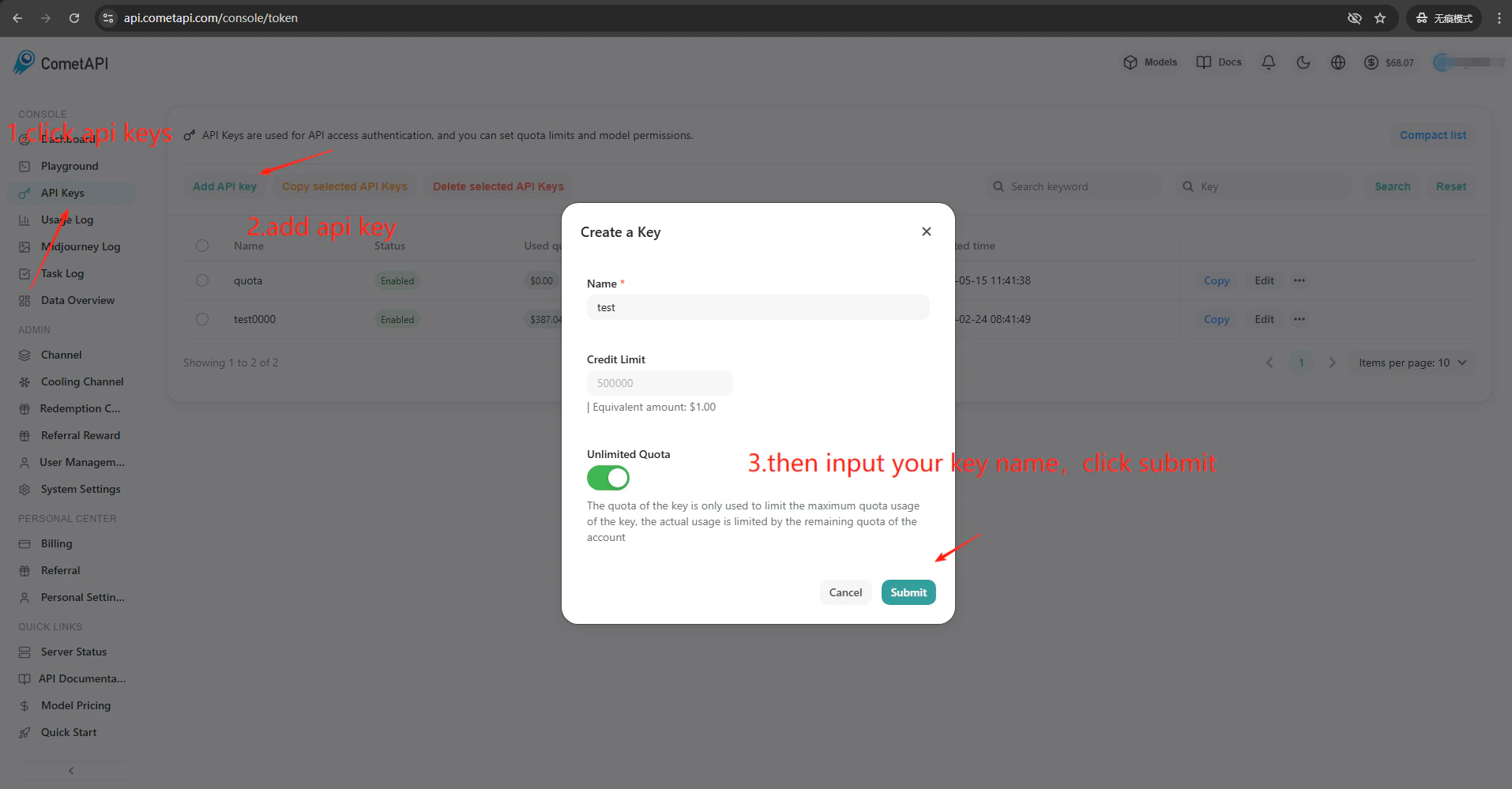
    <Frame>
      <img src="https://mintcdn.com/cometapi/E4FFvyMYmaOZoldp/images/integrations/810968_360264.png?fit=max&auto=format&n=E4FFvyMYmaOZoldp&q=85&s=686b18e5eda53581cd92f39b18683c01" alt="CometAPI-kontrollpanel — API-nøkler-seksjon" width="1920" height="1005" data-path="images/integrations/810968_360264.png" />
    </Frame>

    <Frame>
      <img src="https://mintcdn.com/cometapi/E4FFvyMYmaOZoldp/images/integrations/810968_360265.png?fit=max&auto=format&n=E4FFvyMYmaOZoldp&q=85&s=4a5a528f1fbbeb3da7ace18066b73bd1" alt="Dialogboksen Add API Key i CometAPI-konsollen" width="1914" height="999" data-path="images/integrations/810968_360265.png" />
    </Frame>

    <Frame>
      <img src="https://mintcdn.com/cometapi/E4FFvyMYmaOZoldp/images/integrations/810968_360266.png?fit=max&auto=format&n=E4FFvyMYmaOZoldp&q=85&s=8462dfff1cf0a880c44effc7dccbc131" alt="CometAPI API-nøkkel og base-URL" width="1920" height="975" data-path="images/integrations/810968_360266.png" />
    </Frame>
  </Step>

  <Step title="Konfigurer oversettelsesmotoren">
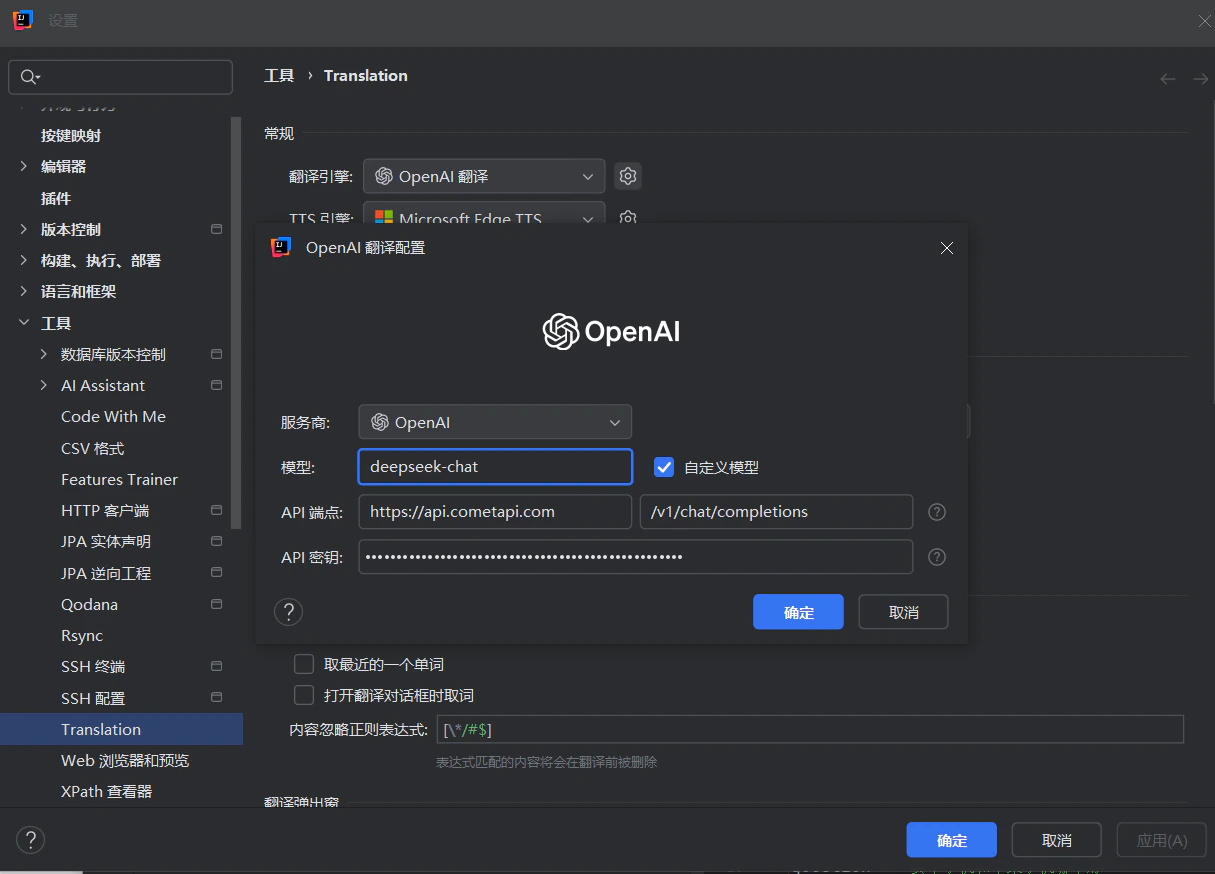
    Klikk på ikonet for Translation Plugin i IDE-verktøylinjen → **Settings** → **Translation**. Velg **OpenAI Translation** som motor. I innstillingspanelet til høyre skriver du inn `https://api.cometapi.com` i feltet **API Endpoint** (det andre feltet har som standard `/v1/chat/completions`). Lim inn CometAPI-nøkkelen din i **API Key** og klikk **Confirm**.


    <Frame>
      <img src="https://mintcdn.com/cometapi/SZhlxZhCnMLn__BW/images/overview/810968_364191.png?fit=max&auto=format&n=SZhlxZhCnMLn__BW&q=85&s=aef81a83f29f8eb16655ed4060425f50" alt="CometAPI-kontrollpanel — knappen Add API Key og nøkkelliste" width="3824" height="1892" data-path="images/overview/810968_364191.png" />
    </Frame>

    <Frame>
      <img src="https://mintcdn.com/cometapi/HhtmQffktazbxUvS/images/overview/810968_364193.png?fit=max&auto=format&n=HhtmQffktazbxUvS&q=85&s=d893f659267150d0faf45f99eb5dffc1" alt="Detaljer for CometAPI API-nøkkel" width="2434" height="1232" data-path="images/overview/810968_364193.png" />
    </Frame>
  </Step>

  <Step title="Test integrasjonen">
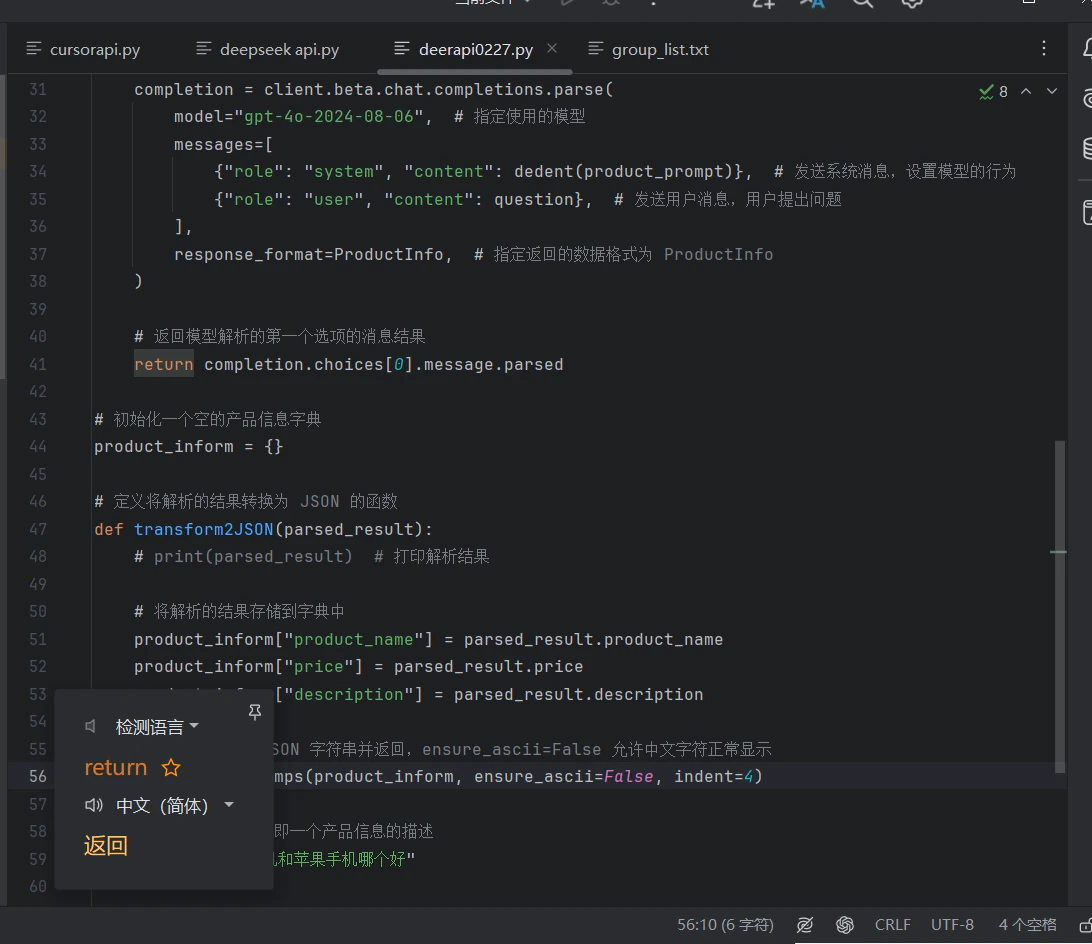
    Klikk **Test Service** i plugin-innstillingene. En vellykket verifisering bekrefter at oppsettet fungerer.
    <Frame>
      <img src="https://mintcdn.com/cometapi/mA1ovj6s0e3RM42l/images/integrations/810968_352997.png?fit=max&auto=format&n=mA1ovj6s0e3RM42l&q=85&s=2acec03c1fcd4584cf8448d588cf5d68" alt="IntelliJ Translation Plugin-test — vellykket resultat" width="1092" height="944" data-path="images/integrations/810968_352997.png" />
    </Frame>
  </Step>
</Steps>

<Tip>
  For å legge til egendefinerte modeller, skriv inn gjeldende model ID i pluginens modellkonfigurasjonsfelt.
  <Frame>
    <img src="https://mintcdn.com/cometapi/mA1ovj6s0e3RM42l/images/integrations/810968_352998.png?fit=max&auto=format&n=mA1ovj6s0e3RM42l&q=85&s=1138ce4ff04851f6db1ff996ea91f667" alt="IntelliJ Translation Plugin modellinnstillinger som viser at en egendefinert modell er lagt til" width="1215" height="874" data-path="images/integrations/810968_352998.png" />
  </Frame>
</Tip>

<script type="application/ld+json">
  {`
    {
    "@context": "https://schema.org",
    "@graph": [
      {
        "@type": "HowTo",
        "@id": "https://apidoc.cometapi.com/integrations/intellij-translation-plugin#howto",
        "name": "Bruk IntelliJ Translation Plugin med CometAPI",
        "description": "Bruk denne veiledningen til å konfigurere IntelliJ Translation Plugin med CometAPI ved å angi base-URL, API-nøkkel og alternativer for modell eller leverandør.",
        "step": [
          {
            "@type": "HowToStep",
            "@id": "https://apidoc.cometapi.com/integrations/intellij-translation-plugin#step-1",
            "position": 1,
            "name": "Hent CometAPI API-nøkkelen din",
            "text": "Opprett eller åpne CometAPI-kontoen din, og kopier deretter en aktiv API-nøkkel fra kontrollpanelet."
          },
          {
            "@type": "HowToStep",
            "@id": "https://apidoc.cometapi.com/integrations/intellij-translation-plugin#step-2",
            "position": 2,
            "name": "Konfigurer oversettelsesmotoren",
            "text": "Fullfør trinnet Konfigurer oversettelsesmotoren i veiledningen Bruk IntelliJ Translation Plugin med CometAPI."
          },
          {
            "@type": "HowToStep",
            "@id": "https://apidoc.cometapi.com/integrations/intellij-translation-plugin#step-3",
            "position": 3,
            "name": "Test integrasjonen",
            "text": "Fullfør trinnet Test integrasjonen i veiledningen Bruk IntelliJ Translation Plugin med CometAPI."
          }
        ]
      },
      {
        "@type": "BreadcrumbList",
        "itemListElement": [
          {
            "@type": "ListItem",
            "position": 1,
            "name": "CometAPI-dokumentasjon",
            "item": "https://apidoc.cometapi.com/"
          },
          {
            "@type": "ListItem",
            "position": 2,
            "name": "Integrasjoner",
            "item": "https://apidoc.cometapi.com/integrations"
          },
          {
            "@type": "ListItem",
            "position": 3,
            "name": "Bruk IntelliJ Translation Plugin med CometAPI",
            "item": "https://apidoc.cometapi.com/integrations/intellij-translation-plugin"
          }
        ]
      }
    ]
    }
    `}
</script>