> ## Documentation Index
> Fetch the complete documentation index at: https://apidoc.cometapi.com/llms.txt
> Use this file to discover all available pages before exploring further.
# Start with CometAPI: create an API key and make your first call
> Start with CometAPI by creating an API key, setting the base URL, and sending your first curl, Python, or Node.js API request.
## Create an account and API key
Create a CometAPI account and API key before you call the API.
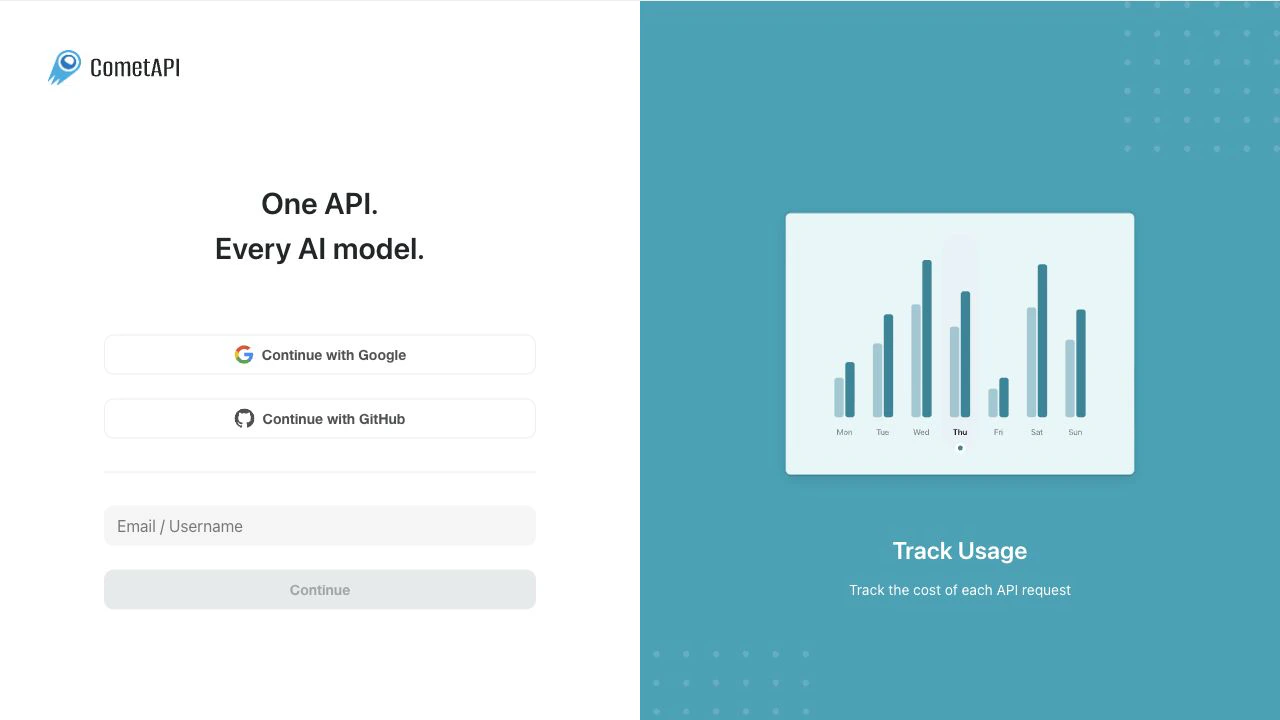
Open the [CometAPI login page](https://www.cometapi.com/console/login). Continue with Google, continue with GitHub, or enter your email or username. If you do not have an account, complete account creation from this page.
 After you sign in, open the [API key page](https://www.cometapi.com/console/token). You can also select **API Keys** in the dashboard sidebar.
Click **Create API Key**, enter a clear name such as `local-test`, and keep **Unlimited Quota** enabled for a first test unless you want to set a spending cap. Click **Create**.
After you sign in, open the [API key page](https://www.cometapi.com/console/token). You can also select **API Keys** in the dashboard sidebar.
Click **Create API Key**, enter a clear name such as `local-test`, and keep **Unlimited Quota** enabled for a first test unless you want to set a spending cap. Click **Create**.
 Click the copy button in the **Key** column. Store the copied key in a server-side environment variable or a local `.env` file. Do not paste a real API key into public repositories, frontend code, screenshots, or support tickets.
 Request examples read `COMETAPI_KEY` from your environment.
## Store your API key locally
For local testing, export your API key as an environment variable:
```bash theme={null}
read -rsp "CometAPI API key: " COMETAPI_KEY
printf '\n'
export COMETAPI_KEY
```
## Base URL
Use this base URL for OpenAI-compatible SDKs and API calls:
```text theme={null}
https://api.cometapi.com/v1
```
## 30-second switch from OpenAI
After you have a CometAPI API key, use this two-setting diff when you switch an OpenAI SDK client to CometAPI:
```diff theme={null}
- base_url="https://api.openai.com/v1"
- api_key=os.environ["OPENAI_API_KEY"]
+ base_url="https://api.cometapi.com/v1"
+ api_key=os.environ["COMETAPI_KEY"]
```
CometAPI uses OpenAI-compatible request formats for common text, image, audio, and video workflows. If your app already uses the OpenAI SDK, start by changing the base URL and API key.
## Make your first call
After you set `COMETAPI_KEY` in your environment, replace `your-model-id` with a current model ID from the [Models page](/overview/models).
```bash cURL theme={null}
curl https://api.cometapi.com/v1/chat/completions \
-H "Authorization: Bearer $COMETAPI_KEY" \
-H "Content-Type: application/json" \
-d '{
"model": "your-model-id",
"messages": [
{
"role": "user",
"content": "Write a one-sentence bedtime story."
}
]
}'
```
```python Python theme={null}
import os
from openai import OpenAI
client = OpenAI(
api_key=os.environ["COMETAPI_KEY"],
base_url="https://api.cometapi.com/v1",
)
completion = client.chat.completions.create(
model="your-model-id",
messages=[
{
"role": "user",
"content": "Write a one-sentence bedtime story.",
}
],
)
print(completion.choices[0].message.content)
```
```javascript Node.js theme={null}
import OpenAI from "openai";
const client = new OpenAI({
apiKey: process.env.COMETAPI_KEY,
baseURL: "https://api.cometapi.com/v1",
});
const completion = await client.chat.completions.create({
model: "your-model-id",
messages: [
{
role: "user",
content: "Write a one-sentence bedtime story.",
},
],
});
console.log(completion.choices[0].message.content);
```
## Pick a model
Choose a model ID from the [Models page](/overview/models), then pass that value in the `model` field.
| Goal | Where to start |
| -------------------- | ------------------------------------------------------------------------------------------------------------------------------- |
| Chat or general text | Use a GPT, Claude, Gemini, DeepSeek, or other chat model with [Chat Completions](/api/text/chat). |
| Coding and reasoning | Use a coding or reasoning model with [Responses](/api/text/responses) when the model requires the Responses API. |
| Image generation | Use an image model with [Create image](/api/image/openai/images) or a provider-specific image guide. |
| Video generation | Use a video model with the video API page that matches the provider workflow, such as [Create video](/api/video/sora-2/create). |
## What is next
* For request failures, see [Error Codes & Handling](/errors/error-codes-handling).
* For retry guidance, see [how to handle rate limits](/api/text/chat#how-to-handle-rate-limits).
* For model-specific usage, start with [Chat Completions](/api/text/chat), [Responses](/api/text/responses), [Create image](/api/image/openai/images), or [Create video](/api/video/sora-2/create).
* For billing details, see [About Pricing](/pricing/about-pricing).
* For help, see the [Help Center](/support/help-center) or contact [CometAPI support](https://www.cometapi.com/support/).
## FAQ
Open the [CometAPI login page](https://www.cometapi.com/console/login), then continue with Google, continue with GitHub, or enter your email or username. If you do not have an account, complete account creation from the same page.
Open the [API key page](https://www.cometapi.com/console/token) in the CometAPI dashboard, click **Create API Key**, enter a name, click **Create**, and copy the generated API key. Use `$COMETAPI_KEY` in examples instead of a real API key.
Store your API key in a server-side environment variable or a local `.env` file. Do not commit it to public repositories, paste it into frontend code, include it in screenshots, or send it in support tickets.
Use `https://api.cometapi.com/v1` for OpenAI-compatible SDKs and endpoints such as `/v1/chat/completions`.
Yes. Create an `OpenAI` client, set `api_key` to your CometAPI API key, and set `base_url` to `https://api.cometapi.com/v1`.
Change the base URL to `https://api.cometapi.com/v1`, replace the API key with your CometAPI API key, and use a CometAPI model ID from the [Models page](/overview/models).
Choose the model ID by use case. Start from the [Models page](/overview/models), then select a chat, coding, image, or video model that matches the API page that you plan to call.
CometAPI works with any programming language that can send HTTPS requests. Start with the curl, Python, and Node.js examples on this page, or use an OpenAI-compatible SDK that lets you override the base URL.
You can create a CometAPI API key from the dashboard. To check free trial availability, free trial credits, and billing details, see the [CometAPI pricing page](https://www.cometapi.com/pricing/) and [About Pricing](/pricing/about-pricing).
Request examples read `COMETAPI_KEY` from your environment.
## Store your API key locally
For local testing, export your API key as an environment variable:
```bash theme={null}
read -rsp "CometAPI API key: " COMETAPI_KEY
printf '\n'
export COMETAPI_KEY
```
## Base URL
Use this base URL for OpenAI-compatible SDKs and API calls:
```text theme={null}
https://api.cometapi.com/v1
```
## 30-second switch from OpenAI
After you have a CometAPI API key, use this two-setting diff when you switch an OpenAI SDK client to CometAPI:
```diff theme={null}
- base_url="https://api.openai.com/v1"
- api_key=os.environ["OPENAI_API_KEY"]
+ base_url="https://api.cometapi.com/v1"
+ api_key=os.environ["COMETAPI_KEY"]
```
CometAPI uses OpenAI-compatible request formats for common text, image, audio, and video workflows. If your app already uses the OpenAI SDK, start by changing the base URL and API key.
## Make your first call
After you set `COMETAPI_KEY` in your environment, replace `your-model-id` with a current model ID from the [Models page](/overview/models).
```bash cURL theme={null}
curl https://api.cometapi.com/v1/chat/completions \
-H "Authorization: Bearer $COMETAPI_KEY" \
-H "Content-Type: application/json" \
-d '{
"model": "your-model-id",
"messages": [
{
"role": "user",
"content": "Write a one-sentence bedtime story."
}
]
}'
```
```python Python theme={null}
import os
from openai import OpenAI
client = OpenAI(
api_key=os.environ["COMETAPI_KEY"],
base_url="https://api.cometapi.com/v1",
)
completion = client.chat.completions.create(
model="your-model-id",
messages=[
{
"role": "user",
"content": "Write a one-sentence bedtime story.",
}
],
)
print(completion.choices[0].message.content)
```
```javascript Node.js theme={null}
import OpenAI from "openai";
const client = new OpenAI({
apiKey: process.env.COMETAPI_KEY,
baseURL: "https://api.cometapi.com/v1",
});
const completion = await client.chat.completions.create({
model: "your-model-id",
messages: [
{
role: "user",
content: "Write a one-sentence bedtime story.",
},
],
});
console.log(completion.choices[0].message.content);
```
## Pick a model
Choose a model ID from the [Models page](/overview/models), then pass that value in the `model` field.
| Goal | Where to start |
| -------------------- | ------------------------------------------------------------------------------------------------------------------------------- |
| Chat or general text | Use a GPT, Claude, Gemini, DeepSeek, or other chat model with [Chat Completions](/api/text/chat). |
| Coding and reasoning | Use a coding or reasoning model with [Responses](/api/text/responses) when the model requires the Responses API. |
| Image generation | Use an image model with [Create image](/api/image/openai/images) or a provider-specific image guide. |
| Video generation | Use a video model with the video API page that matches the provider workflow, such as [Create video](/api/video/sora-2/create). |
## What is next
* For request failures, see [Error Codes & Handling](/errors/error-codes-handling).
* For retry guidance, see [how to handle rate limits](/api/text/chat#how-to-handle-rate-limits).
* For model-specific usage, start with [Chat Completions](/api/text/chat), [Responses](/api/text/responses), [Create image](/api/image/openai/images), or [Create video](/api/video/sora-2/create).
* For billing details, see [About Pricing](/pricing/about-pricing).
* For help, see the [Help Center](/support/help-center) or contact [CometAPI support](https://www.cometapi.com/support/).
## FAQ
Open the [CometAPI login page](https://www.cometapi.com/console/login), then continue with Google, continue with GitHub, or enter your email or username. If you do not have an account, complete account creation from the same page.
Open the [API key page](https://www.cometapi.com/console/token) in the CometAPI dashboard, click **Create API Key**, enter a name, click **Create**, and copy the generated API key. Use `$COMETAPI_KEY` in examples instead of a real API key.
Store your API key in a server-side environment variable or a local `.env` file. Do not commit it to public repositories, paste it into frontend code, include it in screenshots, or send it in support tickets.
Use `https://api.cometapi.com/v1` for OpenAI-compatible SDKs and endpoints such as `/v1/chat/completions`.
Yes. Create an `OpenAI` client, set `api_key` to your CometAPI API key, and set `base_url` to `https://api.cometapi.com/v1`.
Change the base URL to `https://api.cometapi.com/v1`, replace the API key with your CometAPI API key, and use a CometAPI model ID from the [Models page](/overview/models).
Choose the model ID by use case. Start from the [Models page](/overview/models), then select a chat, coding, image, or video model that matches the API page that you plan to call.
CometAPI works with any programming language that can send HTTPS requests. Start with the curl, Python, and Node.js examples on this page, or use an OpenAI-compatible SDK that lets you override the base URL.
You can create a CometAPI API key from the dashboard. To check free trial availability, free trial credits, and billing details, see the [CometAPI pricing page](https://www.cometapi.com/pricing/) and [About Pricing](/pricing/about-pricing).