> ## Documentation Index
> Fetch the complete documentation index at: https://apidoc.cometapi.com/llms.txt
> Use this file to discover all available pages before exploring further.

# 使用 Coze 搭配 CometAPI

> 使用本指南，透過設定 base URL、API key，以及 model 或 provider 選項，將 Coze 設定為搭配 CometAPI 使用。

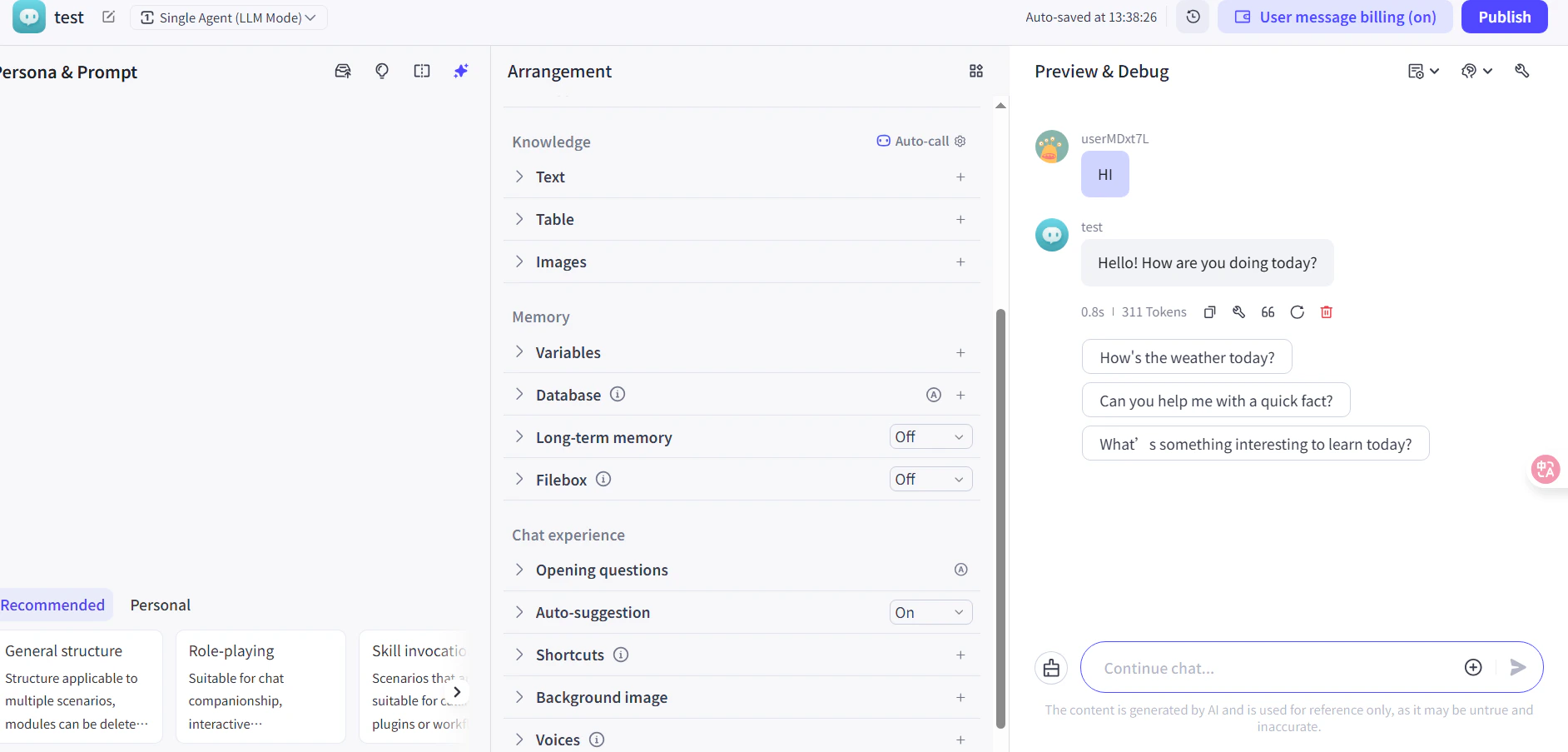
Coze 是一個 AI agent 與工作流程建構工具。你可以用兩種方式將 CometAPI 連接到 Coze：透過原生的 **CometAPI plugin**（最簡單），或透過通用的 **HTTP Request node** 以獲得最大的彈性。

## 先決條件

* 擁有一個 CometAPI 帳戶，且 API key 已啟用 — [在這裡取得](https://www.cometapi.com/console/token)
* 擁有一個 Coze 帳戶 — [在這裡註冊](https://www.coze.com)

<Steps>
  <Step title="取得你的 CometAPI API key">
    登入 [CometAPI 控制台](https://www.cometapi.com/console/token)。點擊 **Add API Key**，並複製你的 CometAPI API key。

    <Frame>
      <img src="https://mintcdn.com/cometapi/SZhlxZhCnMLn__BW/images/overview/810968_364191.png?fit=max&auto=format&n=SZhlxZhCnMLn__BW&q=85&s=aef81a83f29f8eb16655ed4060425f50" alt="顯示 Add API Key 按鈕的 CometAPI 儀表板" width="3824" height="1892" data-path="images/overview/810968_364191.png" />
    </Frame>

    <Frame>
      <img src="https://mintcdn.com/cometapi/HhtmQffktazbxUvS/images/overview/810968_364193.png?fit=max&auto=format&n=HhtmQffktazbxUvS&q=85&s=d893f659267150d0faf45f99eb5dffc1" alt="含有 base URL 的 CometAPI API key 詳細資訊" width="2434" height="1232" data-path="images/overview/810968_364193.png" />
    </Frame>
  </Step>

  <Step title="將 CometAPI 加入 Coze 工作流程">
    <Tabs>
      <Tab title="方法 1：CometAPI 外掛（推薦）">
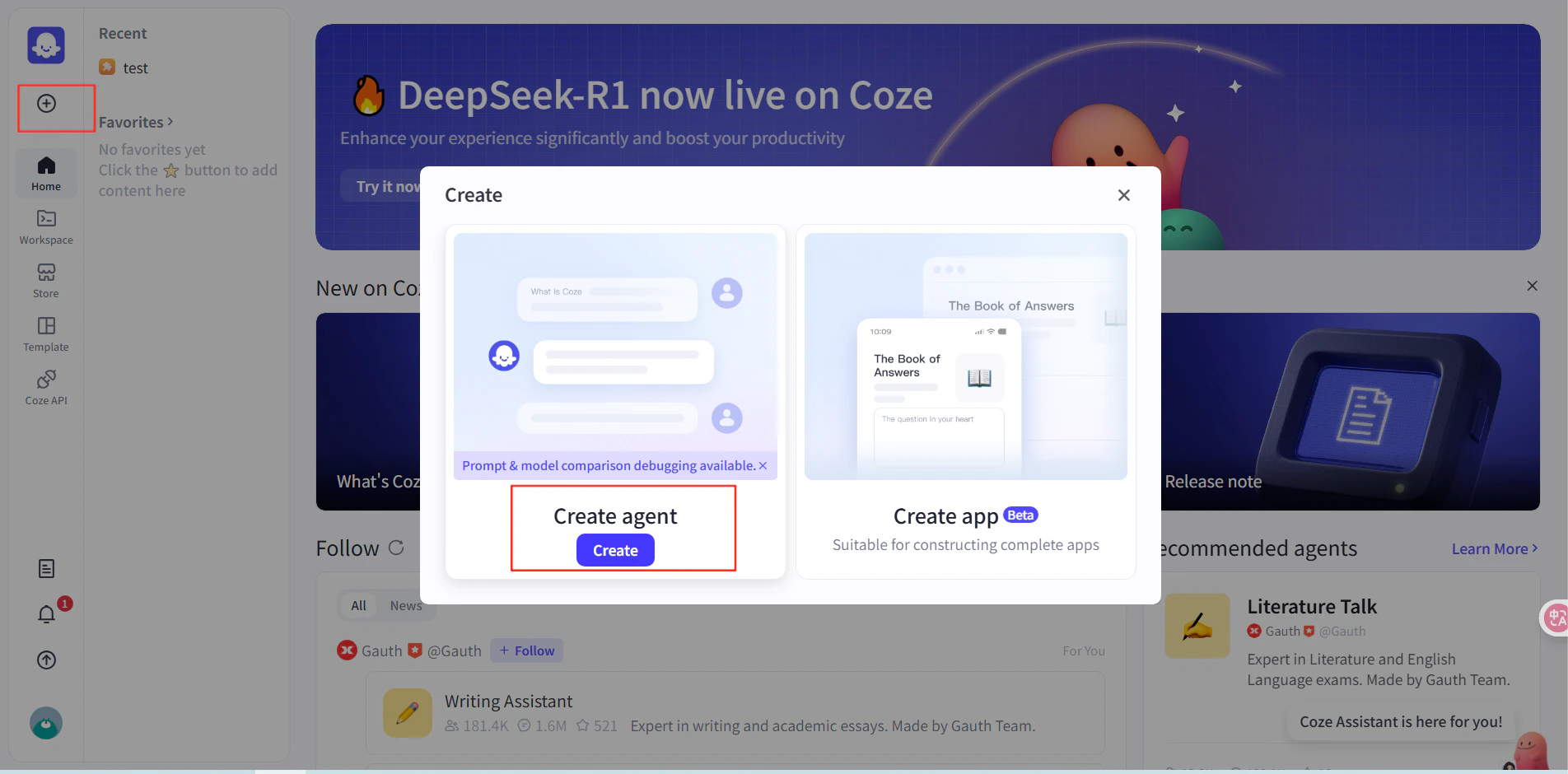
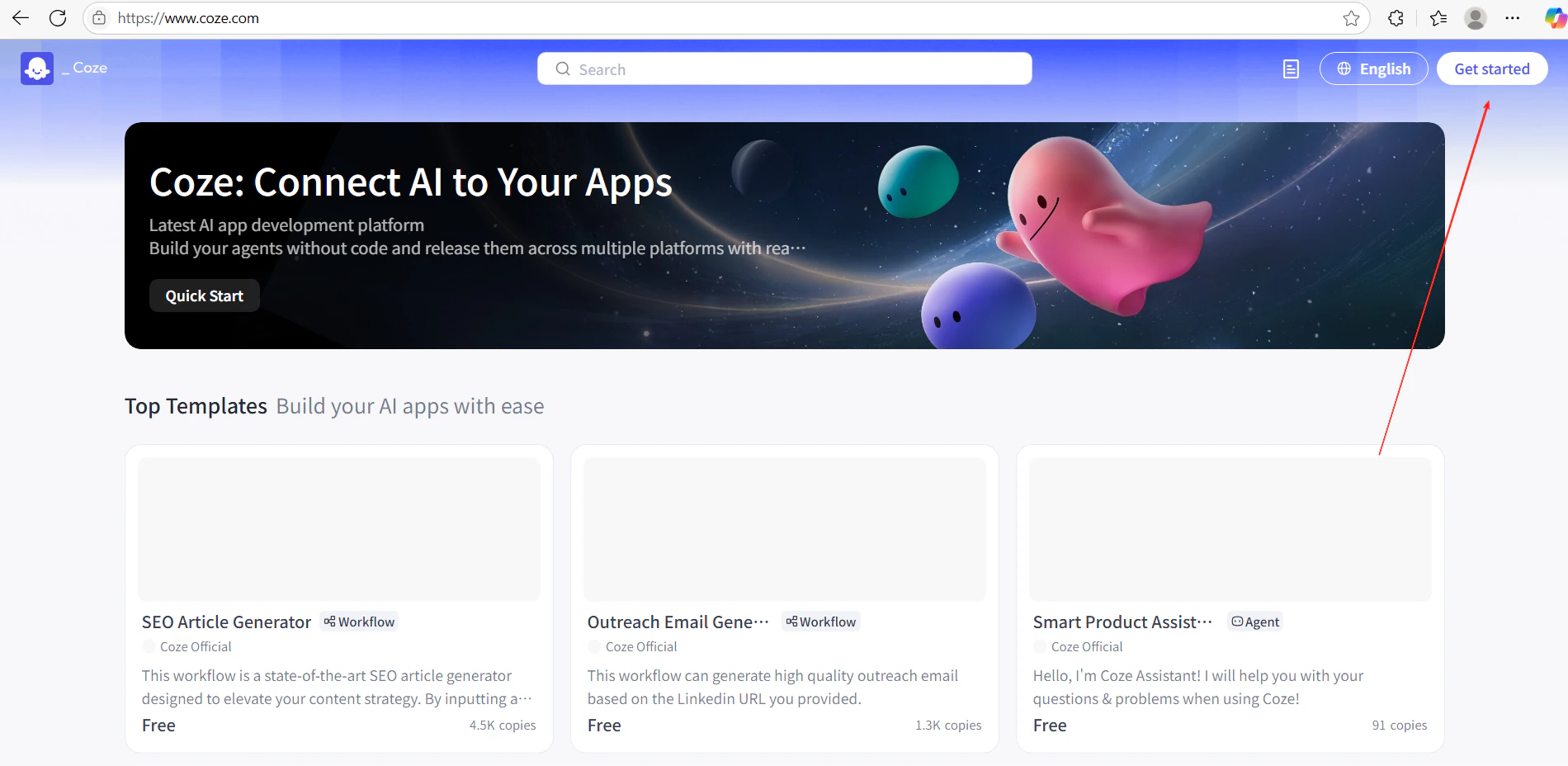
        1. 在 Coze 中，點擊 **Get Started** 並建立新的工作流程。
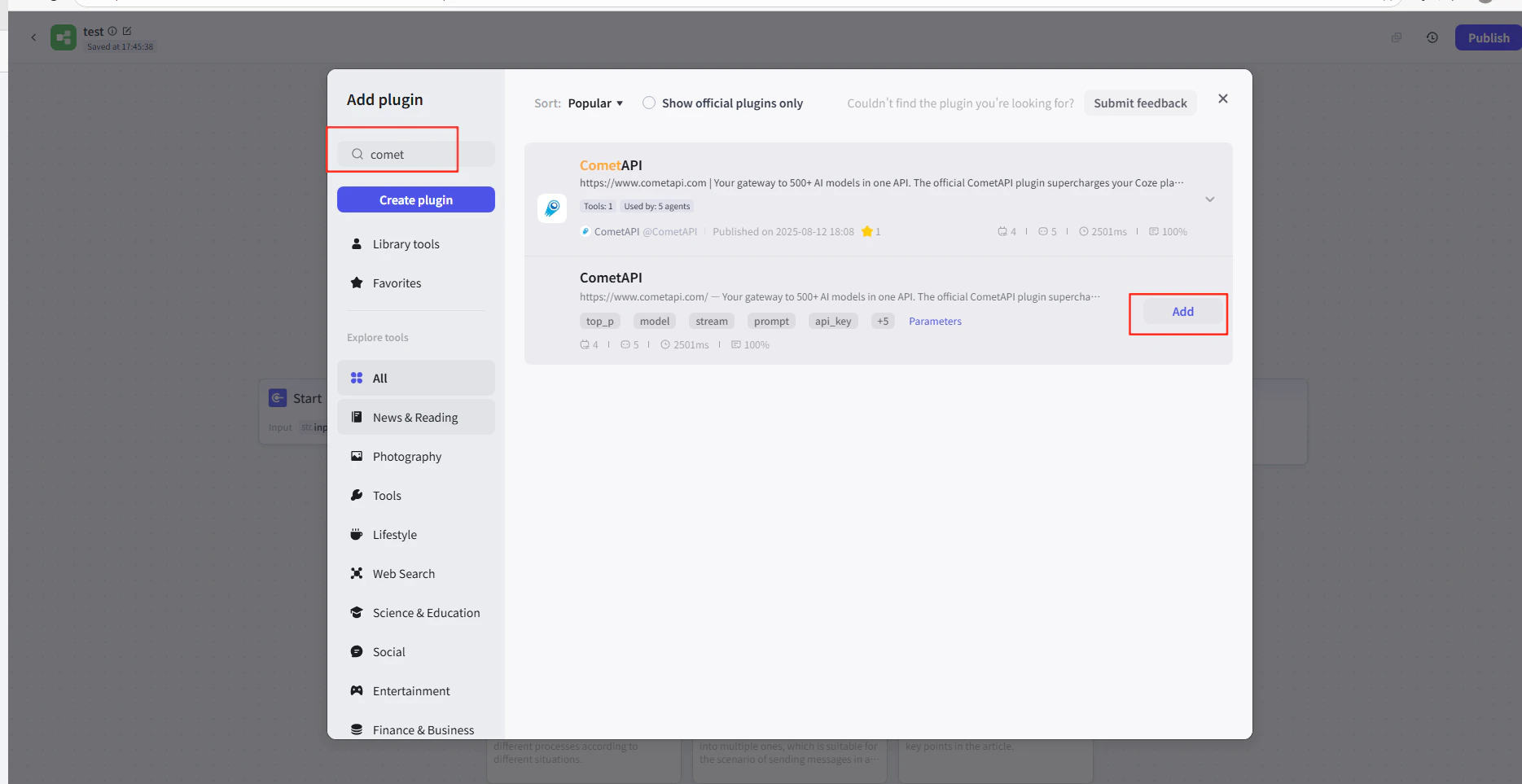
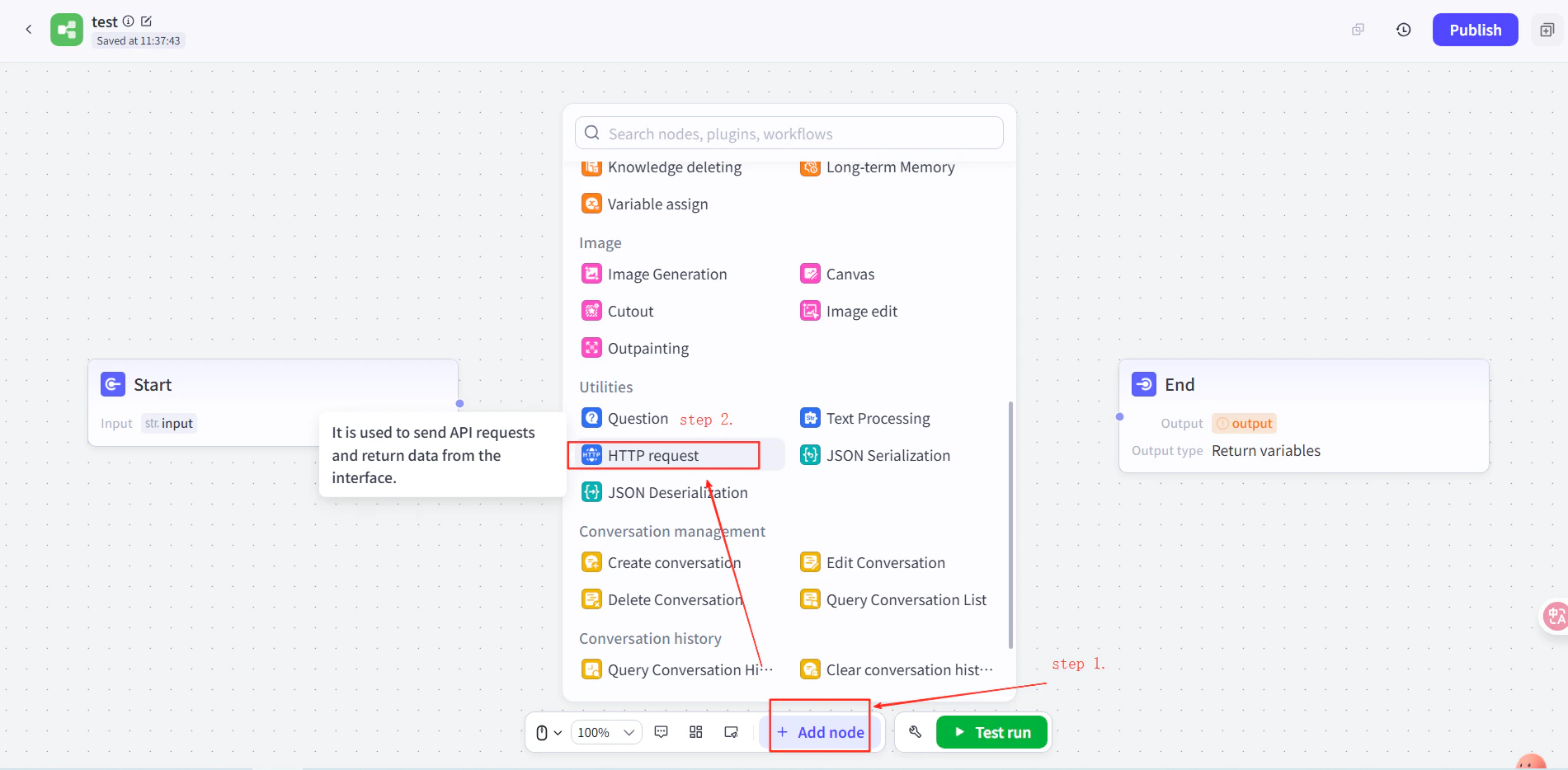
        2. 在工作流程編輯器中，點擊 **Add Node → Plugins**，並搜尋 **CometAPI**。
        3. 將 CometAPI 外掛節點加入你的工作流程。
        <Frame>
          <img src="https://mintcdn.com/cometapi/E4FFvyMYmaOZoldp/images/integrations/810968_355124.png?fit=max&auto=format&n=E4FFvyMYmaOZoldp&q=85&s=31a8c613d735f88246baa86ae399fa11" alt="顯示外掛搜尋的 Coze 工作流程編輯器" width="1900" height="928" data-path="images/integrations/810968_355124.png" />
        </Frame>

        <Frame>
          <img src="https://mintcdn.com/cometapi/E4FFvyMYmaOZoldp/images/integrations/810968_355125.png?fit=max&auto=format&n=E4FFvyMYmaOZoldp&q=85&s=75f2336cc40c9f21d757ced6ee227fd7" alt="搜尋結果中出現的 CometAPI 外掛" width="1904" height="940" data-path="images/integrations/810968_355125.png" />
        </Frame>

        <Frame>
          <img src="https://mintcdn.com/cometapi/E4FFvyMYmaOZoldp/images/integrations/810968_355126.png?fit=max&auto=format&n=E4FFvyMYmaOZoldp&q=85&s=1058980811bfc31c51715a76e048cc02" alt="已加入畫布的 CometAPI 外掛節點" width="1938" height="908" data-path="images/integrations/810968_355126.png" />
        </Frame>

        <Frame>
          <img src="https://mintcdn.com/cometapi/E4FFvyMYmaOZoldp/images/integrations/810968_360283.png?fit=max&auto=format&n=E4FFvyMYmaOZoldp&q=85&s=f89b117699a4d46802c62436ae92bd84" alt="外掛節點設定面板" width="1869" height="963" data-path="images/integrations/810968_360283.png" />
        </Frame>

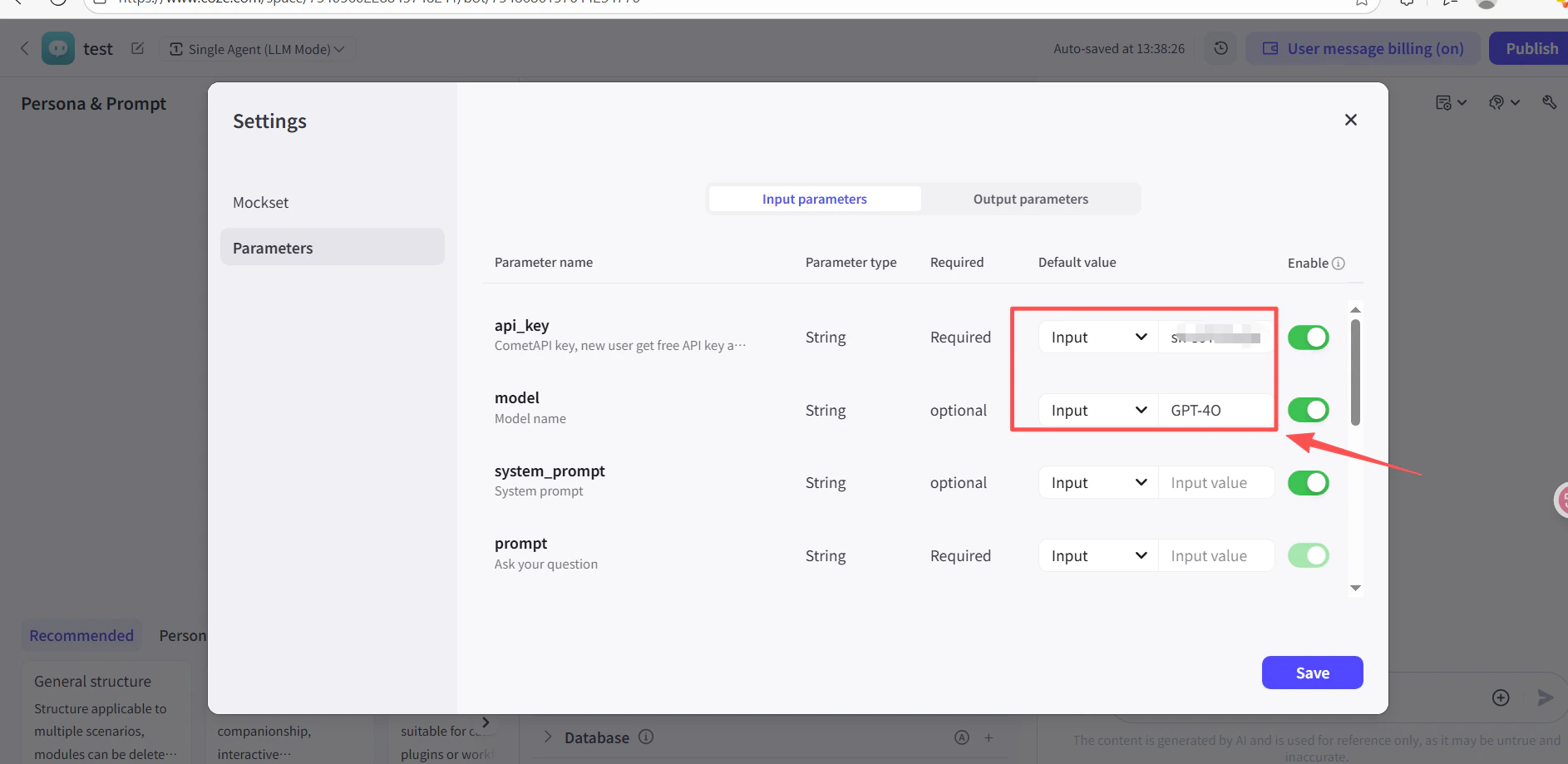
        4. 在外掛節點的 **API Key** 欄位中，貼上你的 CometAPI API key。
        5. 點擊 **Test** 以驗證連線，然後點擊 **Publish**。

        <Frame>
          <img src="https://mintcdn.com/cometapi/SZhlxZhCnMLn__BW/images/integrations/810968_361332.png?fit=max&auto=format&n=SZhlxZhCnMLn__BW&q=85&s=0f41c0cfaf3cdcebd45d740ce96fd178" alt="已填入 API key 的外掛節點" width="1886" height="919" data-path="images/integrations/810968_361332.png" />
        </Frame>

        <Frame>
          <img src="https://mintcdn.com/cometapi/SZhlxZhCnMLn__BW/images/integrations/810968_361333.png?fit=max&auto=format&n=SZhlxZhCnMLn__BW&q=85&s=17b349b2c651c6e5193bfde6b63e0c17" alt="CometAPI 外掛的測試成功結果" width="1884" height="903" data-path="images/integrations/810968_361333.png" />
        </Frame>
      </Tab>

      <Tab title="方法 2：HTTP Request 節點">
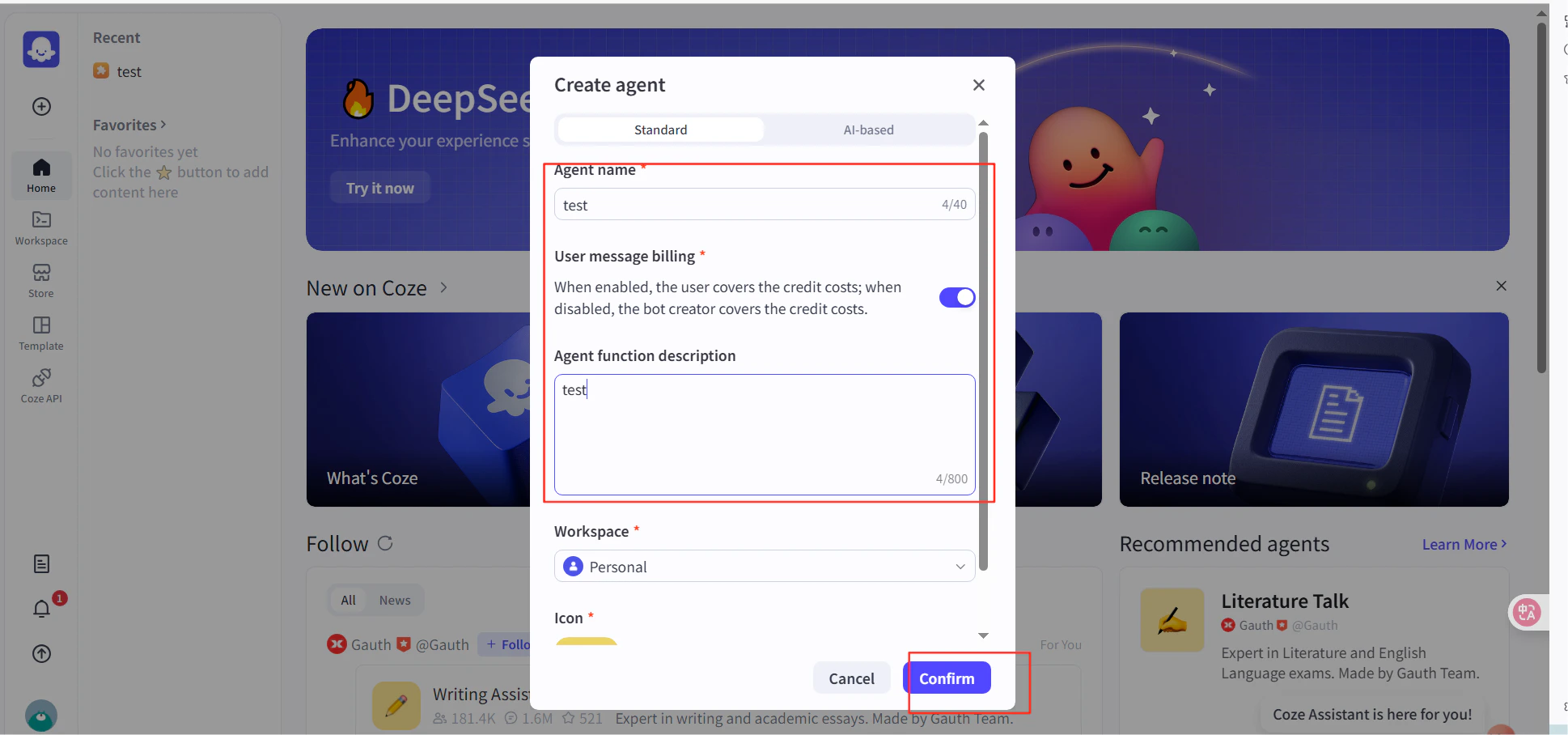
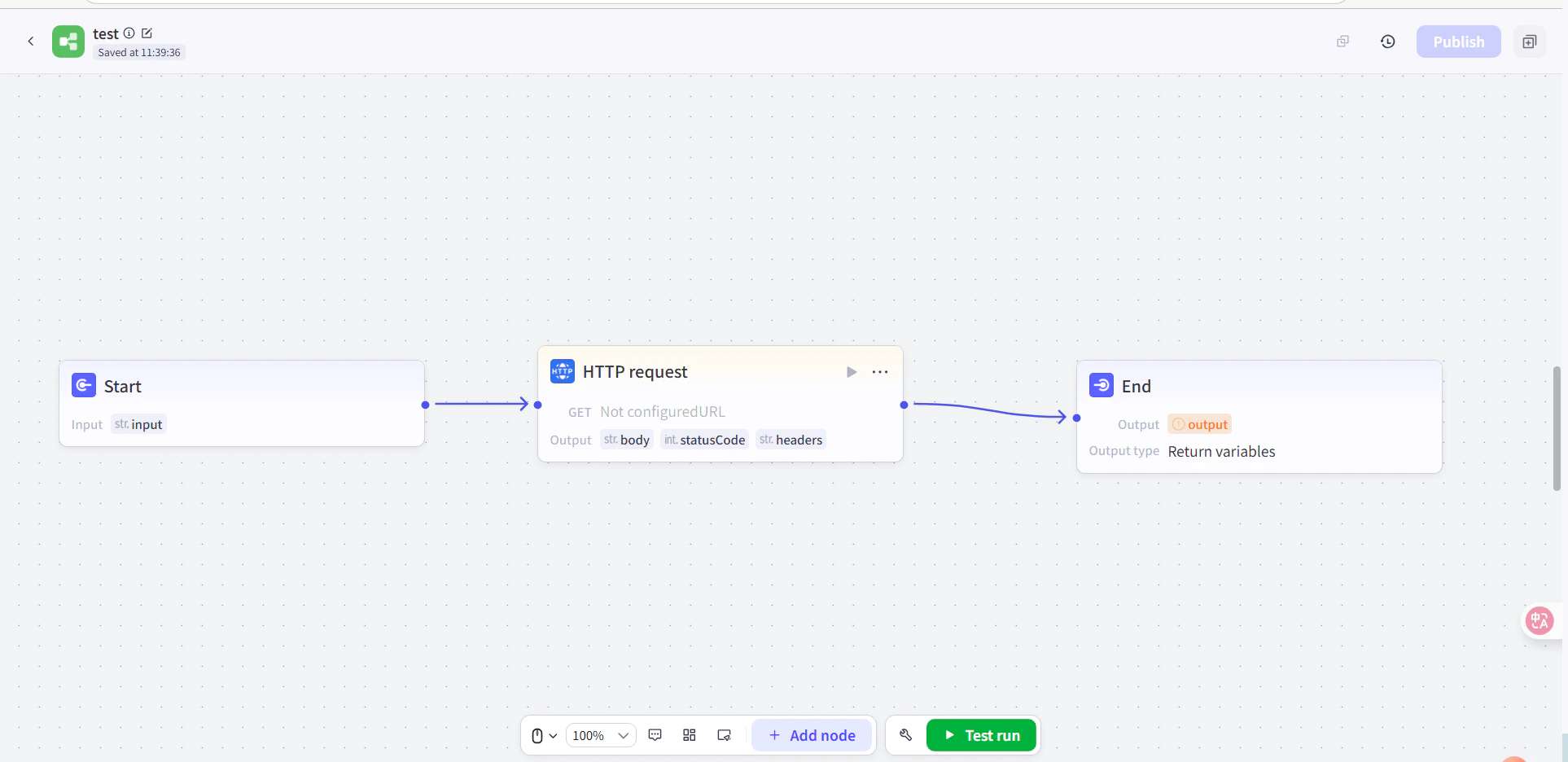
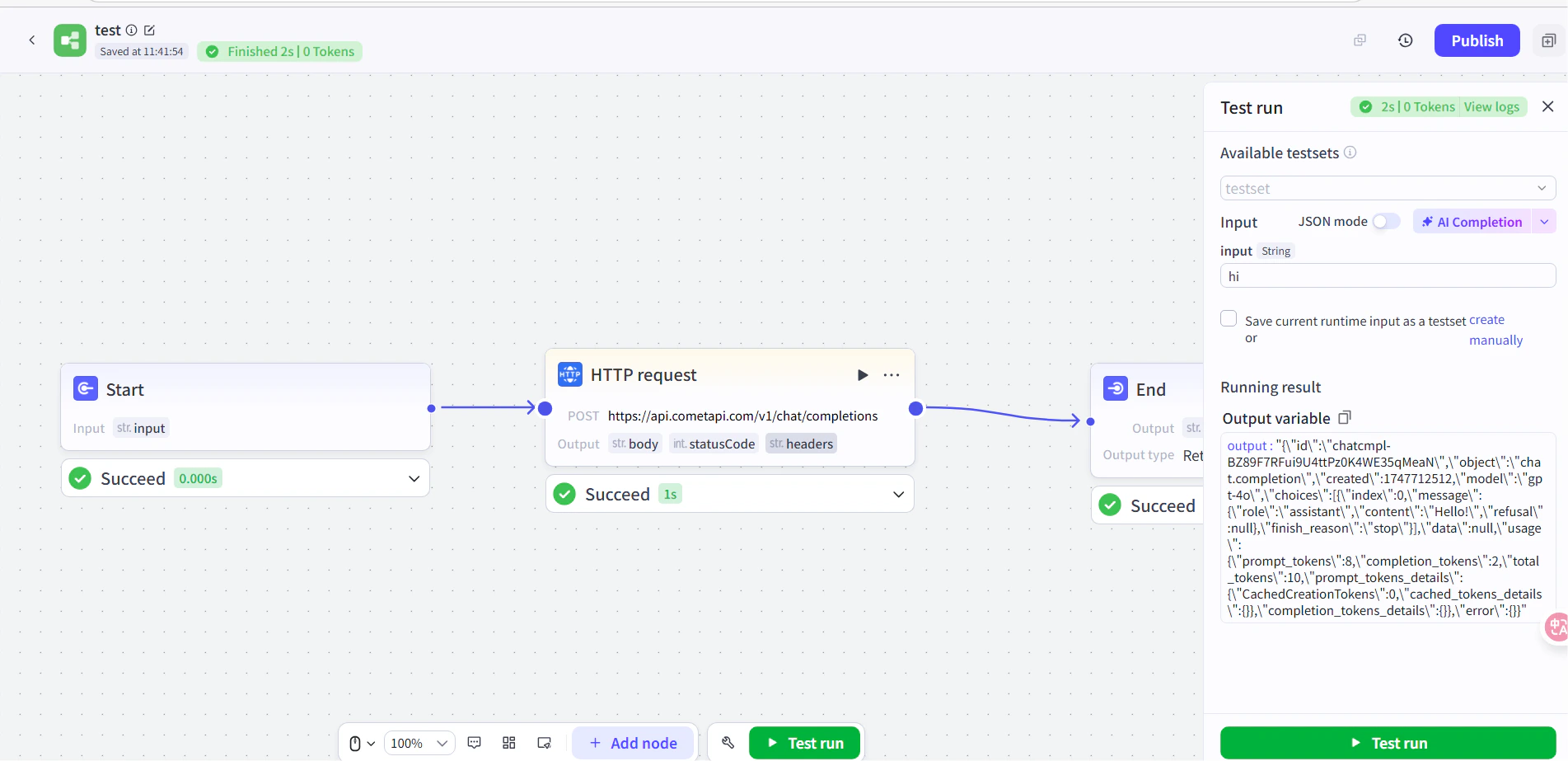
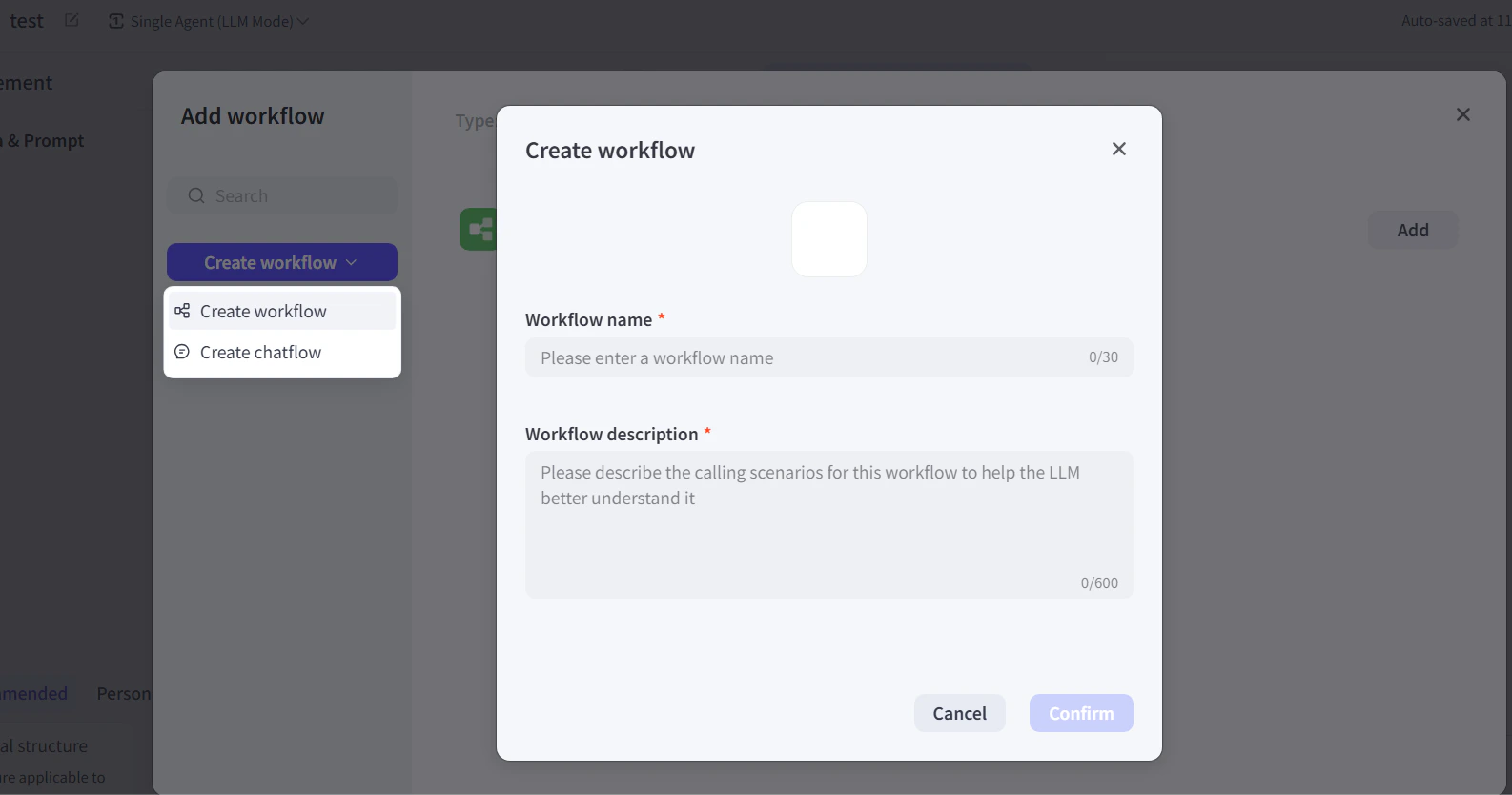
        1. 在 Coze 中建立一個 agent，然後在該 agent 的工作流程中，於 Start 與 End 節點之間加入一個 **HTTP Request** 節點。
        2. 設定以下內容：
           * **Method**: `POST`
           * **URL**: `https://api.cometapi.com/v1/chat/completions`
           * **Authentication Token**: 貼上你的 CometAPI API key，然後點擊 **Confirm**
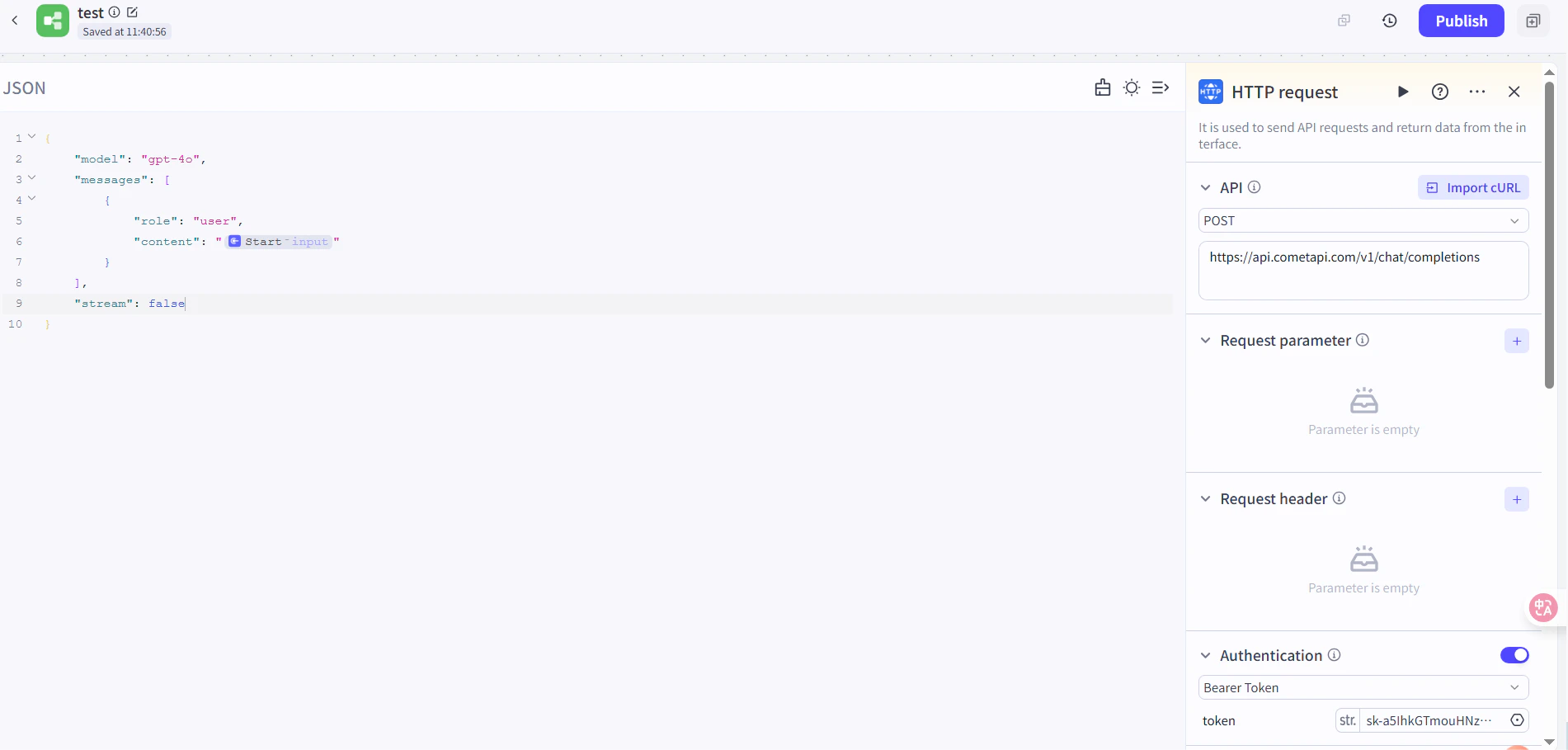
        3. 設定請求本文：

        ```json theme={null}
        {
          "model": "your-model-id",
          "messages": [
            {
              "role": "user",
              "content": "{{block_output_100001.input}}"
            }
          ],
          "stream": false
        }
        ```

        4. 在 End 節點中，將輸出設為 HTTP 請求的 response body。將 `your-model-id` 替換為來自 [CometAPI Models 頁面](/zh-Hant/overview/models) 的目前 model ID。
        <Frame>
          <img src="https://mintcdn.com/cometapi/E4FFvyMYmaOZoldp/images/integrations/810968_355128.png?fit=max&auto=format&n=E4FFvyMYmaOZoldp&q=85&s=862c588b2f301bd66b89366c5344fbdc" alt="已設定 URL 與驗證 token 的 HTTP Request 節點" width="1586" height="834" data-path="images/integrations/810968_355128.png" />
        </Frame>

        <Frame>
          <img src="https://mintcdn.com/cometapi/E4FFvyMYmaOZoldp/images/integrations/810968_355129.png?fit=max&auto=format&n=E4FFvyMYmaOZoldp&q=85&s=a438417210684dddf988307c448edb57" alt="在 HTTP 節點中設定的請求本文 JSON" width="1901" height="934" data-path="images/integrations/810968_355129.png" />
        </Frame>

        <Frame>
          <img src="https://mintcdn.com/cometapi/E4FFvyMYmaOZoldp/images/integrations/810968_355130.png?fit=max&auto=format&n=E4FFvyMYmaOZoldp&q=85&s=18254fe80669e295bd7b8ac2e48c3d45" alt="在 End 節點中選擇 HTTP response body 作為輸出" width="1926" height="936" data-path="images/integrations/810968_355130.png" />
        </Frame>

        <Frame>
          <img src="https://mintcdn.com/cometapi/E4FFvyMYmaOZoldp/images/integrations/810968_355131.png?fit=max&auto=format&n=E4FFvyMYmaOZoldp&q=85&s=5fde76e14e42d41311076f7eb1d0fd77" alt="所有節點皆已連接的 Coze 工作流程" width="1901" height="909" data-path="images/integrations/810968_355131.png" />
        </Frame>
      </Tab>
    </Tabs>
  </Step>

  <Step title="測試並發佈">
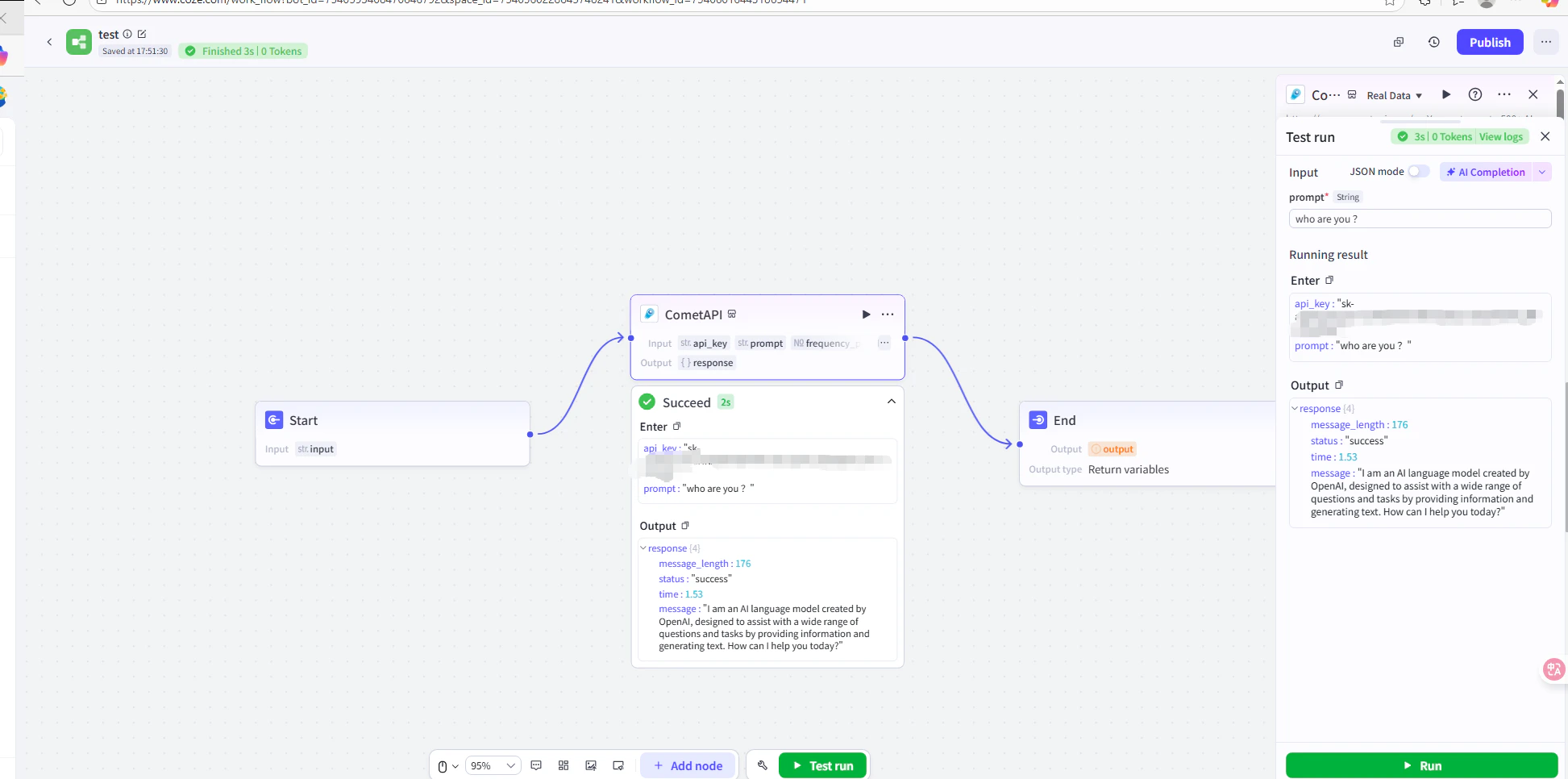
    在工作流程中執行一則測試訊息（例如詢問目前時間）。若 AI 成功回覆，即表示整合運作正常。發佈該工作流程使其上線。

    <Frame>
      <img src="https://mintcdn.com/cometapi/E4FFvyMYmaOZoldp/images/integrations/810968_360285.png?fit=max&auto=format&n=E4FFvyMYmaOZoldp&q=85&s=5f362ef3274c53c47a8f3793d4fa6966" alt="顯示測試成功回應的 Coze 工作流程" width="1945" height="966" data-path="images/integrations/810968_360285.png" />
    </Frame>

    <Frame>
      <img src="https://mintcdn.com/cometapi/E4FFvyMYmaOZoldp/images/integrations/810968_355132.png?fit=max&auto=format&n=E4FFvyMYmaOZoldp&q=85&s=8b7fe683331ec5cb31222062c6f3aa80" alt="已發佈且正確回應的 Coze agent" width="1903" height="923" data-path="images/integrations/810968_355132.png" />
    </Frame>

    如果呼叫失敗，請確認你的 API key 與 endpoint URL，或聯絡 [CometAPI 支援](https://www.cometapi.com)。
  </Step>
</Steps>

<Tip>
  對大多數使用者而言，推薦使用外掛方式 — 它會自動處理驗證與回應解析。當你需要完整控制請求標頭，或想呼叫非聊天端點時，請使用 HTTP Request 節點。
</Tip>

<script type="application/ld+json">
  {`
    {
    "@context": "https://schema.org",
    "@graph": [
      {
        "@type": "HowTo",
        "@id": "https://apidoc.cometapi.com/integrations/coze#howto",
        "name": "使用 Coze 搭配 CometAPI",
        "description": "使用本指南，透過設定 base URL、API key，以及 model 或 provider 選項，將 Coze 設定為搭配 CometAPI 使用。",
        "step": [
          {
            "@type": "HowToStep",
            "@id": "https://apidoc.cometapi.com/integrations/coze#step-1",
            "position": 1,
            "name": "取得你的 CometAPI API key",
            "text": "建立或開啟你的 CometAPI 帳戶，然後從儀表板複製一個已啟用的 API key。"
          },
          {
            "@type": "HowToStep",
            "@id": "https://apidoc.cometapi.com/integrations/coze#step-2",
            "position": 2,
            "name": "將 CometAPI 加入 Coze 工作流程",
            "text": "完成「使用 Coze 搭配 CometAPI」指南中的「將 CometAPI 加入 Coze 工作流程」步驟。"
          },
          {
            "@type": "HowToStep",
            "@id": "https://apidoc.cometapi.com/integrations/coze#step-3",
            "position": 3,
            "name": "測試並發佈",
            "text": "完成「使用 Coze 搭配 CometAPI」指南中的「測試並發佈」步驟。"
          }
        ]
      },
      {
        "@type": "BreadcrumbList",
        "itemListElement": [
          {
            "@type": "ListItem",
            "position": 1,
            "name": "CometAPI 文件",
            "item": "https://apidoc.cometapi.com/"
          },
          {
            "@type": "ListItem",
            "position": 2,
            "name": "整合",
            "item": "https://apidoc.cometapi.com/integrations"
          },
          {
            "@type": "ListItem",
            "position": 3,
            "name": "使用 Coze 搭配 CometAPI",
            "item": "https://apidoc.cometapi.com/integrations/coze"
          }
        ]
      }
    ]
    }
    `}
</script>