Ana içeriğe atla
Bu rehber, Google Gen AI SDK kullanarak CometAPI üzerinden Gemini image models nasıl kullanılacağını gösterir. Şunları kapsar:
  • Metinden görüntü oluşturma
  • Görüntüden görüntü düzenleme
  • Çoklu görüntü kompozisyonu
  • Oluşturulan görüntüleri kaydetme
  • Base URL: https://api.cometapi.com
  • SDK’yı yükleyin: pip install google-genai (Python) veya npm install @google/genai (Node.js)

Kurulum

İstemciyi CometAPI’nin base URL değeriyle başlatın:
from google import genai
from google.genai import types
import os

COMETAPI_KEY = os.environ.get("COMETAPI_KEY") or "<YOUR_COMETAPI_KEY>"

client = genai.Client(
    http_options={"api_version": "v1beta", "base_url": "https://api.cometapi.com"},
    api_key=COMETAPI_KEY,
)

Metinden Görsel Oluşturma

Bir metin prompt’undan görsel oluşturun ve bunu bir dosyaya kaydedin.
from google import genai
from google.genai import types
from PIL import Image
import os

client = genai.Client(
    http_options={"api_version": "v1beta", "base_url": "https://api.cometapi.com"},
    api_key=os.environ.get("COMETAPI_KEY"),
)

response = client.models.generate_content(
    model="gemini-3.1-flash-image-preview",
    contents="Create a picture of a nano banana dish in a fancy restaurant with a Gemini theme",
    config=types.GenerateContentConfig(
        response_modalities=["TEXT", "IMAGE"],
    ),
)

for part in response.parts:
    if part.text is not None:
        print(part.text)
    elif part.inline_data is not None:
        image = part.as_image()
        image.save("generated_image.png")
        print("Image saved to generated_image.png")
Yanıt Yapısı: Görsel verisi, metin ve/veya görsel parçaları içerebilen candidates[0].content.parts içinde bulunur:
{
  "candidates": [{
    "content": {
      "parts": [
        { "text": "Here is your image..." },
        {
          "inlineData": {
            "mimeType": "image/png",
            "data": "<base64-encoded-image>"
          }
        }
      ]
    }
  }]
}

Image-to-Image Generation

Bir giriş görseli yükleyin ve bunu bir metin prompt’u ile dönüştürün.
from google import genai
from google.genai import types
from PIL import Image
import os

client = genai.Client(
    http_options={"api_version": "v1beta", "base_url": "https://api.cometapi.com"},
    api_key=os.environ.get("COMETAPI_KEY"),
)

# Load the source image
source_image = Image.open("source.jpg")

response = client.models.generate_content(
    model="gemini-3.1-flash-image-preview",
    contents=["Transform this into a watercolor painting", source_image],
    config=types.GenerateContentConfig(
        response_modalities=["TEXT", "IMAGE"],
    ),
)

for part in response.parts:
    if part.text is not None:
        print(part.text)
    elif part.inline_data is not None:
        image = part.as_image()
        image.save("watercolor_output.png")
  • Python SDK, PIL.Image nesnelerini doğrudan kabul eder — manuel Base64 kodlaması gerekmez.
  • Ham Base64 string’leri geçirirken data:image/jpeg;base64, önekini eklemeyin.

Çoklu Görsel Kompozisyonu

Birden fazla giriş görselinden yeni bir görsel oluşturun. CometAPI iki yaklaşımı destekler:

Yöntem 1: Tek Kolaj Görseli

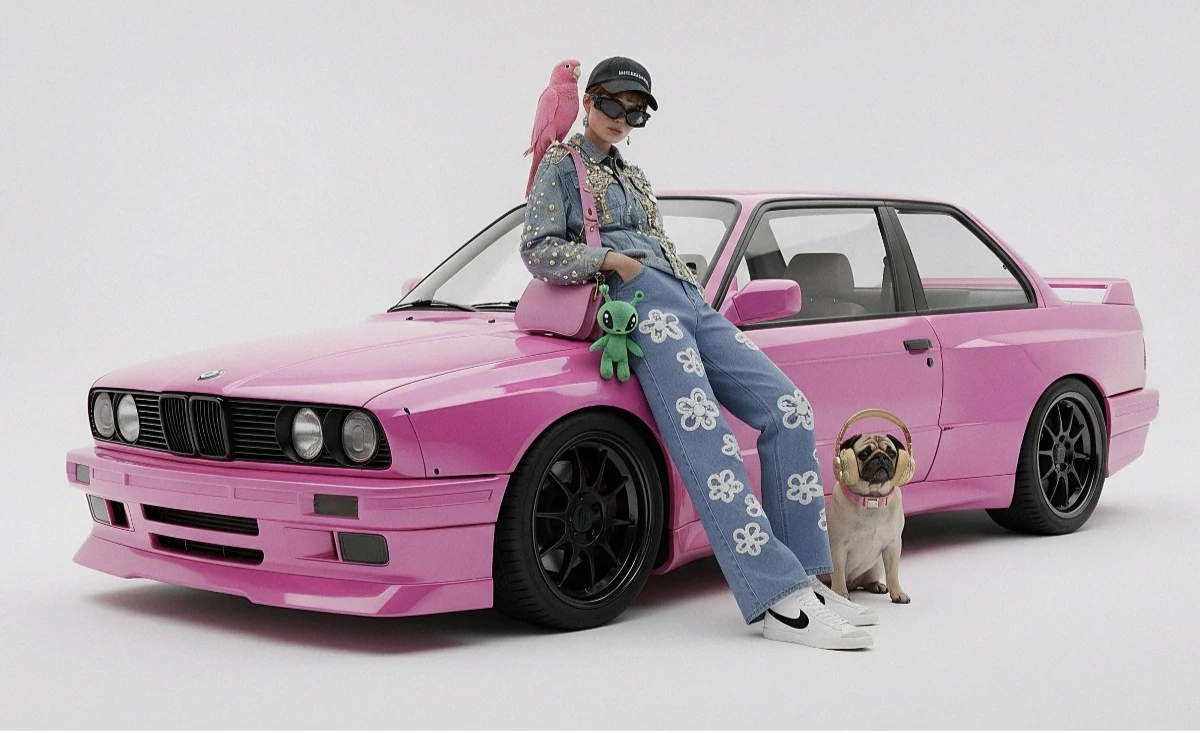
Birden fazla kaynak görseli tek bir kolajda birleştirin, ardından istenen çıktıyı açıklayın.
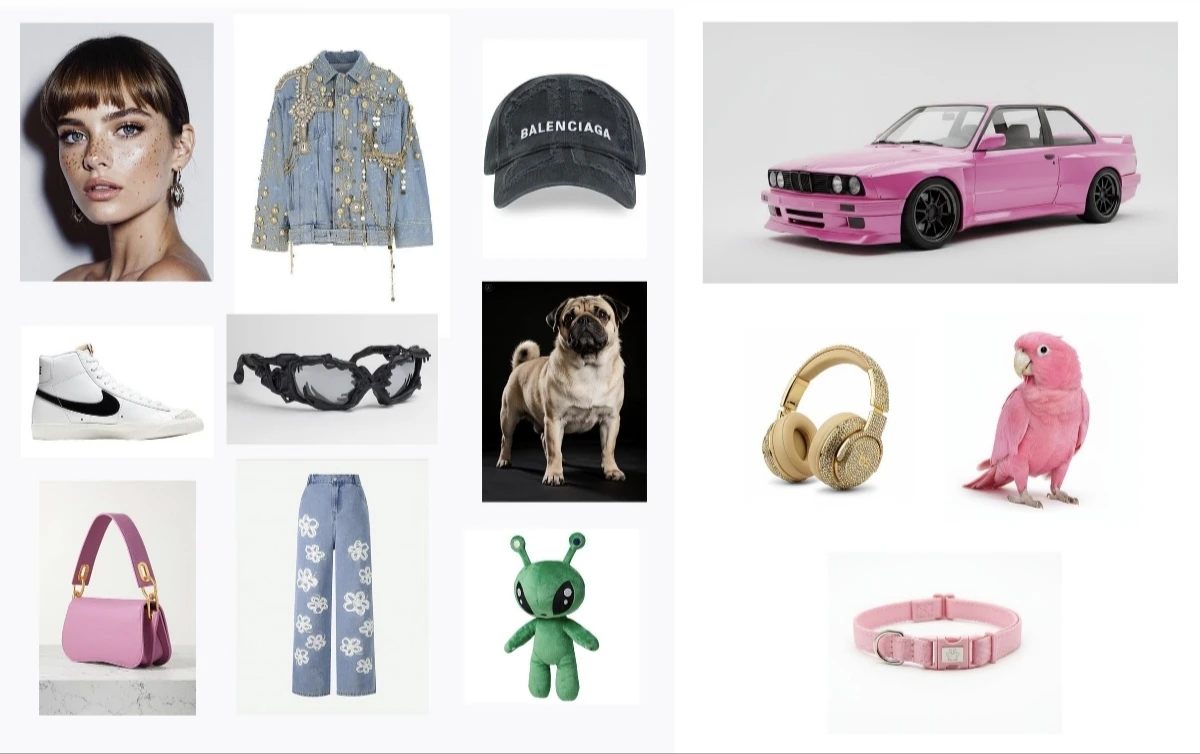
Giriş kolaj örneği
Oluşturulan çıktı
from google import genai
from google.genai import types
from PIL import Image
import os

client = genai.Client(
    http_options={"api_version": "v1beta", "base_url": "https://api.cometapi.com"},
    api_key=os.environ.get("COMETAPI_KEY"),
)

collage = Image.open("collage.jpg")

response = client.models.generate_content(
    model="gemini-3.1-flash-image-preview",
    contents=[
        "A model is posing and leaning against a pink BMW with a green alien keychain attached to a pink handbag, a pink parrot on her shoulder, and a pug wearing a pink collar and gold headphones",
        collage,
    ],
    config=types.GenerateContentConfig(
        response_modalities=["TEXT", "IMAGE"],
    ),
)

for part in response.parts:
    if part.inline_data is not None:
        part.as_image().save("composition_output.png")

Yöntem 2: Birden Fazla Ayrı Görsel (En Fazla 14)

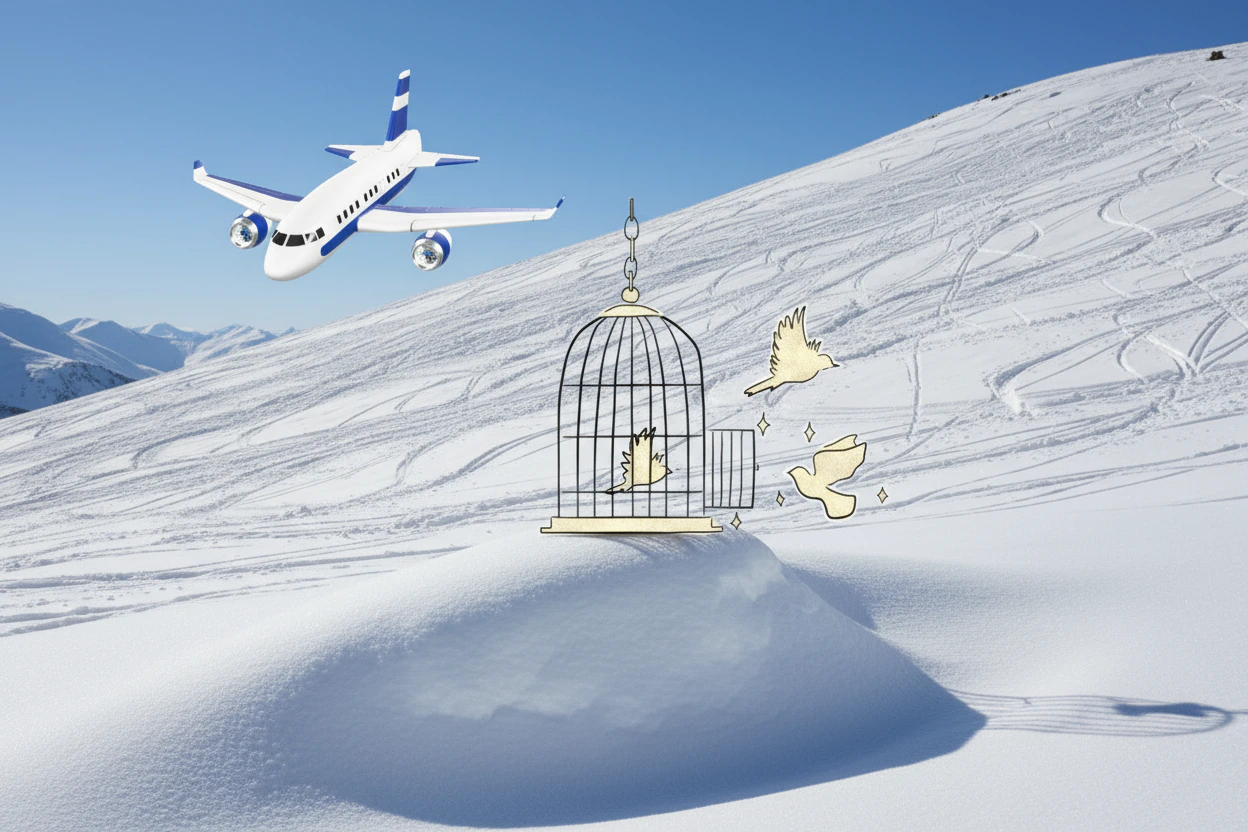
Birden fazla görseli doğrudan iletin. Gemini 3 modelleri en fazla 14 referans görseli destekler (nesneler + karakterler):
from google import genai
from google.genai import types
from PIL import Image
import os

client = genai.Client(
    http_options={"api_version": "v1beta", "base_url": "https://api.cometapi.com"},
    api_key=os.environ.get("COMETAPI_KEY"),
)

image1 = Image.open("image1.jpg")
image2 = Image.open("image2.jpg")
image3 = Image.open("image3.jpg")

response = client.models.generate_content(
    model="gemini-3.1-flash-image-preview",
    contents=["Merge the three images", image1, image2, image3],
    config=types.GenerateContentConfig(
        response_modalities=["TEXT", "IMAGE"],
    ),
)

for part in response.parts:
    if part.inline_data is not None:
        part.as_image().save("merged_output.png")
Çoklu görsel oluşturma sonucu

4K Görüntü Oluşturma

Yüksek çözünürlüklü çıktı için image_config içinde aspect_ratio ve image_size belirtin:
from google import genai
from google.genai import types
import os

client = genai.Client(
    http_options={"api_version": "v1beta", "base_url": "https://api.cometapi.com"},
    api_key=os.environ.get("COMETAPI_KEY"),
)

response = client.models.generate_content(
    model="gemini-3.1-flash-image-preview",
    contents="Da Vinci style anatomical sketch of a Monarch butterfly on textured parchment",
    config=types.GenerateContentConfig(
        response_modalities=["TEXT", "IMAGE"],
        image_config=types.ImageConfig(
            aspect_ratio="1:1",
            image_size="4K",
        ),
    ),
)

for part in response.parts:
    if part.text is not None:
        print(part.text)
    elif image := part.as_image():
        image.save("butterfly_4k.png")

Çok Turlu Görsel Düzenleme (Chat)

Görselleri yinelemeli olarak iyileştirmek için SDK’nın chat özelliğini kullanın:
from google import genai
from google.genai import types
import os

client = genai.Client(
    http_options={"api_version": "v1beta", "base_url": "https://api.cometapi.com"},
    api_key=os.environ.get("COMETAPI_KEY"),
)

chat = client.chats.create(
    model="gemini-3.1-flash-image-preview",
    config=types.GenerateContentConfig(
        response_modalities=["TEXT", "IMAGE"],
    ),
)

# First turn: generate
response = chat.send_message(
    "Create a vibrant infographic explaining photosynthesis as a recipe, styled like a colorful kids cookbook"
)

for part in response.parts:
    if part.text is not None:
        print(part.text)
    elif image := part.as_image():
        image.save("photosynthesis.png")

# Second turn: refine
response = chat.send_message("Update this infographic to be in Spanish. Do not change any other elements.")

for part in response.parts:
    if part.text is not None:
        print(part.text)
    elif image := part.as_image():
        image.save("photosynthesis_spanish.png")

İpuçları

Stil anahtar kelimeleri (örn. “cyberpunk, film grain, low contrast”), en-boy oranı, konu, arka plan, ışıklandırma ve ayrıntı düzeyini belirtin.
Ham HTTP kullanırken data:image/png;base64, önekini eklemeyin — yalnızca ham Base64 dizesini kullanın. Python SDK bunu PIL.Image nesneleriyle otomatik olarak yönetir.
Metin olmadan görsel çıktısını garanti etmek için "responseModalities" değerini yalnızca ["IMAGE"] olarak ayarlayın.
Daha fazla ayrıntı için API Reference bölümüne bakın. Resmi dokümantasyon: Gemini Image Generation