Voraussetzungen
Einrichtung
1
Holen Sie sich Ihren CometAPI API-Schlüssel
Melden Sie sich beim CometAPI-Dashboard an. Klicken Sie auf Add API Key und kopieren Sie Ihren Schlüssel sowie die Basis-URL (

https://api.cometapi.com).2
Fügen Sie CometAPI als Drittanbieter-Konto hinzu
Gehen Sie in FastGPT zu Account Settings → Third-party Accounts → OpenAI Account. Geben Sie 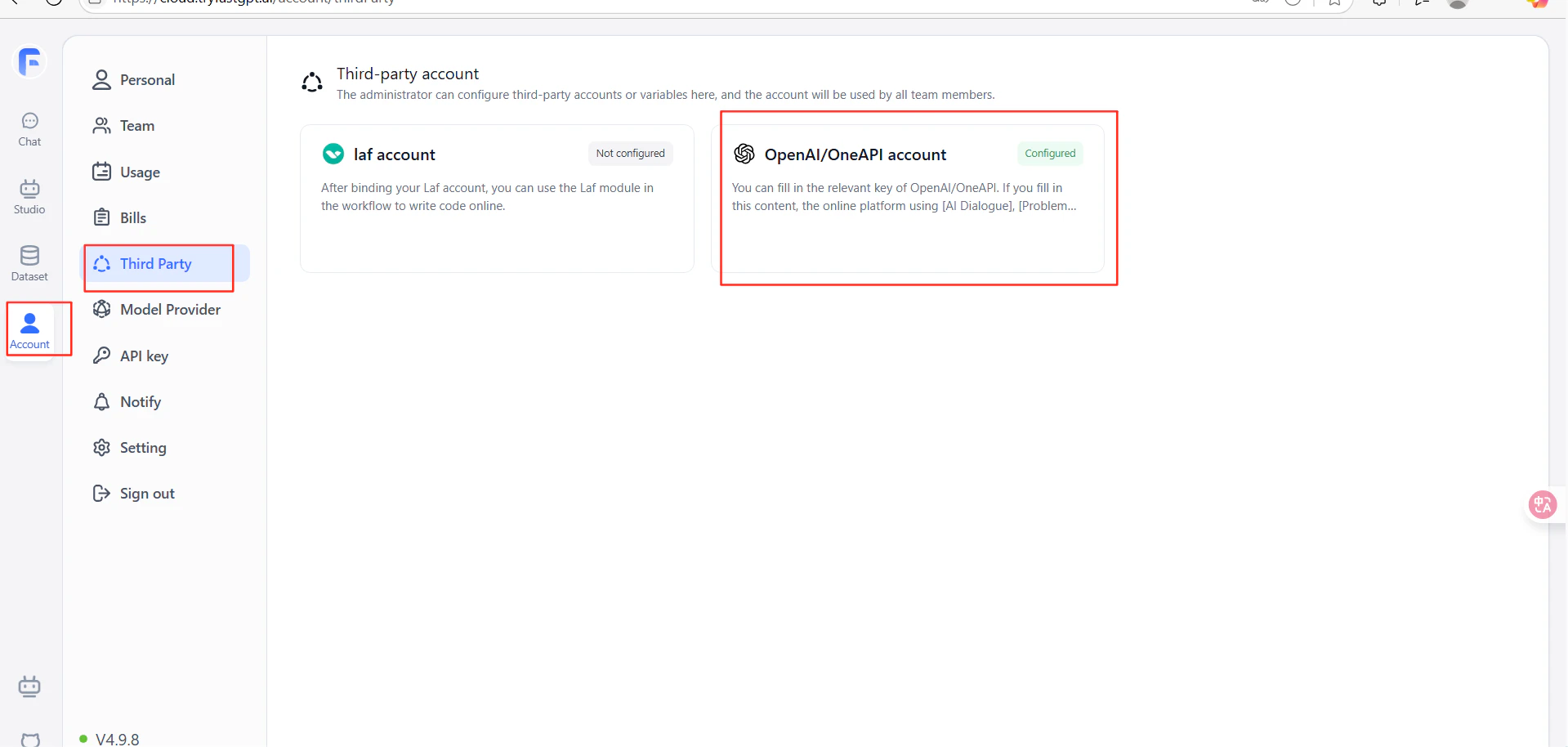
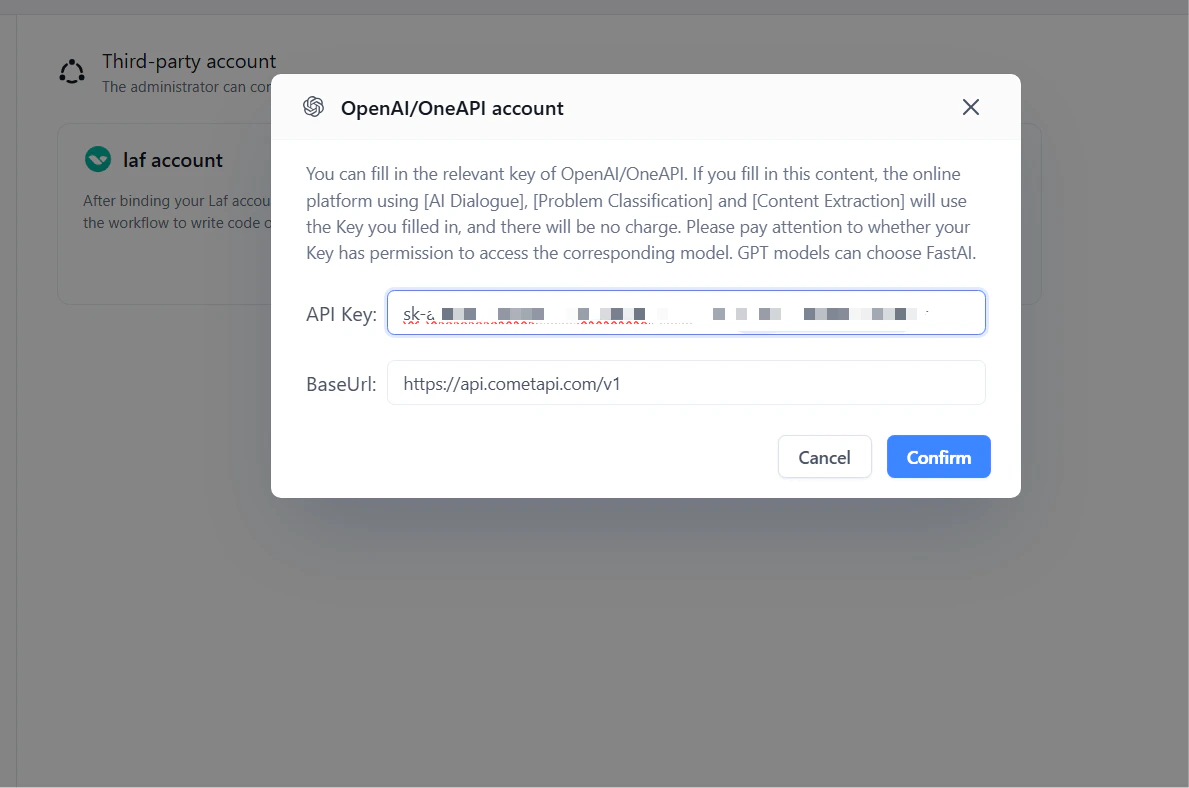
https://api.cometapi.com/v1 in das Feld URL ein (einschließlich des Suffixes /v1). Fügen Sie Ihren CometAPI-Schlüssel in API Key ein und klicken Sie auf Confirm.3
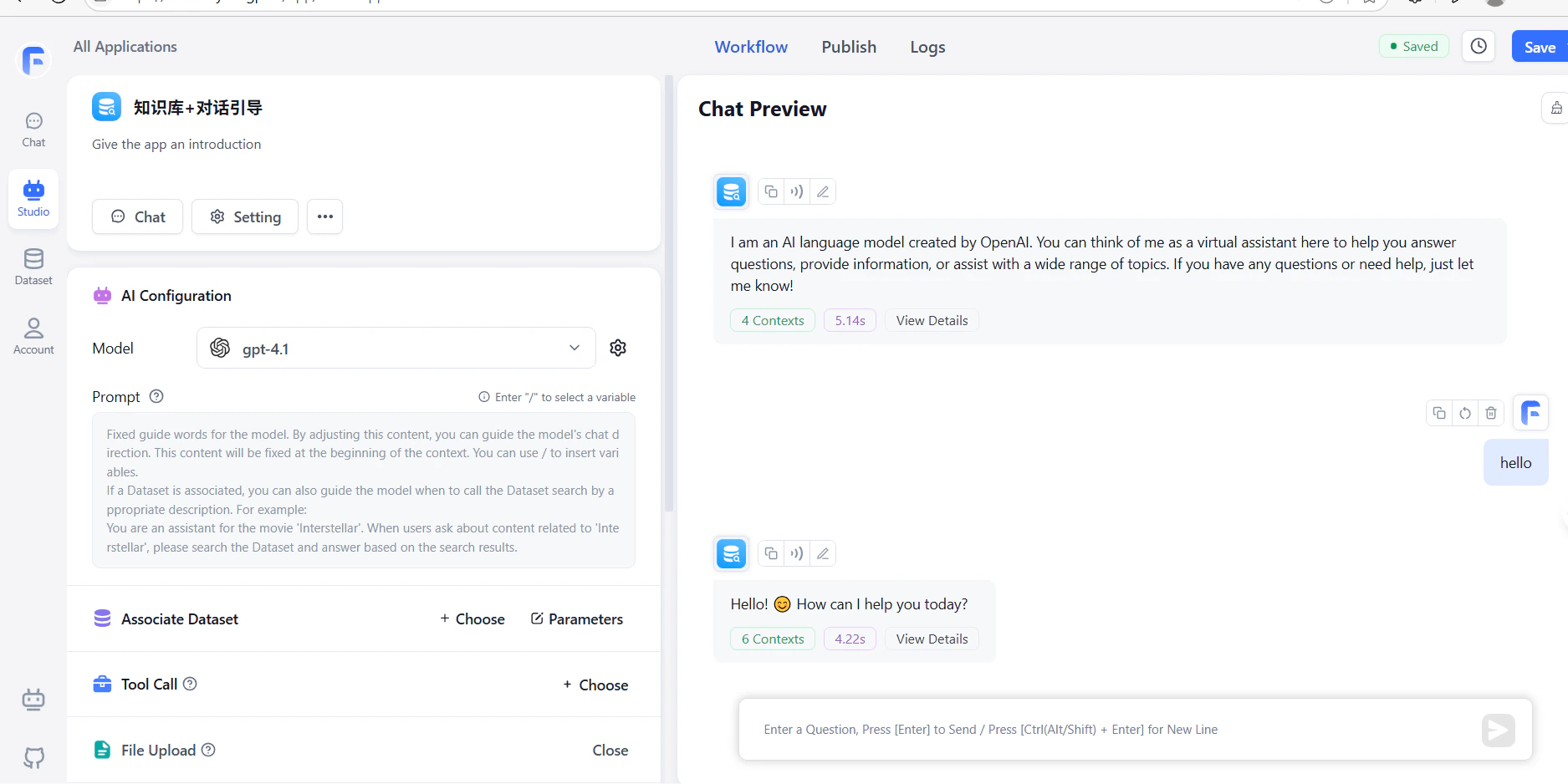
Testen Sie die Verbindung
Erstellen Sie einen Workflow mit einem LLM-Knoten und führen Sie ihn aus. Eine erfolgreiche Antwort bestätigt, dass die Einrichtung funktioniert.