

Voraussetzungen
- LibreChat — cloud, self-hosted oder lokal
- Ein CometAPI-Konto mit einem aktiven API-Schlüssel
Einrichtung
1
CometAPI-API-Schlüssel abrufen
Melden Sie sich im CometAPI-Dashboard an. Klicken Sie auf Add API Key und kopieren Sie Ihren Schlüssel und die Basis-URL (

https://api.cometapi.com).2
OpenAI-Endpunkt konfigurieren
Gehen Sie in LibreChat zu Settings → OpenAI. Geben Sie 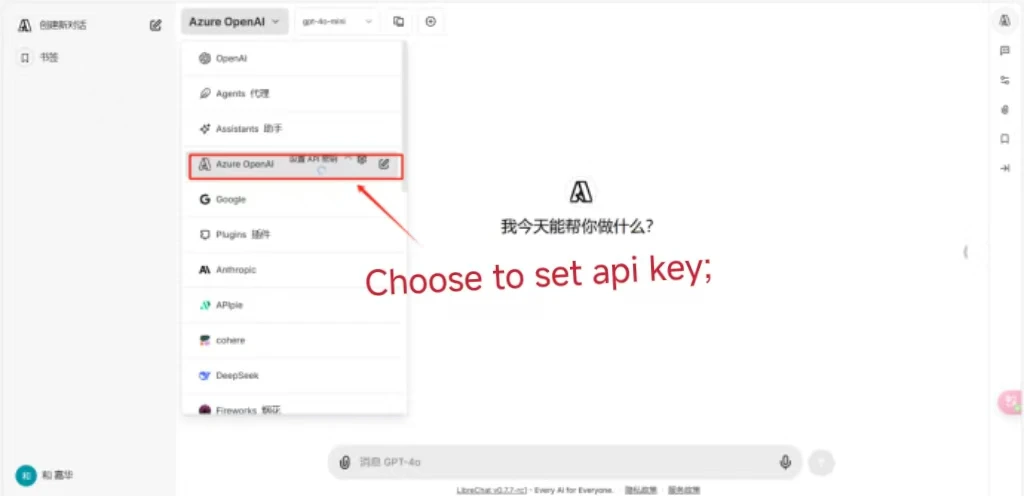
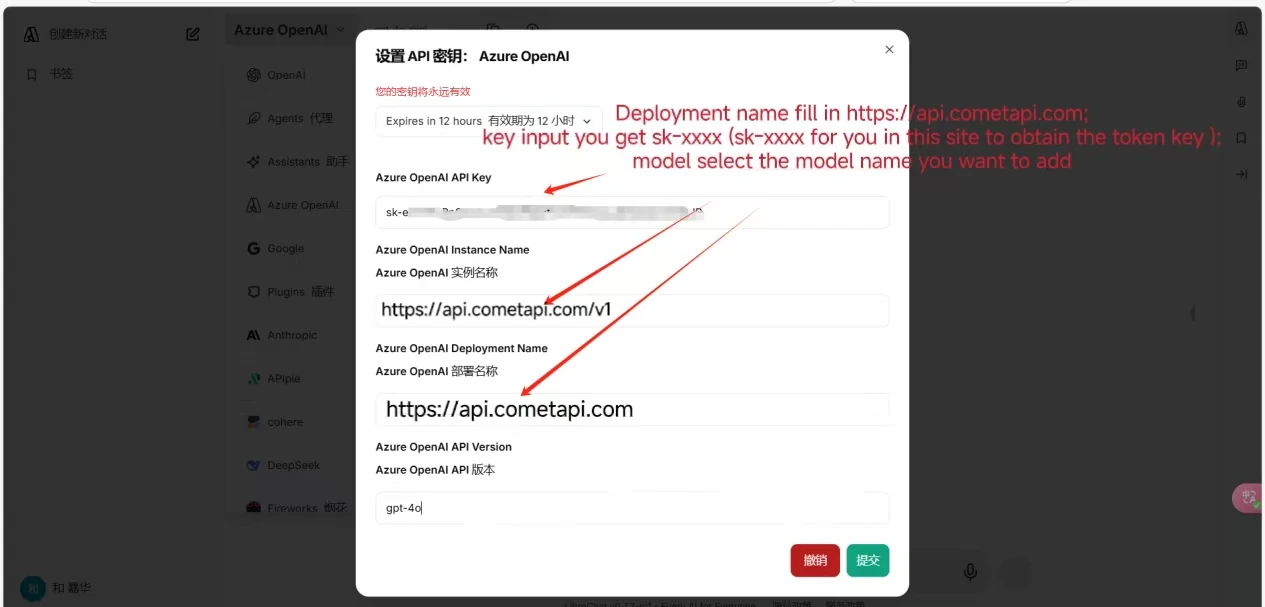
https://api.cometapi.com in das Feld URL ein, fügen Sie Ihren Schlüssel in API Key ein und klicken Sie auf Save.3
Verbindung testen
Starten Sie eine Unterhaltung in LibreChat. Eine erfolgreiche Antwort bestätigt, dass die Integration funktioniert.