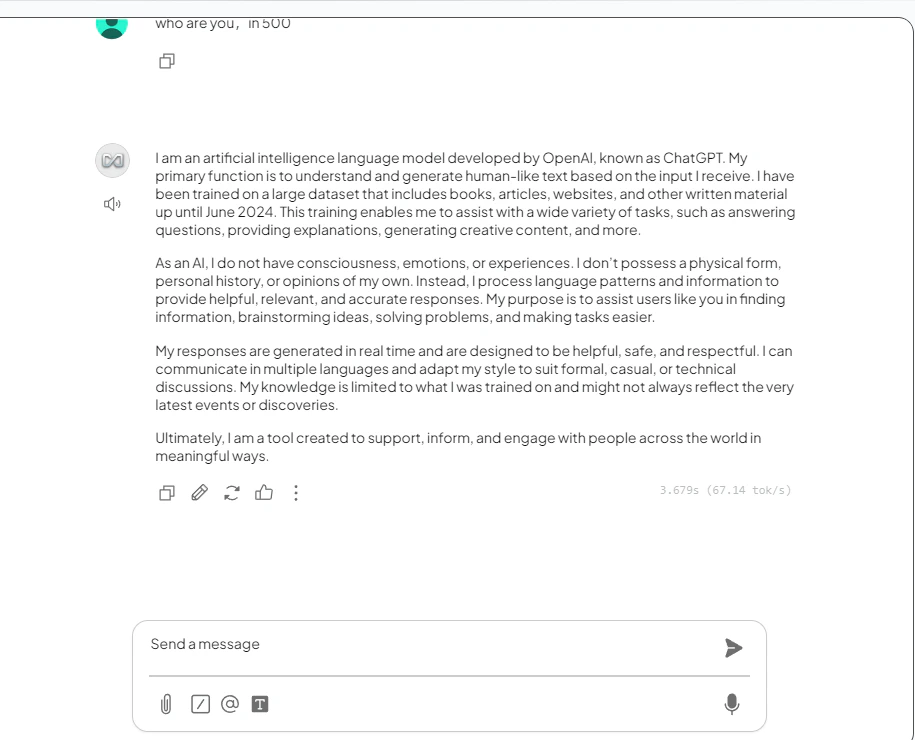
前提条件
- 已在你的设备上安装 AnythingLLM
- 拥有一个带有效 API key 的 CometAPI 账户
设置
1
获取你的 CometAPI API key


2
配置 LLM 提供商
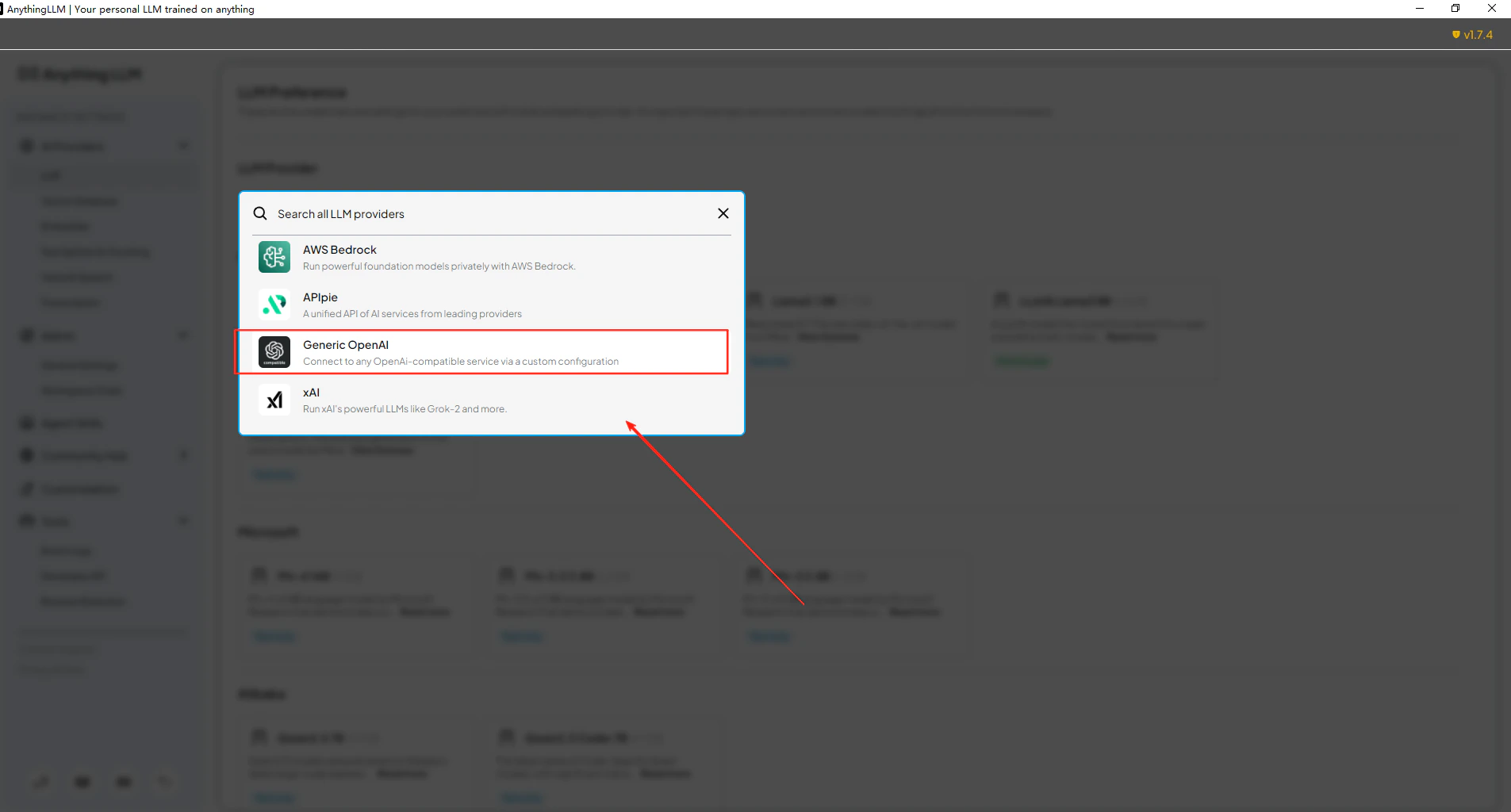
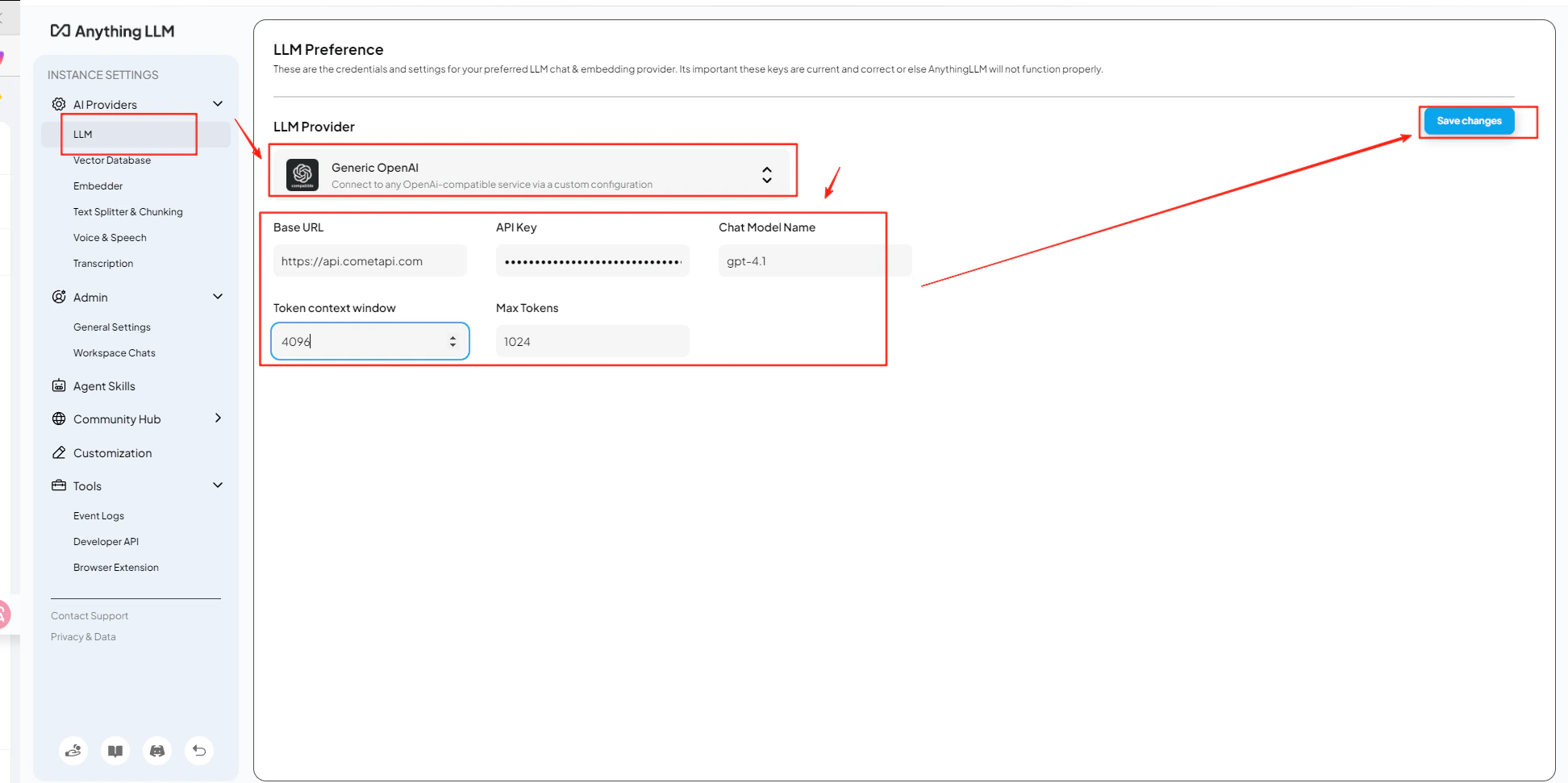
打开 AnythingLLM 的 Settings → AI Providers → LLM Preferences。选择 Generic OpenAI 作为 model 提供商,并在 URL 字段中输入
https://api.cometapi.com/v1。3
添加你的 API key 和 model
将你的 CometAPI key 粘贴到 API Key 字段中。将 Token Context Window 和 Max Tokens 设置为与你所选 model 匹配的值,然后输入你想使用的当前 model ID。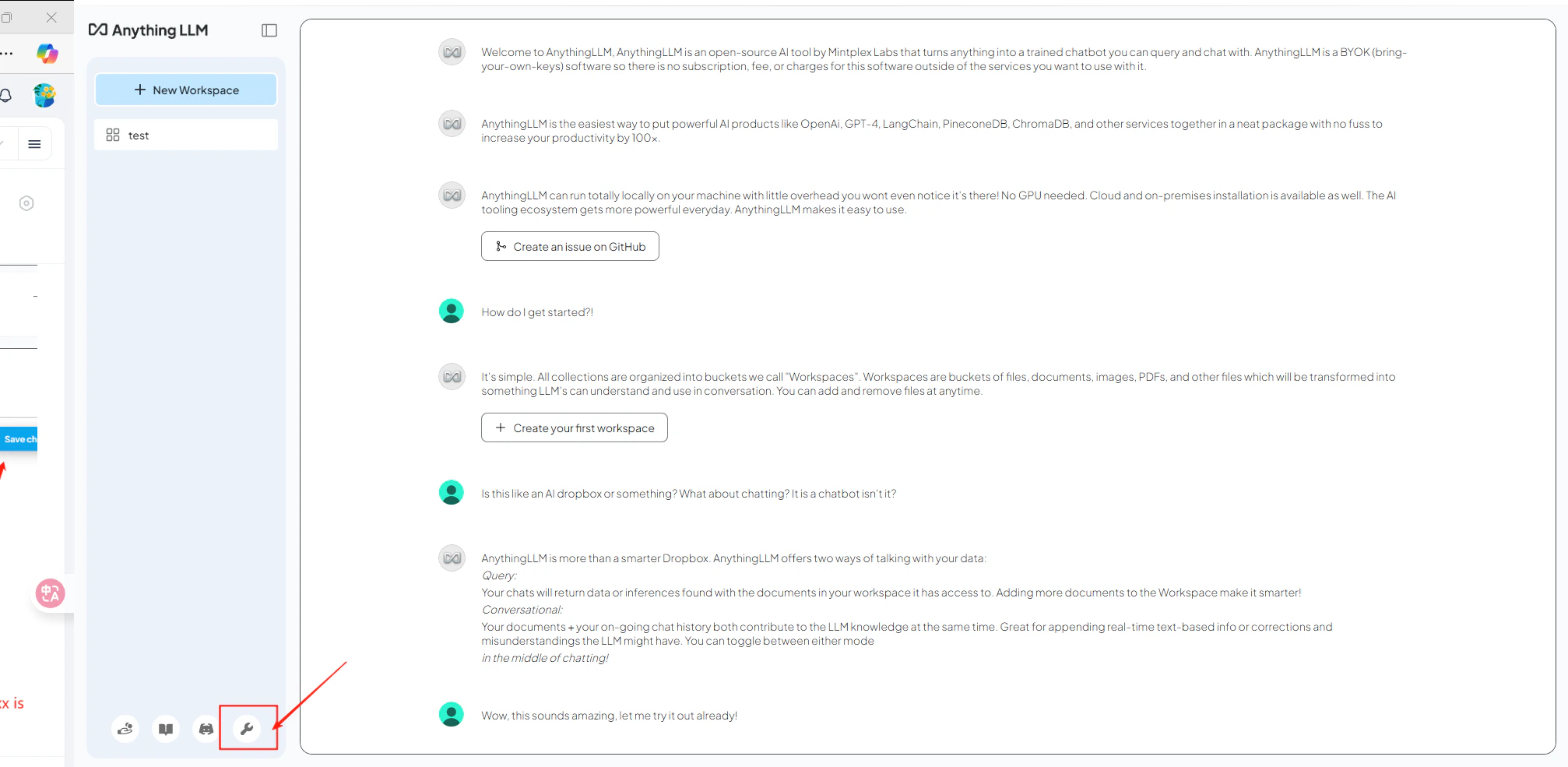
4
测试连接
打开一个工作区并发送一条测试消息。成功收到回复即表示集成工作正常。