跳转到主要内容

Documentation Index

Fetch the complete documentation index at: https://apidoc.cometapi.com/llms.txt

Use this file to discover all available pages before exploring further.

ChatAll 允许你同时向多个 AI 模型发送消息。将其连接到 CometAPI,即可通过单个 key 访问 GPT、Claude、Gemini 等模型。

前提条件

设置

1

获取你的 CometAPI API key

登录 CometAPI 控制台。点击 Add API Key,然后复制你的 key 和 base URL(https://api.cometapi.com)。
CometAPI 控制台——添加 API Key
CometAPI API key 和 base URL
2

在 ChatAll 中配置 OpenAI

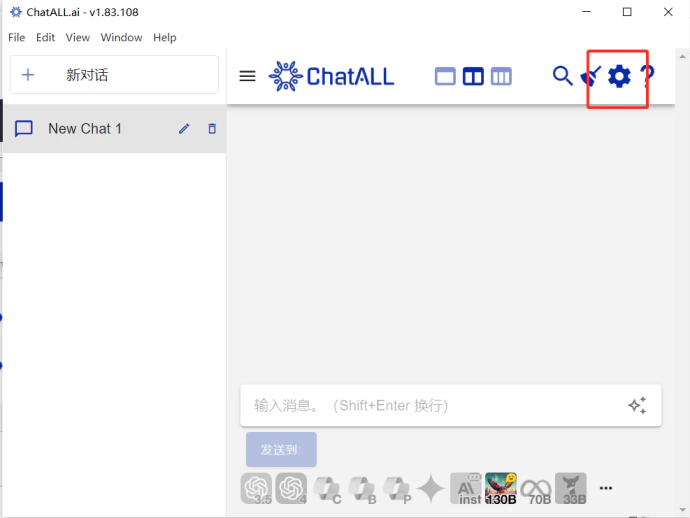
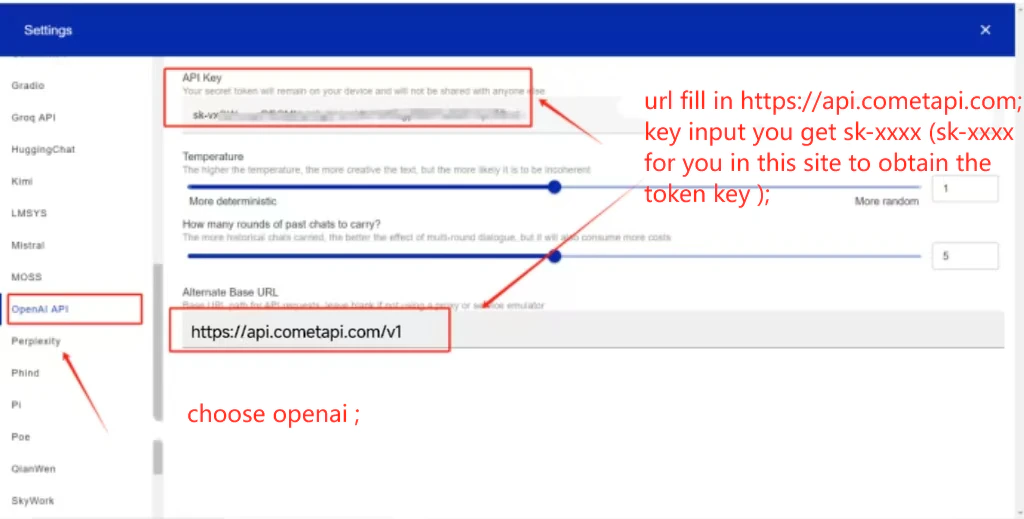
打开 ChatAll → SettingsOpenAI。在 API Address 字段中输入 https://api.cometapi.com/v1,将你的 CometAPI key 粘贴到 API Key 中,然后点击 Save
带有 CometAPI base URL 的 ChatAll OpenAI 设置
在 ChatAll 设置中已填写 API key 字段
3

选择模型

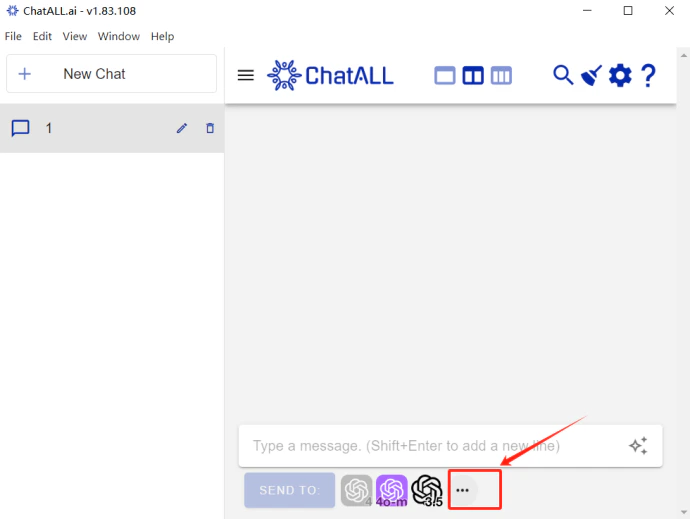
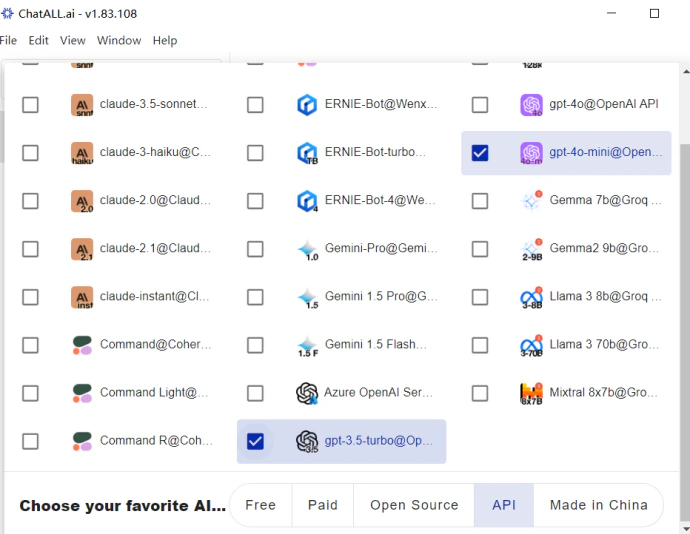
点击模型选择器以查看并切换可用模型。
ChatAll 模型选择面板
在 ChatAll 中列出并选中的模型