

前提条件
设置
1
获取你的 CometAPI API key


2
选择 CometAPI 作为模型提供商
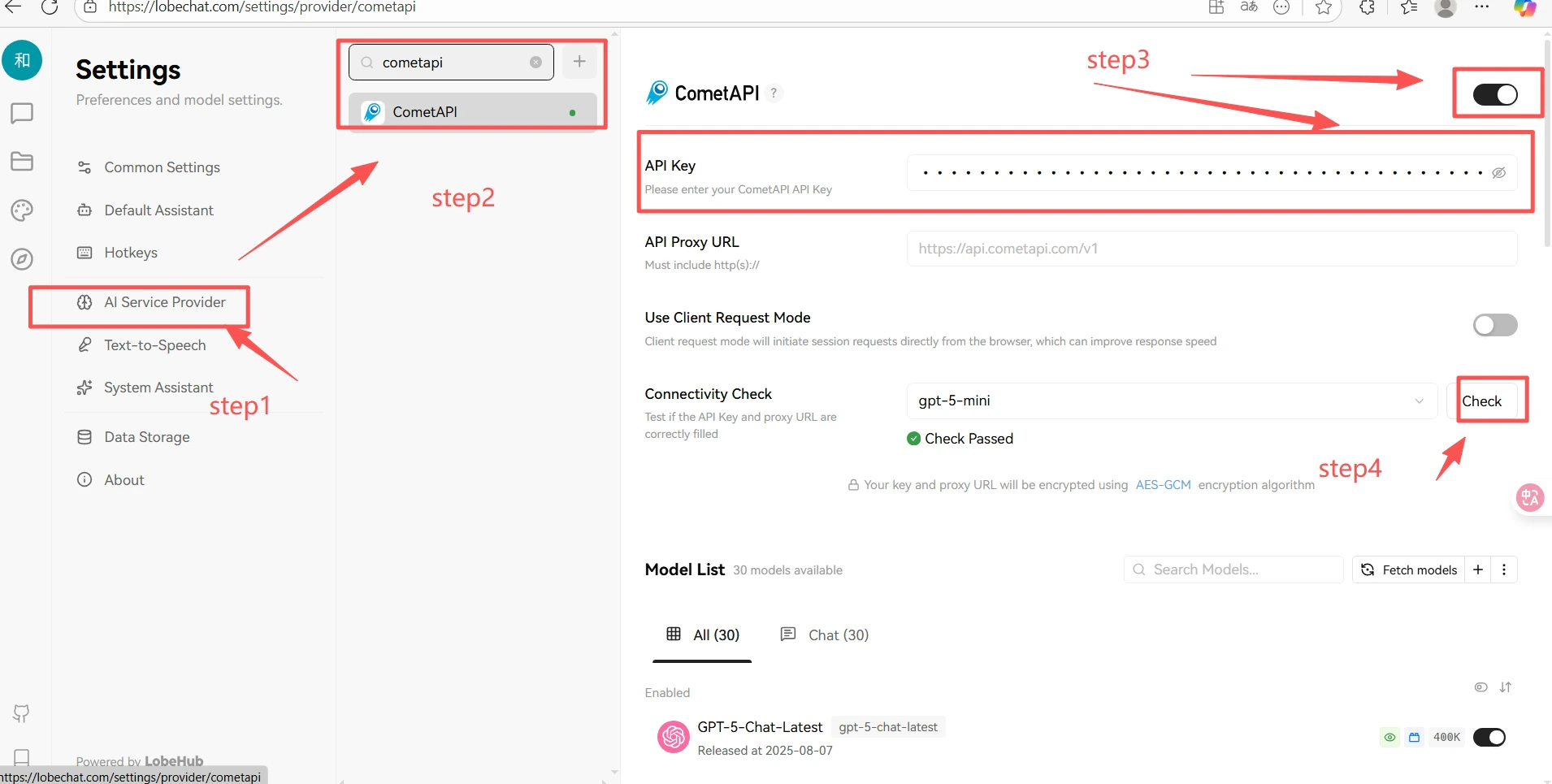
在 Lobe-Chat 中,点击你的头像 → Application Settings → Model Providers。选择 CometAPI,粘贴你的 API key,并打开该提供商开关。然后选择一个模型以启用它。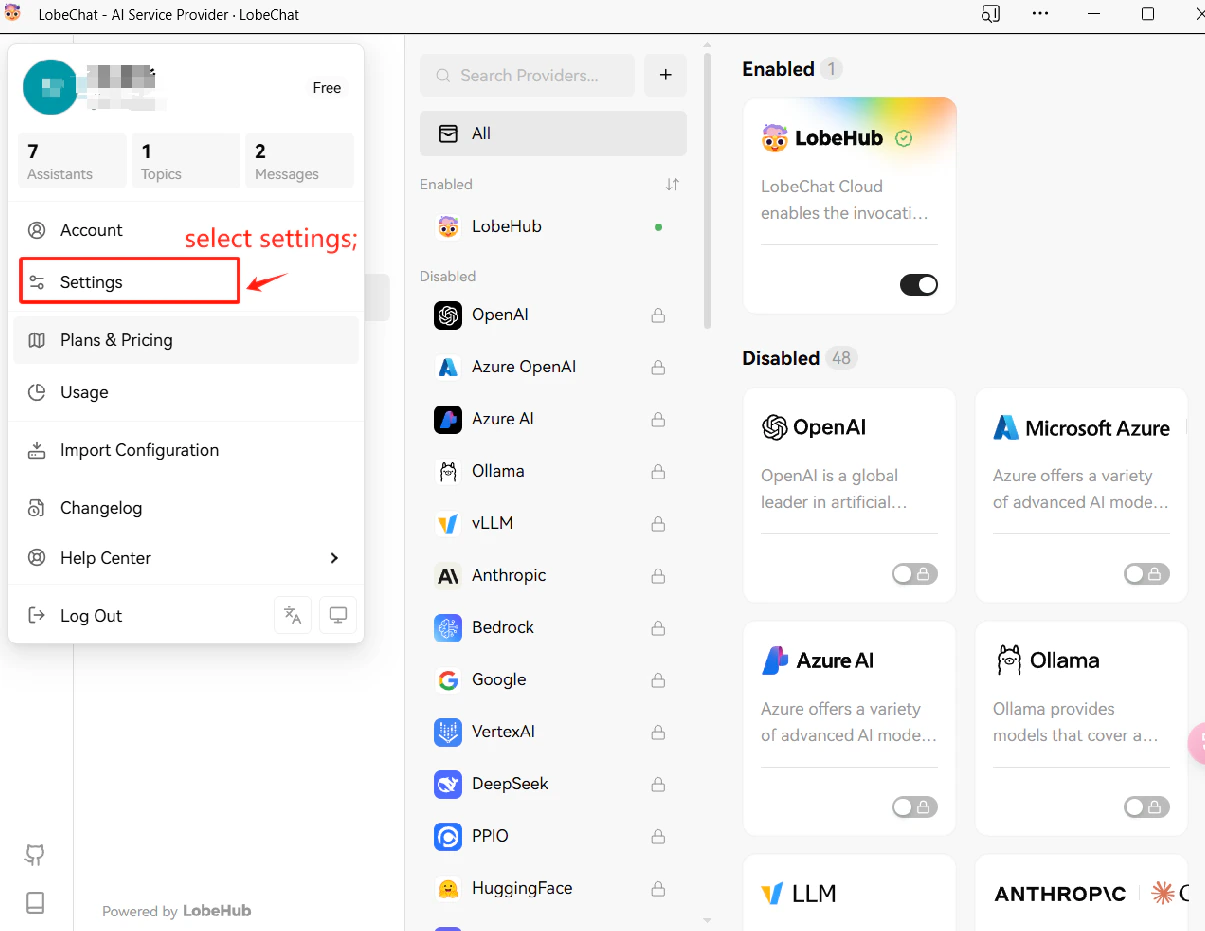
3
测试连接
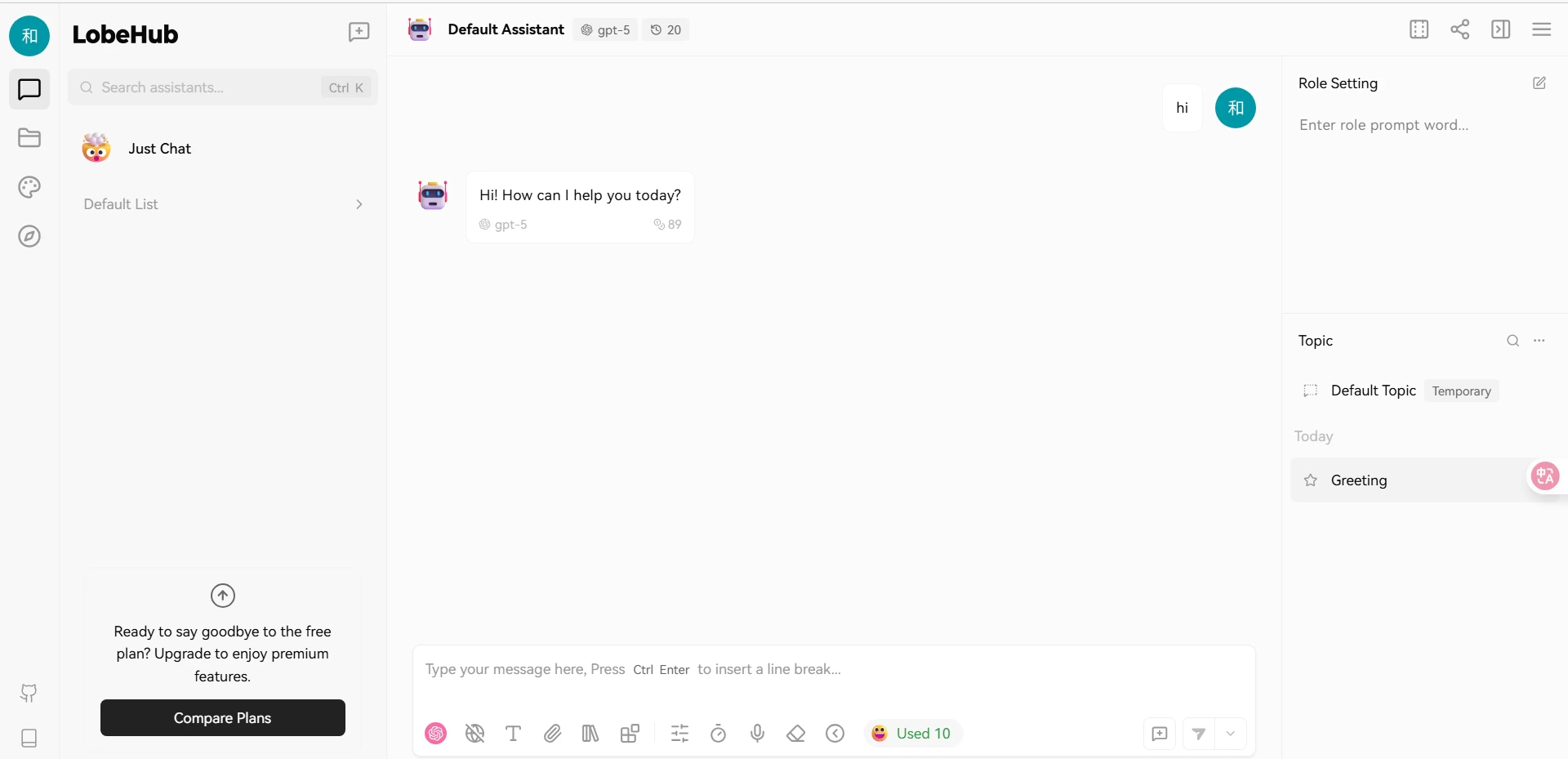
开始聊天并发送一条测试消息。成功返回响应即表示集成工作正常。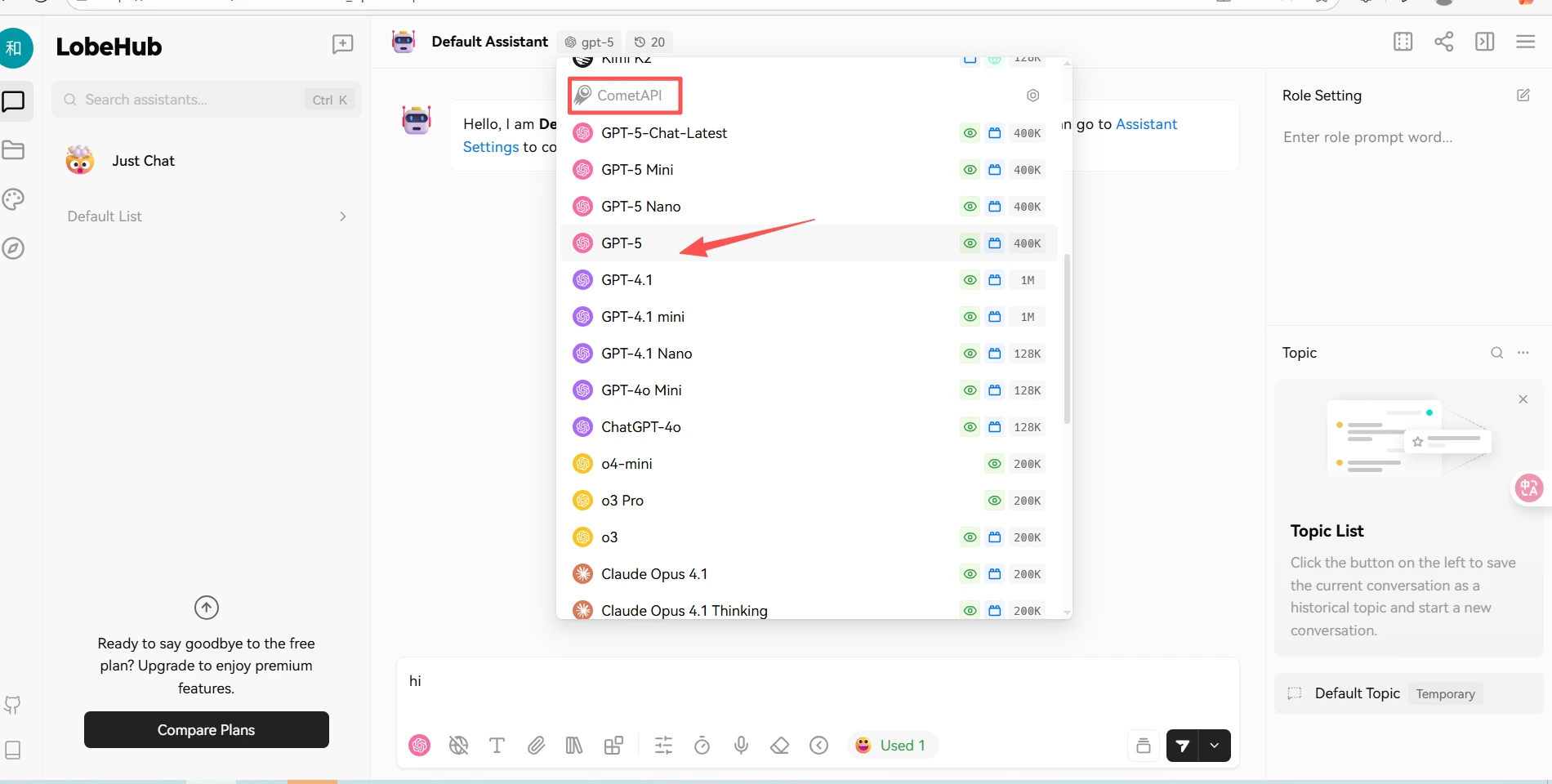
使用本指南通过设置 base URL、API key 以及 model 或 provider 选项,在 LobeChat 中配置 CometAPI。
获取你的 CometAPI API key
选择 CometAPI 作为模型提供商
测试连接