跳轉到主要內容

Documentation Index

Fetch the complete documentation index at: https://apidoc.cometapi.com/llms.txt

Use this file to discover all available pages before exploring further.

ChatAll 可讓你同時將訊息傳送給多個 AI 模型。將它連接到 CometAPI,即可透過單一金鑰存取 GPT、Claude、Gemini 等模型。

先決條件

設定

1

取得你的 CometAPI API key

登入 CometAPI dashboard。點擊 Add API Key,然後複製你的金鑰和 base URL(https://api.cometapi.com)。
CometAPI 控制台 — Add API Key
CometAPI API key 與 base URL
2

在 ChatAll 中設定 OpenAI

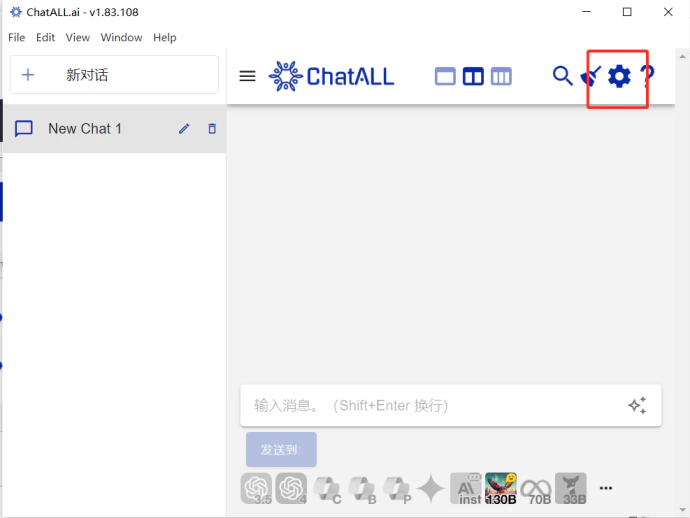
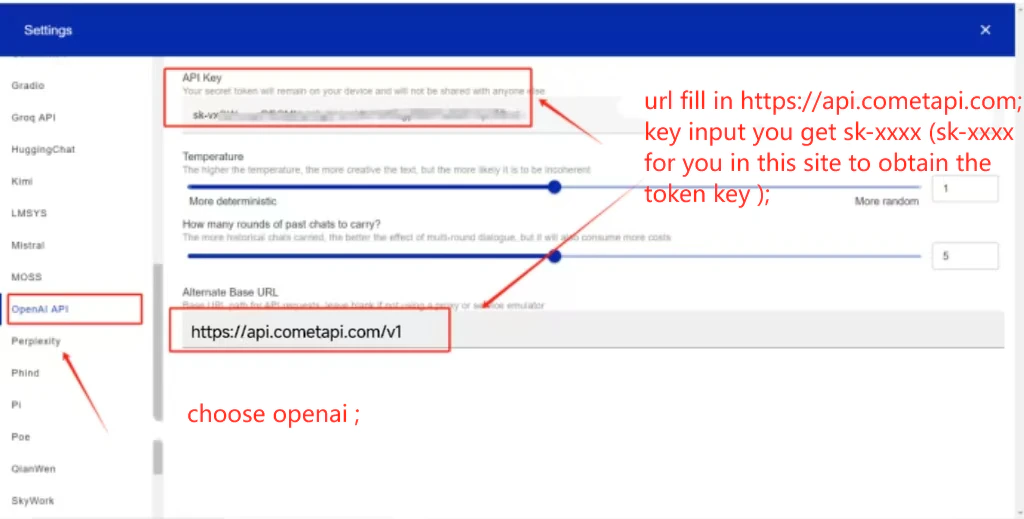
開啟 ChatAll → SettingsOpenAI。在 API Address 欄位中輸入 https://api.cometapi.com/v1,將你的 CometAPI key 貼到 API Key,然後點擊 Save
含有 CometAPI base URL 的 ChatAll OpenAI 設定
在 ChatAll 設定中填入 API key 欄位
3

選擇模型

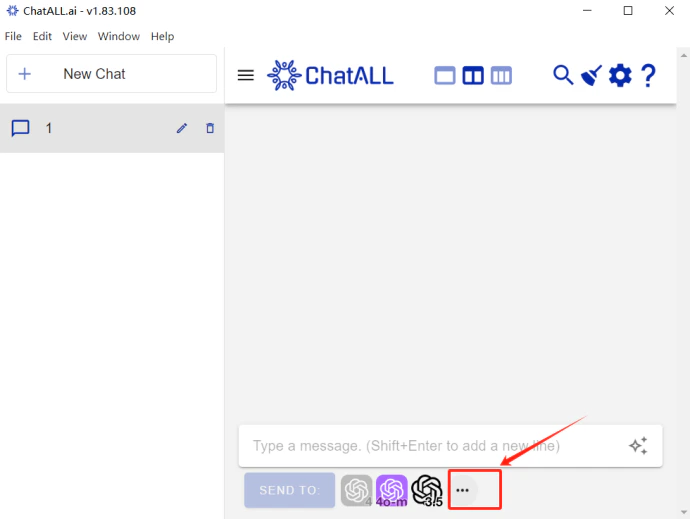
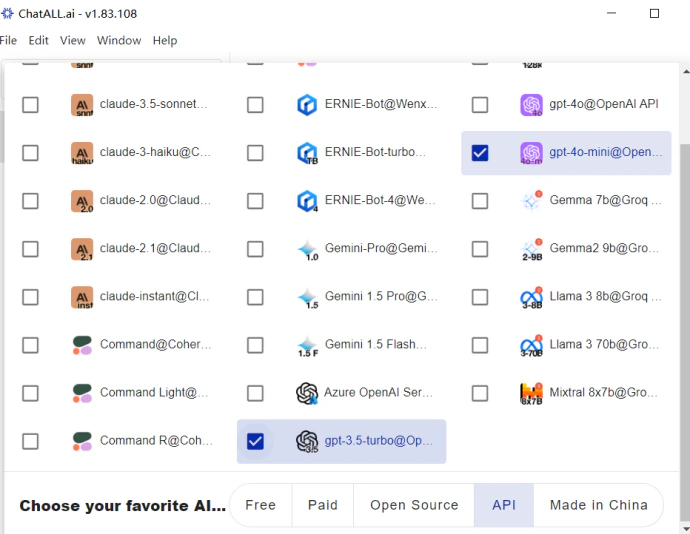
點擊模型選擇器即可檢視並切換可用模型。
ChatAll 模型選擇面板
在 ChatAll 中列出並選取的模型