跳轉到主要內容

Documentation Index

Fetch the complete documentation index at: https://apidoc.cometapi.com/llms.txt

Use this file to discover all available pages before exploring further.

Cline 是一個 VS Code 擴充功能,可將 AI 程式設計助手直接帶入你的編輯器。請將其設定為使用 CometAPI 作為自訂的與 OpenAI 相容 provider。

先決條件

  • 已在 VS Code 中安裝 Cline
  • 擁有一個已啟用 API key 的 CometAPI 帳戶

設定

1

在 VS Code 中安裝 Cline

在 VS Code 的 Extensions 面板中搜尋 Cline 並安裝。
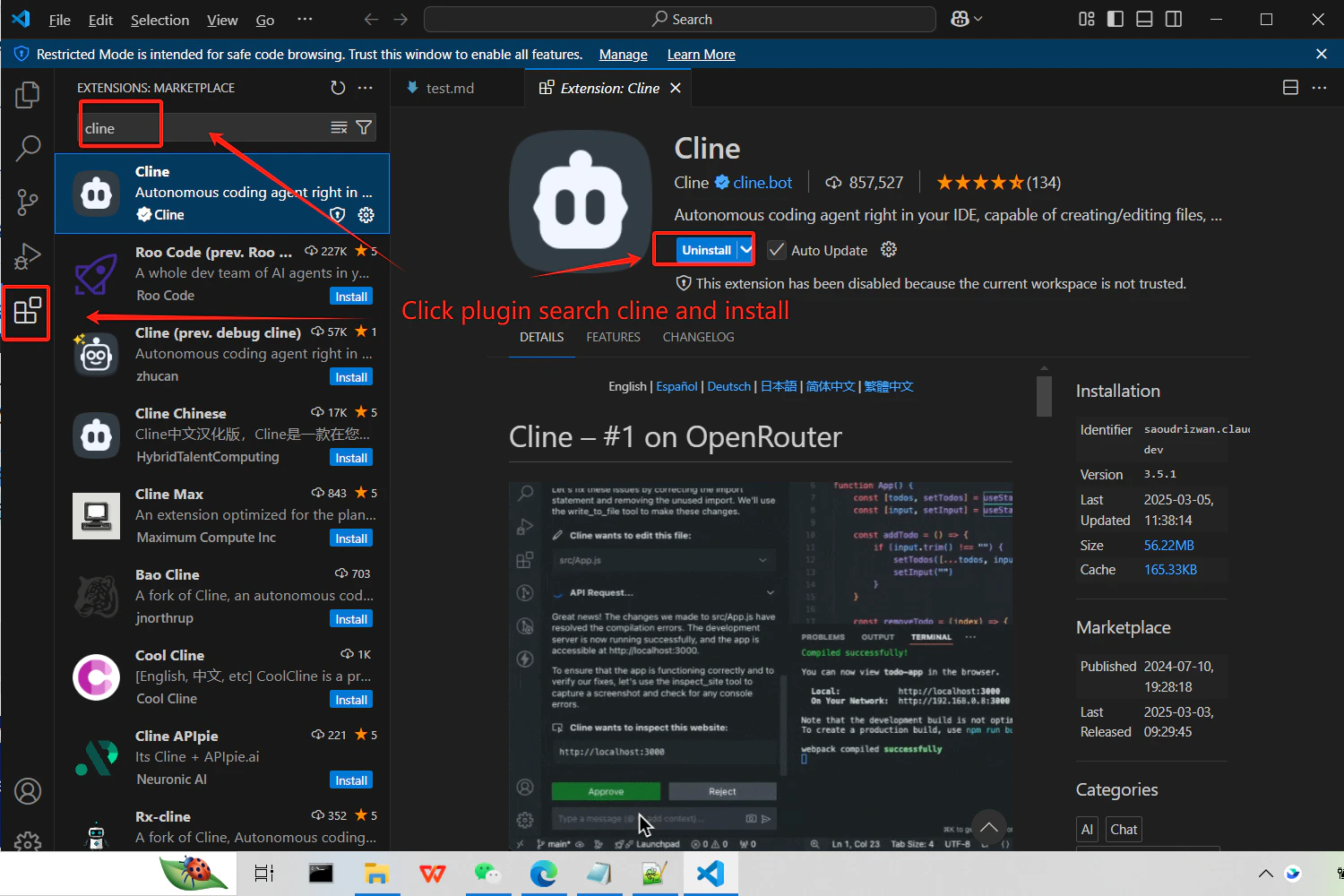
顯示 Cline 擴充功能的 VS Code Extensions 面板
2

取得你的 CometAPI API key

登入 CometAPI 控制台。點擊 Add API Key,並複製你的 key 和 base URL(https://api.cometapi.com)。
CometAPI 控制台 — Add API Key
CometAPI API key 與 base URL
3

設定 API provider

開啟 Cline 設定,並選擇 OpenAI Compatible 作為 provider。在 Base URL 欄位中輸入 https://api.cometapi.com/v1,將你的 key 貼到 API Key,並輸入你想使用的 model ID。
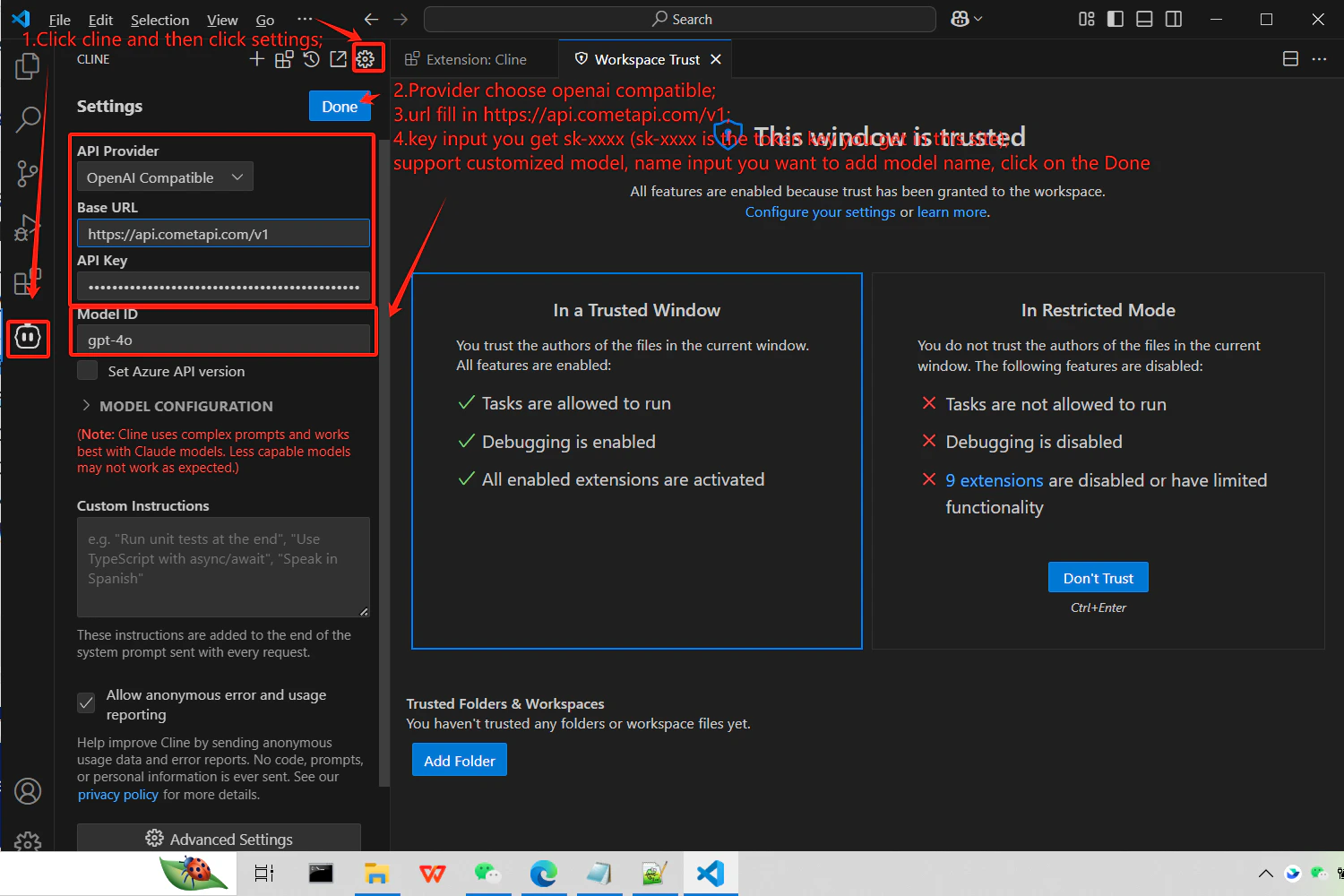
已選擇 OpenAI Compatible 並輸入 CometAPI base URL 的 Cline 設定
4

測試連線

在 Cline 中送出測試 Prompt(例如請它產生一個 hello world 函式)。成功回應即表示整合運作正常。

