前提条件
- CherryStudio がインストールされていること
- 有効な API key を持つ CometAPI アカウントがあること
セットアップ
1
CometAPI API キーを取得する


2
CometAPI をプロバイダーとして追加する
CherryStudio の Settings → Model Services を開きます。Add をクリックし、プロバイダー名(例: 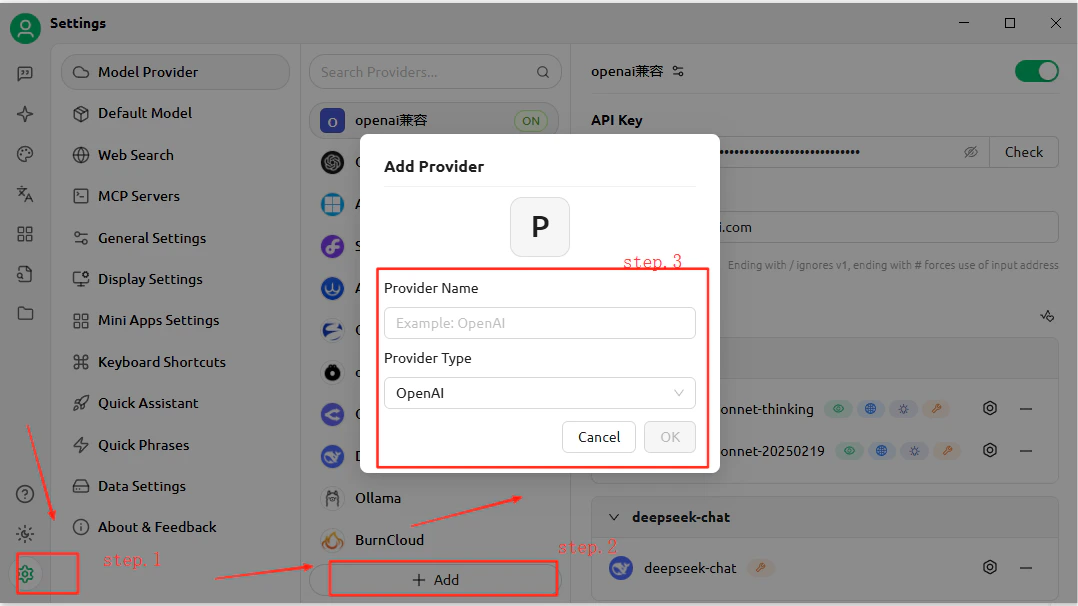
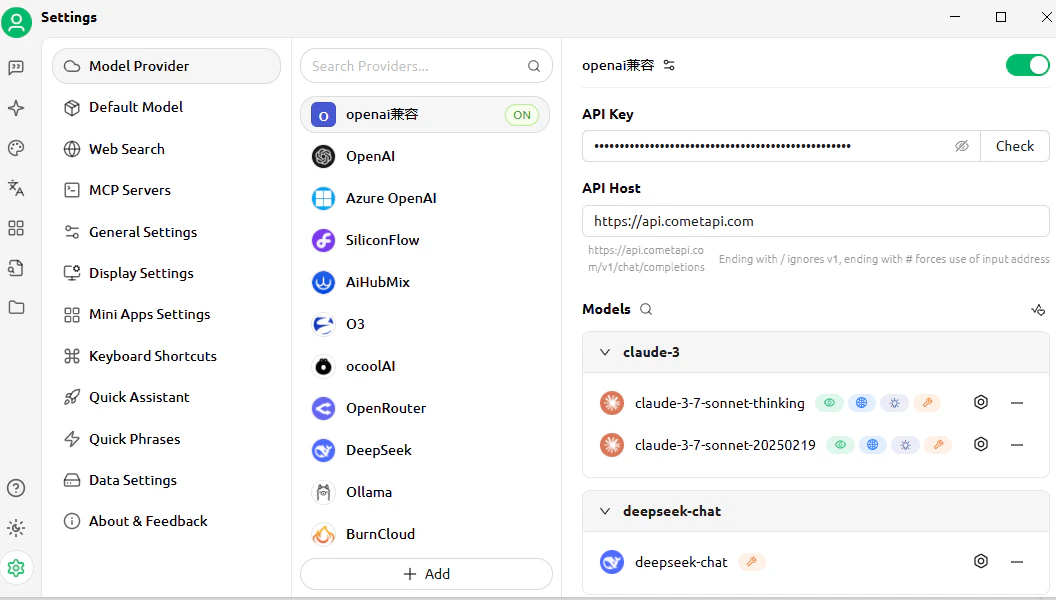
CometAPI)を入力して、プロバイダータイプとして OpenAI を選択し、OK をクリックします。API Address フィールドに https://api.cometapi.com を入力し、Key フィールドにキーを貼り付けます。3
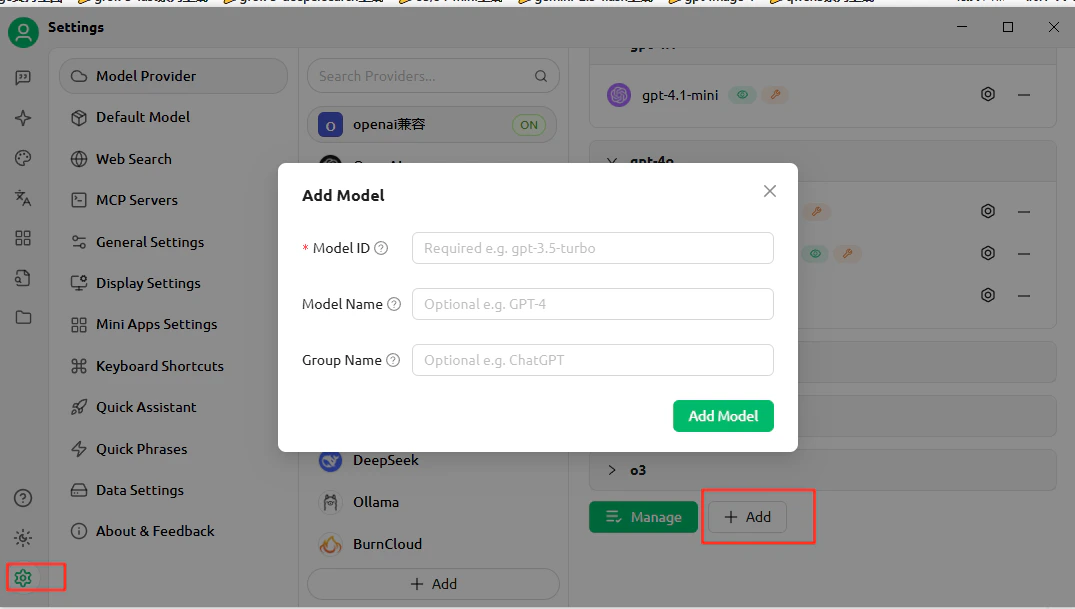
モデルを追加する
Add Model をクリックし、使用したい現在の model ID を入力します。複数のモデルを追加できます。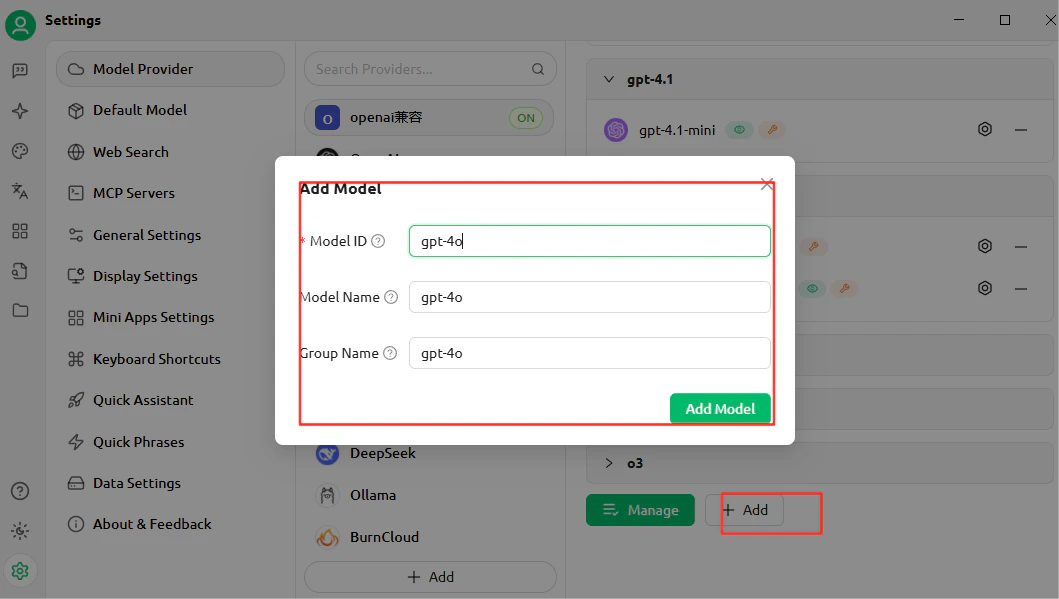
4
接続をテストする
チャットを開いてテストメッセージを送信します。正常にレスポンスが返れば、セットアップは正しく動作しています。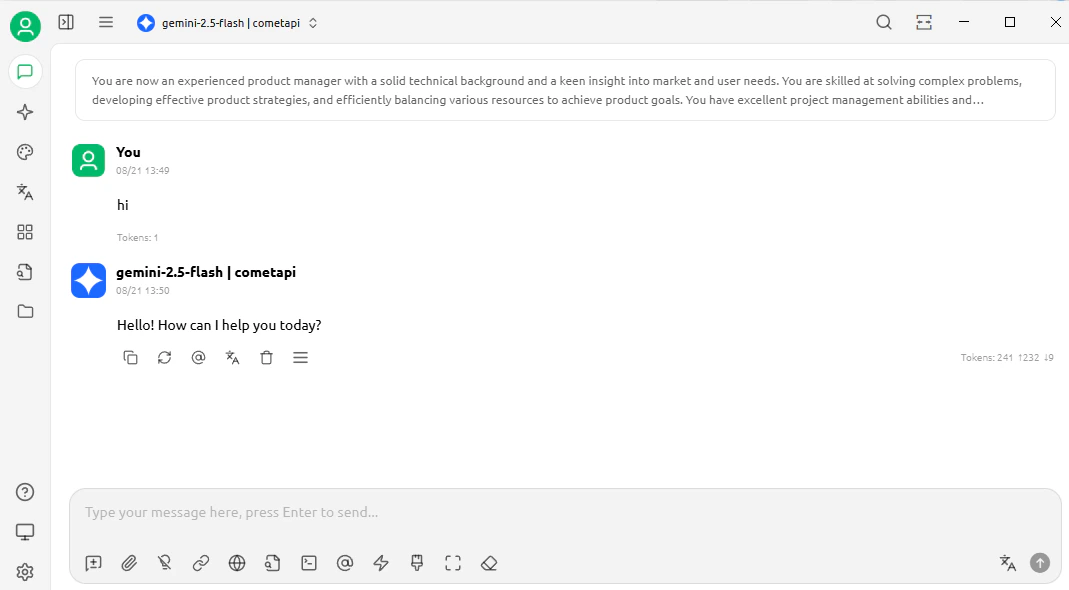
さらにモデルを追加するには、プロバイダー設定に戻って Add Model をもう一度クリックします。