

前提条件
方法 1: CometAPI プラグイン(推奨)
最も簡単な接続方法です。Dify Marketplace には公式の CometAPI プラグインがあり、統合を自動で処理します。1
CometAPI API key を取得する


2
Dify に CometAPI プラグインをインストールする
Dify で Plugins → Install Plugin → Marketplace に移動します。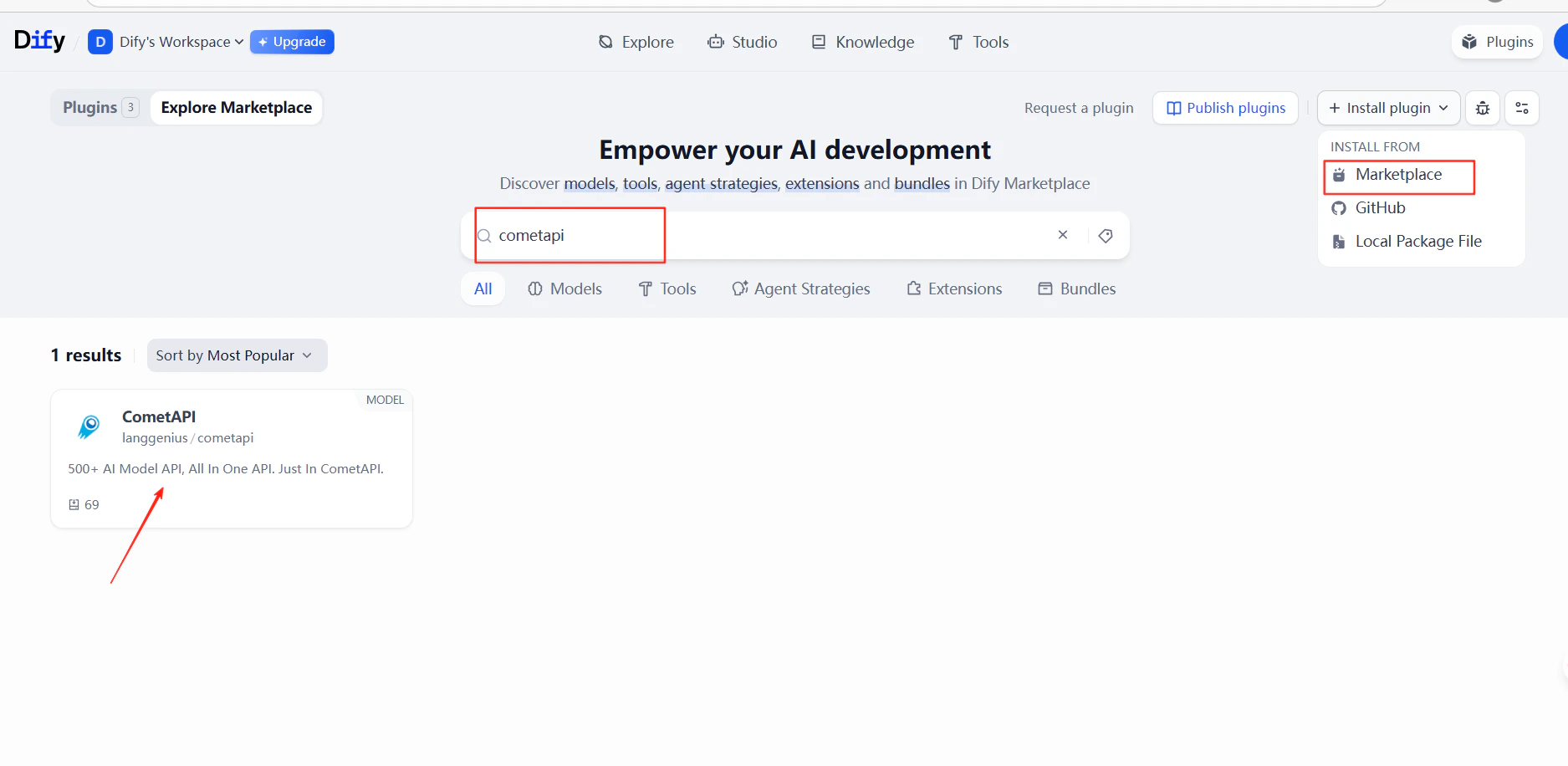
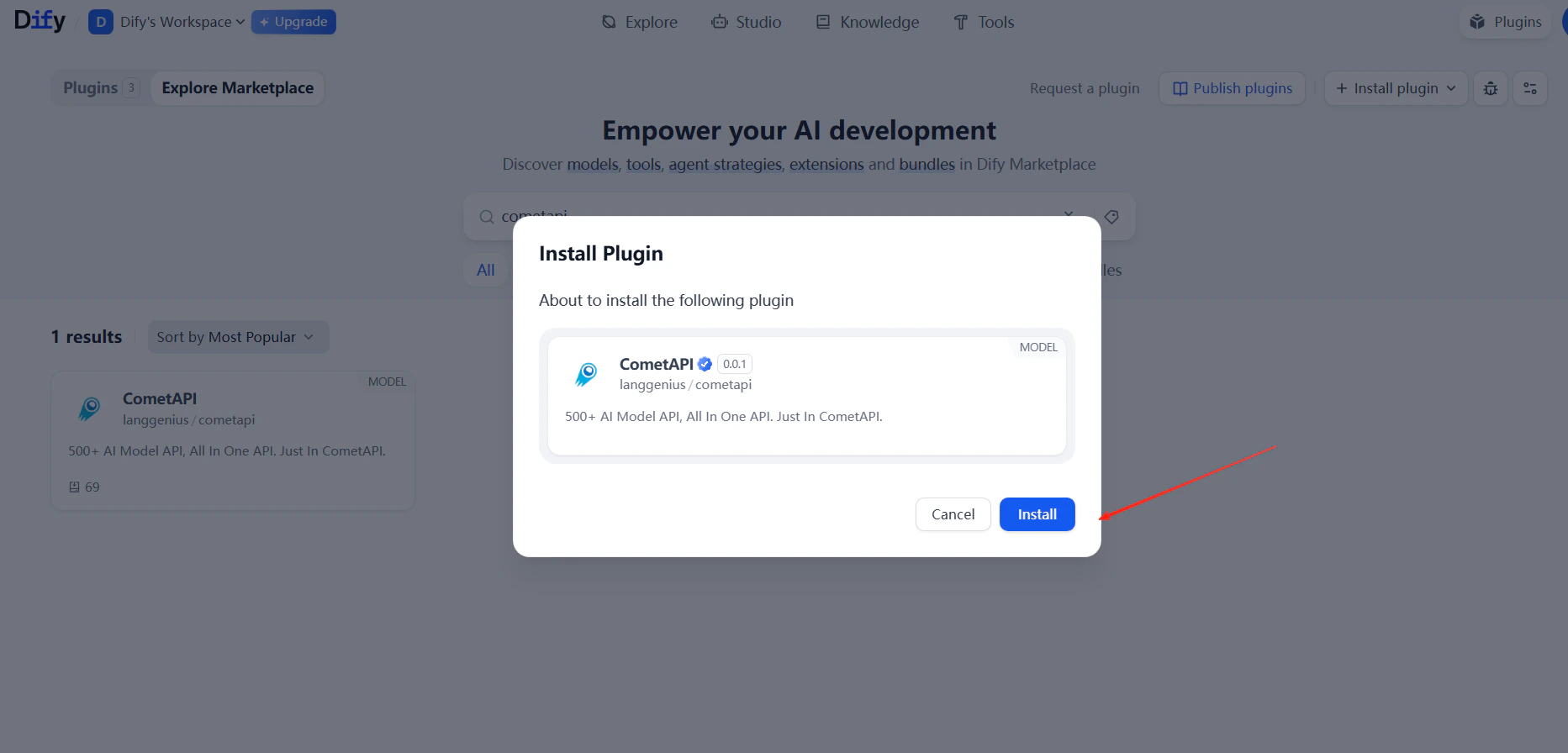
cometapi を検索してインストールします。3
API key を追加する
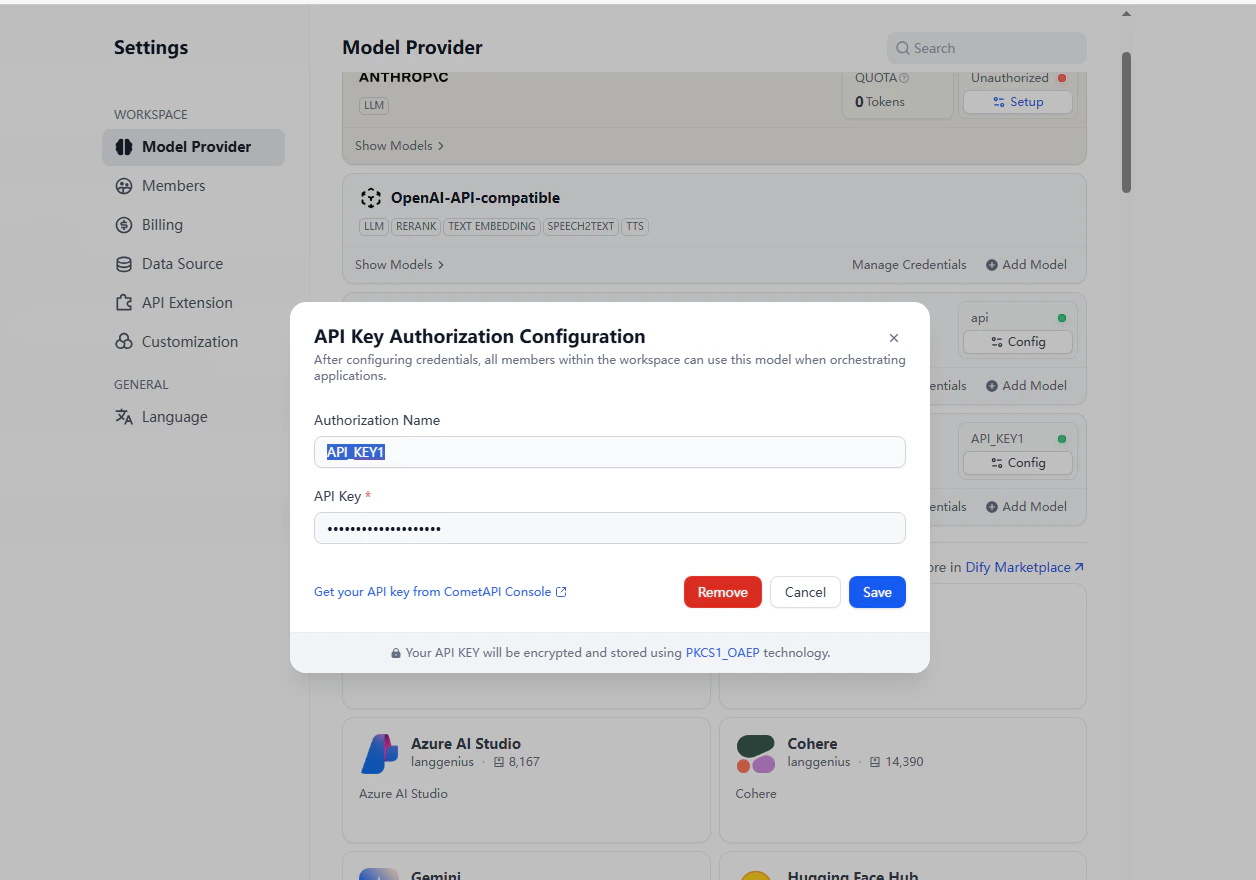
Settings → Model Provider → CometAPI → Open Settings に移動します。CometAPI API key を貼り付けて Save をクリックします。
4
モデルを追加する
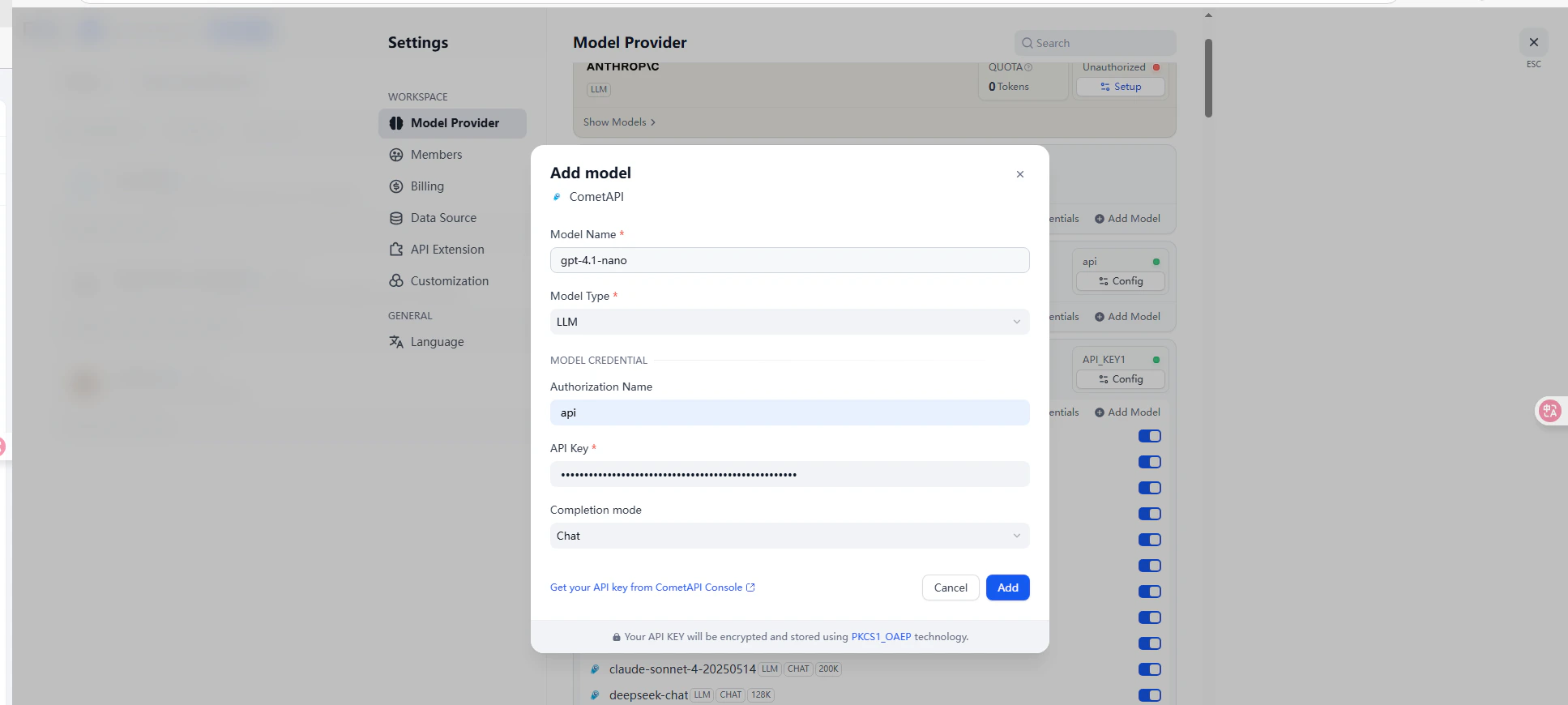
5
接続をテストする
チャットボットまたはワークフローを作成し、CometAPI モデルを選択します。テストメッセージを送信し、正常なレスポンスが返れば統合が機能していることを確認できます。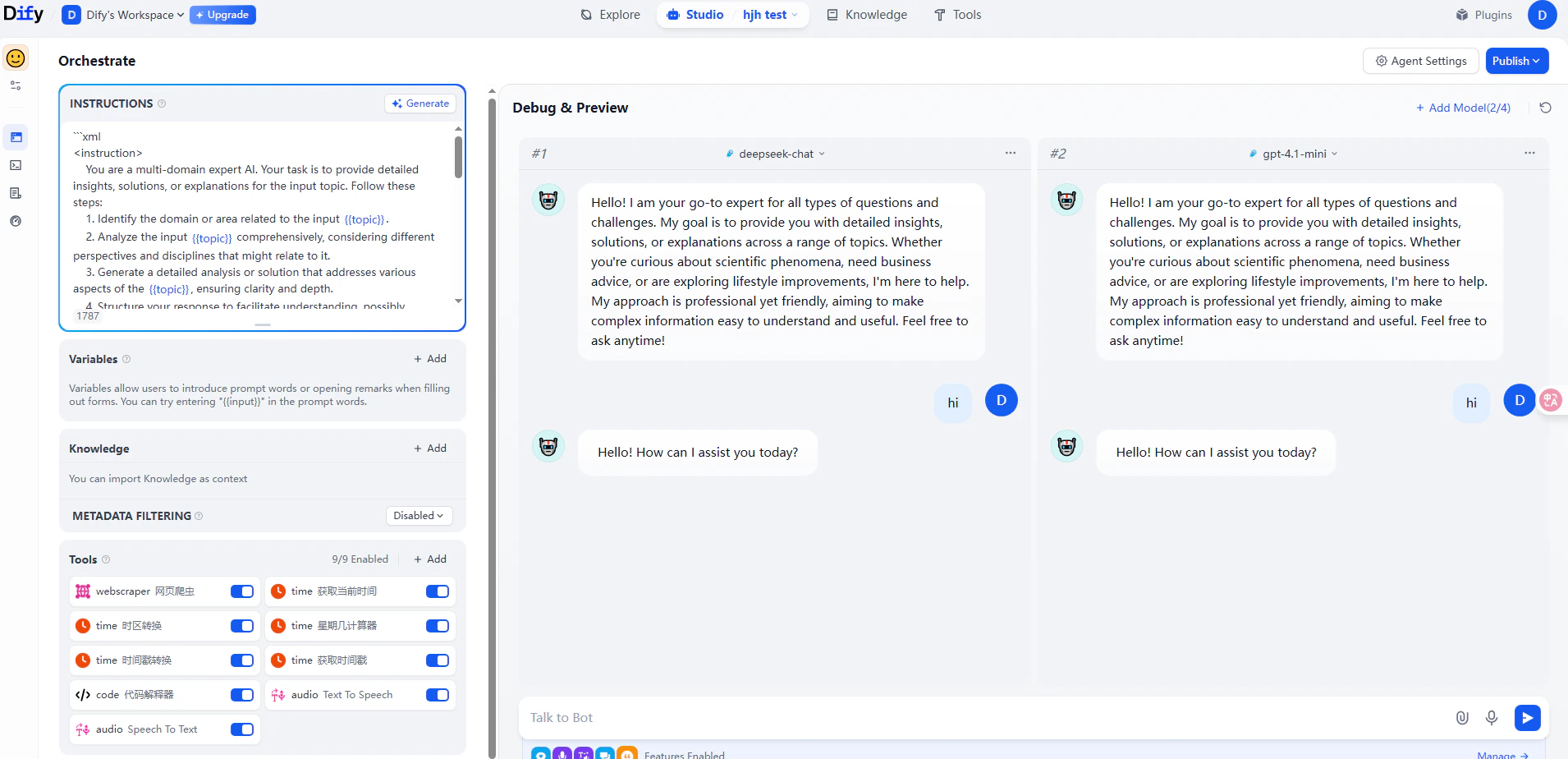
方法 2: OpenAI 互換 provider
この方法は、Claude、Grok、Gemini など CometAPI プラグインでカバーされていないモデルを追加する場合や、カスタム model 名を使用する場合に使います。1
model provider 設定を開く
Settings → Model Provider → OpenAI-API-compatible → Add Model に移動します。
2
モデルを設定する
以下の項目を入力します: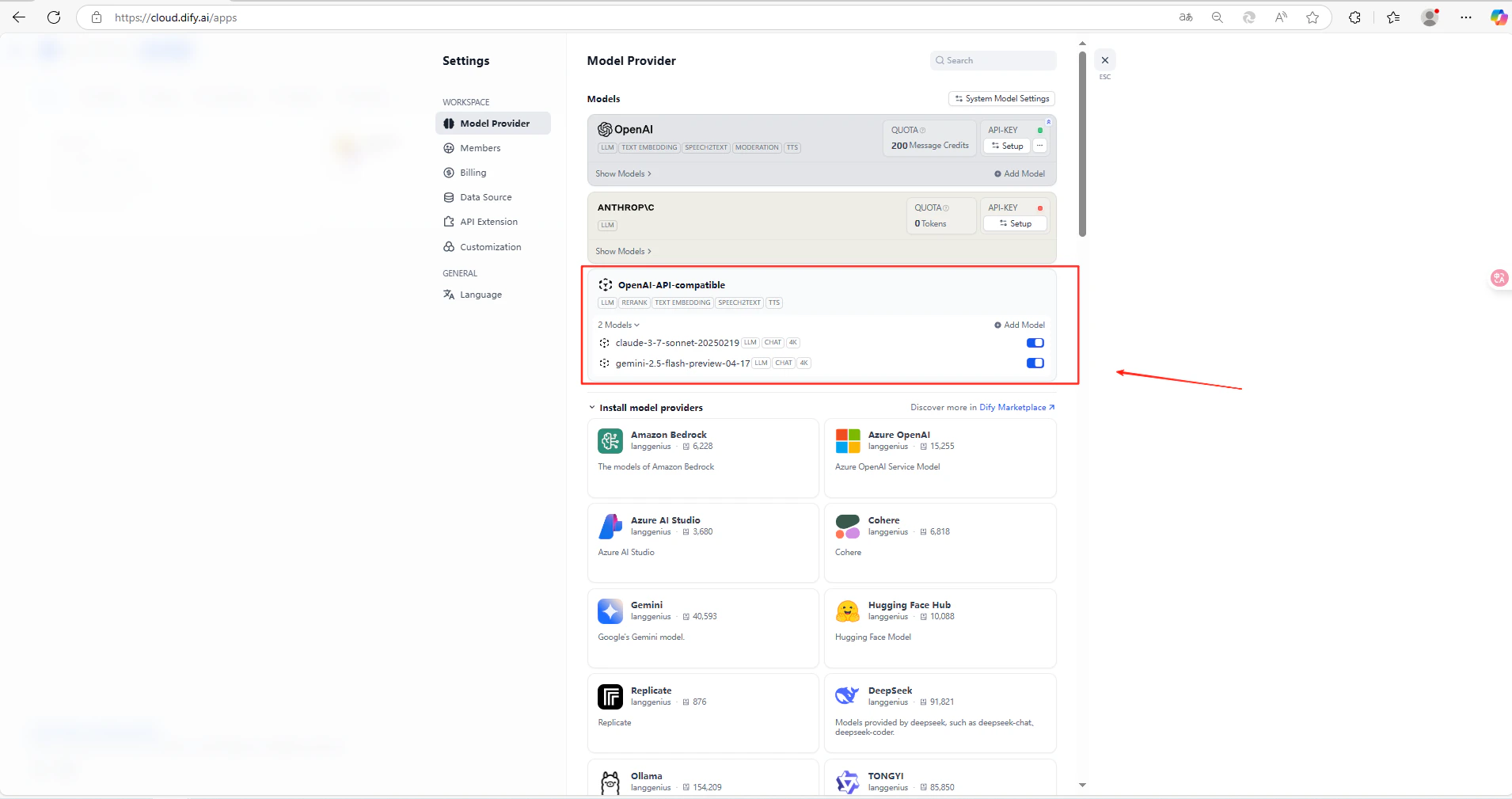
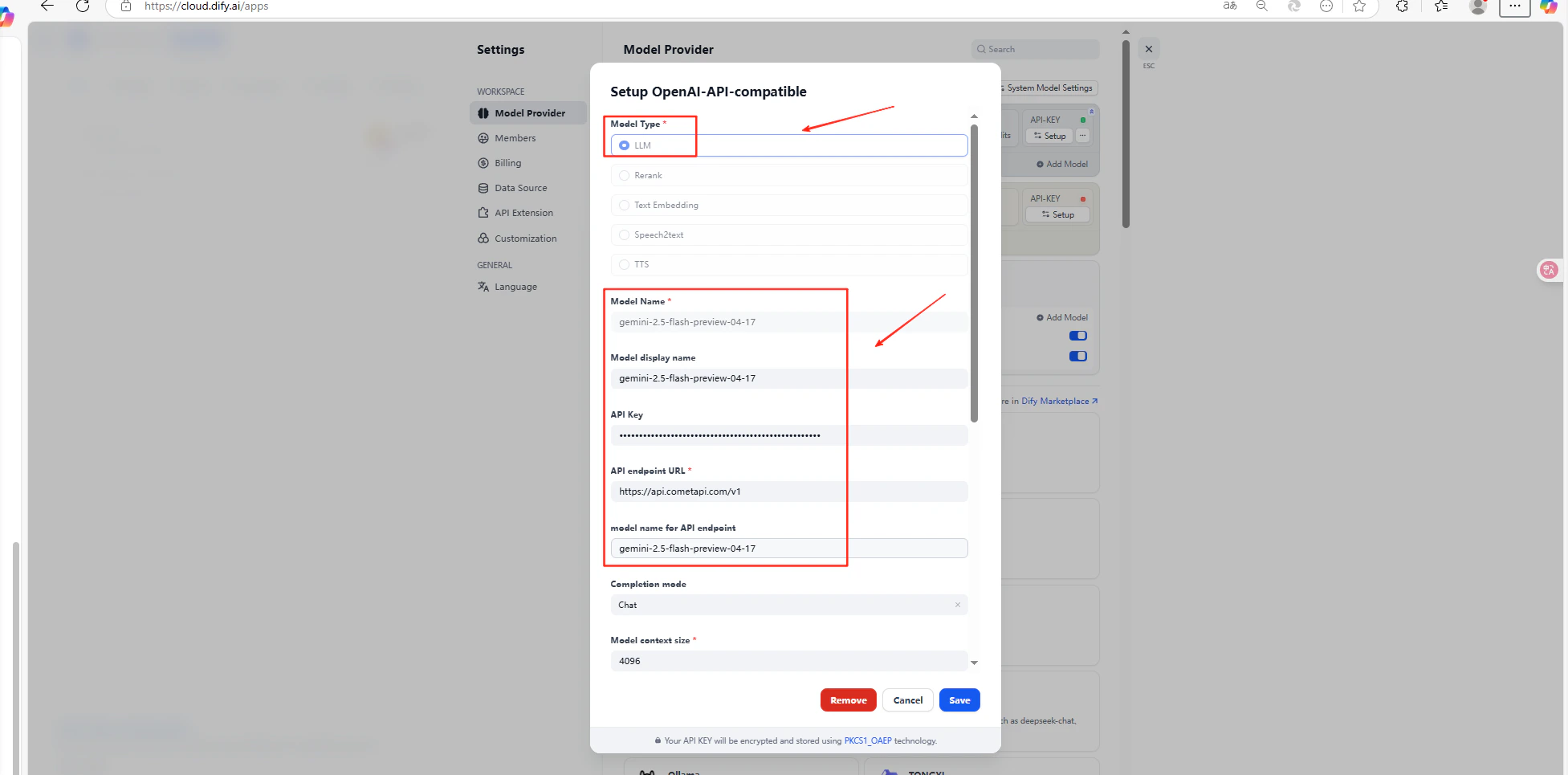
Save をクリックします。
トラブルシューティング
API key が失敗する
API key が失敗する
API key が正しく、利用可能な残高があることを確認してください。
model ID が失敗する
model ID が失敗する
model ID が CometAPI で期待される値と完全に一致していることを確認してください。
API ベース URL が失敗する
API ベース URL が失敗する
OpenAI 互換方式では、API ベース URL に
/v1 が含まれていることを確認してください。さらにサポートが必要な場合
さらにサポートが必要な場合
CometAPI サポートページにアクセスしてください。