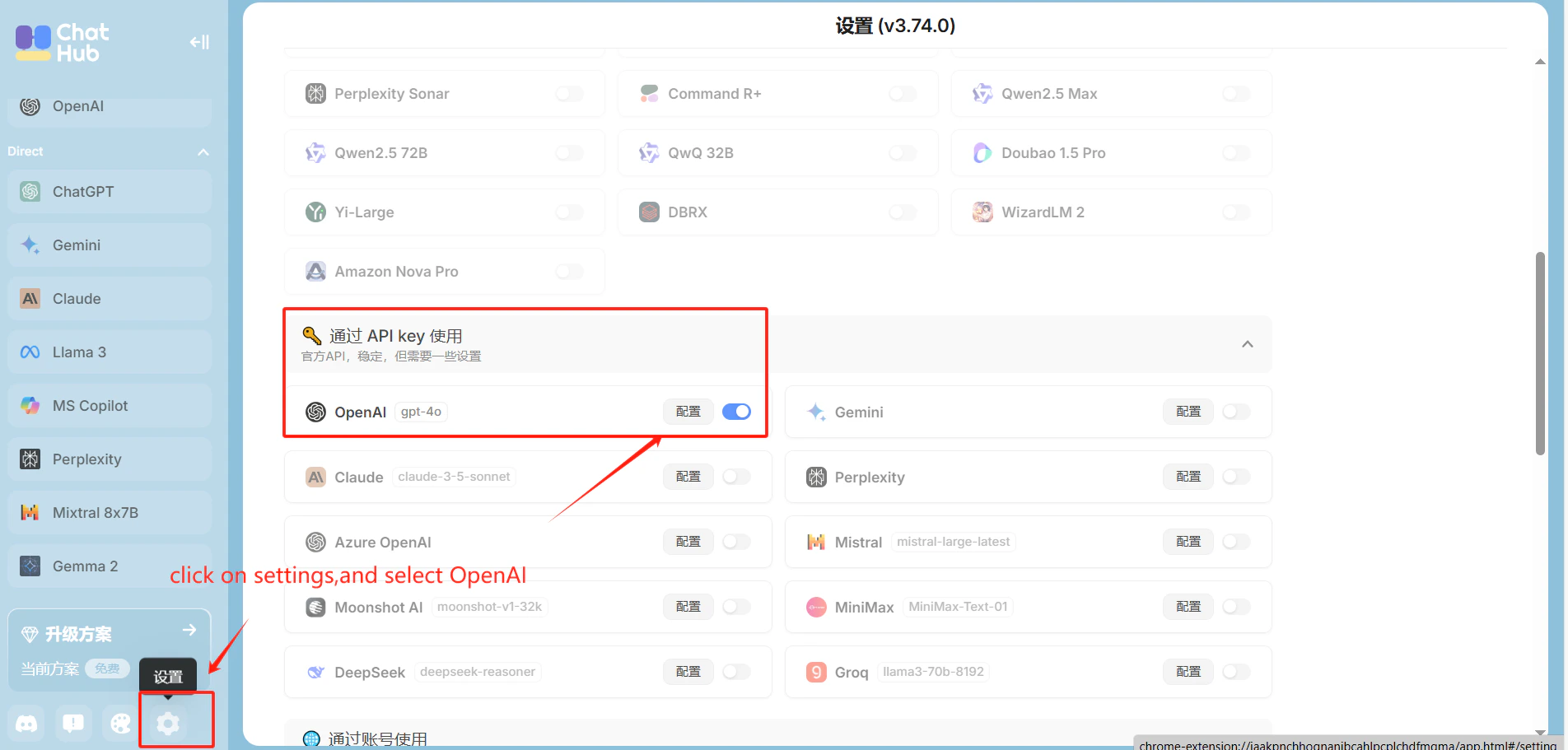
ChatHub is a browser extension that lets you talk to multiple AI models simultaneously. Add CometAPI as an OpenAI-compatible provider, then choose the model you want from the Models page.

Prerequisites

  • ChatHub browser extension installed
  • A CometAPI account with an active API key

Setup

1

Get your CometAPI API key

Log in to the CometAPI dashboard. Click Add API Key and copy your key and base URL (https://api.cometapi.com).

CometAPI dashboard — Add API Key
CometAPI API key and base URL
2

Configure OpenAI in ChatHub

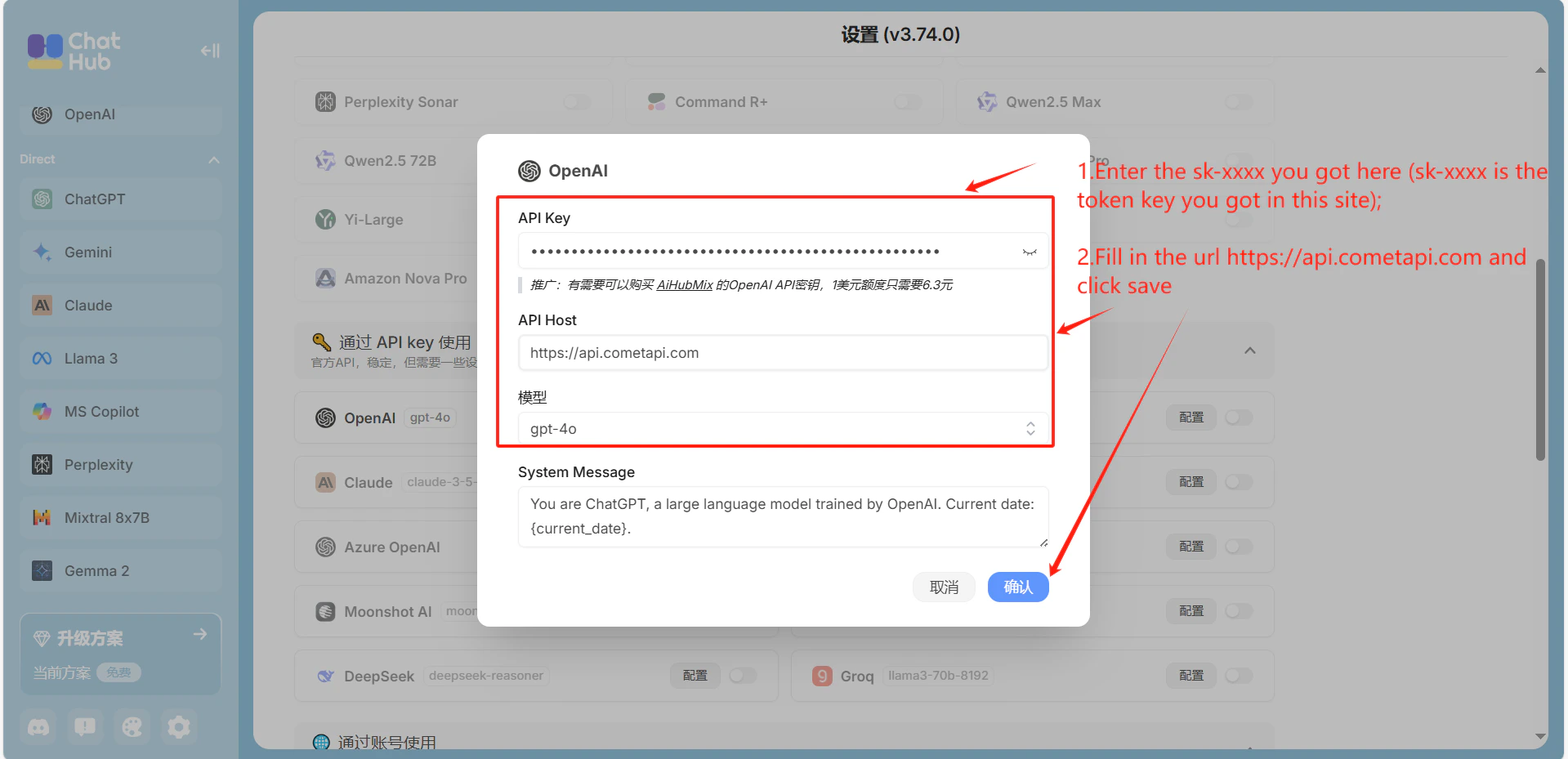
Open ChatHub SettingsOpenAI. Enter https://api.cometapi.com in the API Host field, paste your CometAPI key into API Key, and click Save.
ChatHub OpenAI settings with CometAPI host filled in
API key field filled in ChatHub settings
3

Test the connection

Send a test message in ChatHub. A successful reply confirms the integration is working.
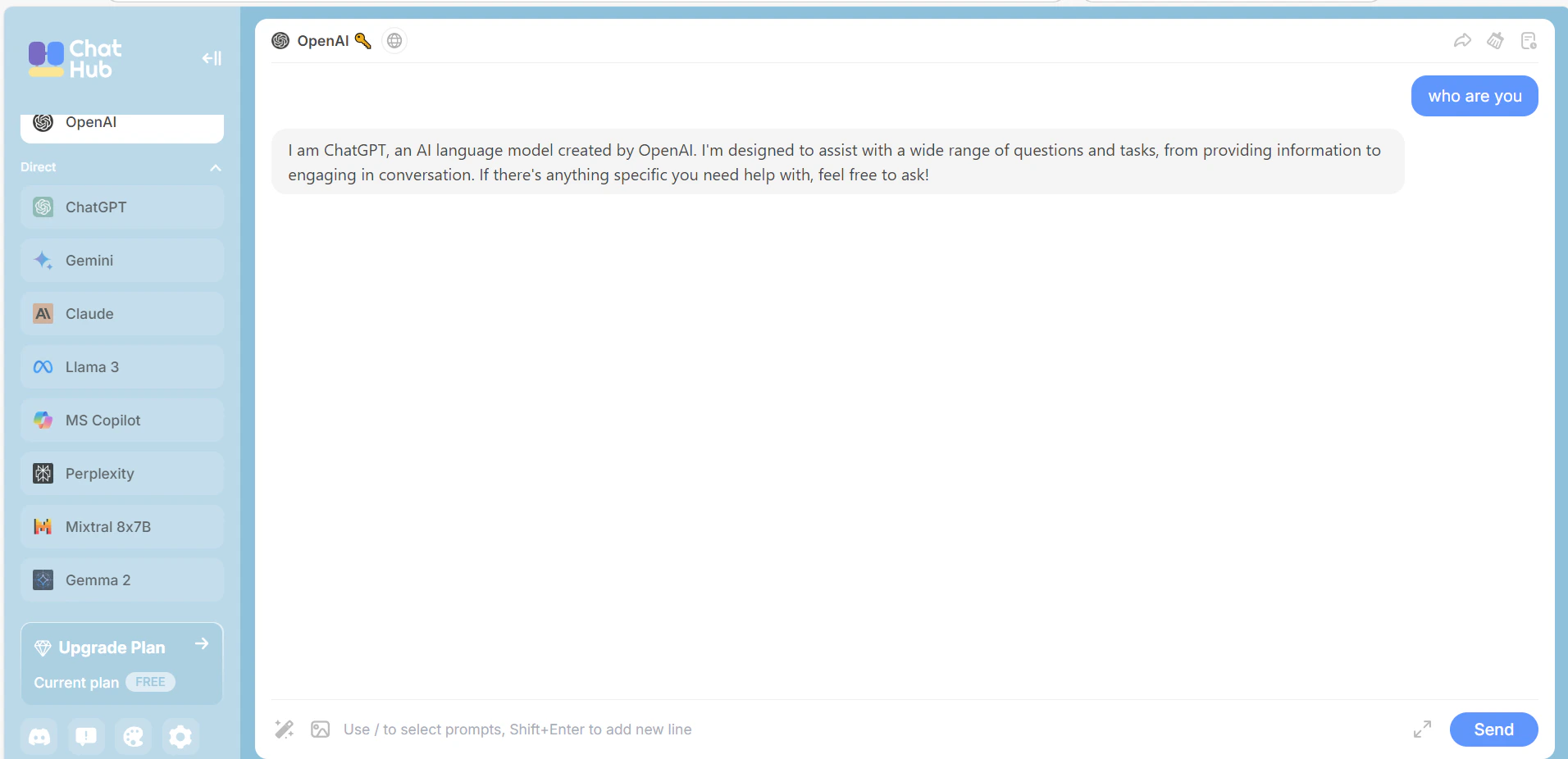
ChatHub showing a successful response from CometAPI