

Prerequisites
- A CometAPI account with an active API key — sign in to get one
- A Dify account — cloud or self-hosted
Method 1: CometAPI plugin (recommended)
The easiest way to connect. Dify Marketplace provides an official CometAPI plugin that handles the integration automatically.1
Get your CometAPI API key


2
Install the CometAPI plugin in Dify
In Dify, go to Plugins → Install Plugin → Marketplace. Search for 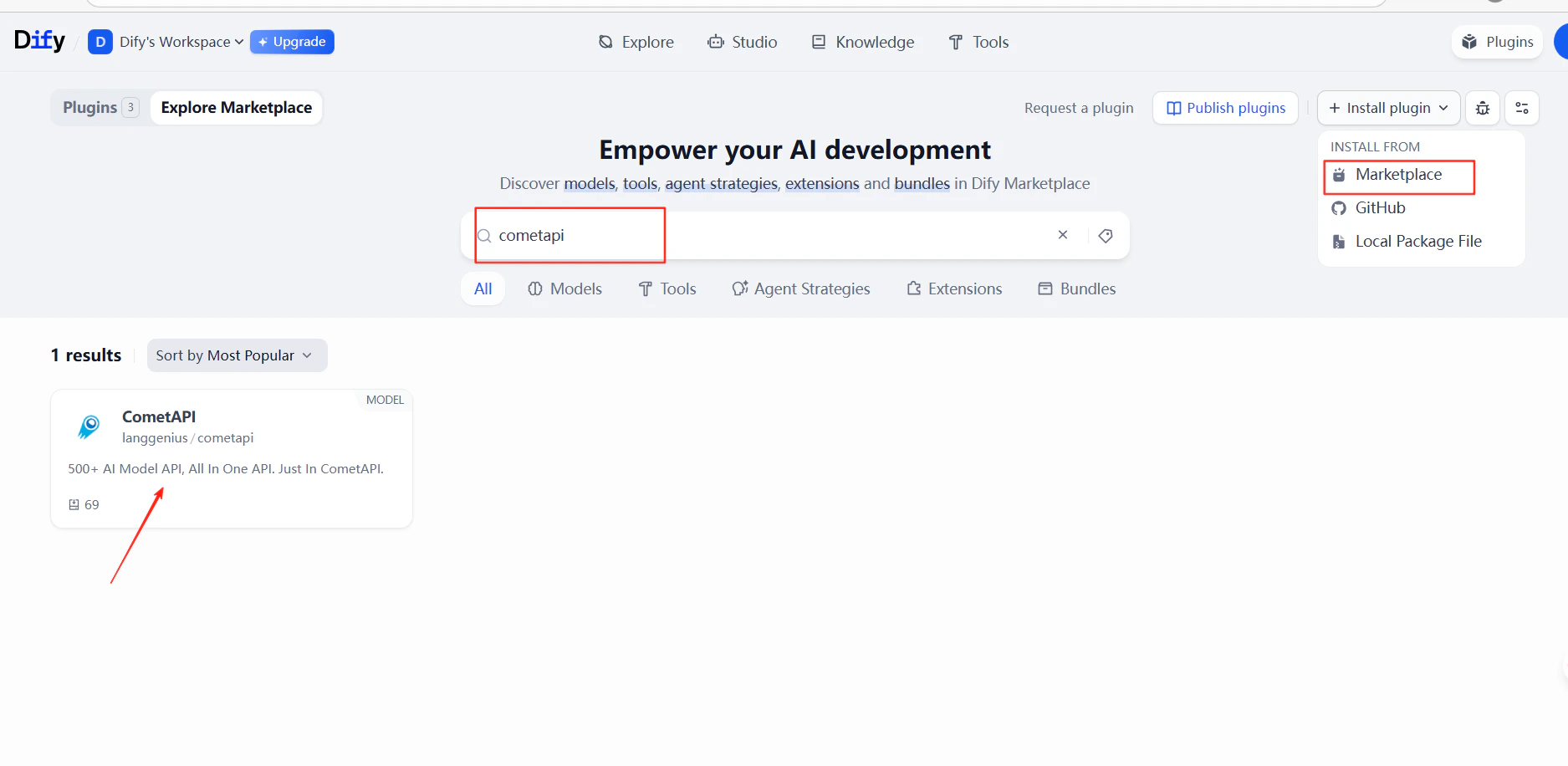
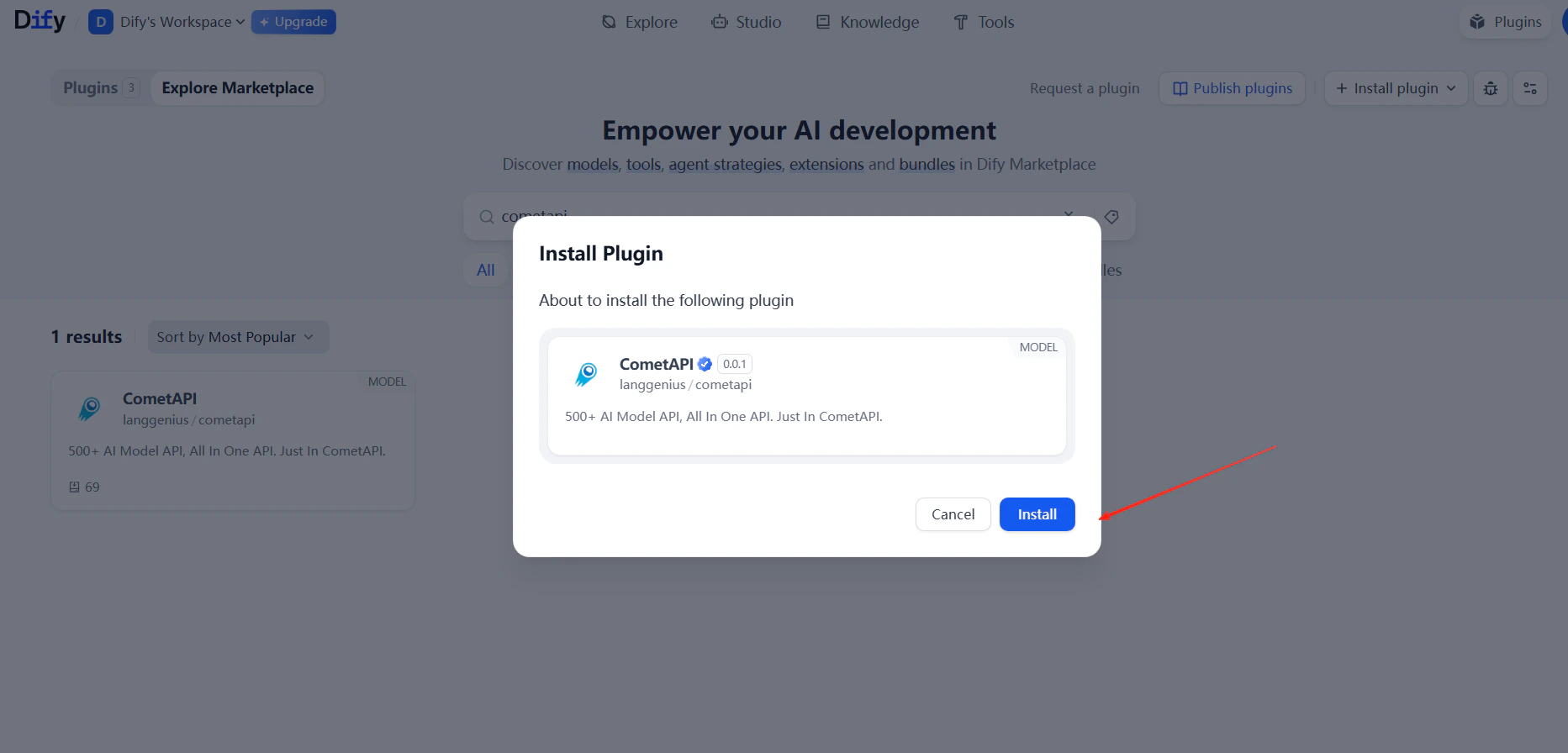
cometapi and install it.3
Add your API key
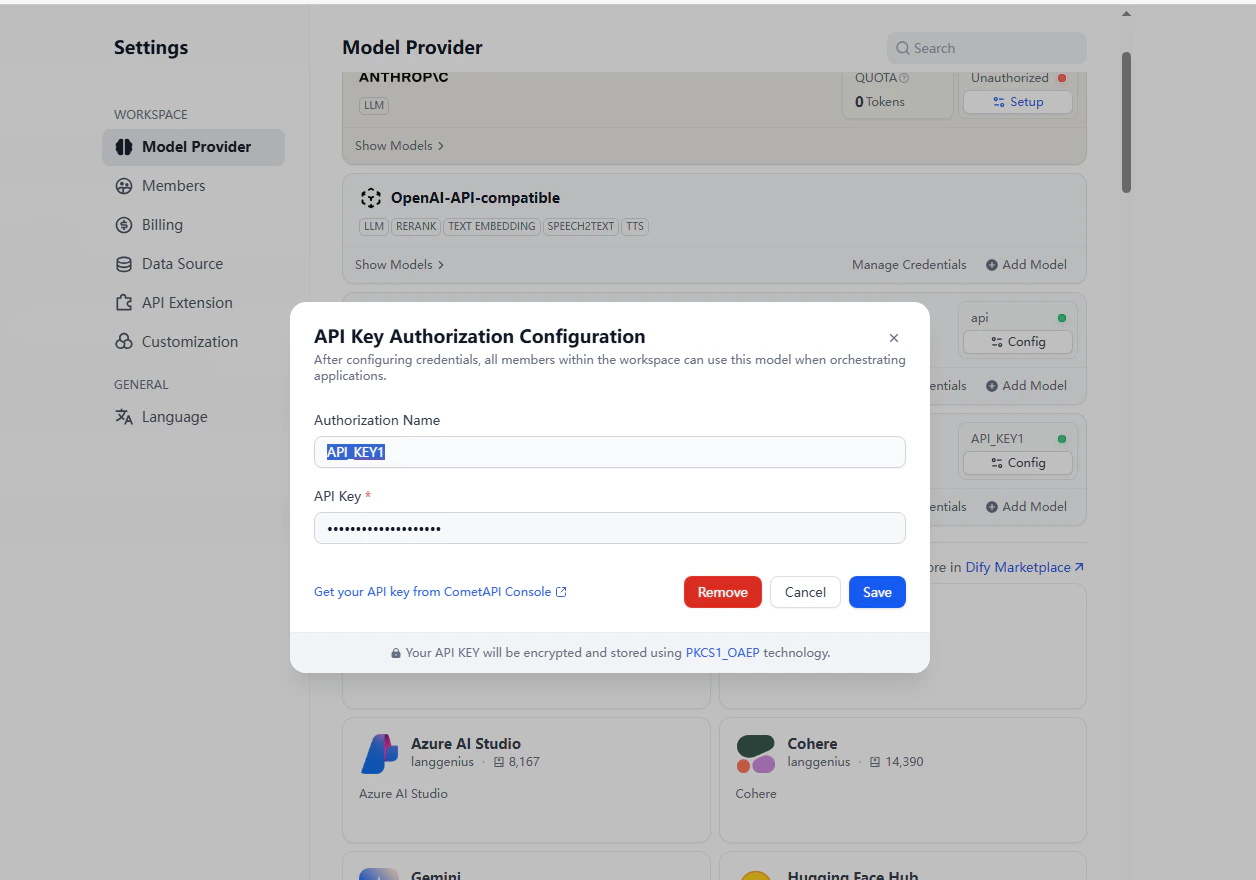
Go to Settings → Model Provider → CometAPI → Open Settings. Paste your CometAPI API key and click Save.
4
Add models
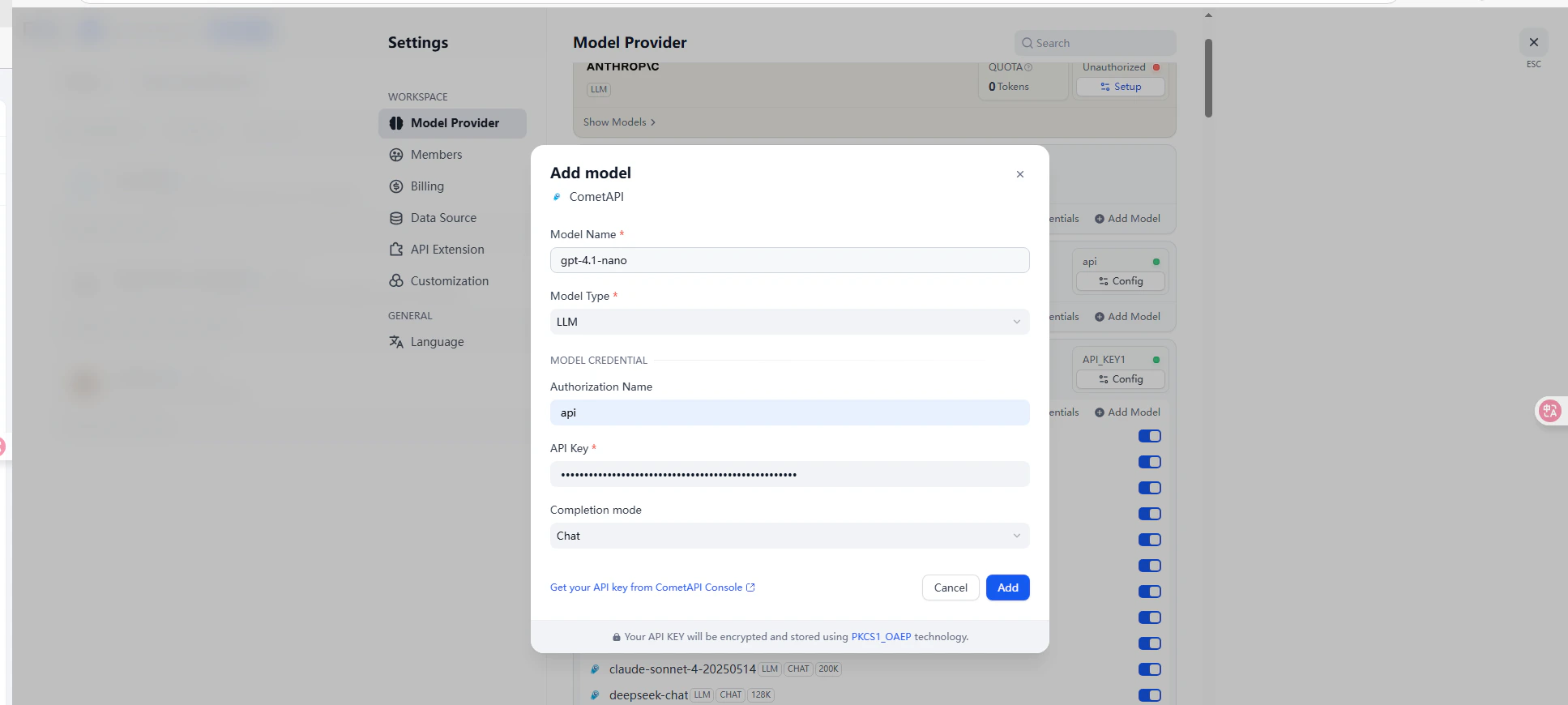
5
Test the connection
Create a chatbot or workflow and select a CometAPI model. Send a test message — a successful response confirms the integration is working.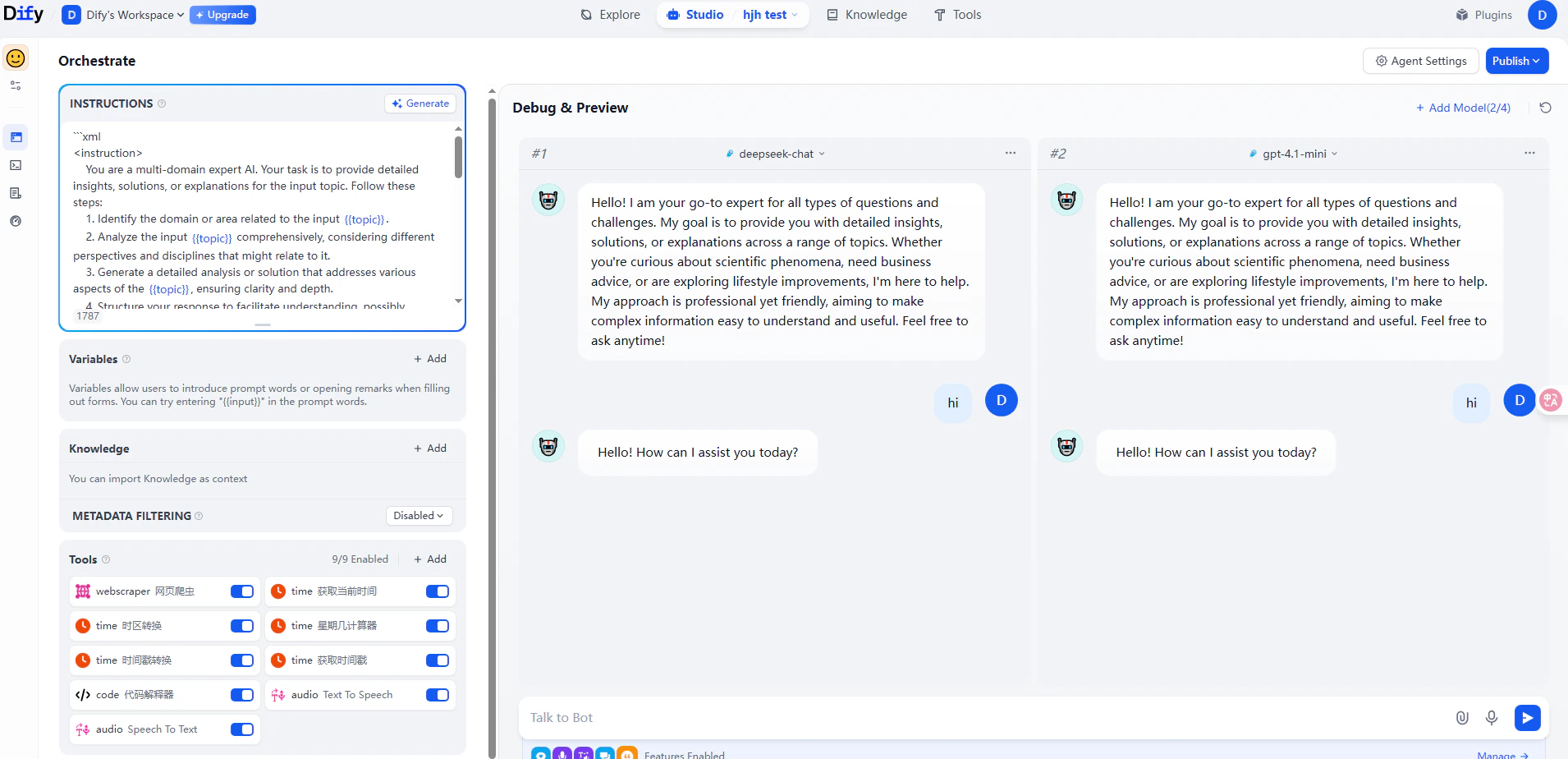
Method 2: OpenAI-compatible provider
Use this method to add models not covered by the CometAPI plugin, such as Claude, Grok, or Gemini — or to use custom model names.1
Open model provider settings
Go to Settings → Model Provider → OpenAI-API-compatible → Add Model.
2
Configure the model
Fill in the following fields: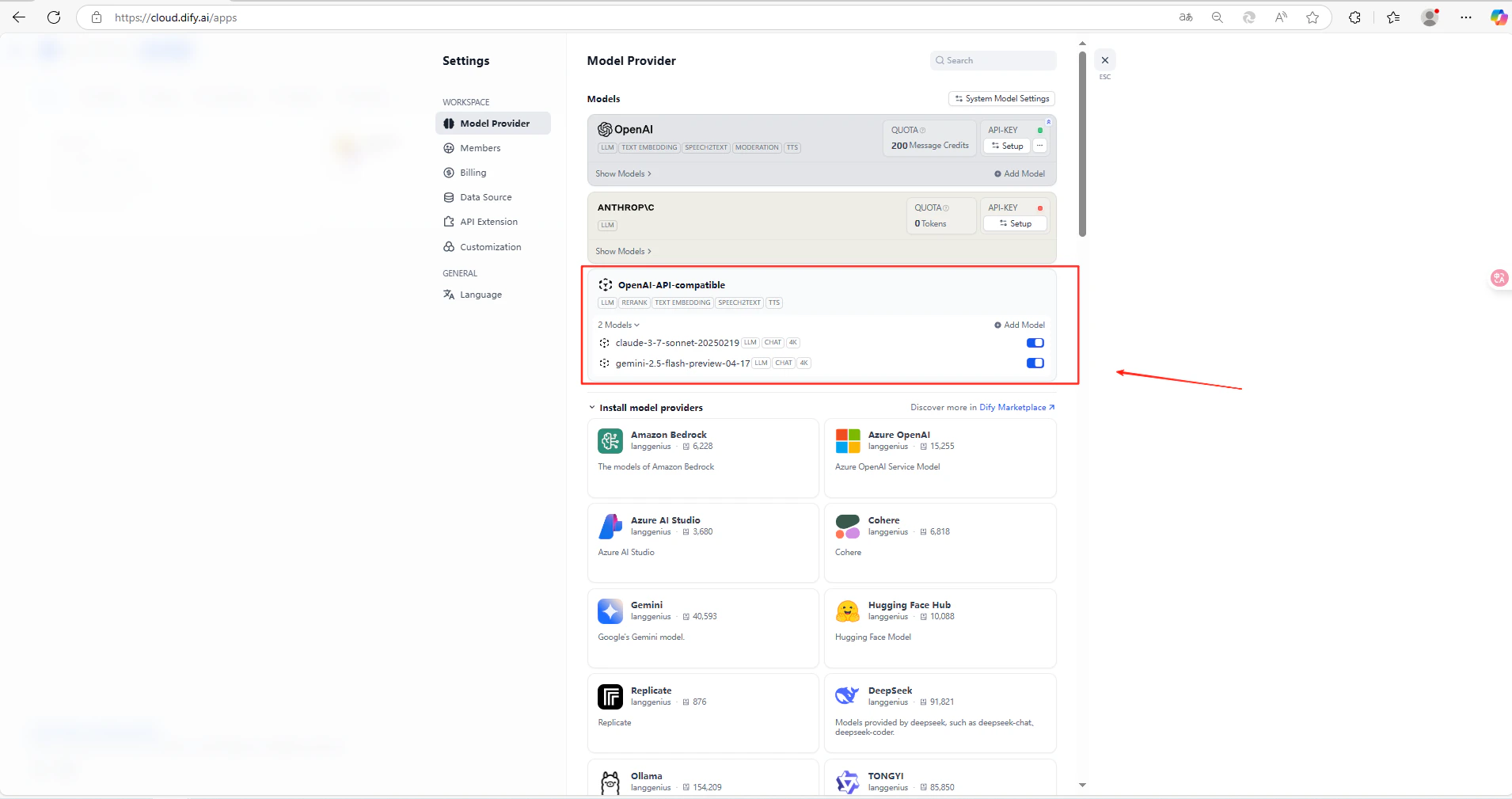
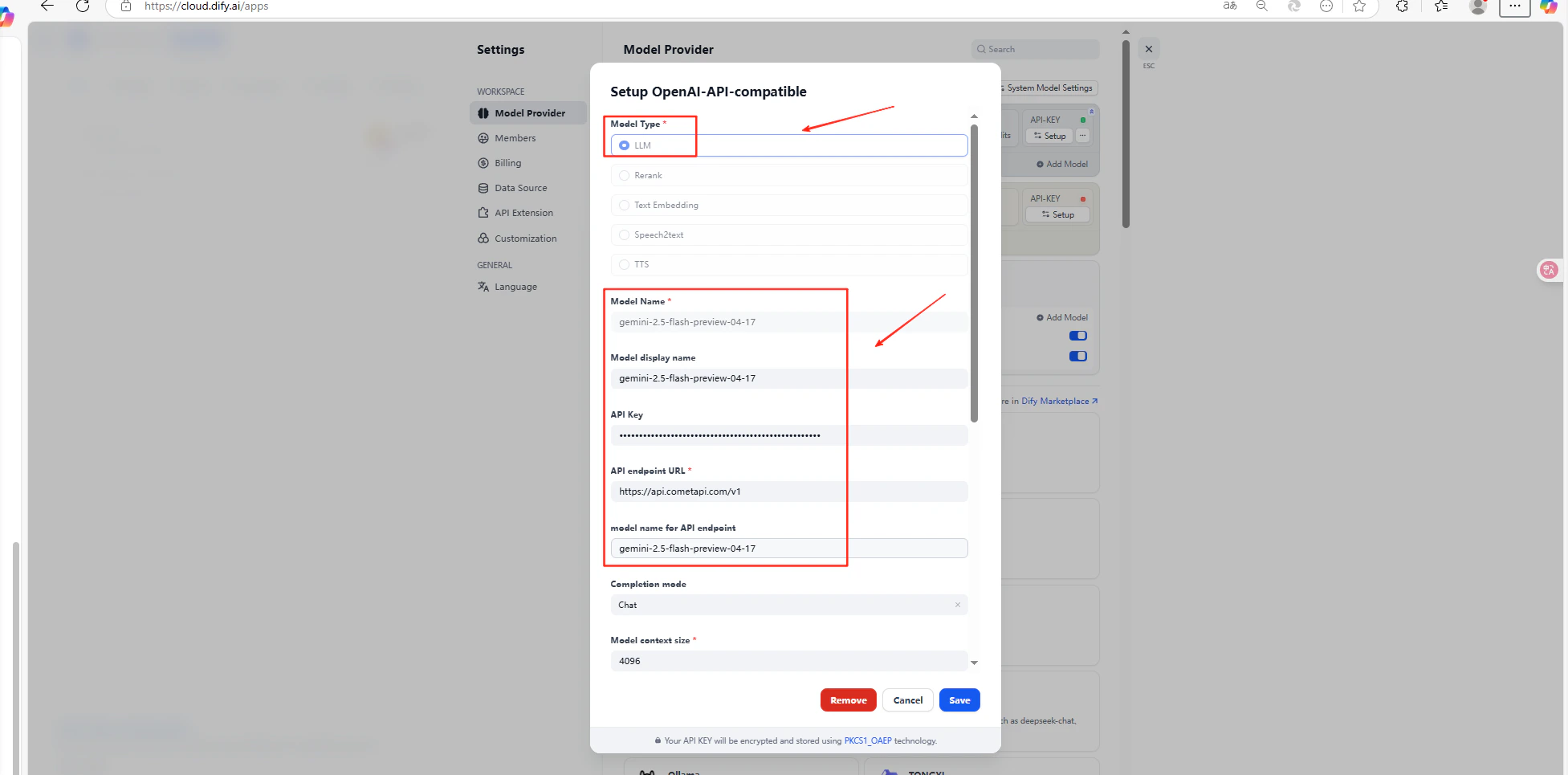
Click Save.
Troubleshooting
The API key fails
The API key fails
Confirm that the API key is correct and has available balance.
The model ID fails
The model ID fails
Confirm that the model ID matches exactly what CometAPI expects.
The API base URL fails
The API base URL fails
Confirm that the API base URL includes
/v1 for the OpenAI-compatible method.Further help
Further help
Visit the CometAPI support page.