Lobe-Chat is a feature-rich open-source AI chat application with built-in support for CometAPI — no manual URL configuration needed.

Prerequisites

Setup

1

Get your CometAPI API key

Log in to the CometAPI dashboard. Click Add API Key and copy your key.
CometAPI dashboard — Add API Key
CometAPI API key and base URL
2

Select CometAPI as the model provider

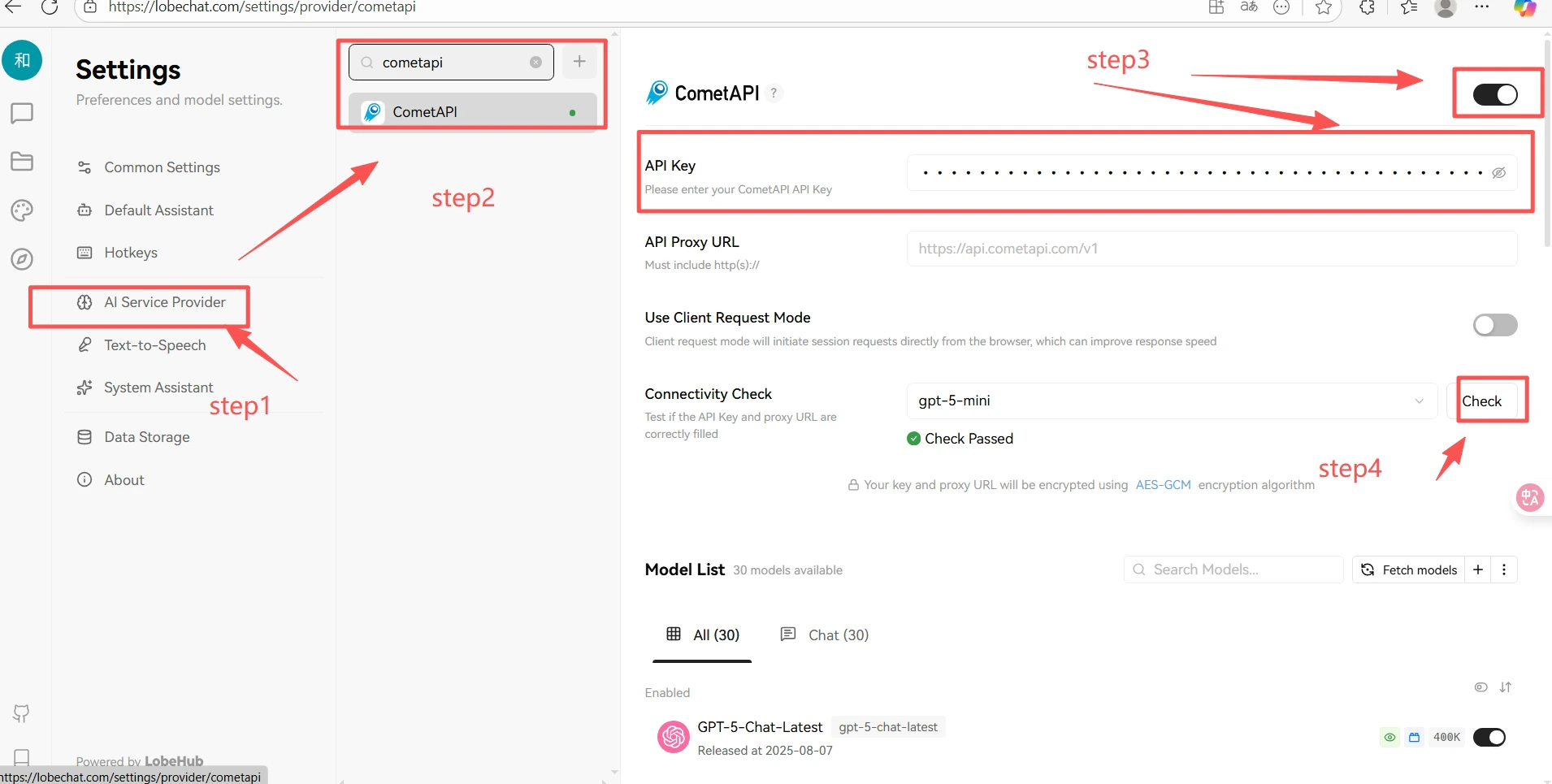
In Lobe-Chat, click your avatar → Application SettingsModel Providers. Select CometAPI, paste your API key, and toggle the provider on. Then select a model to enable it.
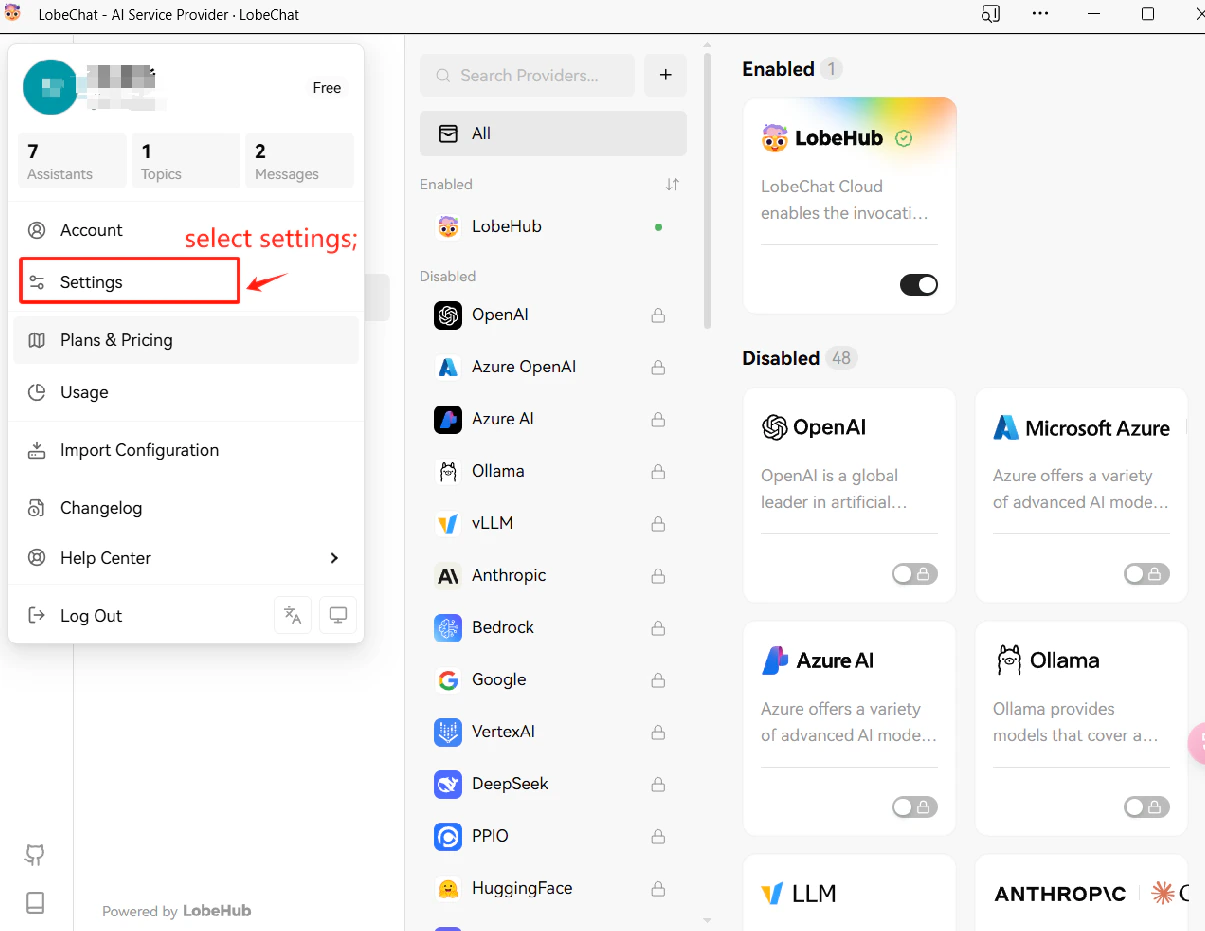
Lobe-Chat application settings — model provider list
CometAPI provider settings in Lobe-Chat with API key entered
3

Test the connection

Start a chat and send a test message. A successful response confirms the integration is working.
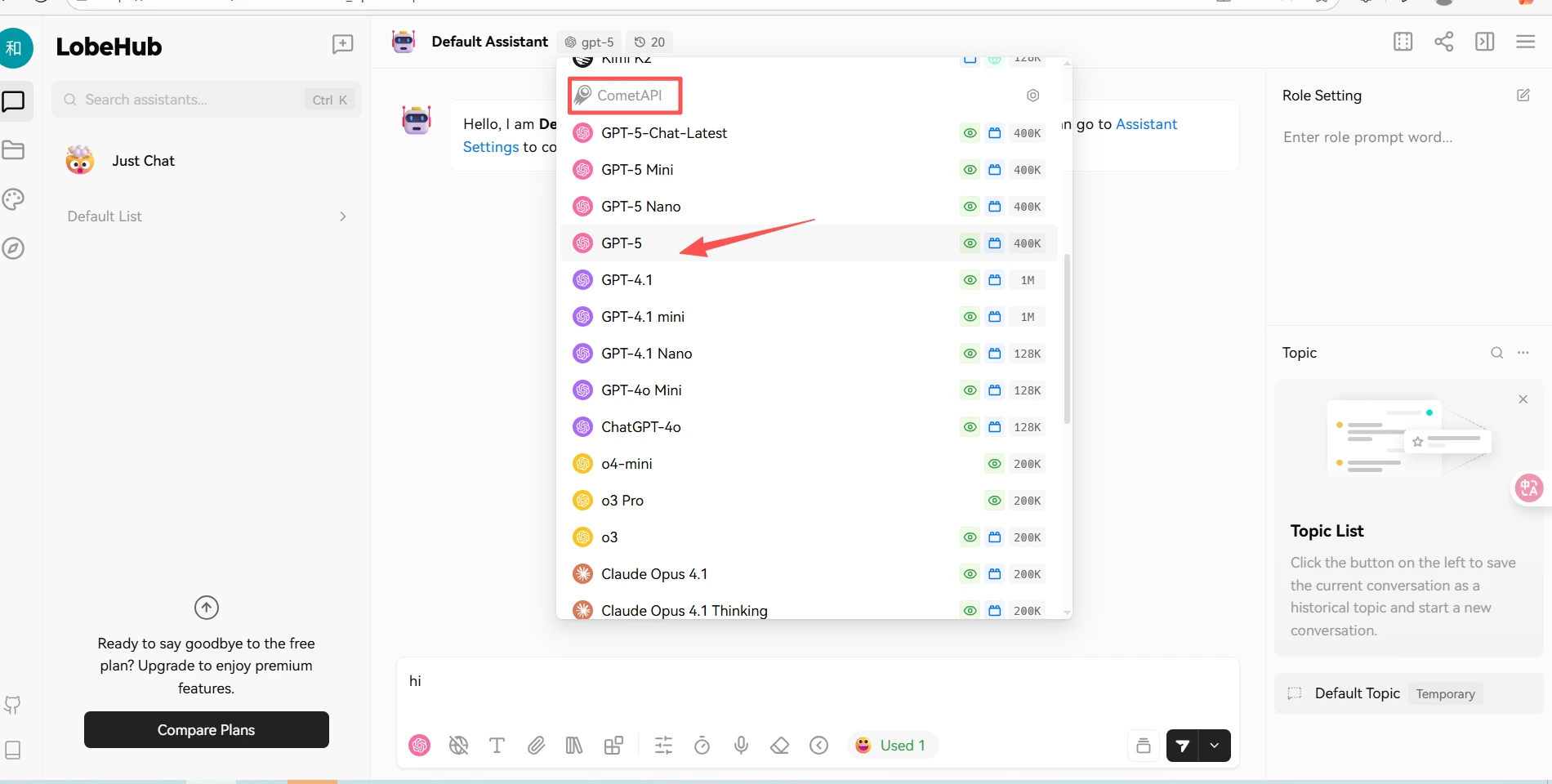
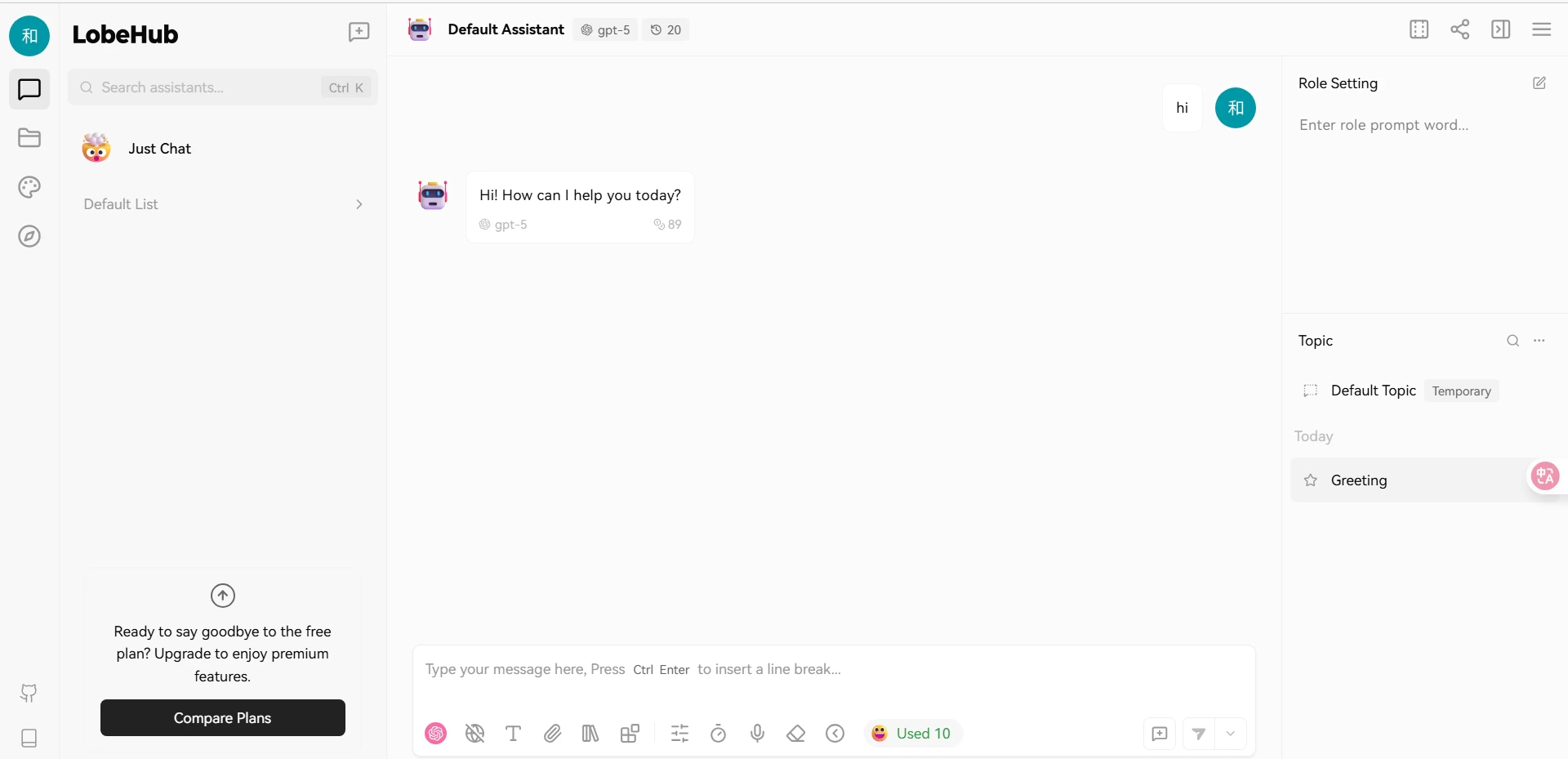
Lobe-Chat conversation showing a successful response from CometAPI
Lobe-Chat model response panel
