

Prerequisites
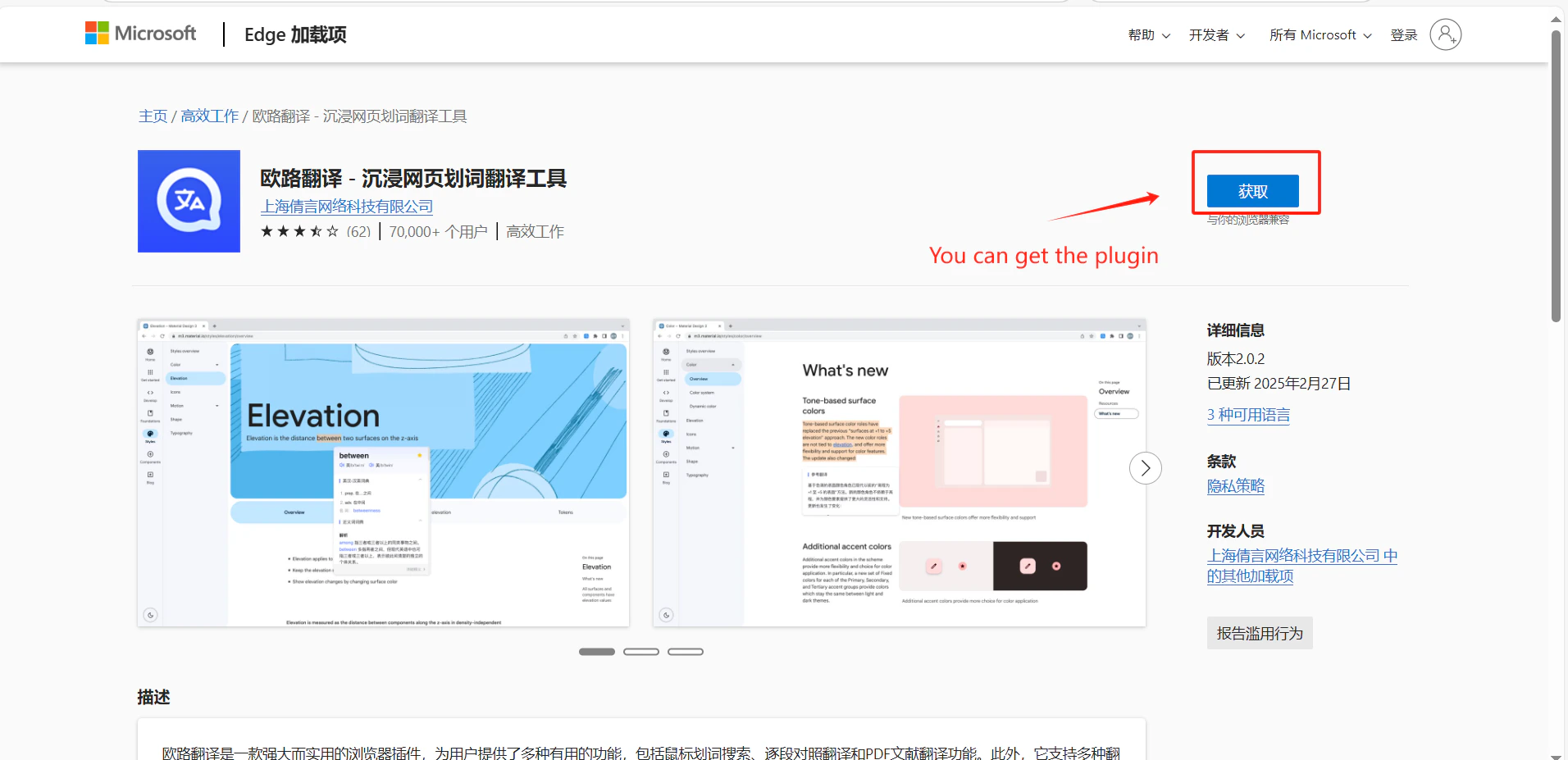
Setup
1
Get your CometAPI API key
Log in to the CometAPI dashboard. Click Add API Key and copy your key and base URL (

https://api.cometapi.com).2
Add a custom translation engine
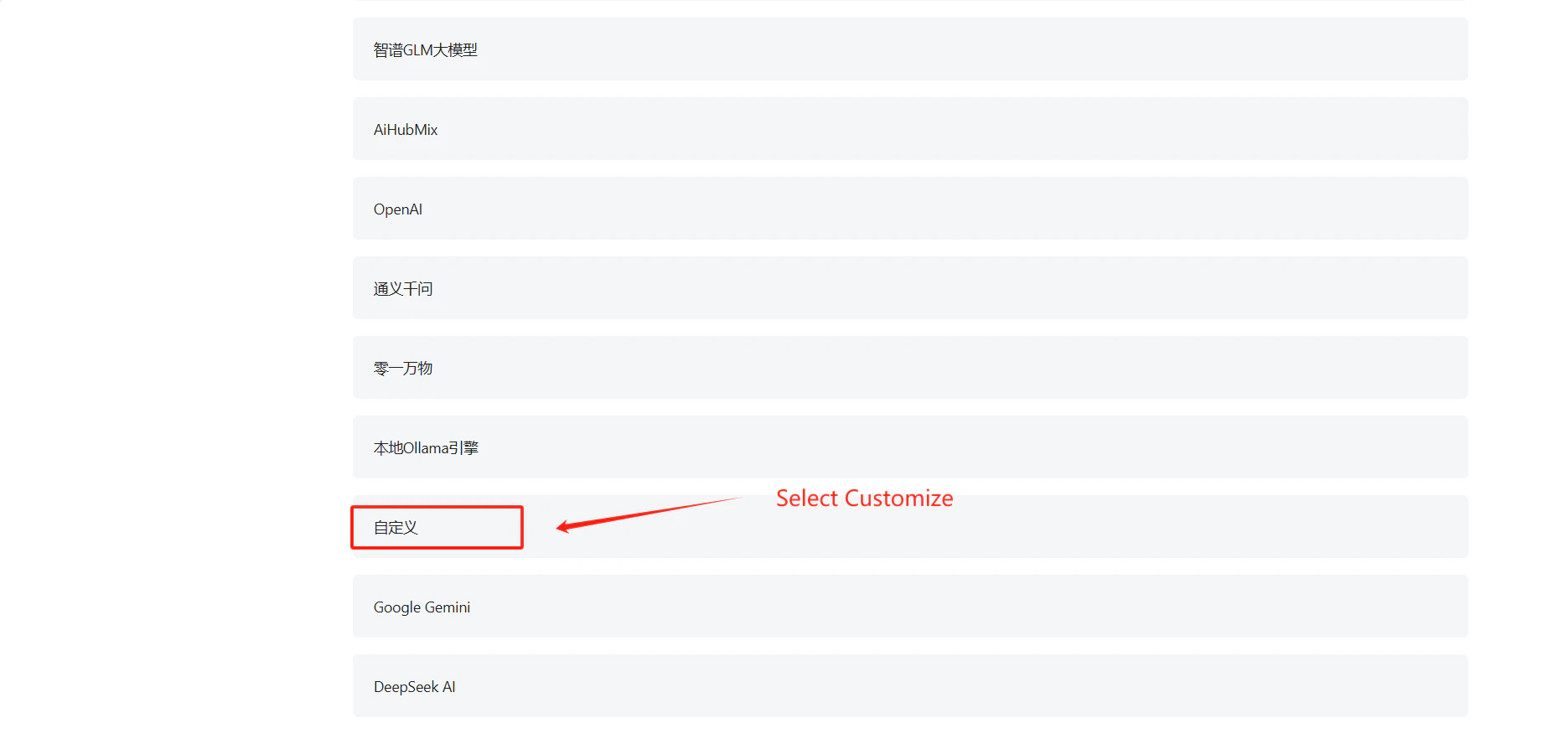
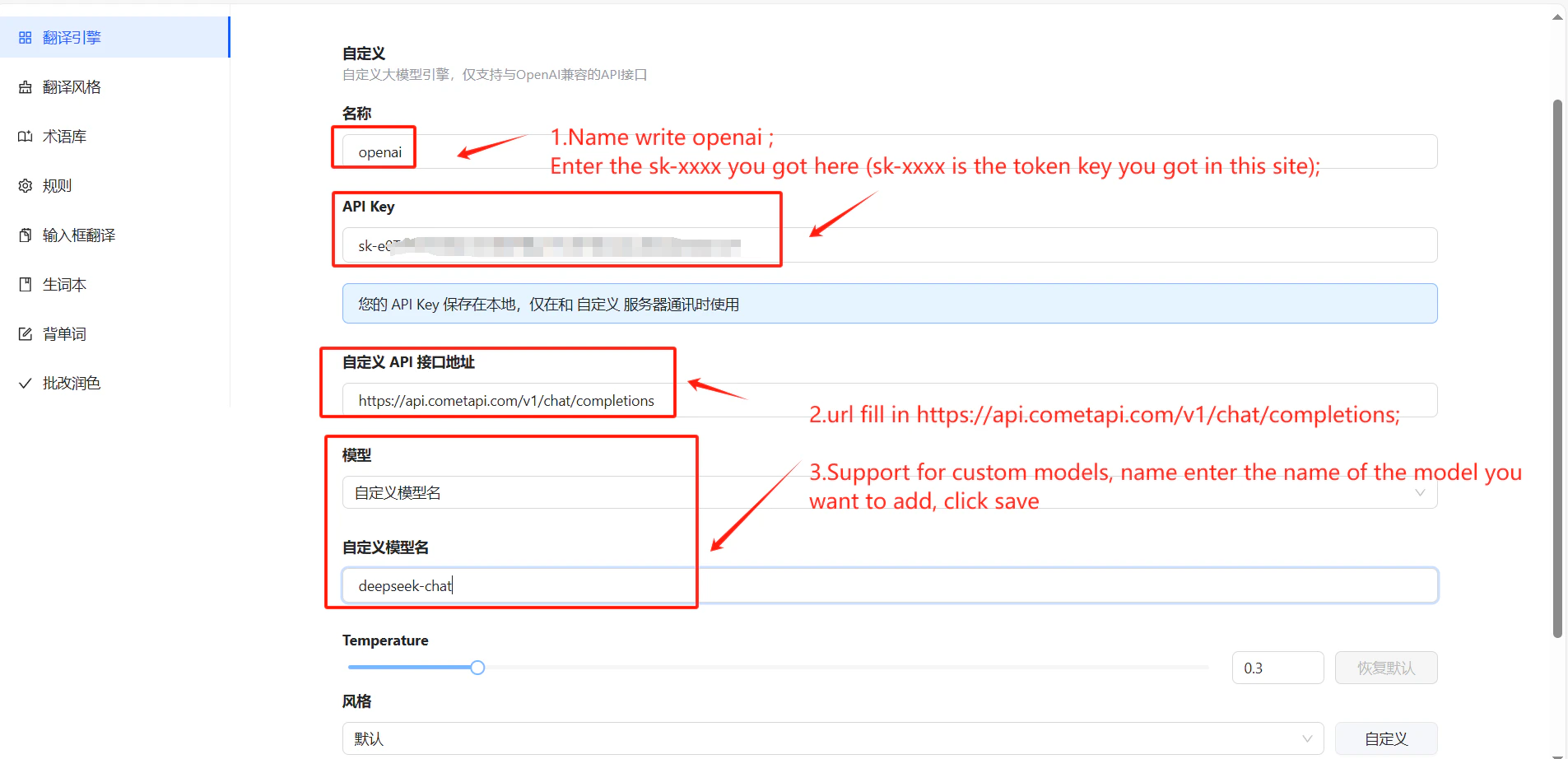
Open Eudic → Translation Engine settings → Add Translation Engine. Find Custom in the dropdown, set it to OpenAI, and enter
https://api.cometapi.com/v1/chat/completions in the API Host field.3
Configure your API key and model
Paste your CometAPI key into the API Key field. Optionally enter a specific model ID. Click Save.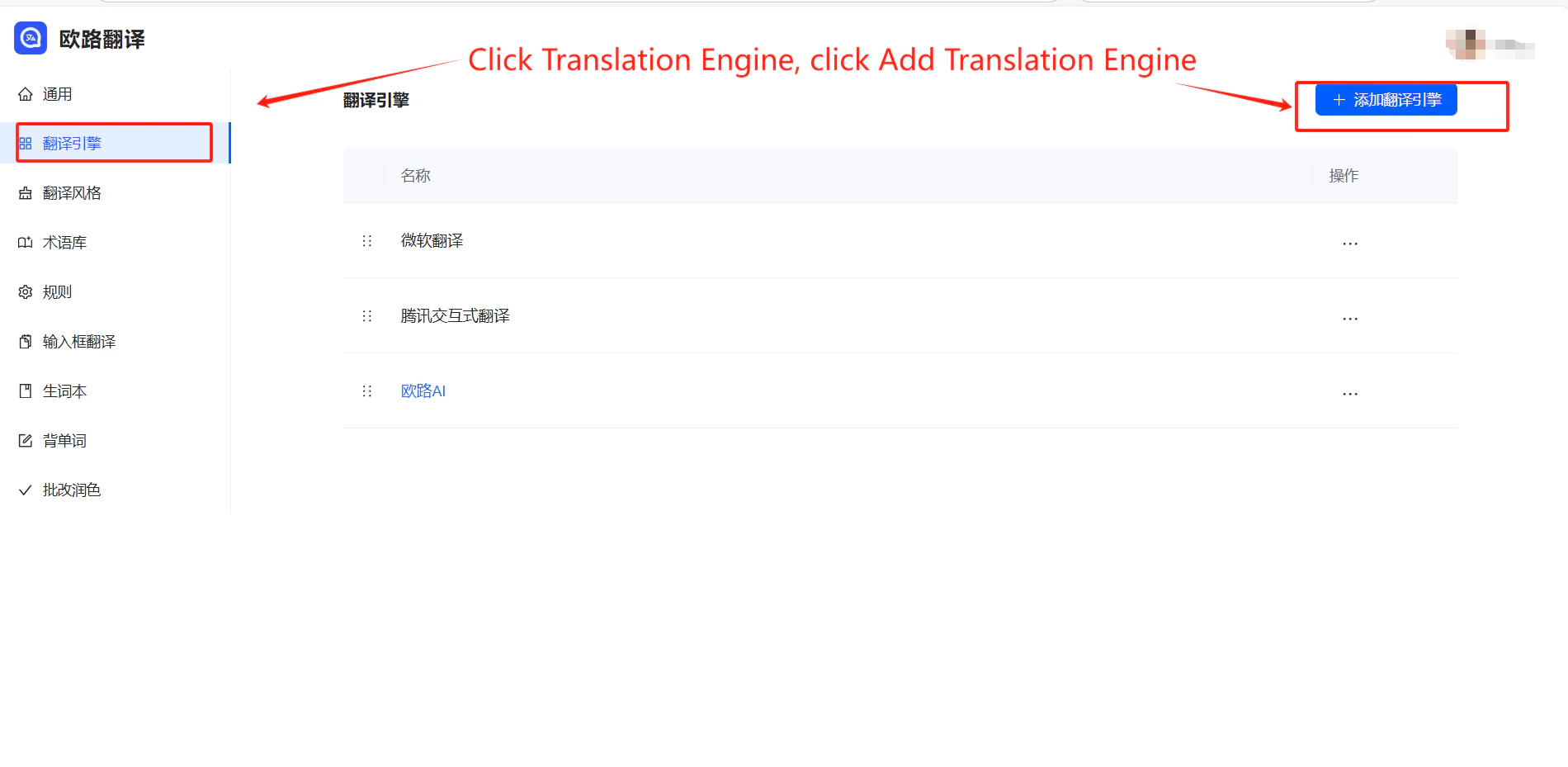
4
Test the translation
Select text and trigger a translation. A successful result confirms the integration is working.