Prerequisites
- A CometAPI account with an active API key — get yours here
- A Make account — sign up here
1
Get your CometAPI API key


2
Add CometAPI to a scenario
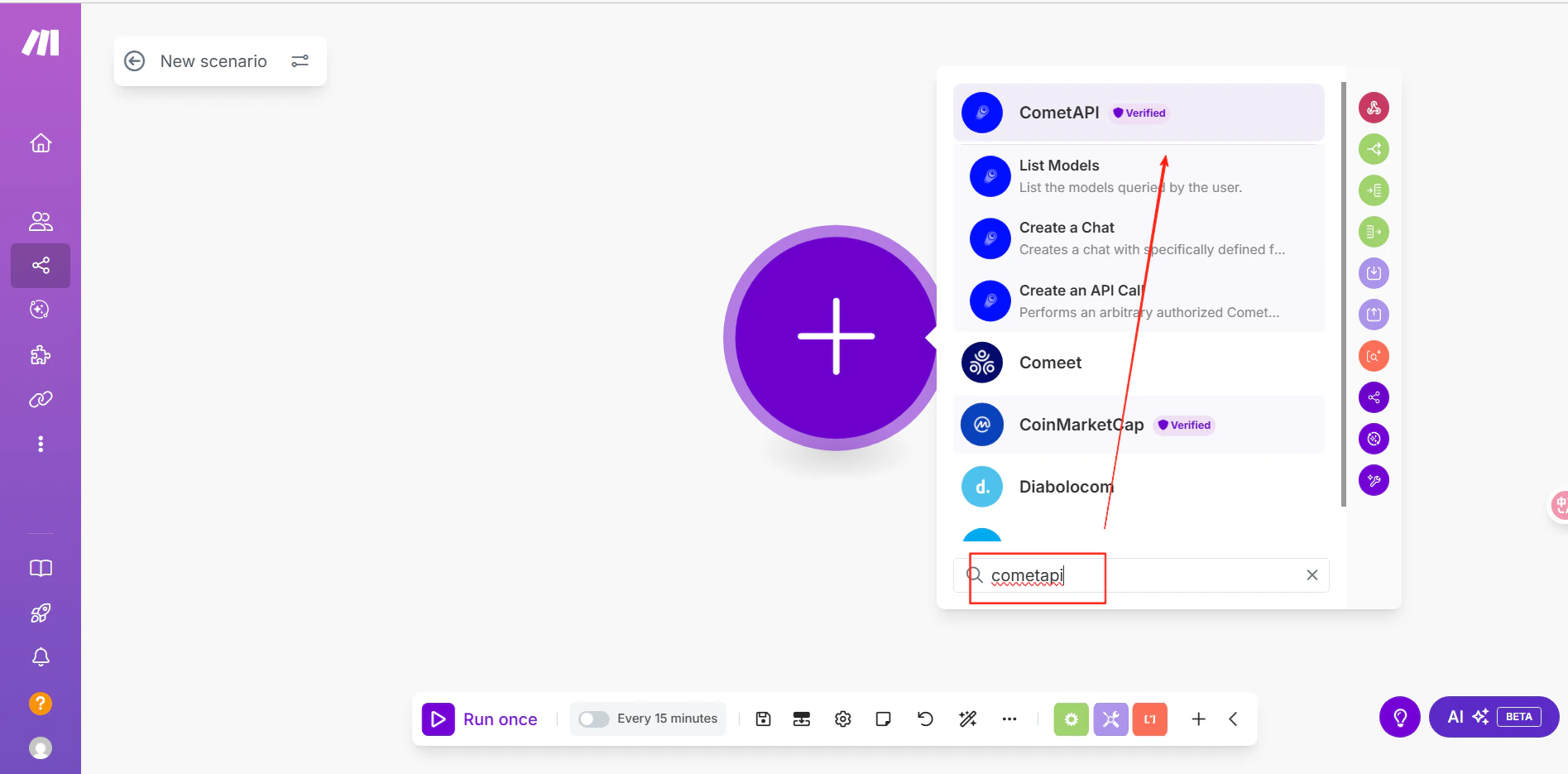
In Make, click Create scenario. In the scenario editor, click the + icon and search for CometAPI.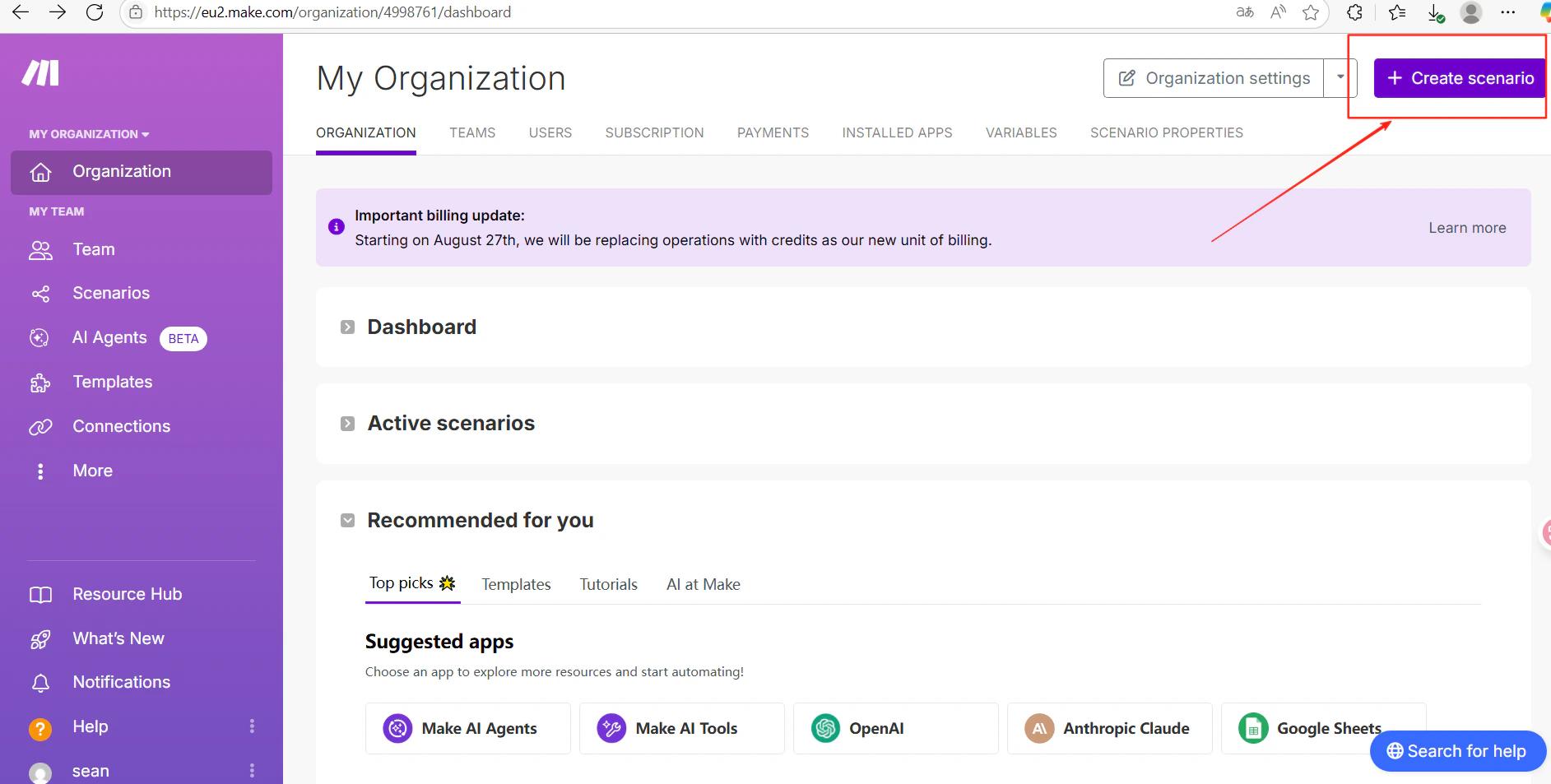
3
Connect your CometAPI account
Select Make an API Call as the action. When prompted to add a connection, paste your CometAPI API key and click Save.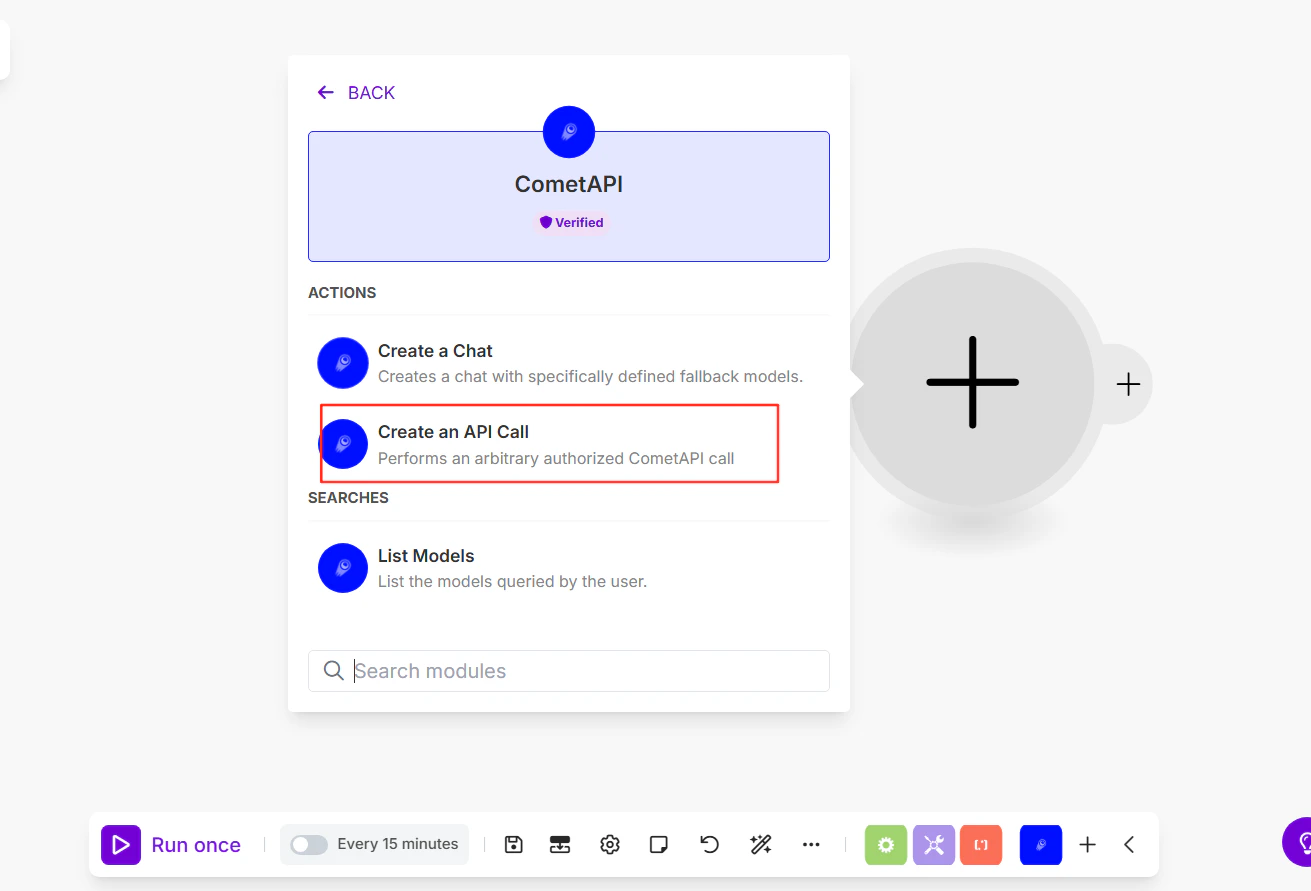
4
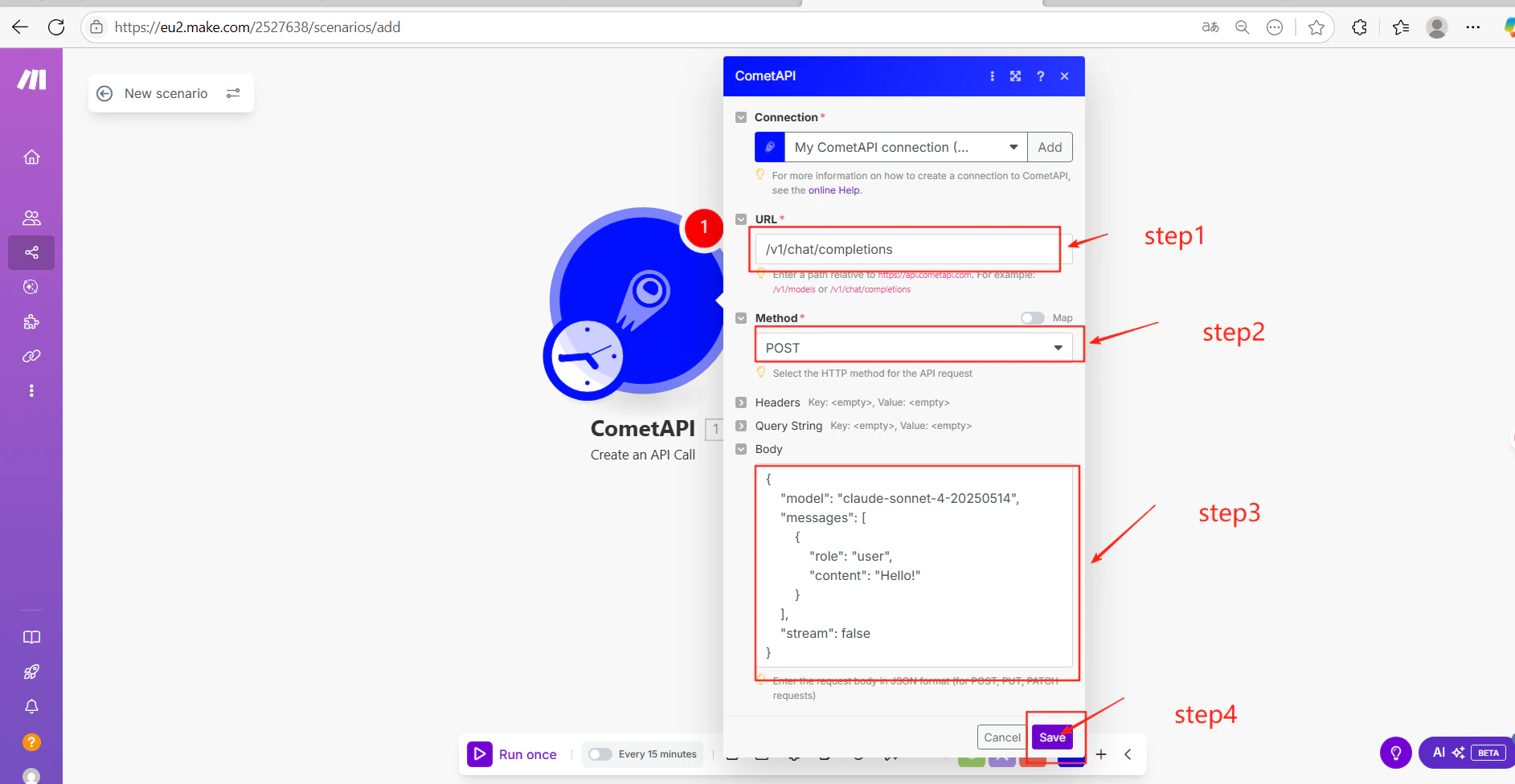
Configure the API call
Fill in the module settings:Click Save. Replace 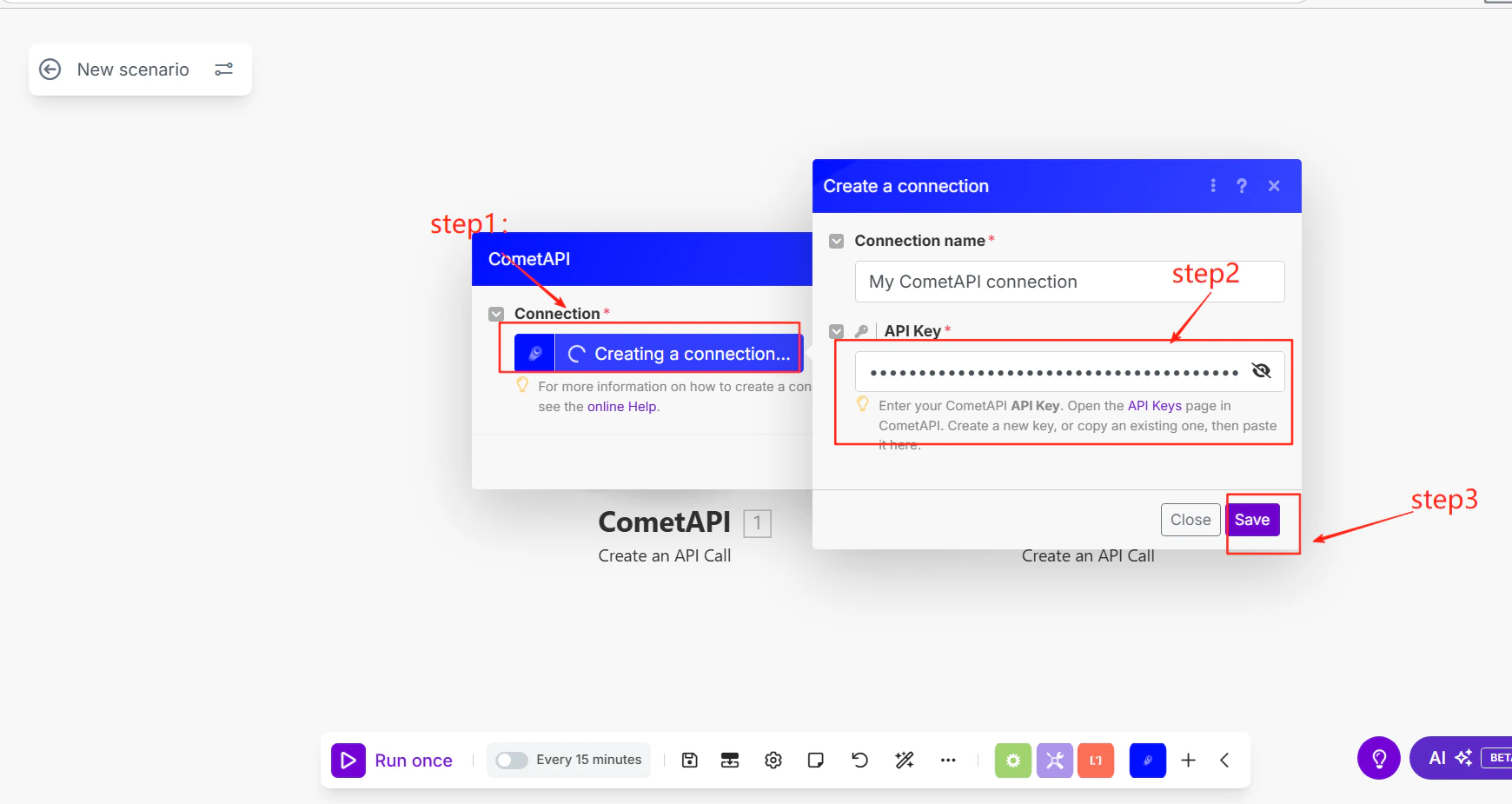
- URL:
/v1/chat/completions - Method:
POST - Body (JSON):
your-model-id with a current model ID from the CometAPI Models page.5
Test and publish
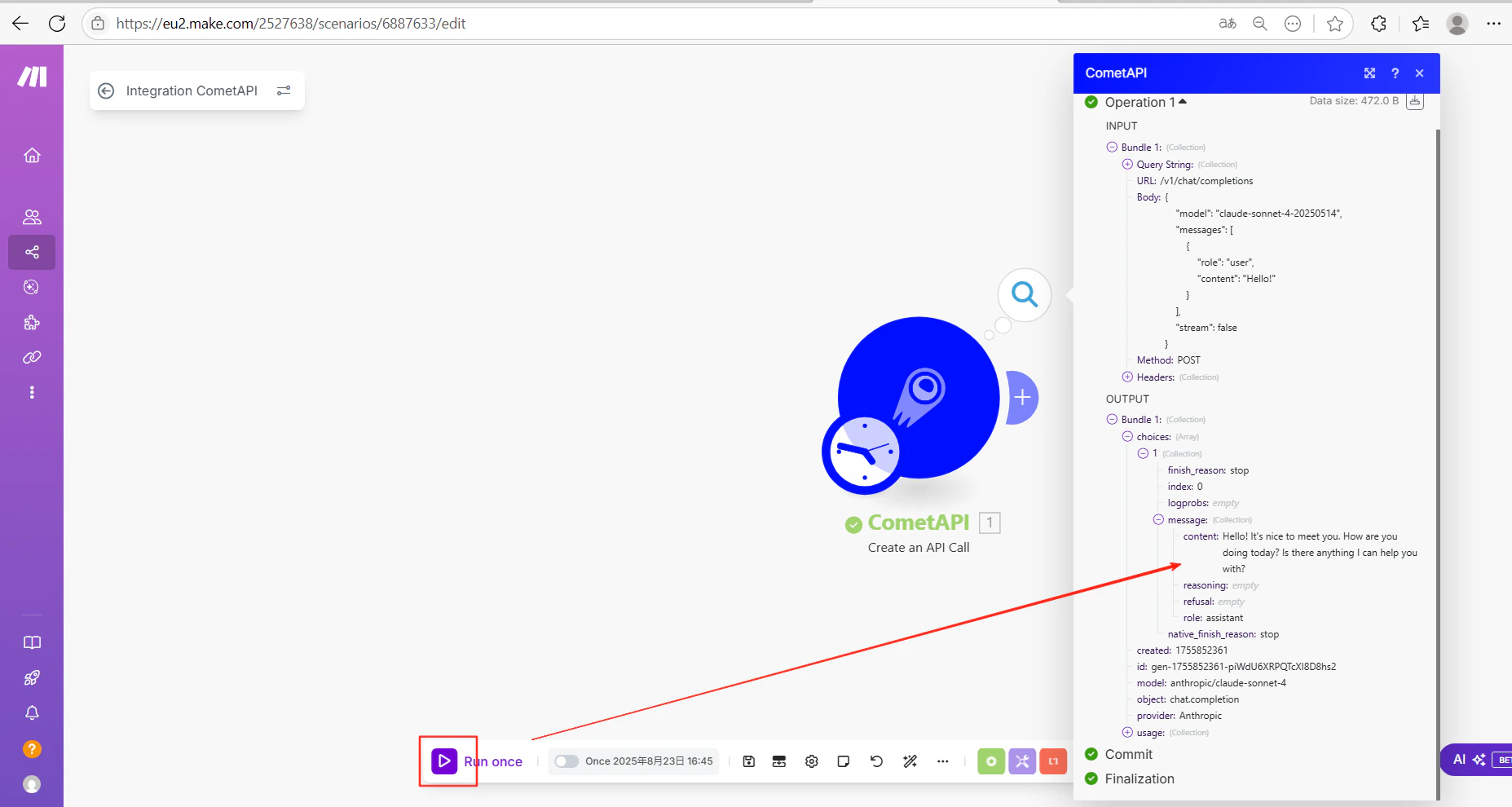
Click Run once to execute the scenario. A successful AI response in the output confirms the integration is working.