

langchain-openai — just point it at our base URL.
Prerequisites
- Python 3.8+ and
langchain-openaiinstalled (pip install langchain-openai) - A CometAPI account with an active API key
Setup
1
Get your CometAPI API key
Log in to the CometAPI dashboard. Click Add API Key and copy your key and base URL (

https://api.cometapi.com).2
Configure the base URL and API key
Set your CometAPI key and base URL when initializing Option B — Inline configuration: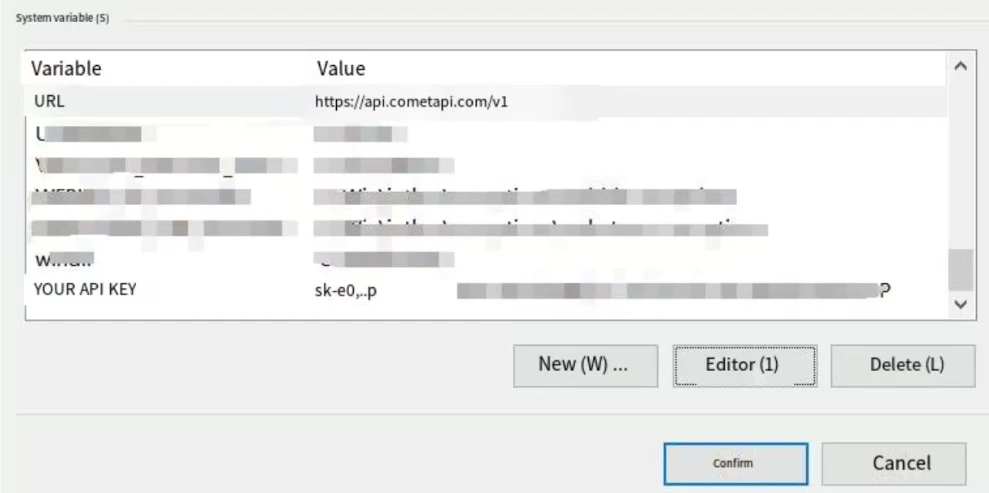
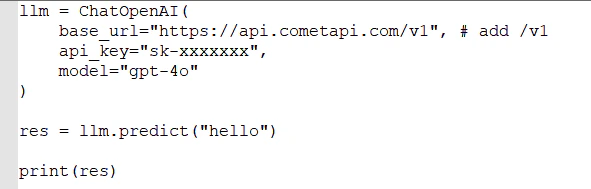
ChatOpenAI.Option A — Environment variables (recommended):3
Test the connection
Run a simple chain (e.g., a prompt asking for the current date). A successful response confirms CometAPI is connected.