Pot is a cross-platform translation and OCR application. Connect it to CometAPI to power AI translation with any supported model.

Prerequisites

1

Get your CometAPI API key

Log in to the CometAPI console. Click Add API Key and copy your sk-xxxxx key.
CometAPI dashboard showing the Add API Key button
CometAPI API key details with base URL
2

Add OpenAI service in Pot

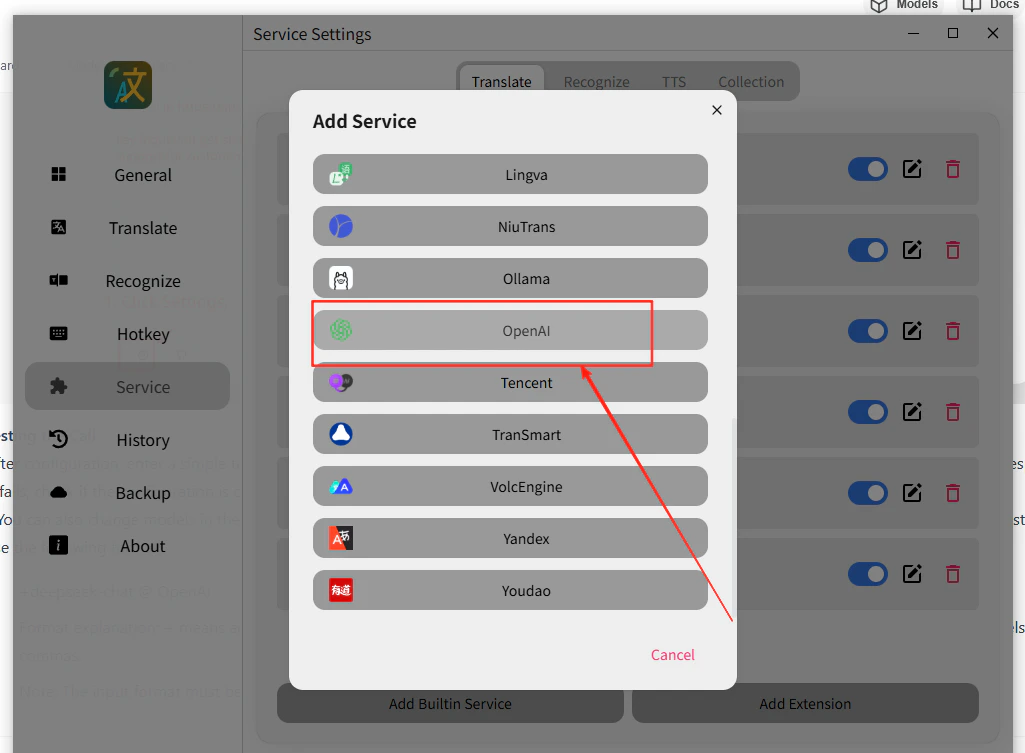
Open Pot’s menu, go to Service Settings → Add Built-in Service, select OpenAI, and enable Stream Output.
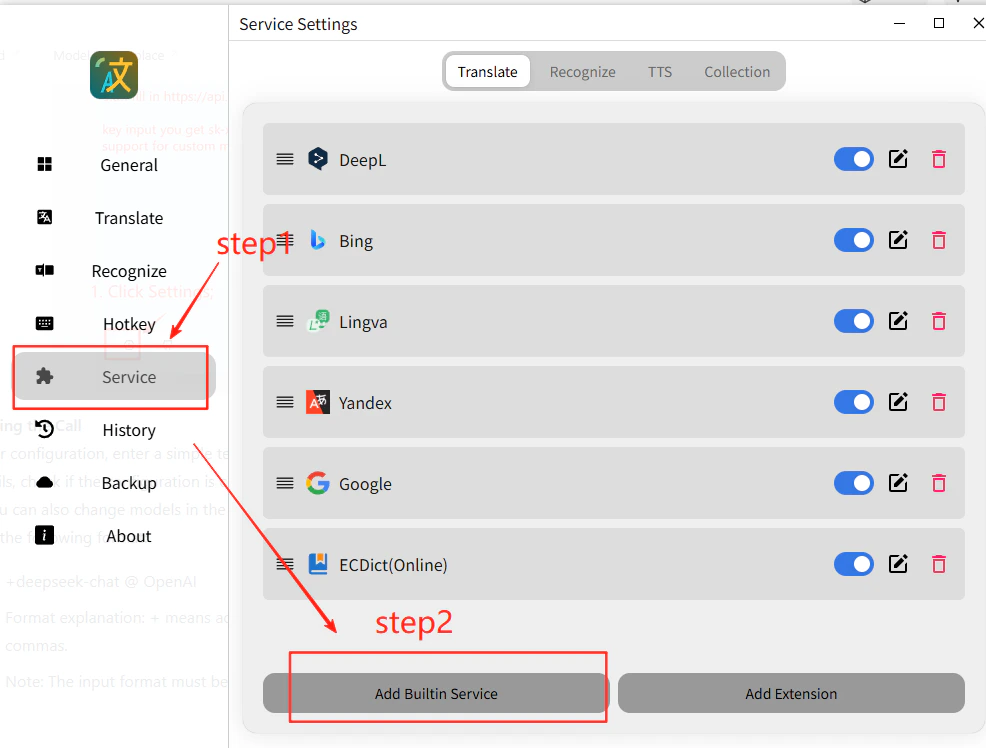
Pot service settings panel
Selecting OpenAI service with stream enabled
3

Enter your API credentials

  • API Address: https://api.cometapi.com/v1/chat/completions
  • API Key: paste your sk-xxxxx key
  • Model: set the current model ID you want to use
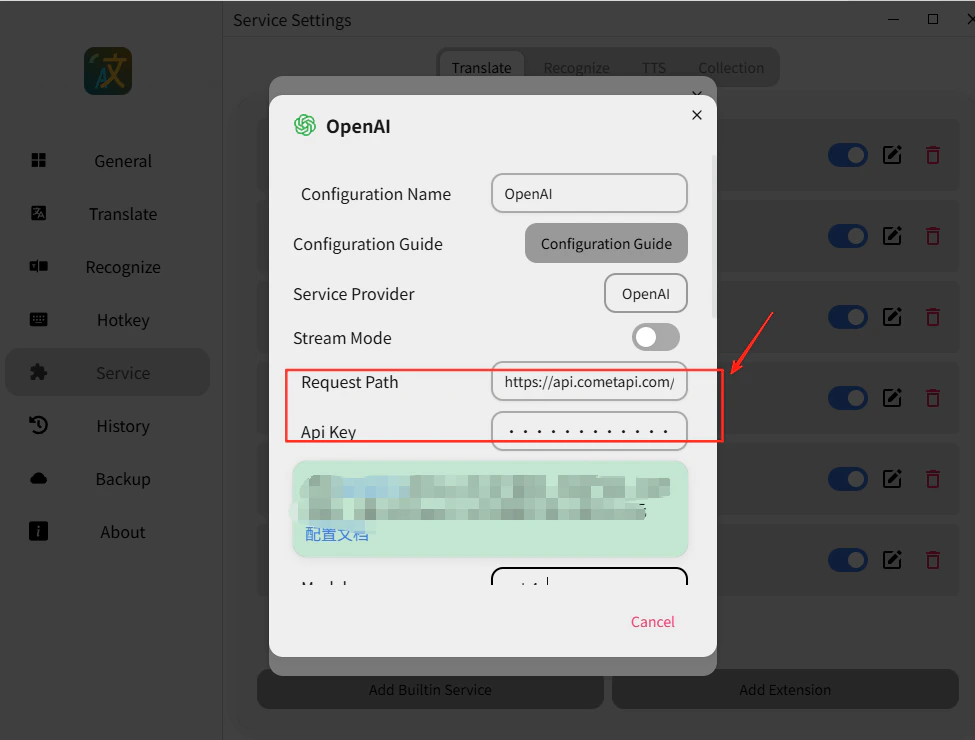
Click Save.
Pot API configuration fields filled in
4

Test the translation

Select any text and trigger a translation. A successful response confirms the integration is working.
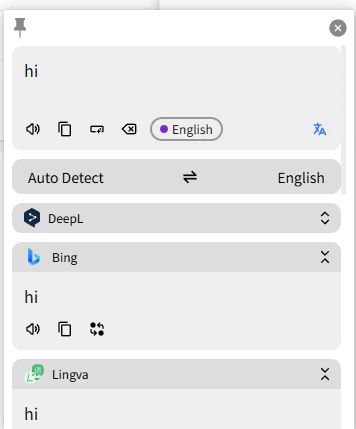
Pot showing a successful AI translation result
If the call fails, double-check your API key and the endpoint URL, or contact CometAPI support.
You can type any current CometAPI model ID directly into the Model field — for example, a GPT, Claude, Gemini, or DeepSeek model from the CometAPI Models page.

