Continue is an open-source VS Code extension for AI-powered coding assistance. It has a first-party CometAPI provider — no manual URL configuration needed.

Prerequisites

Setup

1

Install Continue in VS Code

Search for Continue in the VS Code Extensions panel and install it.
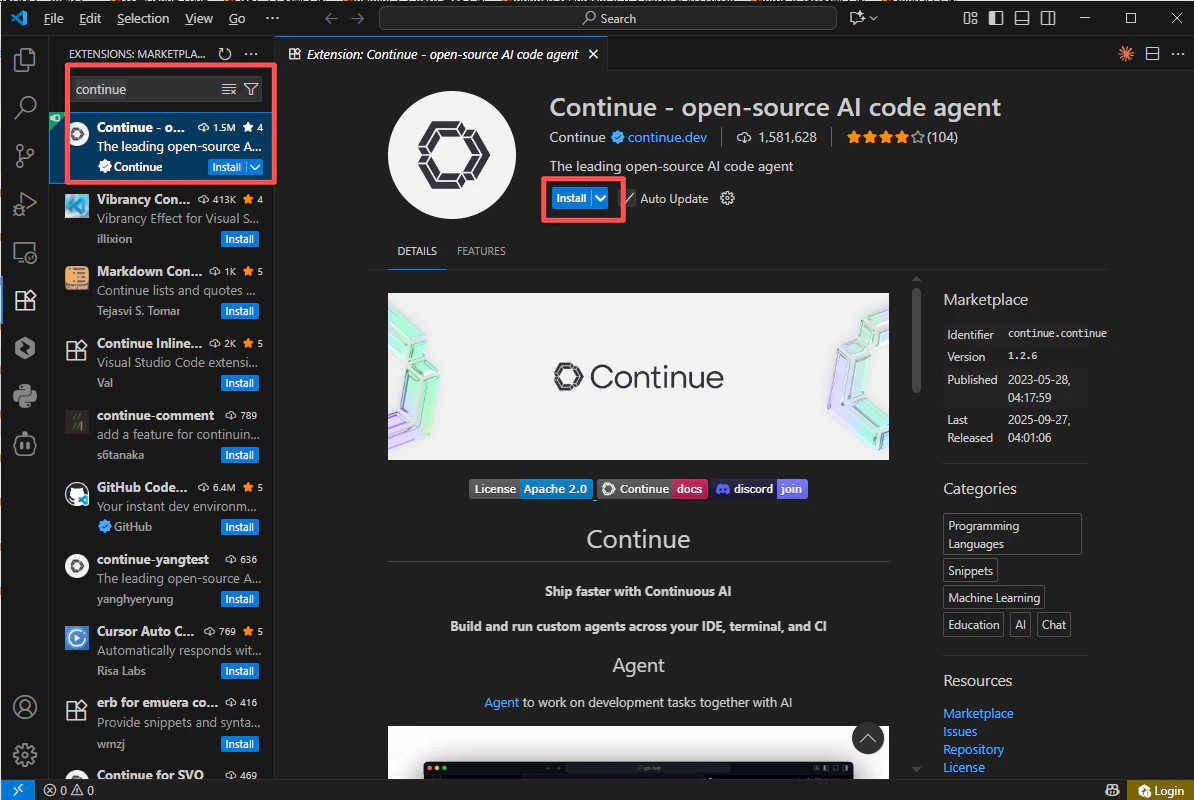
VS Code Extensions panel showing the Continue extension
2

Get your CometAPI API key

Log in to the CometAPI dashboard. Click Add API Key and copy your key.
CometAPI dashboard — Add API Key
CometAPI API key and base URL
3

Add CometAPI as a provider

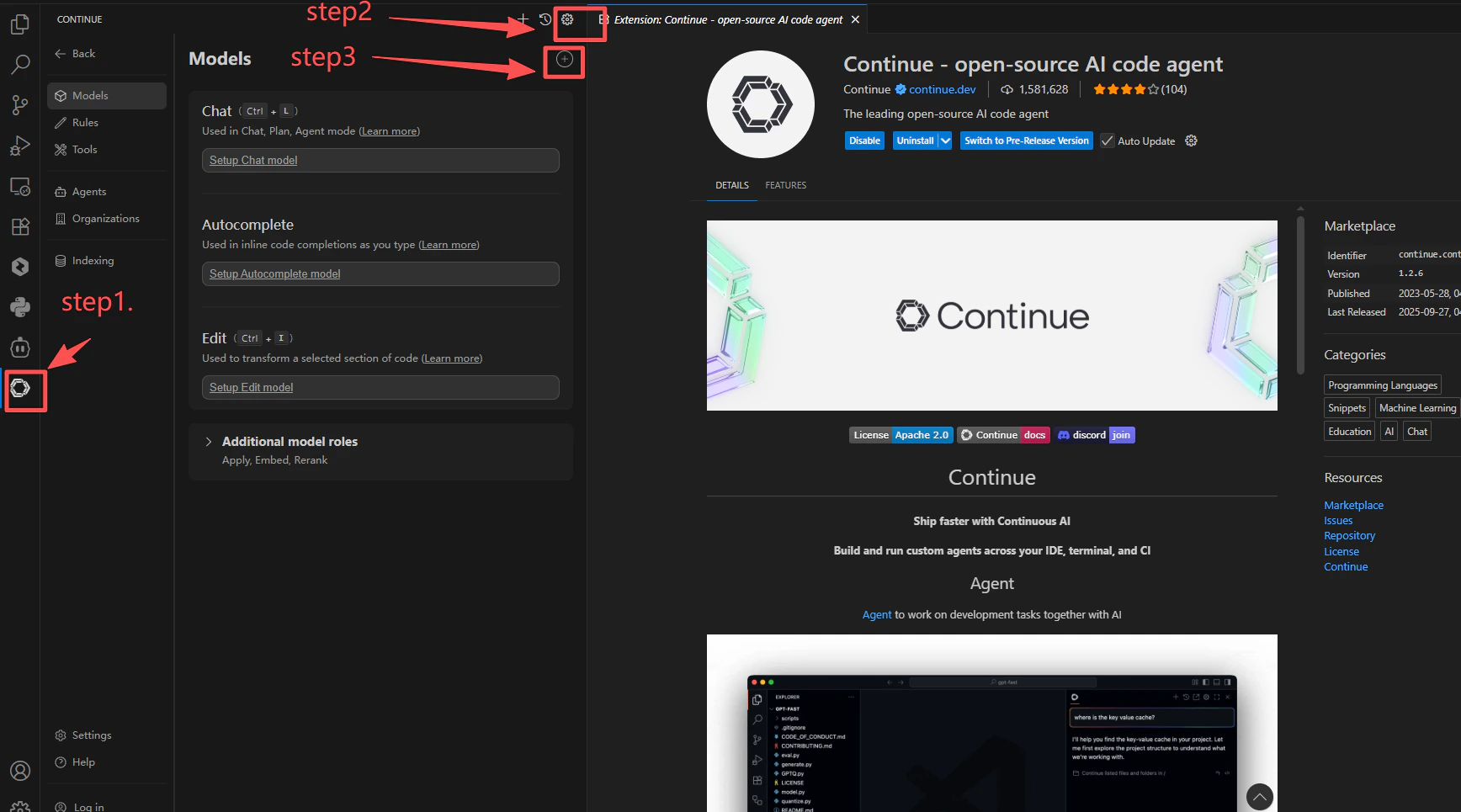
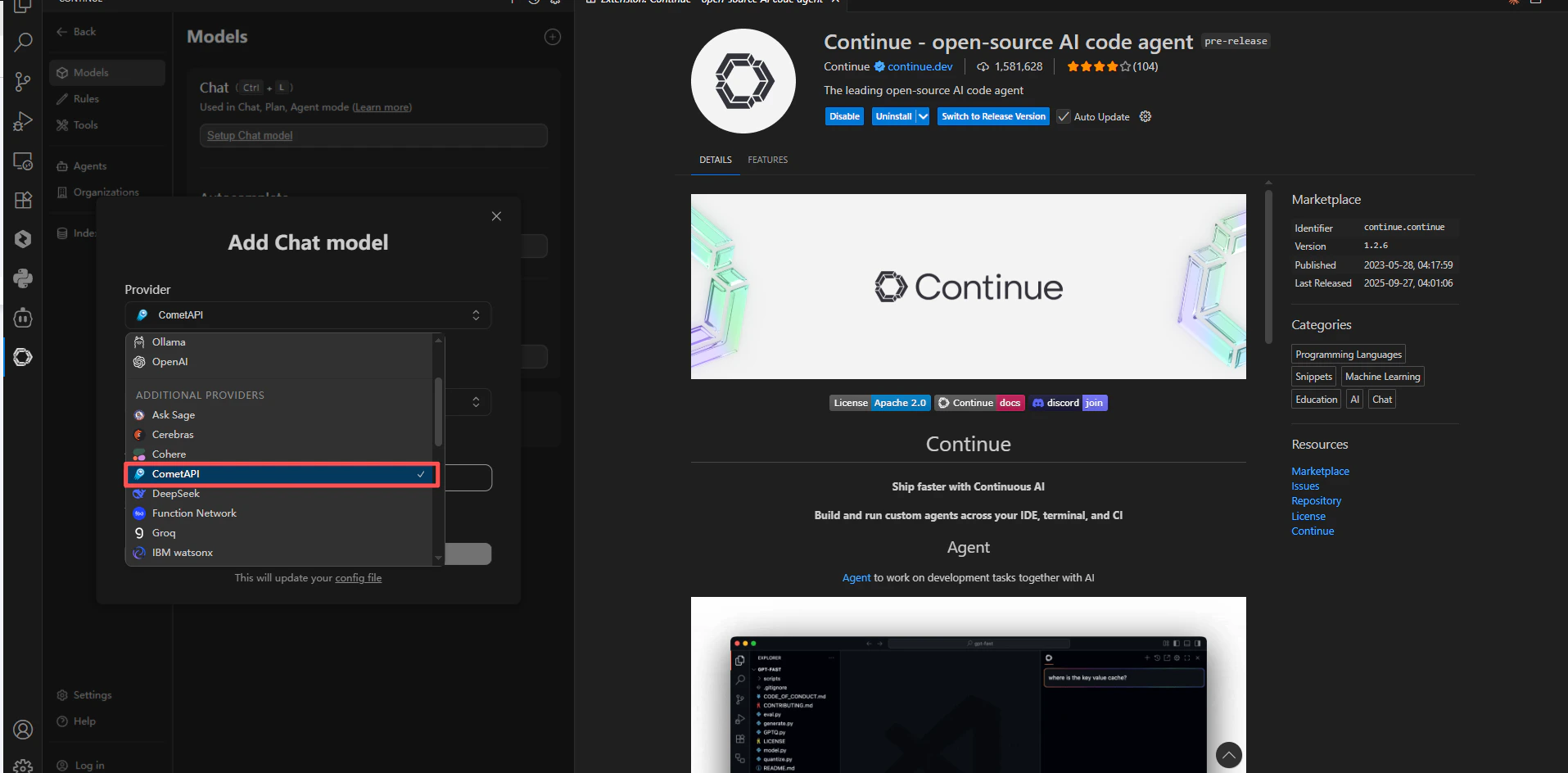
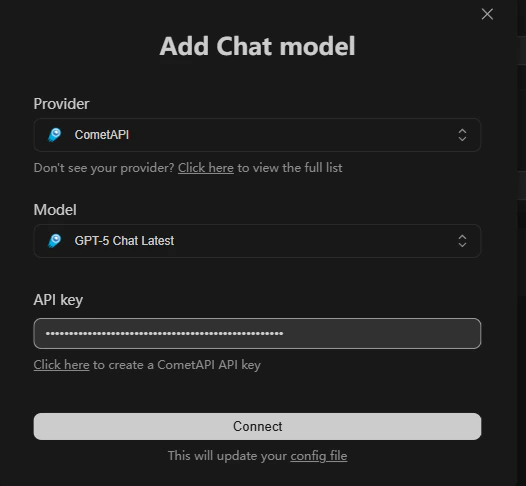
Open Continue SettingsModels+. Search for cometapi in the provider list and select it. Paste your API key and choose the models you want to use.
Continue settings — provider search with cometapi selected
CometAPI provider configuration in Continue
Model selection in Continue with CometAPI provider
4

Test the connection

Open a file and send a test prompt via Continue. A successful response confirms the integration is working.
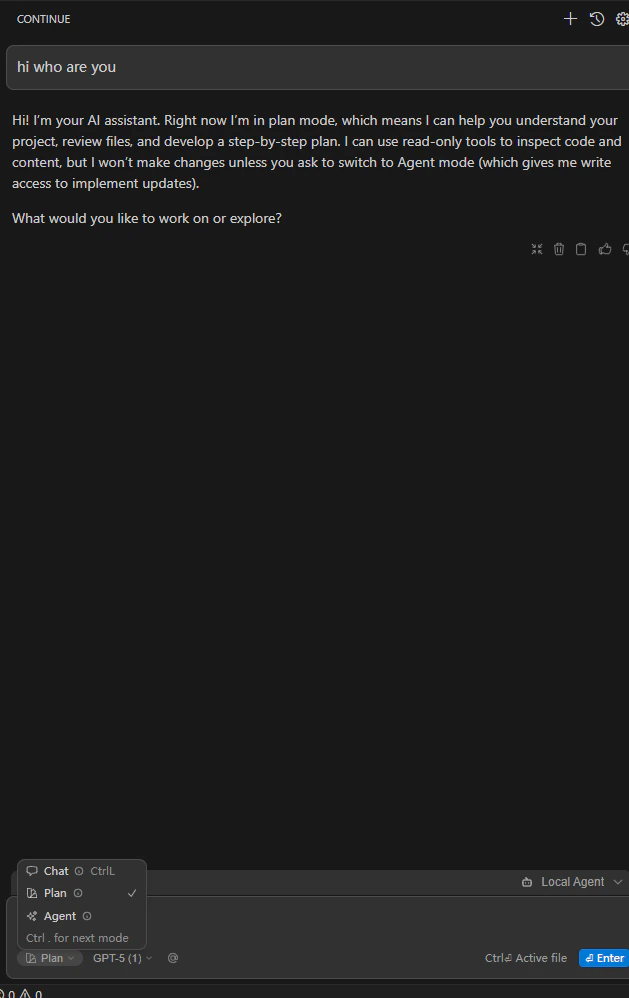
Continue chat showing a successful response from CometAPI
If CometAPI does not appear in the provider list, switch Continue to the Preview version and reopen the extension.
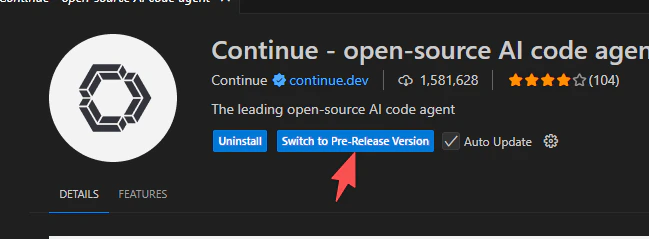
Continue extension panel showing the Preview version toggle