

This guide covers text chat and RAG workflows. It does not cover image generation workflows.
Prerequisites
- A CometAPI account with an active API key - get yours here
- A FlowiseAI account or self-hosted Flowise instance - sign in to Flowise Cloud
- A current text model ID from the CometAPI Models page
- For RAG, a document source plus a Flowise-supported embeddings provider and vector store
Configure ChatCometAPI
1
Get your CometAPI API key


2
Add the ChatCometAPI node
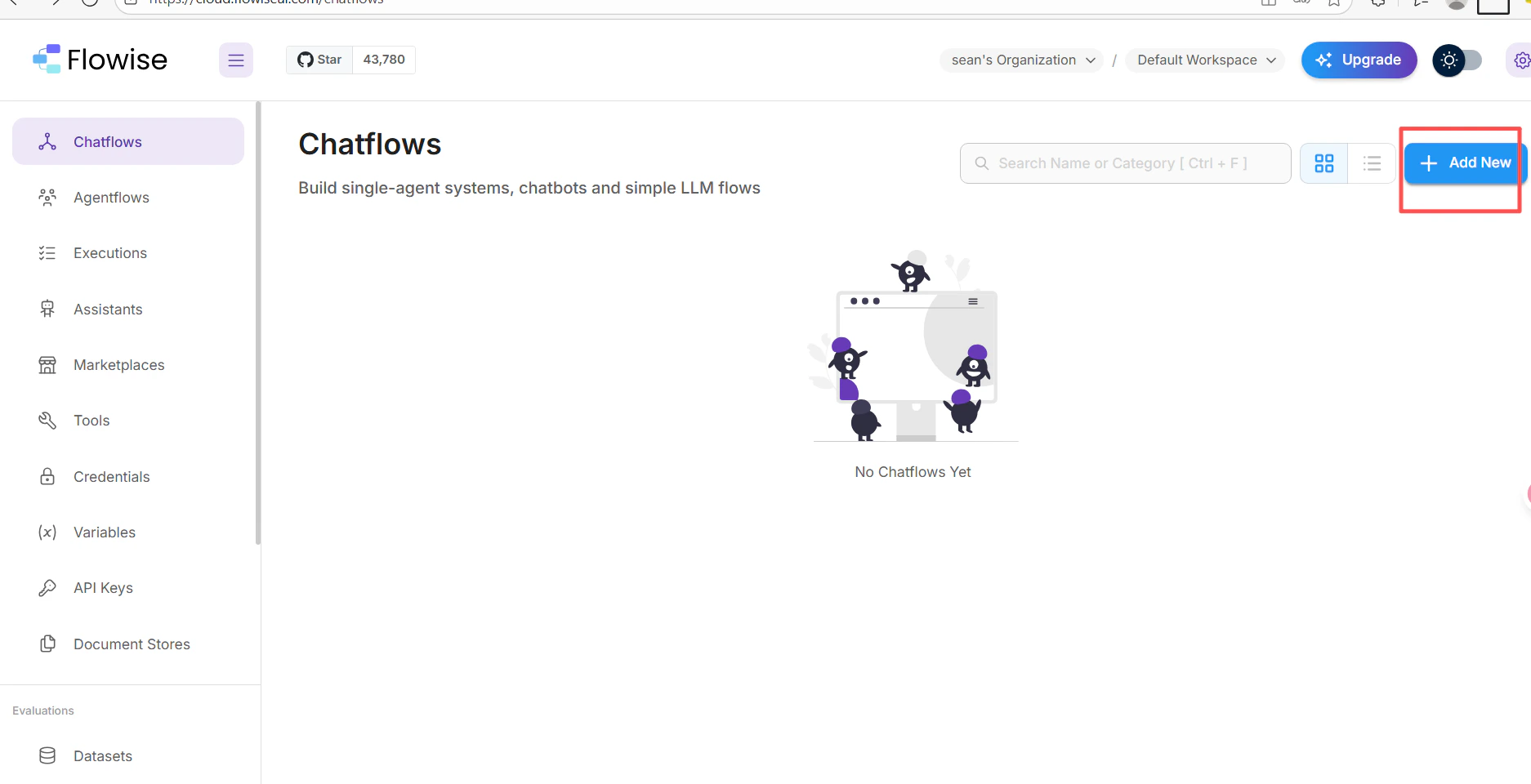
- In your FlowiseAI chatflow canvas, click Add New.
- Search for cometapi and select the ChatCometAPI node.
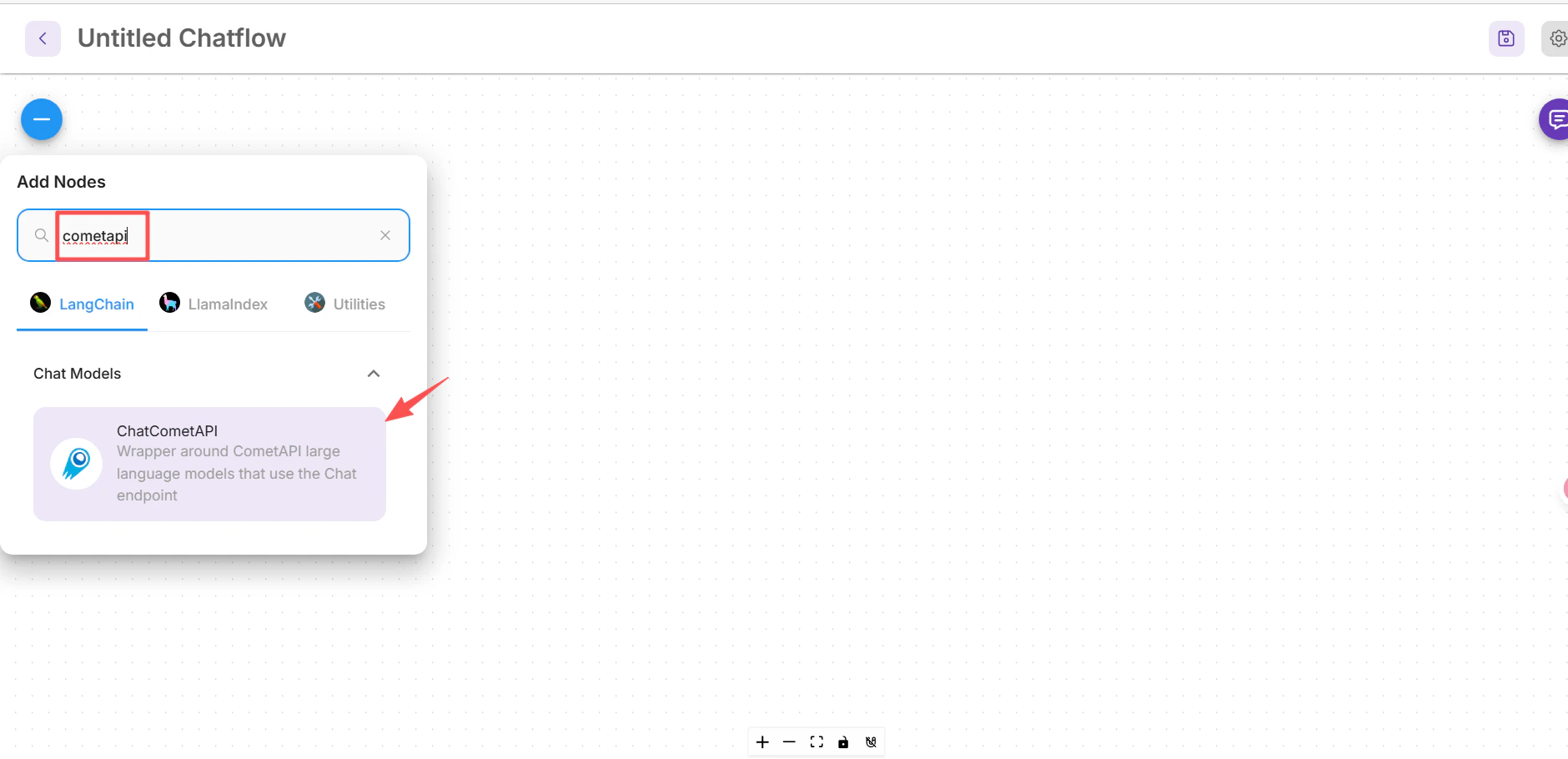
- Drag it onto the canvas.
3
Create the CometAPI credential
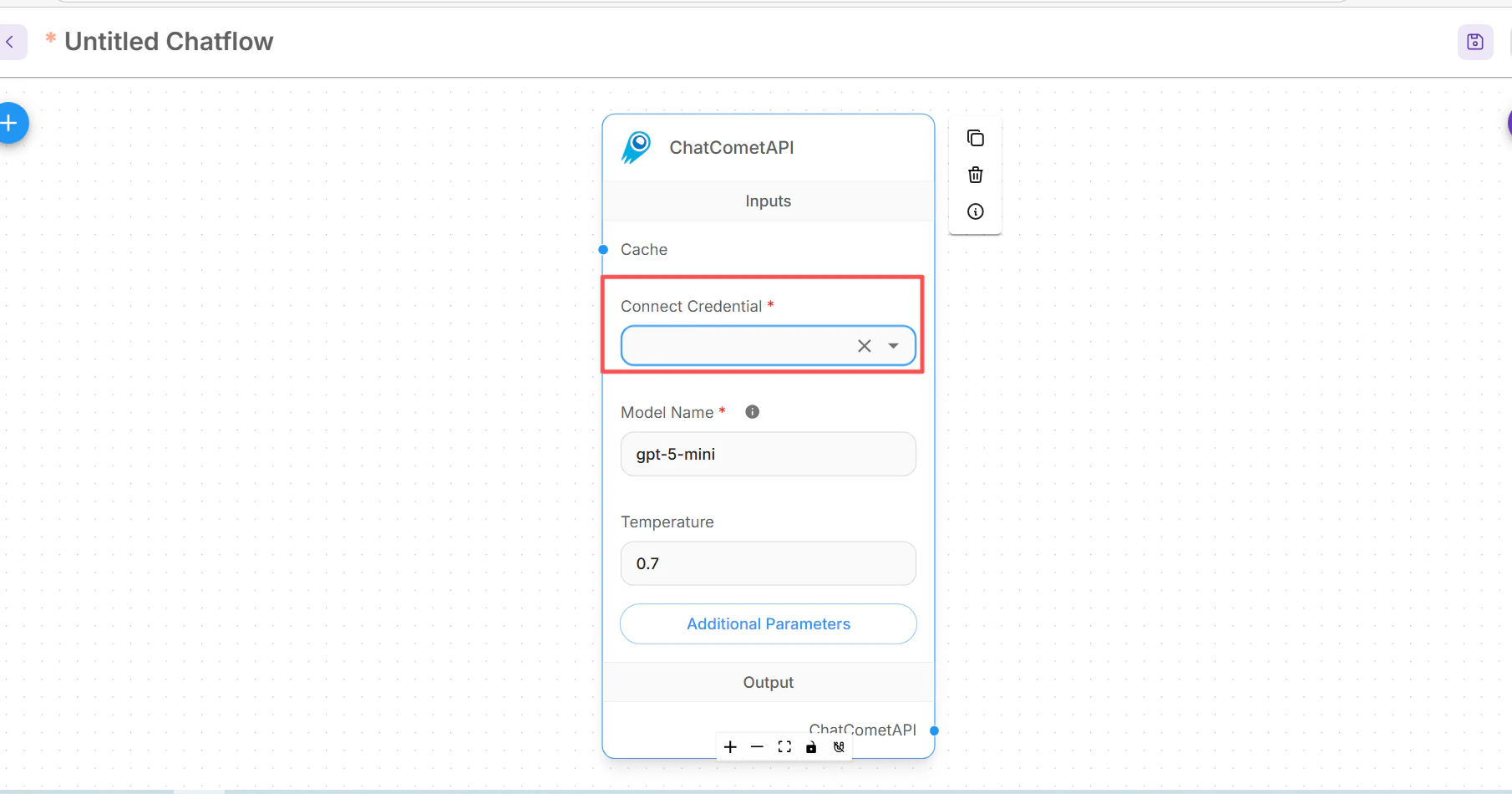
In the ChatCometAPI node, open Connect Credential, select Create New, paste your CometAPI API key, and save the credential.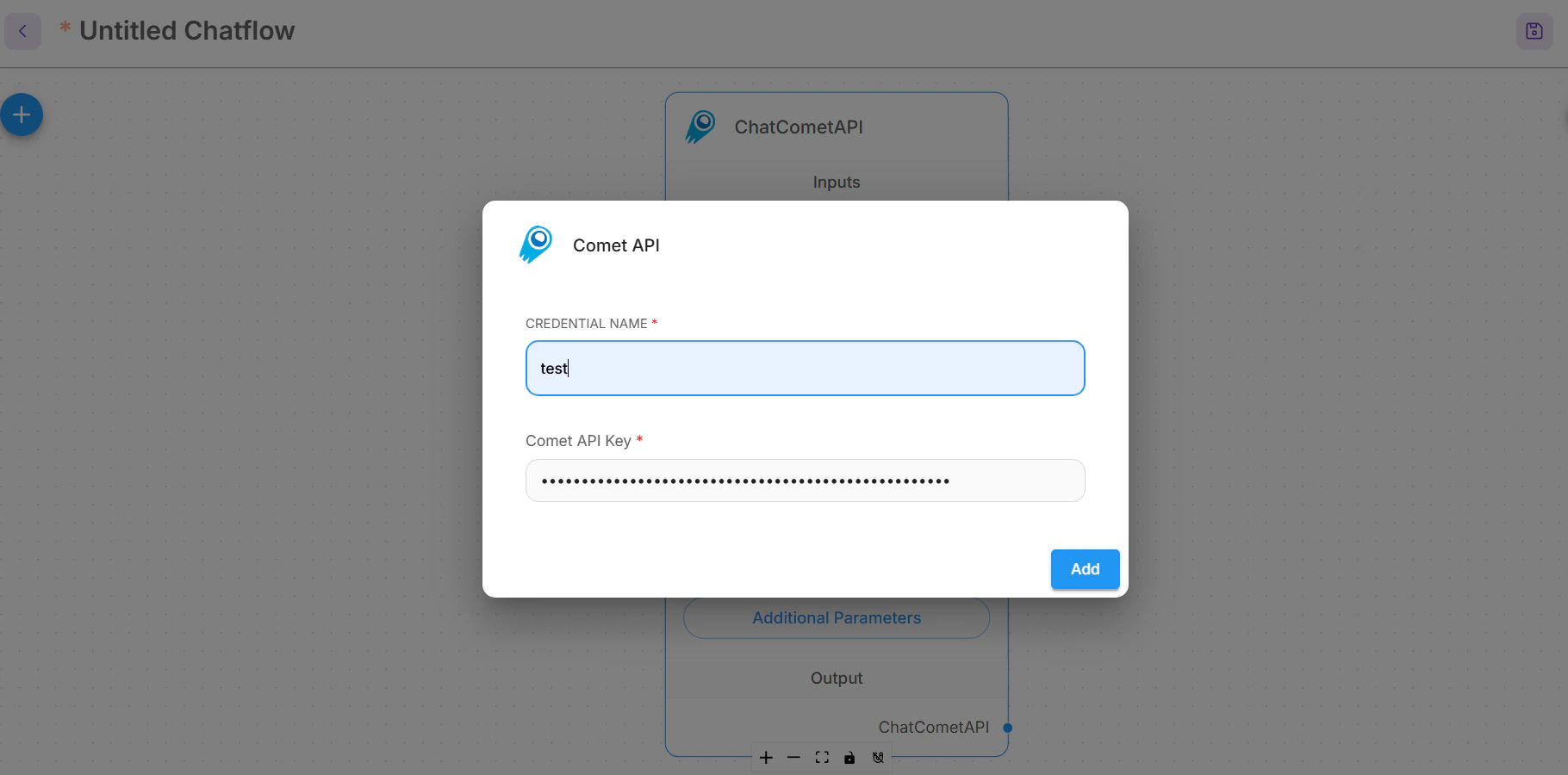
4
Set the CometAPI base path
Expand Additional Parameters on the ChatCometAPI node.If your Flowise build shows a Base Path field, set it to:If it exposes Base Options instead, add a Set Model Name to the exact text model ID you want to call, for example
basePath entry:your-model-id, and adjust Temperature only if your workflow needs more or less variation.Create a basic chatflow
1
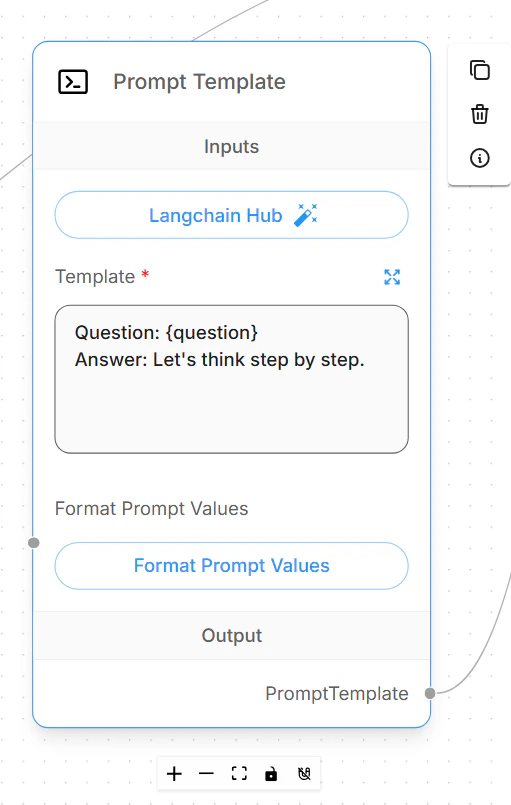
Add a Prompt Template
Add a Prompt Template node and define the prompt your chatflow will send to the model.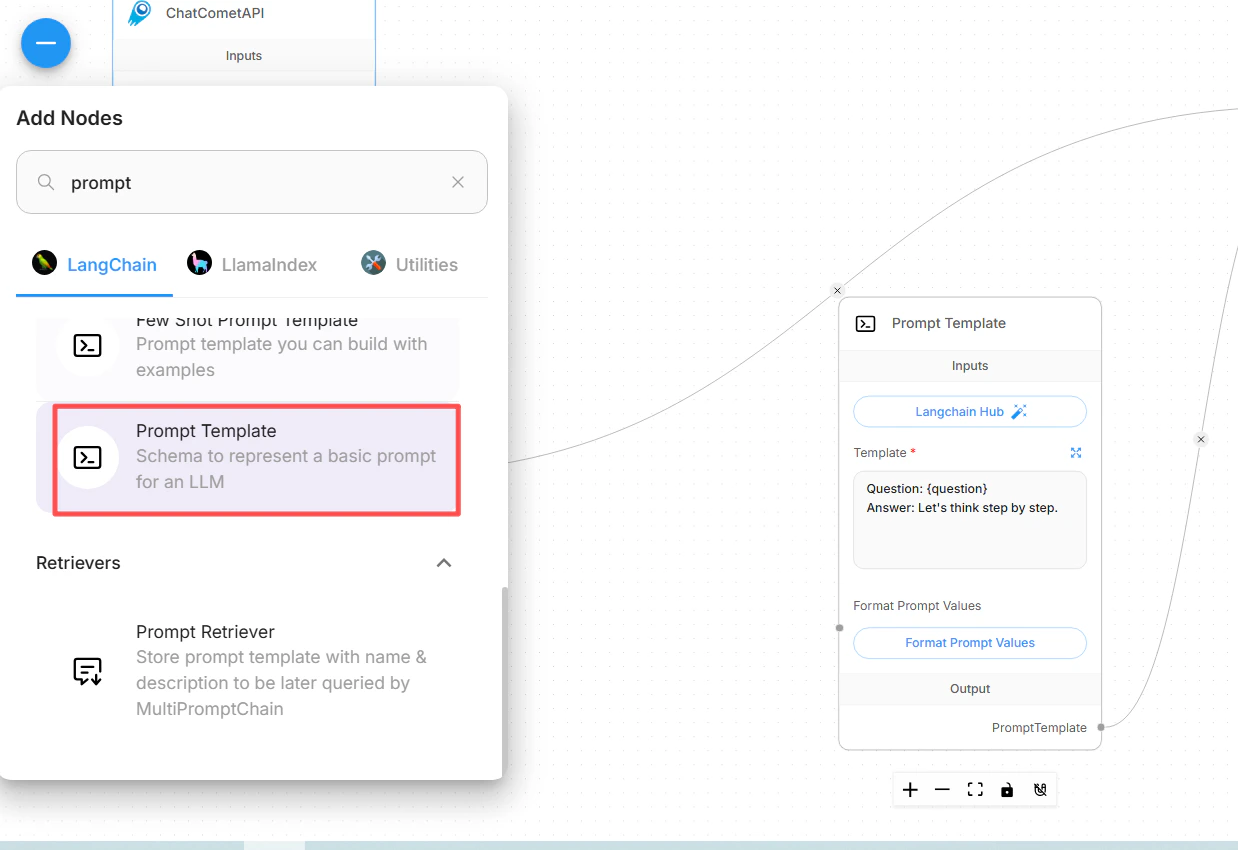
2
Add an LLM Chain
Add an LLM Chain node. Connect the ChatCometAPI node to the chain’s Language Model input, then connect the Prompt Template node to the chain’s Prompt input.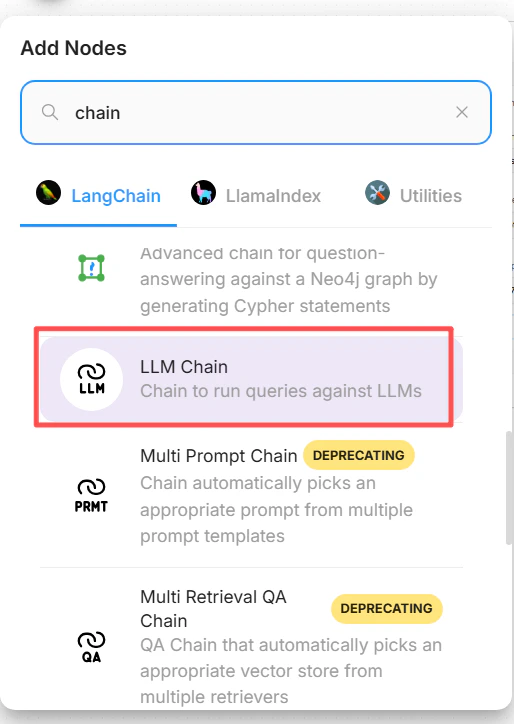
3
Save and test the flow
Save the chatflow, open the chat preview, and send a short test question. A healthy setup returns a normal text answer from the selected CometAPI model.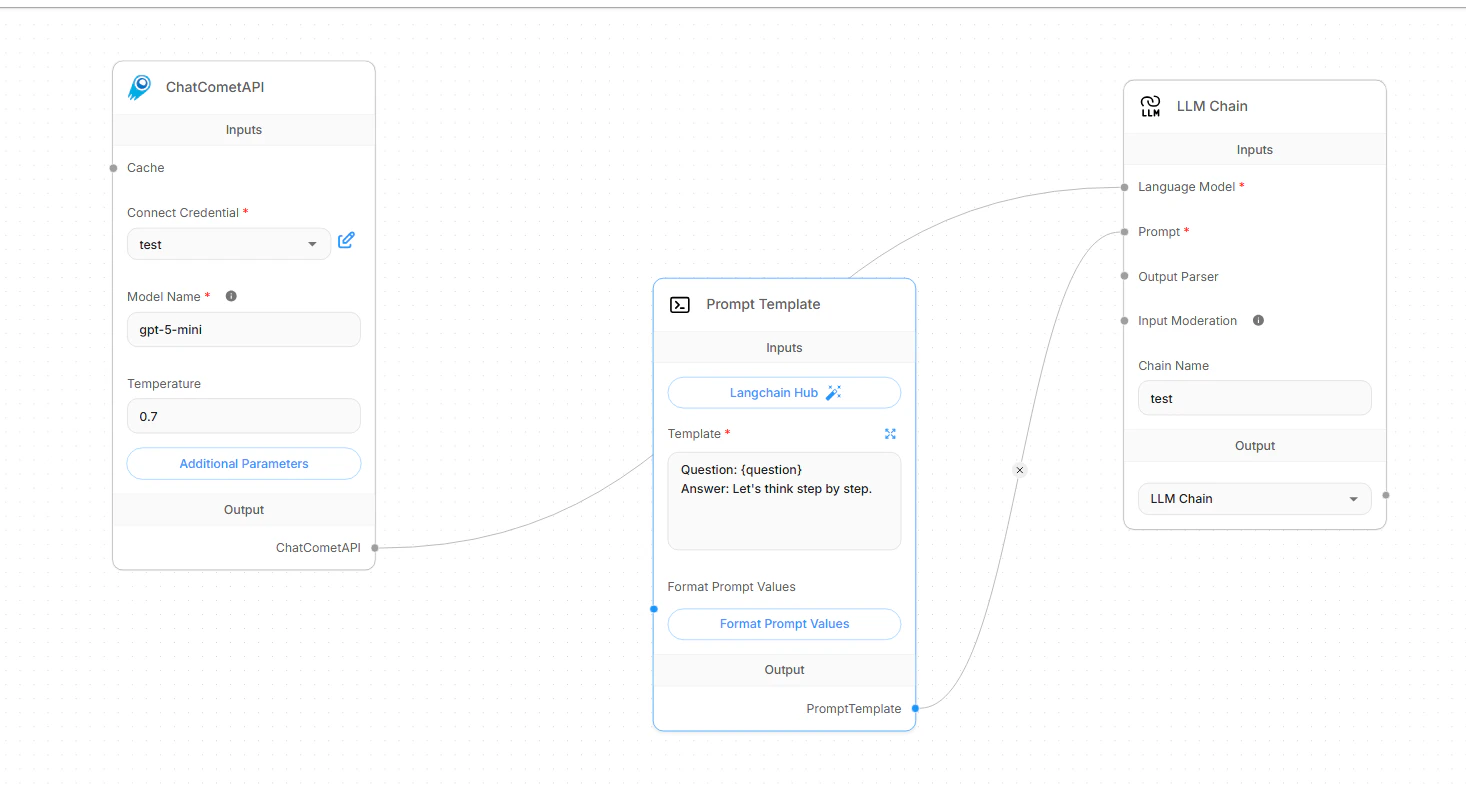
Switch model IDs
To switch models, keep the same CometAPI credential and base path, then change only the ChatCometAPI model ID field. Use exact model IDs from the CometAPI Models page. Avoid copying display names, provider names, or extra spaces.
After changing the model ID, save the chatflow and run a short test prompt. If you maintain multiple production flows, duplicate the chatflow first and give each copy a name that reflects the model family.
Configure retrieval-augmented generation
Flowise RAG has two parts: first prepare and upsert documents in Document Stores, then connect the prepared retriever to a chatflow. ChatCometAPI is the chat model that writes the final answer; the Document Store still needs a Flowise-supported embeddings provider and vector store.1
Create and process a Document Store
In Flowise, open Document Stores and create a new store. Add a document loader, such as File Loader, PDF Loader, Web Scraper, or another loader that matches your source. Add a text splitter when the document is long enough to need chunking, then click Process to preview the generated chunks.
2
Configure embeddings and vector storage
Click Upsert or Upsert All Chunks. Select:
- Embeddings: a Flowise embeddings node compatible with your data and vector store.
- Vector Store: the vector database where Flowise should store document embeddings.
- Record Manager: optional. Use it when you want repeat upserts to avoid duplicate records.
3
Create the retrieval chatflow
In a chatflow, add a Document Store (Vector) or Document Store Retriever node and select the processed Document Store. Set Top K to the number of chunks you want Flowise to retrieve for each question.
4
Connect Conversational Retrieval QA Chain
Add Conversational Retrieval QA Chain and connect:
- Language Model input from ChatCometAPI.
- Vector Store Retriever input from the Document Store retriever.
- Memory only if your chatflow needs conversation history.
Troubleshooting
The ChatCometAPI node is missing
The ChatCometAPI node is missing
Confirm that your Flowise version includes the ChatCometAPI chat model integration. In older or customized Flowise deployments, update Flowise or check whether the integration has been disabled by the administrator.
Requests fail because the base path is wrong
Requests fail because the base path is wrong
Set the CometAPI base path to
https://api.cometapi.com/v1/. In some Flowise builds this is a Base Path field. In others, add basePath inside Base Options.Do not use https://api.cometapi.com for the ChatCometAPI chatflow, because the chat node calls OpenAI-compatible /chat/completions routes under /v1.The API key or credential fails
The API key or credential fails
Recopy the key from the CometAPI console, create a fresh Flowise credential, and make sure the chatflow uses that credential. If the same key works in direct API calls but fails in Flowise, check that Flowise is not still using an older credential attached to the node.
The model ID fails
The model ID fails
Replace the model ID value in the ChatCometAPI node with an exact current text model ID from the CometAPI Models page. The value should not include quotes, a provider prefix, a display label, or trailing spaces.
The workflow tries to generate images
The workflow tries to generate images
ChatCometAPI is a chat model node for text workflows. Use it for chat, chains, agents, and RAG answer generation. Do not use this Flowise setup for image generation nodes or image-only workflows.
RAG returns no sources or weak answers
RAG returns no sources or weak answers
First test the Document Store retrieval query before testing the full chatflow. If retrieval is weak, tune the text splitter, chunk size, chunk overlap, metadata filters, and Top K. If citations are missing, enable Return Source Documents on Conversational Retrieval QA Chain.
Upsert or vector store configuration fails
Upsert or vector store configuration fails
Check that the embedding provider, vector store, and vector dimensions match. Flowise Cloud vector stores often require their own reachable service URL and credentials; a local-only vector store URL such as
localhost will not be reachable from Flowise Cloud. Record Manager is optional, but if you enable it, configure its database connection separately.The request times out or is rate limited
The request times out or is rate limited
Lower retrieval Top K, reduce prompt size, use smaller chunks, or choose a faster model ID for the ChatCometAPI node. For rate limits, wait and retry with lower concurrency, then check account usage and limits in the CometAPI console.