Prerequisites
Setup
1
Get your CometAPI API key
Log in to the CometAPI dashboard. Click Add API Key and copy your key and base URL (

https://api.cometapi.com).2
Add CometAPI as a third-party account
In FastGPT, go to Account Settings → Third-party Accounts → OpenAI Account. Enter 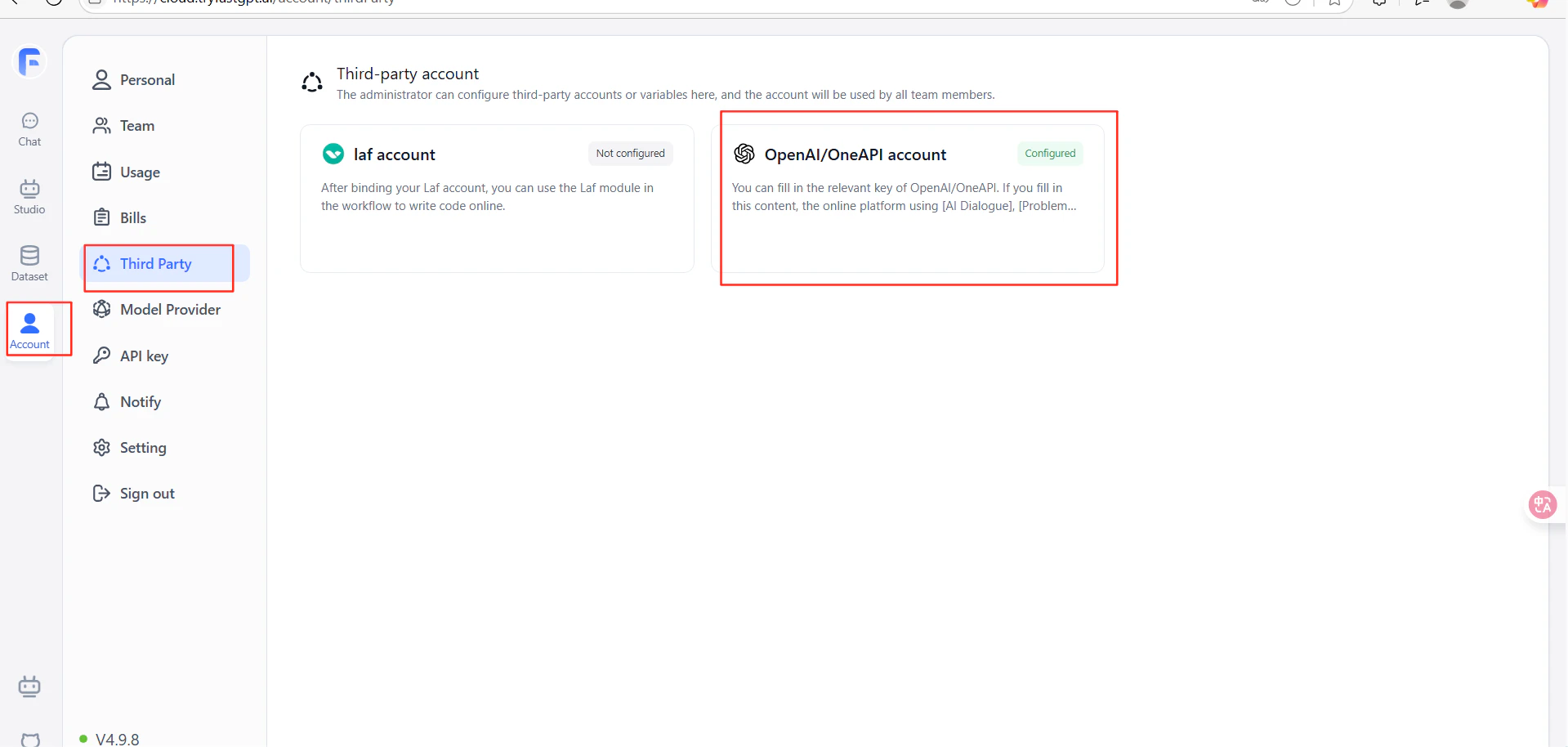
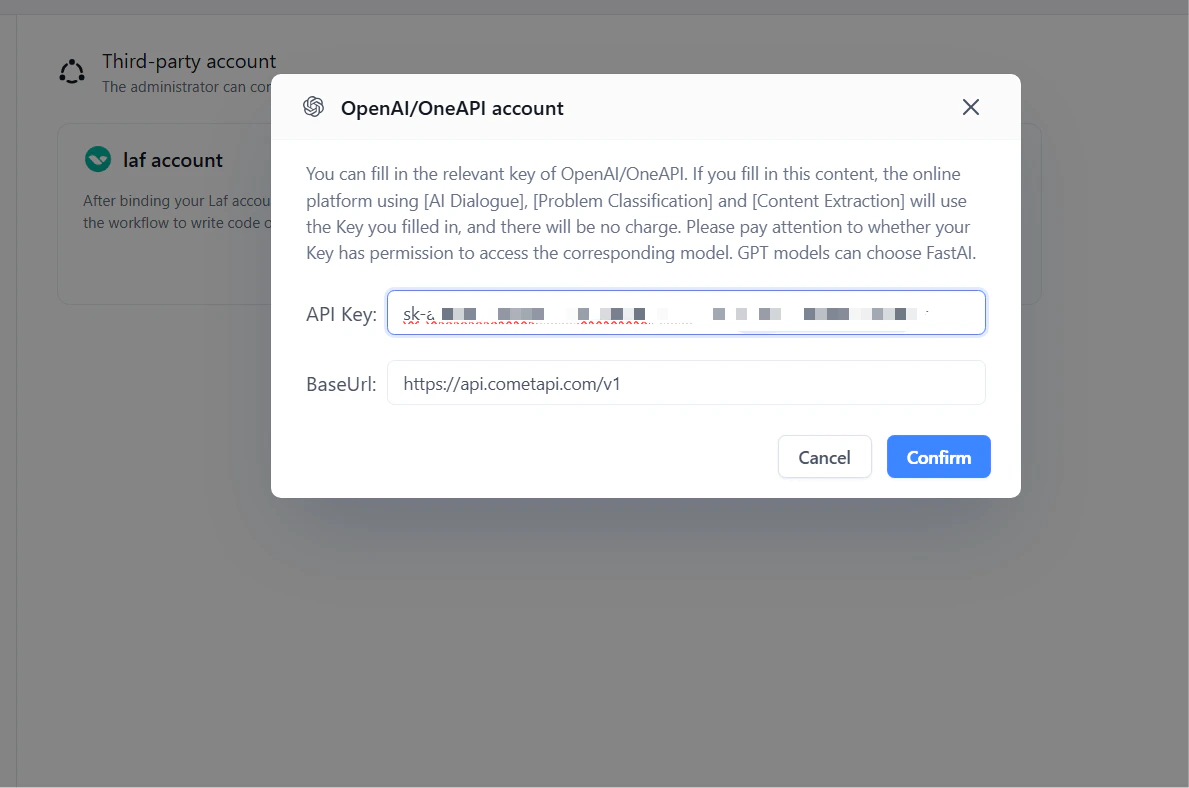
https://api.cometapi.com/v1 in the URL field (include the /v1 suffix). Paste your CometAPI key into API Key and click Confirm.3
Test the connection
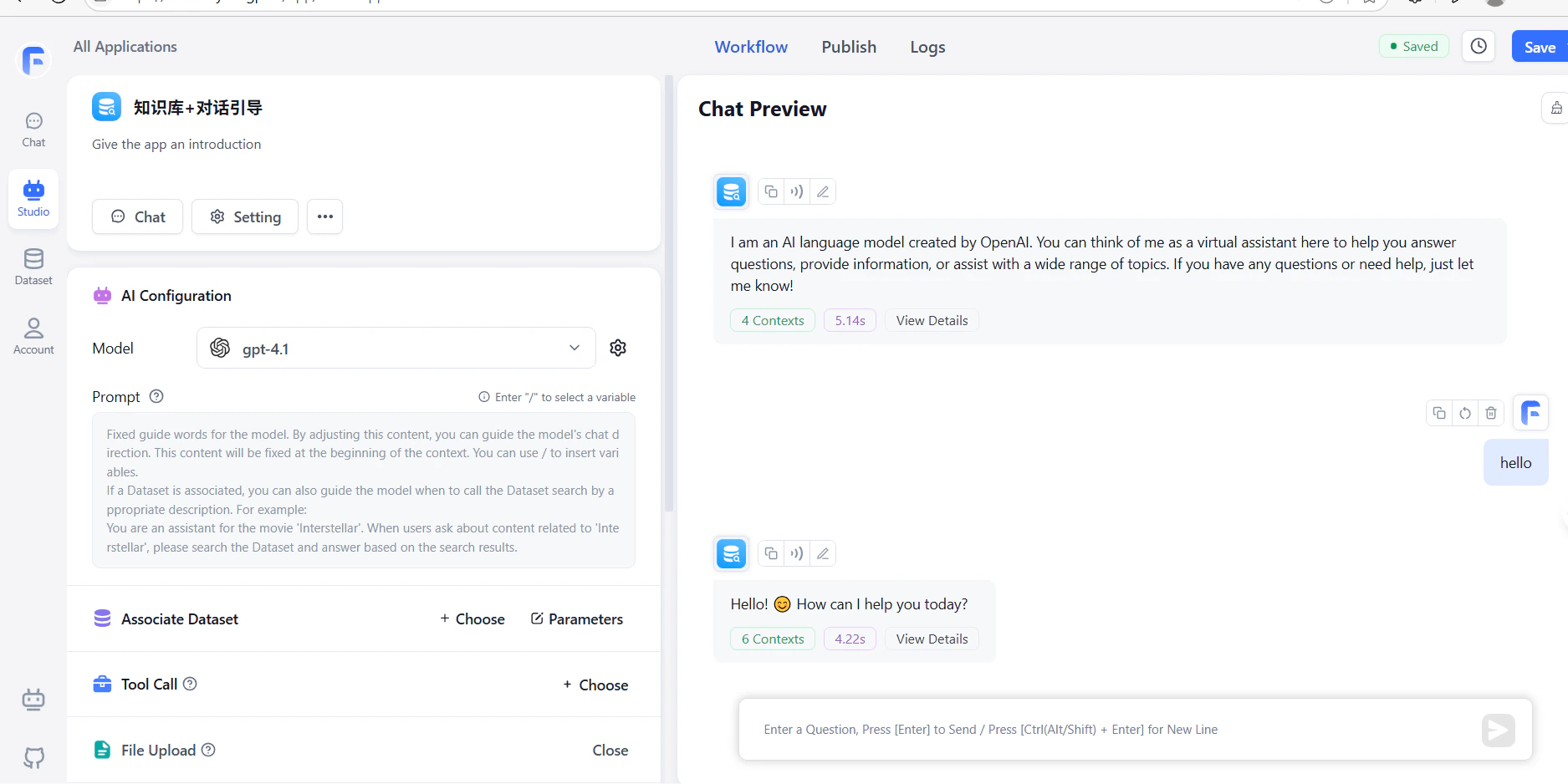
Create a workflow with an LLM node and run it. A successful response confirms the setup is working.