

Prerequisites
Setup
1
Install Cline in VS Code
Search for Cline in the VS Code Extensions panel and install it.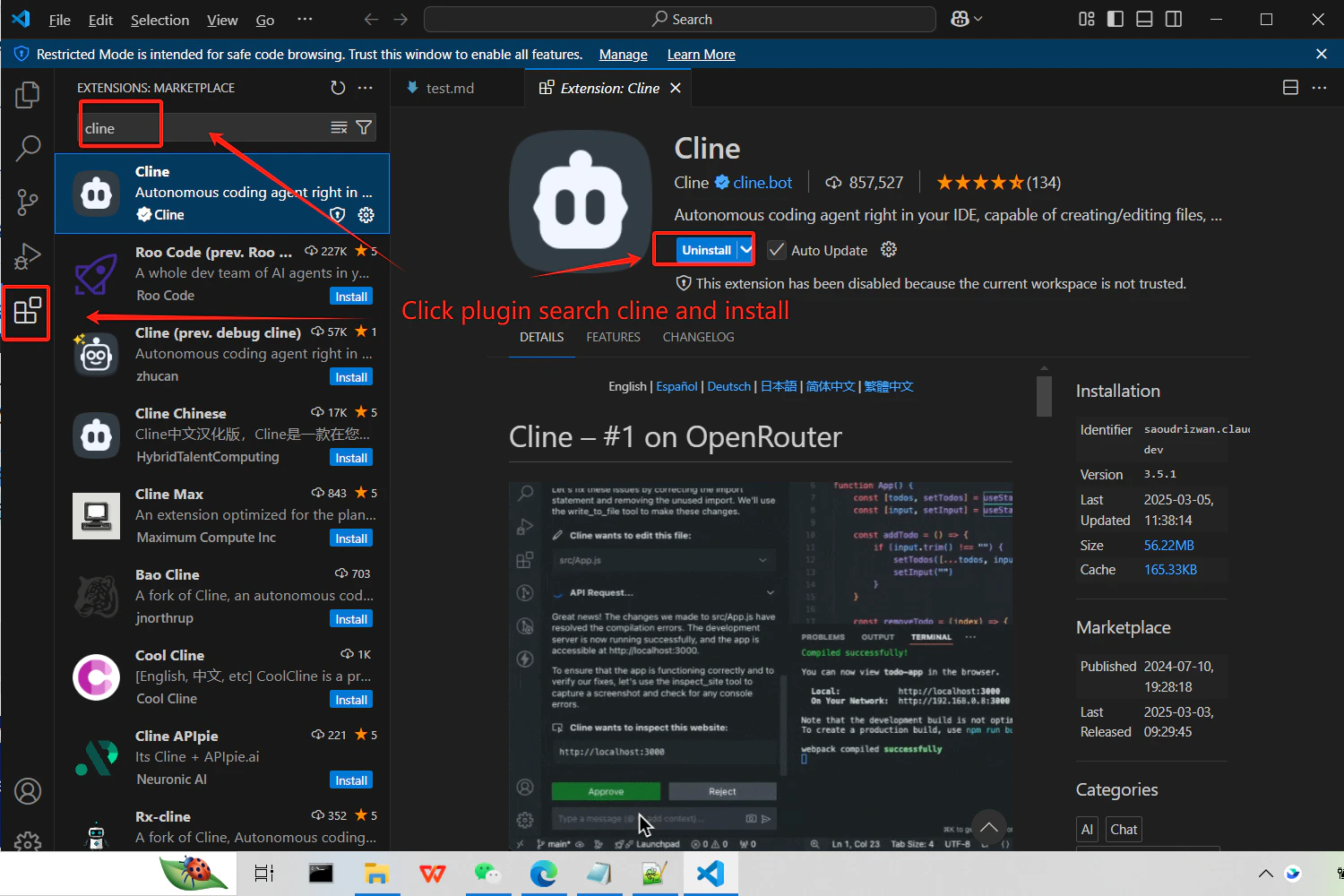
2
Get your CometAPI API key
Log in to the CometAPI dashboard. Click Add API Key and copy your key and base URL (

https://api.cometapi.com).3
Configure the API provider
Open Cline settings and select OpenAI Compatible as the provider. Enter 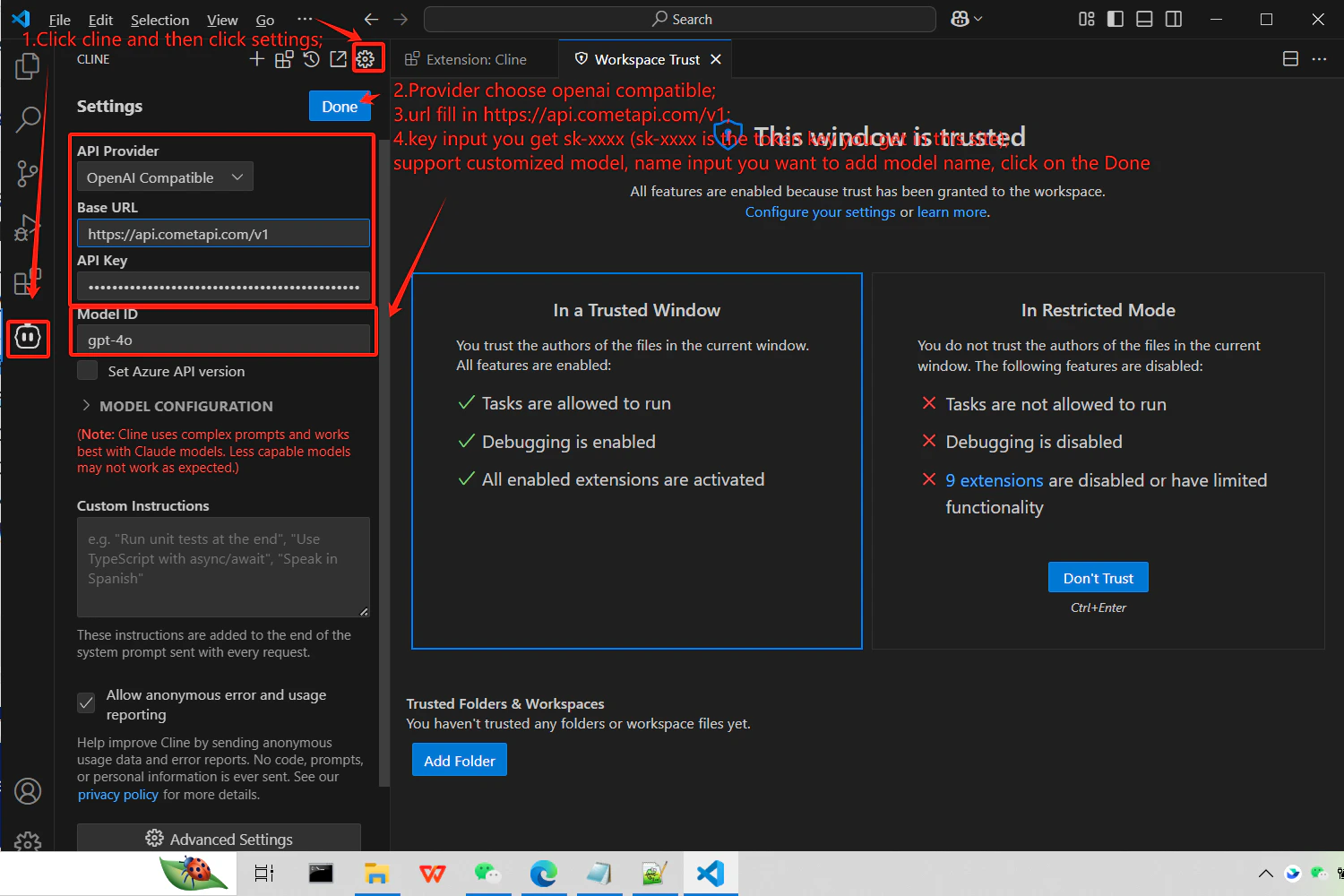
https://api.cometapi.com/v1 in the Base URL field, paste your key into API Key, and enter the model ID you want to use.4
Test the connection
Send a test prompt in Cline (e.g., ask it to generate a hello world function). A successful response confirms the integration is working.